
這是歷史版本頁面 — 看 WinSCP 最新版本
想安全傳檔案到伺服器?WinSCP 能幫你做什麼
 WinSCP 4.1.9
資料更新 2009-04-24
閱讀約 3 分鐘
當你需要將網站程式碼或設定檔上傳到遠端伺服器時,常會發現直接用作業系統內建的檔案管理員無法連線。尤其是在需要加密傳輸以確保安全性,或是必須在本地電腦與伺服器之間快速對比檔案差異時,缺乏一個直觀的介面來操作,導致只能依賴複雜的指令碼或反覆下載再上傳。
一般人習慣使用簡單的檔案複製貼上,但在處理遠端伺服器時,必須透過特定的通訊協定才能建立連線。這類工具的切入點在於提供一個雙面板的視覺化介面,讓使用者能像操作本地資料夾一樣,透過拖放方式完成不同協定下的檔案傳輸與同步。
01WinSCP 可以用來做什麼?
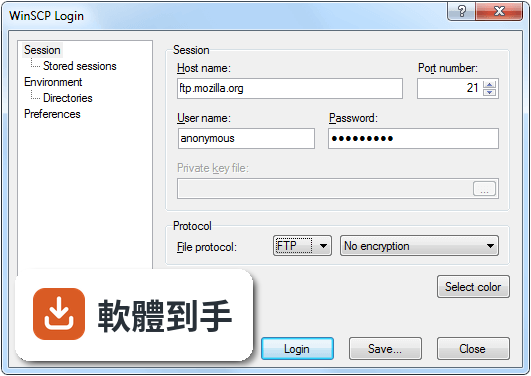
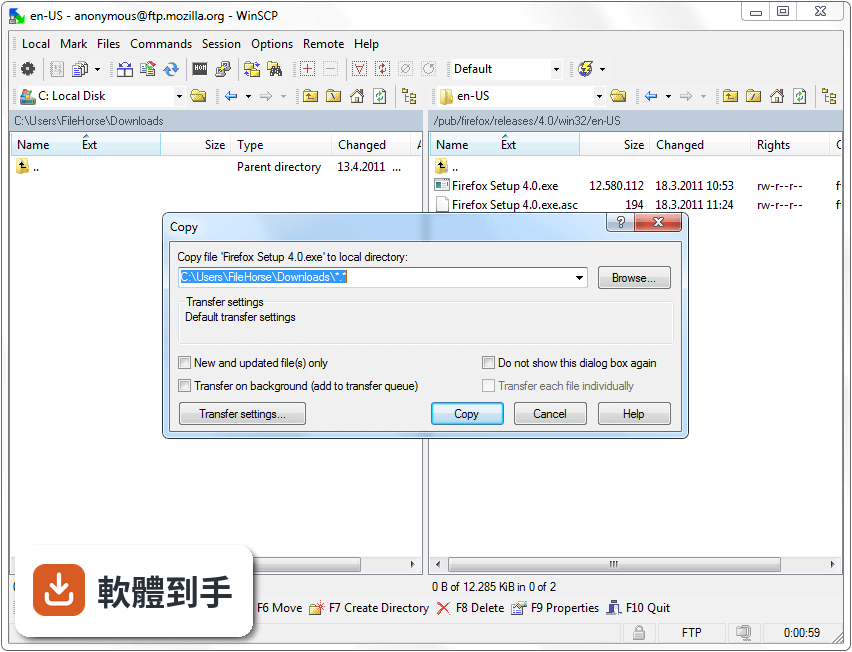
這套軟體主要用於 Windows 電腦與遠端伺服器之間的檔案傳輸,支援 SFTP、SCP、FTP 及 WebDAV 等多種協定。它提供類似檔案管理員的雙面板介面,讓使用者能方便地在本地路徑與遠端路徑之間移動檔案,並確保傳輸過程經過加密以維持安全性。
02這套軟體能直接修改伺服器上的檔案嗎?
可以。它內建了文字編輯器,使用者不需要先將檔案下載到本地電腦,就可以直接開啟並編輯遠端伺服器上的內容,修改完成後儲存即可同步回伺服器,省去重複上傳的步驟。
03它支援自動化傳輸功能嗎?
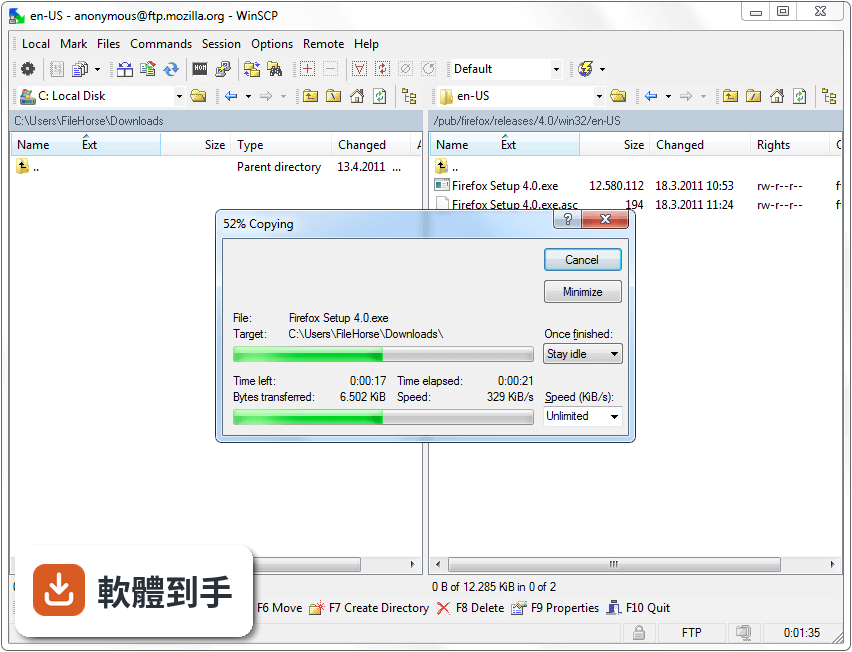
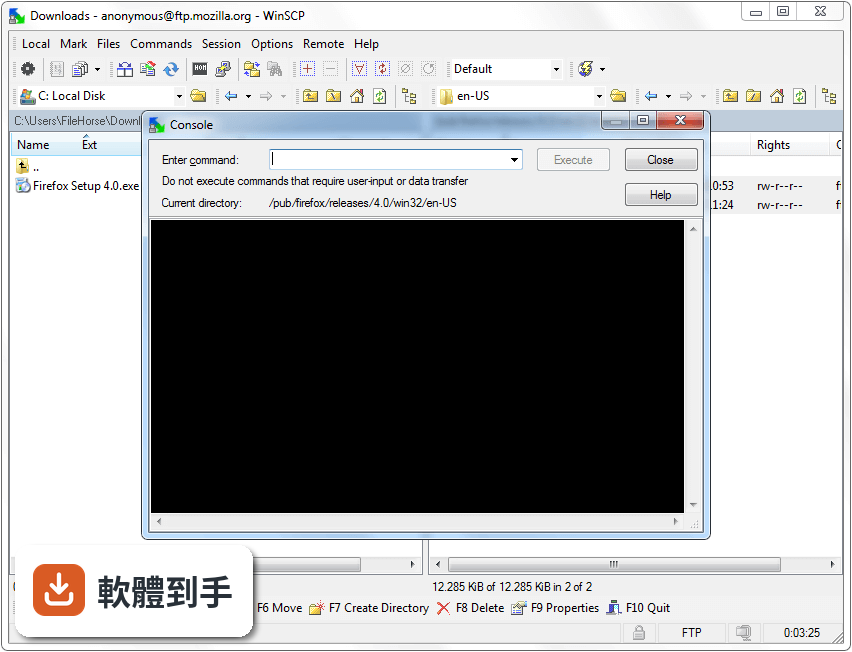
支援。它提供指令碼編寫能力,可以與 Windows 工作排程器整合,讓使用者將重複性的檔案傳輸任務設定為自動執行,不需要每次都手動操作介面。
04這套軟體可以同步本地和遠端資料夾嗎?
可以。它具備目錄同步功能,能比對本地資料夾與遠端伺服器路徑中的檔案差異,並將兩者同步至一致狀態,適合需要定期更新伺服器內容的使用者。
05什麼樣的工作環境會需要用到它?
系統管理員、網頁開發人員或經常需要管理遠端伺服器檔案的人員較適合使用。因為這些角色需要頻繁且安全地在本地與伺服器間交換資料,而這套軟體提供的協定支援能滿足其需求。
06如果不想安裝軟體到電腦裡,這套工具可以用嗎?
可以。它提供免安裝的可攜式模式(Portable Mode),使用者可以直接執行程式而不需要經過正式的安裝流程,方便在不同電腦間切換使用。
07為什麼 Mac 使用者不能選這套軟體?
因為這套軟體僅支援 Windows 系統,並不提供 macOS 或 Linux 版本。如果作業環境不是 Windows,將無法運行此工具。
08如果需要介面是中文的,它適合嗎?
可能不適合。其介面語系僅提供英文,對於完全無法使用英文介面操作的使用者來說,設定與使用過程會有較高的門檻。
09想直接管理雲端儲存空間(如 Google Drive),這套軟體好用嗎?
不太適合。根據功能說明,它缺乏內建的雲端儲存支援。雖然它支援 WebDAV 協定,但若追求的是直接整合主流雲端硬碟的功能,它並非針對此需求設計。
10市面上有很多類似工具,什麼情況下該考慮其他選擇?
當使用者需要跨平台支援(如同時在 Mac 和 Windows 使用),或是傾向選擇評分人數更多、社群驗證更廣的軟體(例如 FileZilla)時,可以考慮其他替代方案。
下載與官方連結
winscp419setup.exe · 2.4 MB · 連結指向軟體原廠
版本紀錄
- 2026-10-15 WinSCP 6.7 12.54 MB
- 2026-09-09 WinSCP 6.5.7 11.79 MB
- 2026-03-26 WinSCP 6.5.6 11.75 MB
再看 5 筆
- 2026-02-02 WinSCP 6.5.5 11.69 MB
- 2024-09-11 WinSCP 6.3.5 11.07 MB
- 2024-06-18 WinSCP 6.3.4 11.06 MB
- 2024-04-18 WinSCP 6.3.3 11.05 MB
- 2024-03-13 WinSCP 6.3.2 11.05 MB
這一版改了什麼
What's new in this version:
* Back-propagates some improvements and fixes from 4.2 beta release:
o Workaround for problem with Tectia SFTP server corrupting remote file if resumed transfer fails again. 351
o Errors while keeping session alive with FTP protocol are ignored.
o Bug fix: When synchronizing timestamps of local files, update of non-existing local files was offered. 346
o Bug fix: When name of destination remote file was changed on overwrite confirmation dialog, timestamps and permissions were yet set on the original filename (SFTP only).
o Bug fix: Change of name of destination remote file on overwrite confirmation dialog was not reflected properly for resumable file transfers (SFTP only).
o Bug fix: Failure during dummy listing of remote directory with FTP as form of keepalive, while error message of failed regular directory listing was shown.
o Bug fix: Failure after closing internal editor. 349
o Bug fix: Infinite loop when FTP directory listing with -a switch fails. 352
o Bug fix: Paste in an internal editor could not be undone. 354
o Bug fix: Script switch -preservetime did not work. 361
o Bug fix: Repetitive prompts for adding bookmark when switching between “bookmark” and “location profile” mode.
o Bug fix: Suspending background transfer was not working with FTP. 341
o Bug fix: Occasional failure when showing main window. 369
o Bug fix: Status bar on log file window always indicated no log file. 370
o Bug fix: Just leaved directory was not focused in file panel when paths as reported by remote server ended with slash. 371
o Bug fix: Opening session in PuTTY was not working for ad-hoc sessions. 372
o Bug fix: Incorrectly URL-encoded character in session specification may caused the session to be silently ignored. 373
o Bug fix: Failure of authentication was not shown on authentication dialog with FTP protocol.
o Bug fix: Directories with no transferred files were not created on upload with FTP. 137
* Back-propagates some improvements and fixes from upcoming 4.2.2 release:
o Improved logging of FTP protocol events and errors.
o Password for tunnel session is also remembered for background transfers. 400
o Timestamps of local and remote file are compared with respect to their precision when transferring updated files only. 409
o Bug fix: File selection was broken after sorting on Windows Vista. 383
o Bug fix: Main window stopped responding if directory listing with SFTP started with file with suspicious name. 384
o Bug fix: No overwrite confirmation when dropping local files to local panel of Commander interface. 387
o Bug fix: Local and remote panels were inconsistently sorted by extension. 389
o Bug fix: The Update subdirectories checkbox of Keep remote directory up to date did not apply to synchronization on start. 395
o Bug fix: When changing directory with FTP failed due to new remote path being different to requested one, respective error message missed to report a cause. 398
o Bug fix: Remembered password of main session was in some cases reused to authenticate tunnel session for background transfers. 400
o Bug fix: Blank lines of command output were not shown in console window. 402
o Bug fix: Button-like controls disappeared when accelerators were about to be shown on Windows Vista. 329
o Bug fix: Last modification date was not shown in local file panel with some rare system date/time formats. 406
o Bug fix: Transfer to temporary file was disabled when transferring file to/from editor. 407
o Bug fix: Overwrite confirmation prompt was showing timestamps not adjusted for DST with FTP. 412
o Bug fix: Failure while uploading file when timestamp of remote file was not retrieved with FTP protocol. 413
o Bug fix: WinSCP hanged when FTP connection was closed while waiting for reply to keepalive. 414
o Bug fix: FTP command scheduled for execution just before connection is closed was executed out of the order after reconnect. 415