
這是歷史版本頁面 — 看 XnView 最新版本
看圖轉檔一次搞定 XnView 免費能做什麼
 XnView 1.91
資料更新 2007-05-18
閱讀約 5 分鐘
電腦裡堆了好幾年的照片、截圖、素材圖,分散在十幾個資料夾,想找一張圖得一個一個開資料夾翻。好不容易找到了,想轉成別的格式、縮小尺寸、改檔名,又得另外找轉檔工具,一張一張處理。光是整理圖片就耗掉整個下午,正事都沒做到。
系統內建的看圖工具只能看不能轉,線上轉檔網站一次只能傳幾張,還怕圖片外流。專業修圖軟體功能太強、介面太複雜,為了整理圖片去學一套修圖軟體,成本太高。這種時候需要的是一個能快速瀏覽、批次處理、格式支援廣的輕量工具,把「看圖」和「轉檔」兩件事放在同一個地方完成。
01XnView 到底能拿來做什麼?
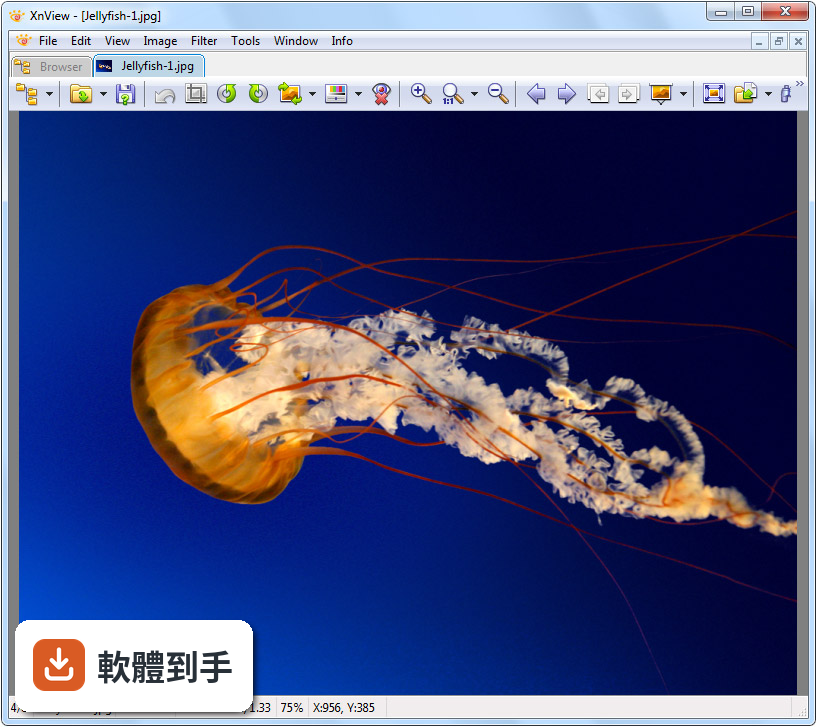
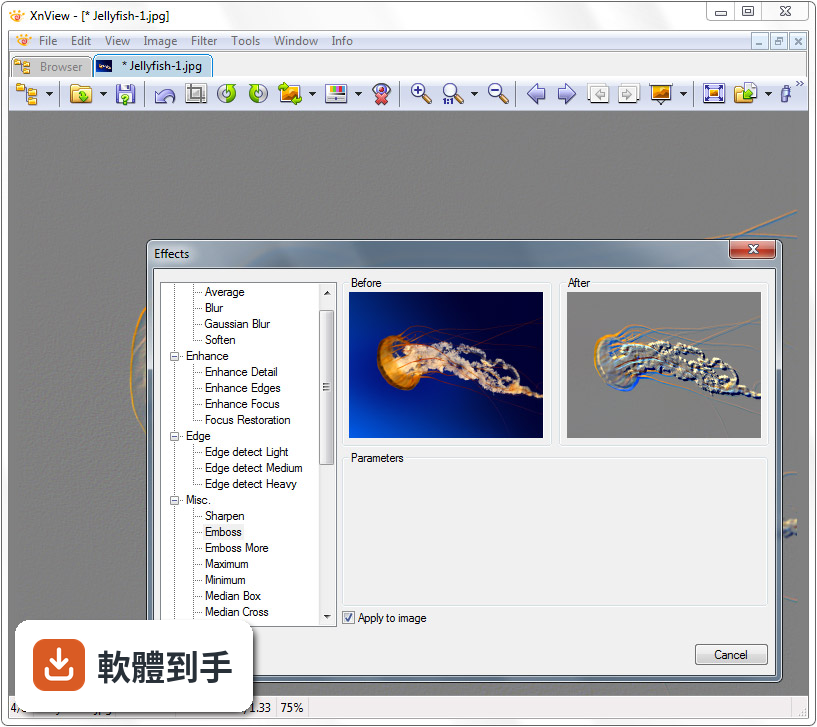
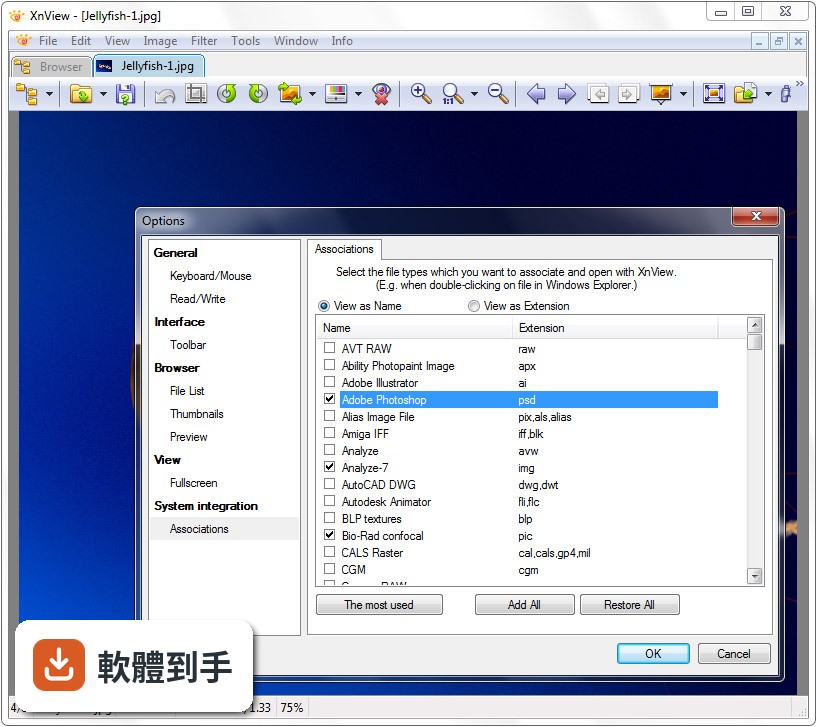
它是一套 Windows 上的免費看圖與轉檔軟體,主要用途是瀏覽圖片、整理圖片庫、批次轉換格式、批次改檔名和調整尺寸。支援超過 500 種圖片格式,包括 JPEG、PNG、TIFF、RAW、PSD、GIF 等,也內建基本編輯工具,如裁切、旋轉、調色、濾鏡,以及螢幕截圖和重複檔案查找功能。
02它跟一般看圖軟體有什麼不一樣?
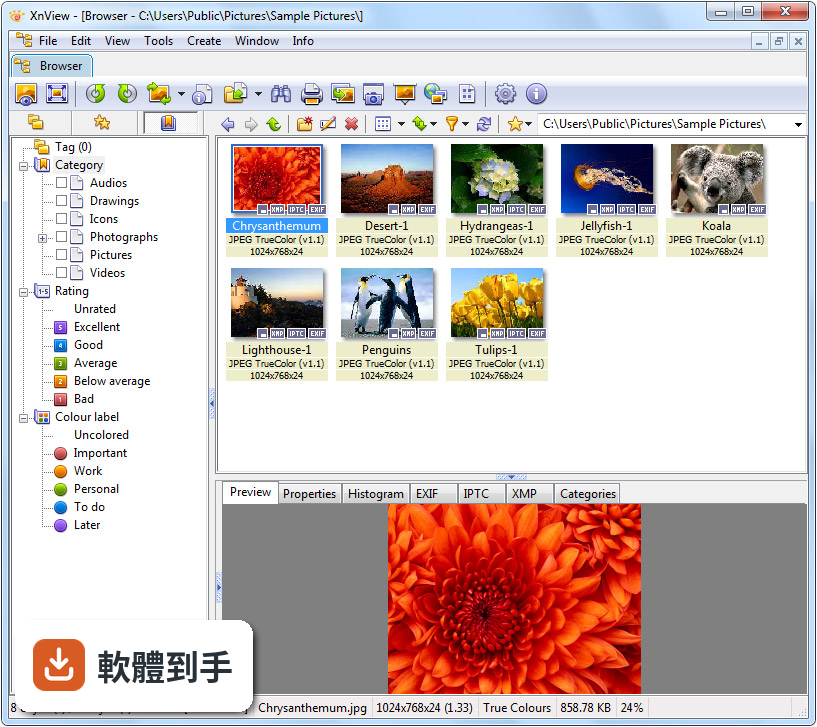
一般看圖軟體只能一張一張看,它多了「批次處理」這條路。選取多張圖片後,可以一次完成轉檔、改尺寸、重新命名,不用逐張開啟再另存。內建的分頁瀏覽讓你可以同時開多張圖比對,右側還有預覽窗格,瀏覽大量圖片時不用一直切換視窗,整理圖庫的速度會快很多。
03批次轉檔的流程大概是怎麼運作的?
開啟軟體後,在左側檔案總管找到圖片所在的資料夾,選取要處理的圖片,從工具列或右鍵選單進入批次轉換功能。在對話框裡可以指定輸出格式、調整尺寸、設定品質,也可以同時改檔名。設定好之後一次執行,所有選取的圖片就會依照規則輸出到指定資料夾,不需要逐張處理。
04它可以編輯照片的 EXIF 或 IPTC 資料嗎?
可以,它支援檢視和編輯 EXIF、IPTC、XMP 三種中繼資料。在圖片上按右鍵開啟屬性視窗,就能看到拍攝時間、相機型號、曝光參數等資訊,也可以手動修改標題、作者、關鍵字等欄位。批次處理時也能一併套用或清除這些資料,適合需要整理照片資訊的使用者。
05它能不能幫我找出重複的圖片?
可以,它內建重複檔案查找功能。指定一個或多個資料夾後,軟體會比對檔案的內容或雜湊值,找出內容相同的圖片,列出清單讓你自己決定要保留哪一份、刪除哪一份。對於圖片庫累積多年、四處備份的人來說,這個功能可以清出不少空間。
06這套軟體適合什麼樣的人用?
適合圖片量大、需要頻繁轉檔或整理圖庫的人,例如攝影愛好者整理 RAW 檔、設計人員轉換素材格式、一般使用者整理多年累積的照片。它免費提供個人使用,安裝檔不到 20 MB,硬體需求低,2 GB 記憶體就能跑,對電腦效能不高的使用者來說門檻很低。
07個人用免費,那商業用途呢?
免費僅限個人使用,商業使用者需要購買授權,授權費用大約從 26 歐元起跳。如果你是在公司或工作場合使用,即使只是看圖和轉檔,也屬於商業用途,需要付費。這點在安裝前要先確認清楚,避免踩到授權紅線。
08它跟 XnView MP 有什麼不同?我該用哪個?
XnView 有兩個版本:Classic 和 MP。MP 是跨平台版本,支援更多功能,官方建議新使用者優先選擇 MP,因為它對現代作業系統的支援較好、效能較佳。Classic 則偏向輕量、陽春。如果你只需要基本看圖和轉檔,Classic 夠用;如果要長期使用、追求更好的效能,直接選 MP 比較實際。
09它的介面只有英文,會不會很難上手?
介面確實只有英文,沒有中文語系。不過操作邏輯不算複雜,左邊是檔案總管、中間是縮圖、右邊是預覽窗格,常用功能都在工具列和右鍵選單裡。如果英文閱讀有障礙,可能需要花一點時間摸索選單位置,但基本操作不太需要大量閱讀文字,實際用過幾次就能記住。
10這套軟體還有在持續更新嗎?
根據收錄的版本紀錄,它從 2005 年開始持續釋出更新,最近一年內有 1 次更新、兩年內有 5 次,算是維持穩定的更新節奏。開發商仍持續維護,不是放著不管的軟體。不過更新頻率不算高,如果你追求每週都有新功能的那種軟體,它可能不適合你。
11它的介面看起來很舊,用起來會不會卡卡的?
介面設計確實偏老派,不是現代扁平化風格,但操作流暢度沒有問題。它主打輕量和效能,在一般硬體上開啟圖片和切換縮圖都很快。介面可以自訂,能顯示或隱藏面板、調整工具列、更換主題。如果你在意的是「跑得快」而不是「長得漂亮」,這點不會是障礙。
12什麼樣的情況不該選它?
如果你需要的是進階修圖功能,例如圖層、遮罩、筆刷,它做不到,那不是它的定位。如果你需要中文介面,它也無法滿足。另外,如果你要處理的是大量專業級照片編修,它不適合當主力工具。市面上有功能相近、介面更現代且同樣免費的 FastStone Image Viewer,也可以列入比較。
下載與官方連結
XnView-win.exe · 4.22 MB · 連結指向軟體原廠
版本紀錄
- 2026-09-24 XnView 2.52.7 7.58 MB
- 2026-09-22 XnView 2.52.6 7.58 MB
- 2026-03-04 XnView 2.52.5 5.8 MB
再看 5 筆
- 2025-06-19 XnView 2.52.2 7.44 MB
- 2025-03-21 XnView 2.52.1 6 MB
- 2024-11-26 XnView 2.52.0 5.99 MB
- 2024-09-11 XnView 2.51.7 5.99 MB
- 2024-02-21 XnView 2.51.6
這一版改了什麼
What's new in this version:
Added:
* IPTC contact & location labels
* GPS info readed for RAW files
* Sort by tag/color label - http://newsgroup.xnview.com/viewtopic.php?t=12568
* Slideshow : Audio loop
* Real screen size - http://newsgroup.xnview.com/viewtopic.php?t=12168
* Option to not load multiple view for same filename
* INI - VideoFramePercent added - http://newsgroup.xnview.com/viewtopic.php?p=48283
> 0 => percent
< 0 => seconds
* Name_ added for OpenWith entries - http://newsgroup.xnview.com/viewtopic.php?t=4903
* TxtExt in Browser section - http://newsgroup.xnview.com/viewtopic.php?t=12624
* subsampling in jpeg/write option - http://newsgroup.xnview.com/viewtopic.php?p=48643
Changed:
* Edit IPTC now keep unknown ID fields
* IPTC dialog
Fixed:
* Copy/Move is very slow
* Print - DPI
* PSP/TUB
* Print - long caption are not printed correctly
* EXIF focal length - http://newsgroup.xnview.com/viewtopic.php?t=12442
* Problem with old .sld and transitions - http://newsgroup.xnview.com/viewtopic.php?t=12235
* Compare dialog, 'Use tabs' saved - http://newsgroup.xnview.com/viewtopic.php?t=12237
* Focus in HTML create - http://newsgroup.xnview.com/viewtopic.php?t=12242
* Width of text with italic font - http://newsgroup.xnview.com/viewtopic.php?t=12379
* Ctrl+W quit XnView (if no other view opened) even in fullscreen - http://newsgroup.xnview.com/viewtopic.php?t=3392
* Charater problem in HTML create with IPTC - http://newsgroup.xnview.com/viewtopic.php?p=47249
* Display problem with trasnparent (index) picture and high zoom quality - - http://newsgroup.xnview.com/viewtopic.php?t=12215
* "F2" renames File instead of Folder - http://newsgroup.xnview.com/viewtopic.php?t=12217
* Hidden folders are shown in Tree paneFavourites - http://newsgroup.xnview.com/viewtopic.php?t=12306
* Print preview does not update when inserting fields - http://newsgroup.xnview.com/viewtopic.php?t=12369
* Autofit videos - http://newsgroup.xnview.com/viewtopic.php?p=47585
* 7z problem - http://newsgroup.xnview.com/viewtopic.php?t=12323
* Instant Save Settings -> "[] Only one Instance" - http://newsgroup.xnview.com/viewtopic.php?t=12347
* 'format not determined' warning does not appear - http://newsgroup.xnview.com/viewtopic.php?t=12444
* Print dialog: Header/footer fields truncated - http://newsgroup.xnview.com/viewtopic.php?t=12370
* some print bugs - http://newsgroup.xnview.com/viewtopic.php?t=12291 & http://newsgroup.xnview.com/viewtopic.php?p=47589
* Right click on toolbar & Xp Theme - http://newsgroup.xnview.com/viewtopic.php?t=12256
* Show first frame of video (if playing is disabled) - http://newsgroup.xnview.com/viewtopic.php?t=12445
* startup problem - http://newsgroup.xnview.com/viewtopic.php?t=12557
* folder can be dropped in categories - http://newsgroup.xnview.com/viewtopic.php?t=12309
* Remove from category very slow - http://newsgroup.xnview.com/viewtopic.php?p=48129
* Export exif - xml Camara & Image are inverted
* Mouse Wheel problem with audio/movie in fullscreen - http://newsgroup.xnview.com/viewtopic.php?t=12560
* Option for 'ESC to quit' - http://newsgroup.xnview.com/viewtopic.php?t=12296
* 'Set comment' doens't update comment in detail & info
* Bug on status line "reported selected files" - http://newsgroup.xnview.com/viewtopic.php?t=6187
* Resize problem with screen size in % - http://newsgroup.xnview.com/viewtopic.php?p=48431
* Mouse unavailable in fullscreen with some dialogs - http://newsgroup.xnview.com/viewtopic.php?t=12579
* Rename dialog crash - http://newsgroup.xnview.com/viewtopic.php?t=12537
* Preview size not saved - http://newsgroup.xnview.com/viewtopic.php?t=12241
* TIFF orientation - http://newsgroup.xnview.com/viewtopic.php?t=12329
* Overwrite dialog - filename + extension
* Print - no use of 'number of pages'
* Clipboard - Use DIB/Bitmap before METAFILE
* XPM problem - http://newsgroup.xnview.com/viewtopic.php?t=12524
* Date not updated after 'change timestamp' - http://newsgroup.xnview.com/viewtopic.php?p=48571
* Scrollbar problem in view mode - http://newsgroup.xnview.com/viewtopic.php?p=48617
* TheBat client crash - http://newsgroup.xnview.com/viewtopic.php?t=11687