
這是歷史版本頁面 — 看 Zoom Player MAX 最新版本
Windows播放器格式不全?Zoom Player MAX能補什麼
 Zoom Player MAX 12.6
資料更新 2016-10-24
閱讀約 6 分鐘
你從網路上下載了一部影片,興沖沖地雙擊檔案,播放器卻跳出「無法播放」的訊息。換了另一個播放器,畫面是出來了,但字幕跟不上、聲音斷斷續續,想調整色彩或播放速度,卻找不到對應的設定。你只是想好好看個影片,卻得在好幾個播放器之間來回切換,每個都有各自的毛病。
一般人遇到這種狀況,直覺是再裝一套免費播放器試試。但免費播放器往往為了追求簡單,把進階設定藏得很深,甚至直接拿掉;遇到冷門格式或特殊編碼,還是得自己上網找解碼包,裝完也不見得有用。這類專業播放器的切入點,是從「播放」這件事本身出發:先想辦法讓所有格式都能播,再把調整的權限完整交給使用者,讓你可以針對每一部影片、每一種使用情境,自己決定要怎麼播。
01Zoom Player MAX到底能播什麼格式?
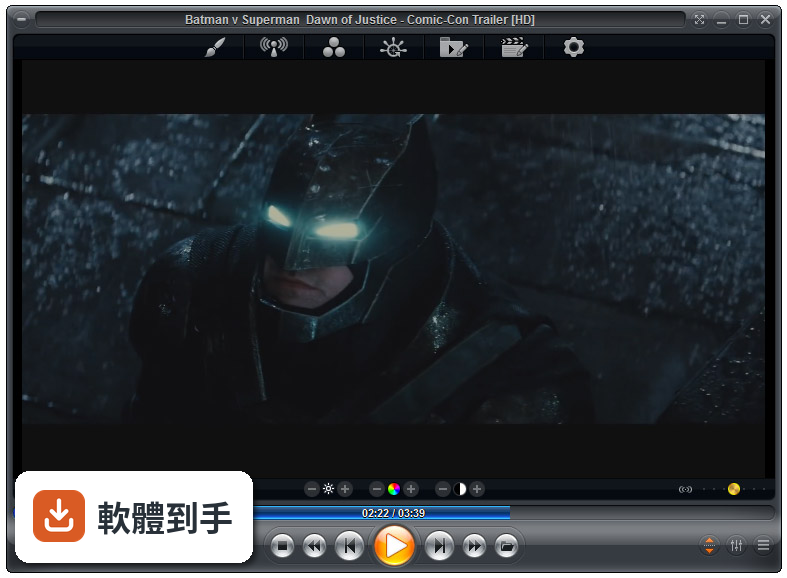
官方列出的支援清單很長,影片涵蓋MKV、AV1、H.264、H.265、WebM、AVI、FLV、WMV、MOV、MP4、VOB、TS、MTS、3GP、Real Media、QuickTime、DV、MXF、SWF等;音訊有MP3、FLAC、AAC、WMA、OGG、OPUS、AC3、DTS、WAV、ALAC、APE等。另外也支援DVD、未加密的藍光資料夾結構,以及JPG、PNG、GIF等圖片格式。基本上常見的影音檔案都在涵蓋範圍內。
02它跟一般播放器有什麼不同?
主要差在兩點。第一是Smart Play技術,播放時會自動挑選最適合的解碼器和濾鏡,減少你手動調整的次數。第二是模組化架構,除了內建的解碼包,也允許掛載LAV Filters這類第三方解碼器,遇到特殊情況可以自己換。介面高度可自訂,支援DirectShow、libVLC、Chromium三種引擎,這在一般播放器上很少見。
03可以調整哪些播放細節?
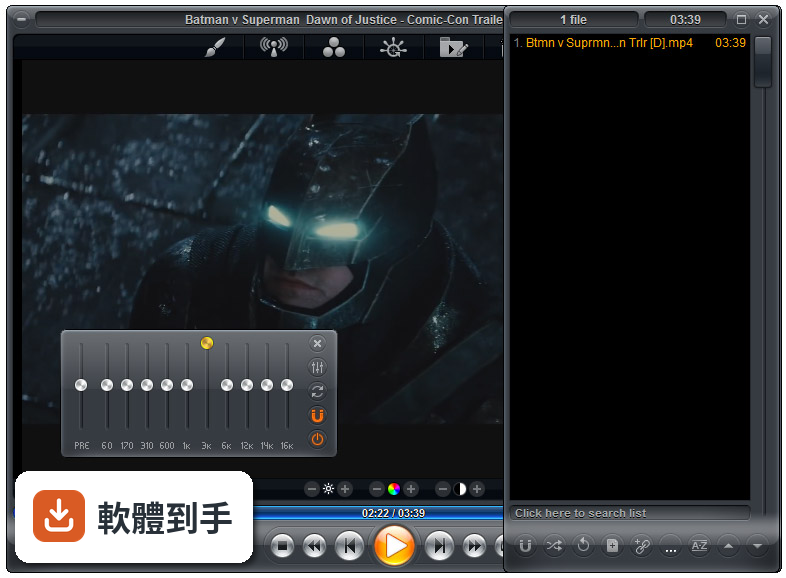
播放速度、縮放、畫面比例、色彩設定、等化器、字幕同步都可以調。音訊方面有10頻段等化器,支援S/PDIF和位元流輸出。另外還有子母畫面、多顯示器影片牆、磁吸式視窗、章節時間軸、滑鼠懸停預覽等功能。這些設定可以從右鍵選單或進階選項對話框進入,不是只有播放、暫停、快轉而已。
04能看網路影片或IPTV嗎?
可以。它支援直接輸入網址播放串流影片和音訊,也支援IPTV服務,可以透過播放清單檔案載入。YouTube串流需要額外設定才能使用。網路芳鄰(SMB/UPnP)的分享檔案也可以直接播放,另外有內建Emby、Plex、Jellyfin的支援,方便連到家裡的媒體伺服器。
05可以自訂界面和操作嗎?
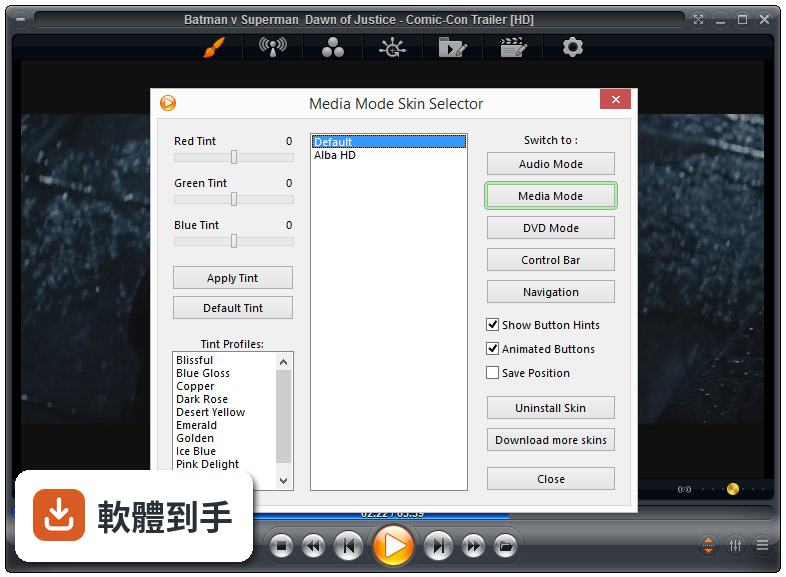
可以,而且這方面做得相當深。完整支援換膚,鍵盤、滑鼠、手勢、螢幕角落都可以自訂,也有腳本功能可以寫自動化。新版介面改成半透明的控制覆蓋層,按鈕配置、大小、字型、顏色、透明度都能調。也支援遙控器、遊戲手把,甚至可以用Android手機App控制,適合搭配電視或投影機使用。
06什麼人適合用這套?
如果你會自己調整播放設定、對畫質和音質有要求,或是常遇到別人播不了的檔案,這套會比較適合。它內建播放歷史與續播功能,會記住多個檔案的播放位置,對常看一半就關掉的人很方便。另外,如果你有HTPC(客廳電腦)的建置需求,它支援Kiosk模式和遙控器操作,可以當作家庭劇院的核心播放器。
07拿來當HTPC播放器可以嗎?
可以,官方FAQ也明確提到這點。它支援全螢幕Kiosk模式、遙控器操作、高度自訂的導覽介面,也有螢幕烙印保護、網路磁碟機保持連線、Wake-on-LAN等功能。另外可以跨電腦續播、變更解析度、關閉顯示器、設定家長鎖。如果你打算組一台專門接電視的電腦,這些功能會比一般播放器實用很多。
08數位看板或公共場所播放適合嗎?
這套有GuardDog自動重啟功能,播放程式異常時會自己恢復,也有螢幕烙印保護和Wake-on-LAN,這些都是公共播放會需要的機制。Kiosk模式可以鎖定界面,避免路人亂按。不過要注意,它畢竟是付費軟體,而且界面只有英文,如果只是要簡單輪播幾支影片,市面上有更便宜或免費的選擇。
09界面只有英文,會不會很難上手?
介面語系確實只有英文,沒有中文。如果你不習慣英文選單,初期會需要花時間摸索。不過播放器的主要操作其實很直覺——拖曳檔案進去、右鍵叫出選單——日常使用不太會卡住。但如果你要深入調整解碼器、設定腳本或自訂界面,就需要一定的英文閱讀能力,這點要自己評估。
10要付費嗎?免費版夠用嗎?
這套是付費軟體,單人授權定價約29.95美元,有升級折扣和終身授權選項。官方也提供功能較少的免費版Zoom Player FREE,但具體少了哪些功能,官方資料沒有細列。如果你只是偶爾看片,免費版可能夠用;但如果你需要進階功能,就得先付費才能用MAX版,建議先試用再決定。
11跟K-Lite Codec Pack比,哪個比較多人用?
以評分人數來看,K-Lite Codec Pack Basic有781人評分,Mega也有266人,而Zoom Player MAX只有69人,差距很明顯。K-Lite是解碼包,搭配播放器使用;Zoom Player是完整的播放器,定位不同。如果你只是缺解碼器,K-Lite的使用者基數大、討論多,遇到問題比較好找答案。Zoom Player的社群相對小很多。
12能播藍光嗎?加密的可以嗎?
可以播放藍光資料夾結構,但官方明確表示,因為授權限制,不支援加密藍光光碟。也就是說,如果你手邊是正版藍光片,這套沒辦法直接播,需要先自行處理解密。另外,4K和HDR播放需要你的硬體和系統有對應的支援,不是裝了軟體就一定跑得動,這點在購買前要先確認自己的設備。
下載與官方連結
zp1260max.exe · 28.98 MB · 連結指向軟體原廠
版本紀錄
- 2026-07-09 Zoom Player MAX 22.5 95.56 MB
- 2026-02-25 Zoom Player MAX 22.2 95.57 MB
- 2026-01-12 Zoom Player MAX 22.0.1 95.52 MB
再看 5 筆
- 2025-12-18 Zoom Player MAX 22.0.0 95.51 MB
- 2025-08-04 Zoom Player MAX 21.5.1 95.57 MB
- 2025-07-14 Zoom Player MAX 21.5 95.54 MB
- 2025-05-28 Zoom Player MAX 21.4 94.99 MB
- 2025-05-15 Zoom Player MAX 21.3 95.33 MB
這一版改了什麼
What's new in this version:
- New Advanced Options page that controls Zoom Player's behavior when a monitor is attached or detached, when Windows 10's tablet mode is enabled or disabled and when a 2 in 1 laptop's screen is docked or undocked. Each of these mode changes can be assigned a different set of actions and custom functions, even if the mode changed while Zoom Player was not running (optional).
- New "Switch to TV JukeBox list view without having the parent folder scraped first" media library category setting. This setting is enabled by default on new categories and I recommend manually enabling this setting on your pre-existing TV JukeBox categories.
- The last play position is now displayed on media library thumbnails for audio and video files next to the media's duration (only works with newly played media).
- New "/CBar" command line parameter to automatically show the control bar when starting Zoom Player.
- The playing media's Title (if one exists) is now displayed in Zoom Player's playing item text and in the timeline area if showing file names in the timeline is enabled.
- The skin installation process has become simpler with the addition of a new "Install Skin" button on the skin selection dialog.
- Zoom Player can now extract Album art and meta-data from ".M4A" and possibly other audio formats.
- The open URL dialog now remembers the last visited URL and keeps a history of the last 10 URLs.
- New Setting (Adv. Options / Interface / Fullscreen Navigation / Thumb View) to specify the number of threads to use while scraping. If your operating system drive ("C:") is mechanical, it may require lowering the thread count to "1" to prevent the user interface from being overly affected by the disk writes.
- New "Darken thumbnail background" setting (Adv. Options / Interface / Fullscreen Navigation / Thumb View) to override's a skin-script parameter that decide if to draw a dark rectangle behind a thumbnail.
- New "Darken thumbnail text background" setting (Adv. Options / Interface / Fullscreen Navigation / Thumb View) to override's a skin-script parameter that decide if to draw a dark rectangle behind a thumbnail's text.
- The ".pls" playlist format is now supported for non-shoutcast streams and files with additional support for displaying file/stream titles.
- New right-click "Copy" menu that copies the options search dialog's selected entry into the windows clipboard.
- New "Scrape folder thumbnails by using the name of the first video file within the folder instead of the folder name" media library category setting.
- You can now instruct the media library TheMovieDB.org's scraper to ignore part of a file or folder name by using the "^" character, for example "Moonrise Kingdom^(1.85)" would ignore the "(1.85)" portion of the file/folder name, allowing you to add special tags to the file/folder name without breaking scraping.
- New "ThumbActiveHighlightMode" skin script variable that controls whether the media library's thumbnail highlight is drawn with the aspect ratio of the thumbnail or as a fixed-size frame around the thumbnail as well as new modes to draw a tiled highlight overlay.
- TheMovieDB.org's scraper plug-in has been enhanced with ".nfo" hinting for TV content and improved naming convention detection.
- The media library's "Scrape for parent folder name when file name scraping using metadata scrapers fails" category setting is now automatically disabled when JukeBox mode is active.
- The entry for opening the Media Library on the right-click context menu has moved out of the 'navigate' sub-menu and toward the top of the menu.
- The "deinterlace" toggle has been removed from the right-click context menu. It is still accessible by keyboard macro (Ctrl+Shift+D).
- The "Stream Windows Media content using Windows Media Player ActiveX control" setting is now disabled by default. If you previously relied on this setting, you will need to re-enable it in the advanced options dialog.
- The media library's category configuration "Darken thumbnail background" setting has been depreciated in favor of the new options dialog setting.
- Closing Zoom Player using the Alt+F4 key would trigger a crash under some circumstances.
- Fixed a possible freeze when using MadVR and switching in and out of fullscreen while a timeline preview thumbnail/position hint was visible.
- The media library's thumbnail memory cache was cleared when switching between categories if new category used a different thumbnail resolution.
- Double clicking a media library unselected and partially visible thumbnail would not trigger the play/mini-menu action.
- Fixed a visual glitch in the media library's bottom meta-data area when scrolling and the active thumbnail scrolls off screen.
- Switching video renderer should no longer affect restoring the last play position (only works with newly played media).
- The "Auto-Play next file in the playlist" setting did not work as intended and at times did play the next file even when disabled.
- Random play would not include randomly playing newly added playlist tracks until at least half the original playlist tracks were played.
- Some JPEG images with either embedded as Album art or with a mislabeled file extension were not properly recognized as valid JPEG images and were not used/shown.
- Depending on the function assigned to the left mouse button, clicking a hot-corner may activate both the hot-corner functionality and the functionality assigned to the left mouse button (instead of only triggering the hot corner action).
- Closing Zoom Player while the playlist was retrieving the duration of media files prevented Zoom Player from closing properly.
- Pressing on the "disabled" subtitle entry when it was already selected incorrectly displayed an "Unknown error" message.
- TheMovieDB.org's scraper plug-in has did not properly detect movies and tv shows containing the "-" character as part of their name.
- The Time/Date display area in the fullscreen navigation virtual keyboard would re-draw over and over instead of just once when showing and when the time/date changed.