
這是歷史版本頁面 — 看 Zoom Player MAX 最新版本
Windows播放器格式不全?Zoom Player MAX能補什麼
 Zoom Player MAX 13.5
資料更新 2017-05-17
閱讀約 6 分鐘
你從網路上下載了一部影片,興沖沖地雙擊檔案,播放器卻跳出「無法播放」的訊息。換了另一個播放器,畫面是出來了,但字幕跟不上、聲音斷斷續續,想調整色彩或播放速度,卻找不到對應的設定。你只是想好好看個影片,卻得在好幾個播放器之間來回切換,每個都有各自的毛病。
一般人遇到這種狀況,直覺是再裝一套免費播放器試試。但免費播放器往往為了追求簡單,把進階設定藏得很深,甚至直接拿掉;遇到冷門格式或特殊編碼,還是得自己上網找解碼包,裝完也不見得有用。這類專業播放器的切入點,是從「播放」這件事本身出發:先想辦法讓所有格式都能播,再把調整的權限完整交給使用者,讓你可以針對每一部影片、每一種使用情境,自己決定要怎麼播。
01Zoom Player MAX到底能播什麼格式?
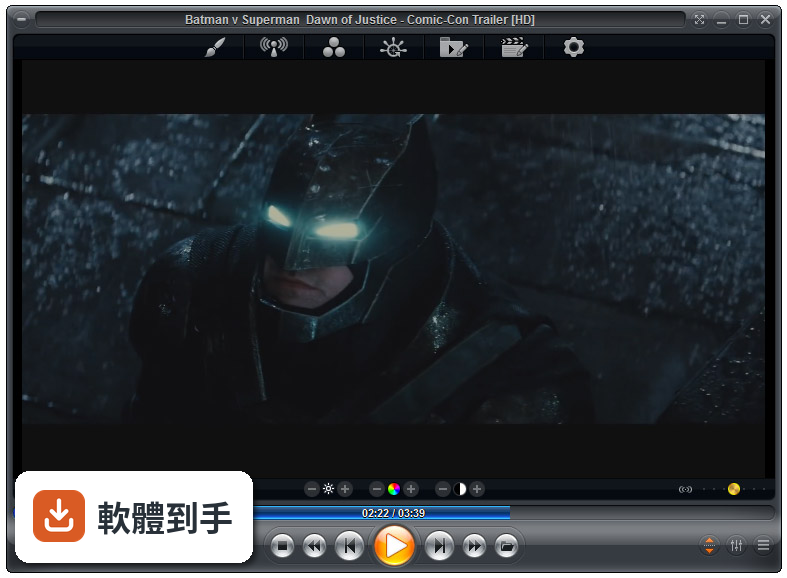
官方列出的支援清單很長,影片涵蓋MKV、AV1、H.264、H.265、WebM、AVI、FLV、WMV、MOV、MP4、VOB、TS、MTS、3GP、Real Media、QuickTime、DV、MXF、SWF等;音訊有MP3、FLAC、AAC、WMA、OGG、OPUS、AC3、DTS、WAV、ALAC、APE等。另外也支援DVD、未加密的藍光資料夾結構,以及JPG、PNG、GIF等圖片格式。基本上常見的影音檔案都在涵蓋範圍內。
02它跟一般播放器有什麼不同?
主要差在兩點。第一是Smart Play技術,播放時會自動挑選最適合的解碼器和濾鏡,減少你手動調整的次數。第二是模組化架構,除了內建的解碼包,也允許掛載LAV Filters這類第三方解碼器,遇到特殊情況可以自己換。介面高度可自訂,支援DirectShow、libVLC、Chromium三種引擎,這在一般播放器上很少見。
03可以調整哪些播放細節?
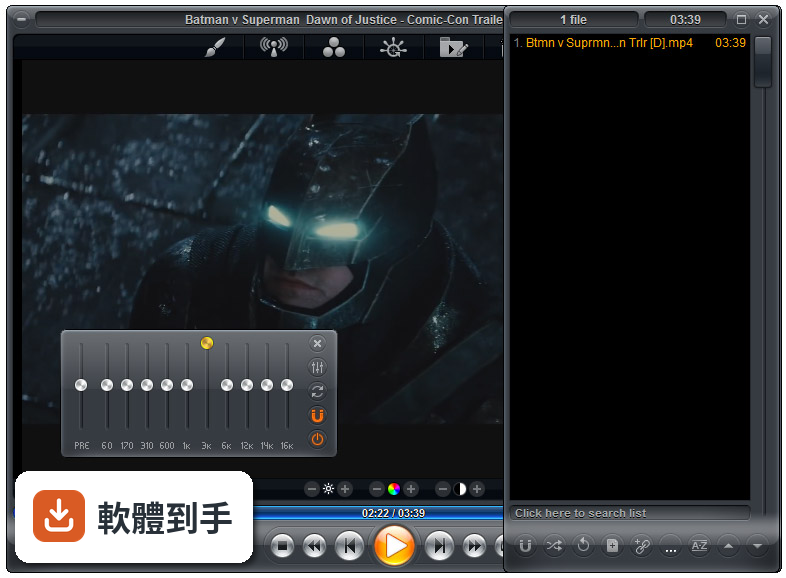
播放速度、縮放、畫面比例、色彩設定、等化器、字幕同步都可以調。音訊方面有10頻段等化器,支援S/PDIF和位元流輸出。另外還有子母畫面、多顯示器影片牆、磁吸式視窗、章節時間軸、滑鼠懸停預覽等功能。這些設定可以從右鍵選單或進階選項對話框進入,不是只有播放、暫停、快轉而已。
04能看網路影片或IPTV嗎?
可以。它支援直接輸入網址播放串流影片和音訊,也支援IPTV服務,可以透過播放清單檔案載入。YouTube串流需要額外設定才能使用。網路芳鄰(SMB/UPnP)的分享檔案也可以直接播放,另外有內建Emby、Plex、Jellyfin的支援,方便連到家裡的媒體伺服器。
05可以自訂界面和操作嗎?
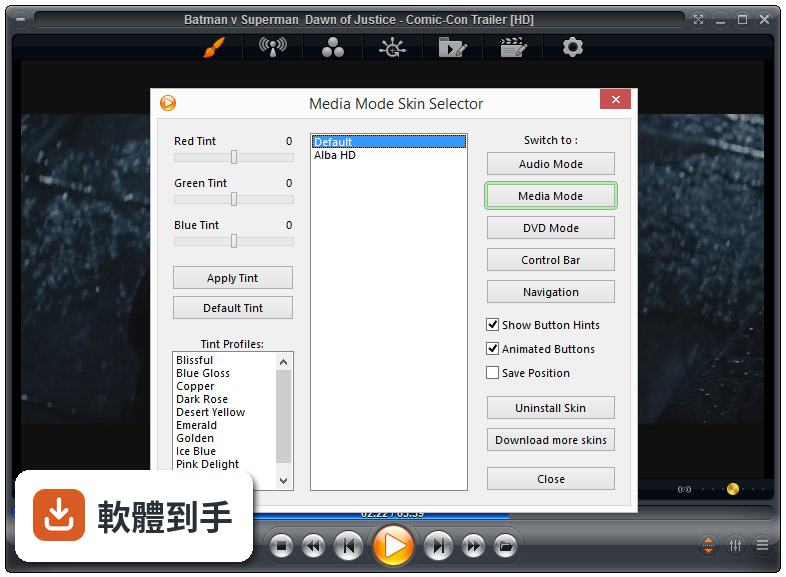
可以,而且這方面做得相當深。完整支援換膚,鍵盤、滑鼠、手勢、螢幕角落都可以自訂,也有腳本功能可以寫自動化。新版介面改成半透明的控制覆蓋層,按鈕配置、大小、字型、顏色、透明度都能調。也支援遙控器、遊戲手把,甚至可以用Android手機App控制,適合搭配電視或投影機使用。
06什麼人適合用這套?
如果你會自己調整播放設定、對畫質和音質有要求,或是常遇到別人播不了的檔案,這套會比較適合。它內建播放歷史與續播功能,會記住多個檔案的播放位置,對常看一半就關掉的人很方便。另外,如果你有HTPC(客廳電腦)的建置需求,它支援Kiosk模式和遙控器操作,可以當作家庭劇院的核心播放器。
07拿來當HTPC播放器可以嗎?
可以,官方FAQ也明確提到這點。它支援全螢幕Kiosk模式、遙控器操作、高度自訂的導覽介面,也有螢幕烙印保護、網路磁碟機保持連線、Wake-on-LAN等功能。另外可以跨電腦續播、變更解析度、關閉顯示器、設定家長鎖。如果你打算組一台專門接電視的電腦,這些功能會比一般播放器實用很多。
08數位看板或公共場所播放適合嗎?
這套有GuardDog自動重啟功能,播放程式異常時會自己恢復,也有螢幕烙印保護和Wake-on-LAN,這些都是公共播放會需要的機制。Kiosk模式可以鎖定界面,避免路人亂按。不過要注意,它畢竟是付費軟體,而且界面只有英文,如果只是要簡單輪播幾支影片,市面上有更便宜或免費的選擇。
09界面只有英文,會不會很難上手?
介面語系確實只有英文,沒有中文。如果你不習慣英文選單,初期會需要花時間摸索。不過播放器的主要操作其實很直覺——拖曳檔案進去、右鍵叫出選單——日常使用不太會卡住。但如果你要深入調整解碼器、設定腳本或自訂界面,就需要一定的英文閱讀能力,這點要自己評估。
10要付費嗎?免費版夠用嗎?
這套是付費軟體,單人授權定價約29.95美元,有升級折扣和終身授權選項。官方也提供功能較少的免費版Zoom Player FREE,但具體少了哪些功能,官方資料沒有細列。如果你只是偶爾看片,免費版可能夠用;但如果你需要進階功能,就得先付費才能用MAX版,建議先試用再決定。
11跟K-Lite Codec Pack比,哪個比較多人用?
以評分人數來看,K-Lite Codec Pack Basic有781人評分,Mega也有266人,而Zoom Player MAX只有69人,差距很明顯。K-Lite是解碼包,搭配播放器使用;Zoom Player是完整的播放器,定位不同。如果你只是缺解碼器,K-Lite的使用者基數大、討論多,遇到問題比較好找答案。Zoom Player的社群相對小很多。
12能播藍光嗎?加密的可以嗎?
可以播放藍光資料夾結構,但官方明確表示,因為授權限制,不支援加密藍光光碟。也就是說,如果你手邊是正版藍光片,這套沒辦法直接播,需要先自行處理解密。另外,4K和HDR播放需要你的硬體和系統有對應的支援,不是裝了軟體就一定跑得動,這點在購買前要先確認自己的設備。
下載與官方連結
zp1350max.exe · 28.67 MB · 連結指向軟體原廠
版本紀錄
- 2026-07-09 Zoom Player MAX 22.5 95.56 MB
- 2026-02-25 Zoom Player MAX 22.2 95.57 MB
- 2026-01-12 Zoom Player MAX 22.0.1 95.52 MB
再看 5 筆
- 2025-12-18 Zoom Player MAX 22.0.0 95.51 MB
- 2025-08-04 Zoom Player MAX 21.5.1 95.57 MB
- 2025-07-14 Zoom Player MAX 21.5 95.54 MB
- 2025-05-28 Zoom Player MAX 21.4 94.99 MB
- 2025-05-15 Zoom Player MAX 21.3 95.33 MB
這一版改了什麼
What's new in this version:
- The default fullscreen navigation interface has been replaced with a clean new style that looks better and extends the available thumbnail area to squeeze in more pixels.
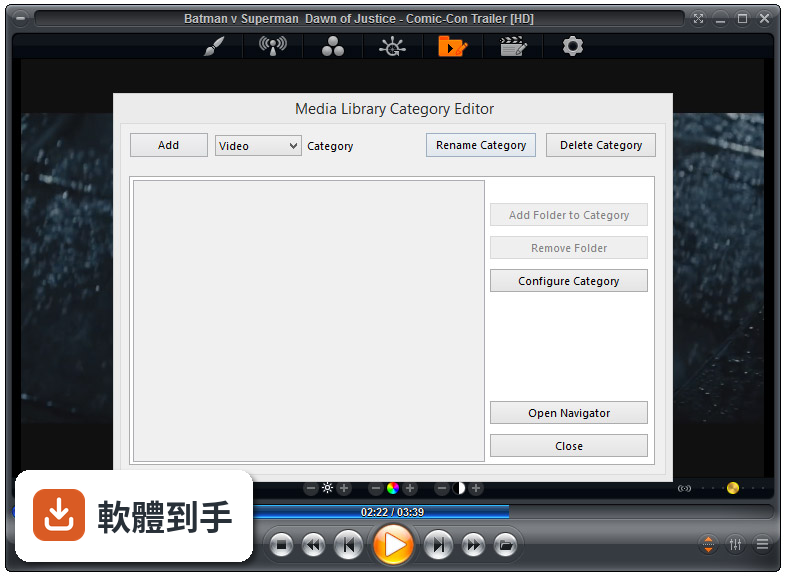
- The media library category thumbnail view will now darken the area behind the thumbnail's text or media icon depending on the skin's script and advanced options customization settings.
- Zoom Player support for streaming radio station is now fully integrated with the SHOUTcast Directory API, providing easy access to thousands of streaming radio stations.
- Unlike previous versions where Zoom Player used a static database which over time included more and more dead stations, the SHOUTcast directory is now downloaded in real time, ensuring that every station should be operational.
- Zoom Player now supports 3DYD YouTube Source filter's DASH streams, enabling DirectShow YouTube streaming at resolutions of 1080p/4K/8K.
- A major performance issue was triggered by the Windows 10 Creators Edition update. In the update, Microsoft forced ClearType font anti-aliasing at larger font sizes. This lead to a massive navigation performance slow-downs on QHD (2560x1440) and 4K (3840x2160) screens.
More information:
- As a work-around, Zoom Player introduced a new setting (Adv. Options / Interface / Fullscreen Navigation / Customization) that lets controls the font anti-aliasing mode used to render the fullscreen navigation text.
- The Media Library's RSS feed plugin now caches previous entries that may no longer reside on the RSS feed and shows you cached entries even if the RSS feed server is temporarily down.
- New "fnPLEraseFiles" function assigned to the Shift+"Delete" keyboard macro. Wgeb used it erases all selected files in the playlist to the window's Recycle Bin (with confirmation prompt).
- New "fnOpenStreamInBrowser" function that opens the currently playing stream in a web browser (might be helpful for YouTube links)
- New Setting (Adv. Options / Playback / Video) to force LAV Splitter to seek to key frames (faster seeking, less accurate) instead of the accurate seek position (slower seeking, perfectly accurate)
- New Setting (Adv. Options / Playback) to select the YouTube IFRAME Player's preferred streaming resolution, allowing you to stream p/4K/8K content using the IFRAME player
- New Setting (Adv. Options / Playback) that allows interactivity when playing YouTube content using the IFRAME player
- New Setting (Adv. Options / Interface / Display) to show the playing file's extension in the window title (default off)
- The Media Library plugin API has been extended with per-category storage path (e.g. RSS feed caching) and a new function which is called when a category using the plugin is deleted (for cleanup purposes)
- New function to activate the internal screen saver. This means that youcan now hook user interface actions (like a hot-corner click) with activating the screen saver
- New function to copy the currently playing media's Path/URL to the windows clipboard
- You can now define web pages as "stations" in the station editor to have the web page opened inside Zoom Player's integrated web browser
- New skin script parameters to control the text line count on each fullscreen navigation interface
- The integrated keyboard mapping editor has been rewritten to better support high-DPI displays. As a bonus, the dialog is now resizable as well
- The integrated keyboard mapping editor now shows a 'code' column which signifies a keyboard scan-code or other code used to identify an interface index
- Optimized fullscreen navigation lists line-drawing code by about 10% in cases where the skin didn't specify a background for unselected/empty lines
- The thumbnail duration display position should now be easier to read
- The text's background is now using a different effect which should make the text stand out more against bright noisy thumbnails
- The Hot Mouse Tracking on the main fullscreen navigation interface has been disabled as it was inconsistent with the other interfaces' user experience
- The main fullscreen navigation interface's click logic has been changed to make it behave the same as the media library's thumb-click logic
- The "Open Streaming Link from clipboard" keyboard macro has changed from Alt+Shift+"U" to Alt+Ctrl+"U" to prevent conflicts with the DirectShow YouTube source filter which detects the held "Shift" key and pops a video streaming quality options dialog
- Error dialog are now limited in size to 94% of the Zoom Player interface width
- The Zoom Player news feed that's accessible through the options dialog has been simplified and will hopefully eliminate the javascript error some users have been experiencing when trying to view the news feed
- The optimizations in v13 broke the play history dialog's unicode support
- A missing DLL prevented the Pixel Shaders from being compiled and used to post-process a video image
- When loading .ZPL playlist files, playback did not resume from the the last file played in the playlist under some conditions
- The kinetic scrolling feature did not work in the media library's category list
- The file browsing fullscreen navigation interface was not updating the screen when scrolling by holding the down/up keys for a long period
- If the monitor's DPI setting was set to a really high value (when used in 4K monitors), it would cause the options dialog's search window to appear really small, hiding the search result area
- Fixed a possible conflict between Zoom Player's internal DSP filter and bit-streaming DTS-HD and possibly other multi-channel audio formats
- The play history dialog's "Show All" button did not refresh the screen
- The scroll wheel did not function correctly in some of the advanced options dialog's scroll boxes
- Playing a new track from the fullscreen playlist navigation interface no longer pops the playlist editor to the top
- Fixed a bug in the Media Library plugin API that prevented unicode (non-english) language searches from working using the YouTube search plugin
- The Media Library's function menu was missing the "Go to Top" entry
- The Media Library's "Safe Mode" feature was semi-broken allowing access the a category's setting from the media library's function menu
- Opening the media library through the main navigation interface would take longer than normal due to the highlighted category's content being read before actually entering the category
- Under some conditions, the media libary's scrollbar widget did not appear on the categories page
- Navigating the fullscreen file browsing interface's subtitle search result page with the keyboard did not scroll the results when reaching the bottom of the screen
- The playlist fullscreen navigation interface used the wrong icon for URLs
- Opening a ".URL" file and then opening a media file resulted in the web page remaining on screen while the media played in the background
- The "Please Wait" window was trying to write debug information to "C:Log" and silently failing each time
- Aggressively hiding the mouse cursor has been disabled when HTML/YouTube/Flash interactivity modes are enabled as it prevented the mouse cursor from being restored on motion
- Quick Search using the keyboard in the media library did not scroll down to the searched category thumbnail
- Quick Search using the keyboard in the media library did not work at all unless you previously entered a category
- Using higher level scan-code keys (like Volume keys on certain keyboards) in fullscreen navigation interfaces that support quick search using the keyboard would trigger a quick-search lock that caused the interfaces to not respond properly
- The RSS media library plugin was showing links containing ".MOV" as audio
- The RSS Feed media library plugin would show duplicate entries on some RSS feeds
- Fixed a small cosmetical glitch that caused the scrollbar background area in the media library category to be drawn twice in slightly different vertical positions
- Fixed a small memory leak when using the options dialog