
這是歷史版本頁面 — 看 Zoom Player MAX 最新版本
Windows播放器格式不全?Zoom Player MAX能補什麼
 Zoom Player MAX 14.1.0
資料更新 2018-02-01
閱讀約 6 分鐘
你從網路上下載了一部影片,興沖沖地雙擊檔案,播放器卻跳出「無法播放」的訊息。換了另一個播放器,畫面是出來了,但字幕跟不上、聲音斷斷續續,想調整色彩或播放速度,卻找不到對應的設定。你只是想好好看個影片,卻得在好幾個播放器之間來回切換,每個都有各自的毛病。
一般人遇到這種狀況,直覺是再裝一套免費播放器試試。但免費播放器往往為了追求簡單,把進階設定藏得很深,甚至直接拿掉;遇到冷門格式或特殊編碼,還是得自己上網找解碼包,裝完也不見得有用。這類專業播放器的切入點,是從「播放」這件事本身出發:先想辦法讓所有格式都能播,再把調整的權限完整交給使用者,讓你可以針對每一部影片、每一種使用情境,自己決定要怎麼播。
01Zoom Player MAX到底能播什麼格式?
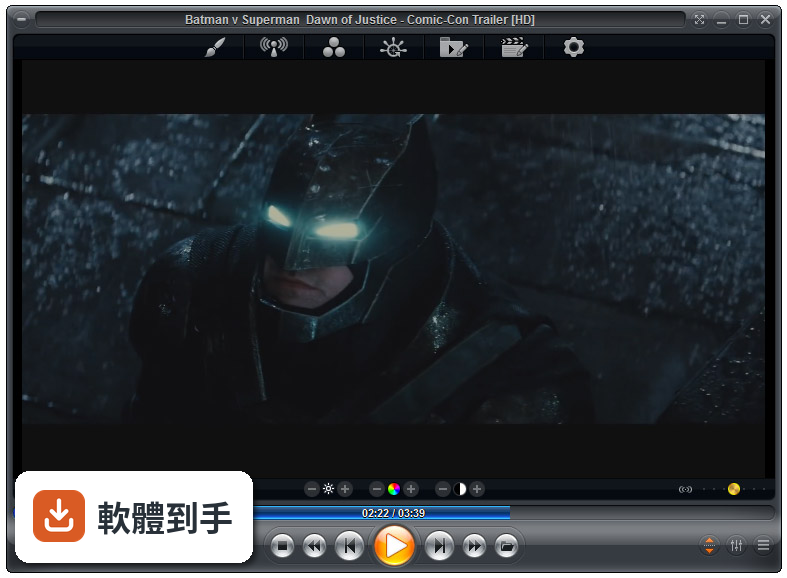
官方列出的支援清單很長,影片涵蓋MKV、AV1、H.264、H.265、WebM、AVI、FLV、WMV、MOV、MP4、VOB、TS、MTS、3GP、Real Media、QuickTime、DV、MXF、SWF等;音訊有MP3、FLAC、AAC、WMA、OGG、OPUS、AC3、DTS、WAV、ALAC、APE等。另外也支援DVD、未加密的藍光資料夾結構,以及JPG、PNG、GIF等圖片格式。基本上常見的影音檔案都在涵蓋範圍內。
02它跟一般播放器有什麼不同?
主要差在兩點。第一是Smart Play技術,播放時會自動挑選最適合的解碼器和濾鏡,減少你手動調整的次數。第二是模組化架構,除了內建的解碼包,也允許掛載LAV Filters這類第三方解碼器,遇到特殊情況可以自己換。介面高度可自訂,支援DirectShow、libVLC、Chromium三種引擎,這在一般播放器上很少見。
03可以調整哪些播放細節?
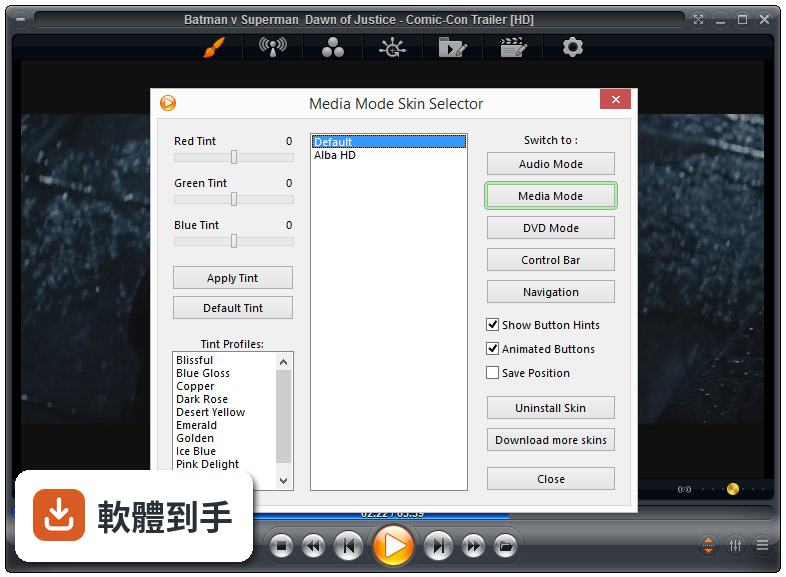
播放速度、縮放、畫面比例、色彩設定、等化器、字幕同步都可以調。音訊方面有10頻段等化器,支援S/PDIF和位元流輸出。另外還有子母畫面、多顯示器影片牆、磁吸式視窗、章節時間軸、滑鼠懸停預覽等功能。這些設定可以從右鍵選單或進階選項對話框進入,不是只有播放、暫停、快轉而已。
04能看網路影片或IPTV嗎?
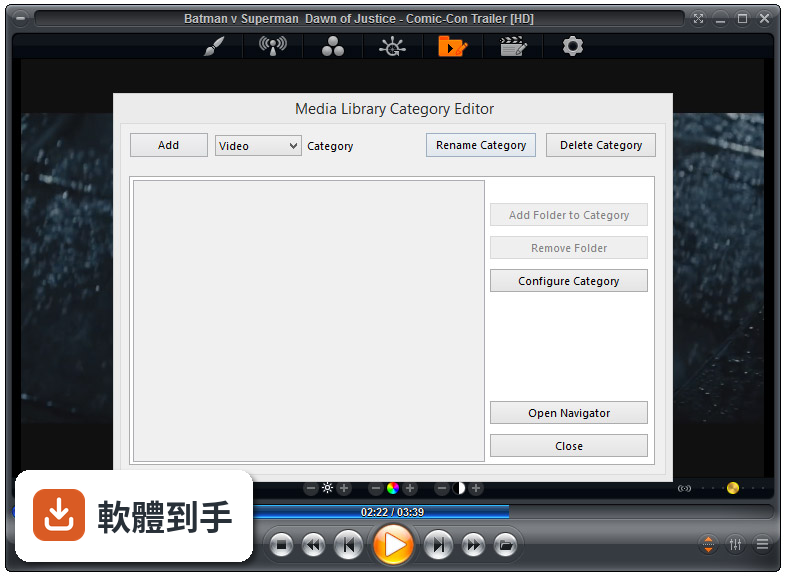
可以。它支援直接輸入網址播放串流影片和音訊,也支援IPTV服務,可以透過播放清單檔案載入。YouTube串流需要額外設定才能使用。網路芳鄰(SMB/UPnP)的分享檔案也可以直接播放,另外有內建Emby、Plex、Jellyfin的支援,方便連到家裡的媒體伺服器。
05可以自訂界面和操作嗎?
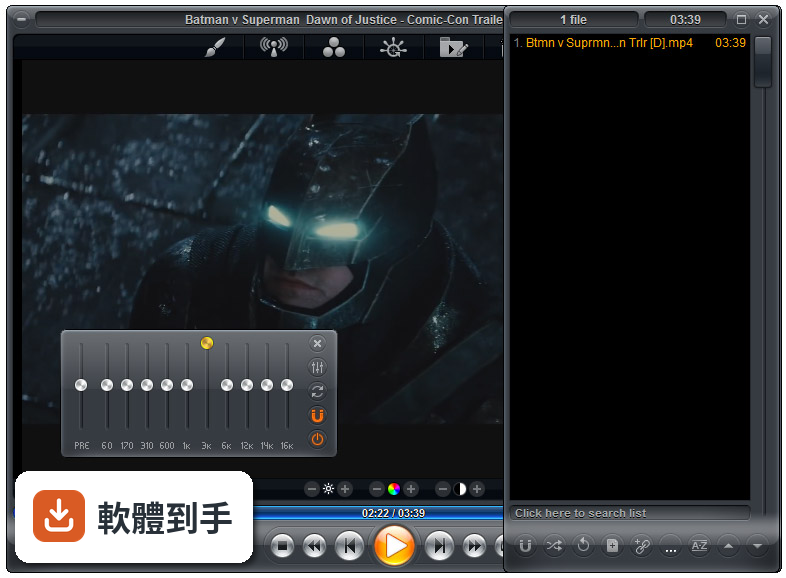
可以,而且這方面做得相當深。完整支援換膚,鍵盤、滑鼠、手勢、螢幕角落都可以自訂,也有腳本功能可以寫自動化。新版介面改成半透明的控制覆蓋層,按鈕配置、大小、字型、顏色、透明度都能調。也支援遙控器、遊戲手把,甚至可以用Android手機App控制,適合搭配電視或投影機使用。
06什麼人適合用這套?
如果你會自己調整播放設定、對畫質和音質有要求,或是常遇到別人播不了的檔案,這套會比較適合。它內建播放歷史與續播功能,會記住多個檔案的播放位置,對常看一半就關掉的人很方便。另外,如果你有HTPC(客廳電腦)的建置需求,它支援Kiosk模式和遙控器操作,可以當作家庭劇院的核心播放器。
07拿來當HTPC播放器可以嗎?
可以,官方FAQ也明確提到這點。它支援全螢幕Kiosk模式、遙控器操作、高度自訂的導覽介面,也有螢幕烙印保護、網路磁碟機保持連線、Wake-on-LAN等功能。另外可以跨電腦續播、變更解析度、關閉顯示器、設定家長鎖。如果你打算組一台專門接電視的電腦,這些功能會比一般播放器實用很多。
08數位看板或公共場所播放適合嗎?
這套有GuardDog自動重啟功能,播放程式異常時會自己恢復,也有螢幕烙印保護和Wake-on-LAN,這些都是公共播放會需要的機制。Kiosk模式可以鎖定界面,避免路人亂按。不過要注意,它畢竟是付費軟體,而且界面只有英文,如果只是要簡單輪播幾支影片,市面上有更便宜或免費的選擇。
09界面只有英文,會不會很難上手?
介面語系確實只有英文,沒有中文。如果你不習慣英文選單,初期會需要花時間摸索。不過播放器的主要操作其實很直覺——拖曳檔案進去、右鍵叫出選單——日常使用不太會卡住。但如果你要深入調整解碼器、設定腳本或自訂界面,就需要一定的英文閱讀能力,這點要自己評估。
10要付費嗎?免費版夠用嗎?
這套是付費軟體,單人授權定價約29.95美元,有升級折扣和終身授權選項。官方也提供功能較少的免費版Zoom Player FREE,但具體少了哪些功能,官方資料沒有細列。如果你只是偶爾看片,免費版可能夠用;但如果你需要進階功能,就得先付費才能用MAX版,建議先試用再決定。
11跟K-Lite Codec Pack比,哪個比較多人用?
以評分人數來看,K-Lite Codec Pack Basic有781人評分,Mega也有266人,而Zoom Player MAX只有69人,差距很明顯。K-Lite是解碼包,搭配播放器使用;Zoom Player是完整的播放器,定位不同。如果你只是缺解碼器,K-Lite的使用者基數大、討論多,遇到問題比較好找答案。Zoom Player的社群相對小很多。
12能播藍光嗎?加密的可以嗎?
可以播放藍光資料夾結構,但官方明確表示,因為授權限制,不支援加密藍光光碟。也就是說,如果你手邊是正版藍光片,這套沒辦法直接播,需要先自行處理解密。另外,4K和HDR播放需要你的硬體和系統有對應的支援,不是裝了軟體就一定跑得動,這點在購買前要先確認自己的設備。
下載與官方連結
zp1410max.exe · 29.57 MB · 連結指向軟體原廠
版本紀錄
- 2026-07-09 Zoom Player MAX 22.5 95.56 MB
- 2026-02-25 Zoom Player MAX 22.2 95.57 MB
- 2026-01-12 Zoom Player MAX 22.0.1 95.52 MB
再看 5 筆
- 2025-12-18 Zoom Player MAX 22.0.0 95.51 MB
- 2025-08-04 Zoom Player MAX 21.5.1 95.57 MB
- 2025-07-14 Zoom Player MAX 21.5 95.54 MB
- 2025-05-28 Zoom Player MAX 21.4 94.99 MB
- 2025-05-15 Zoom Player MAX 21.3 95.33 MB
這一版改了什麼
What's new in this version:
- Automatic support for native Windows 7-10 media library folder structure previously only the more basic Windows XP-Vista library structure was supported).
- New setting (Adv. Options / File Format Association / File Extensions" to instruct Zoom Player to process ".m3u8" playlists.
- This setting is disabled by default as it can cause conflicts with services that require DirectShow filters to process this type of playlist format.
- New Setting (Adv. Options / Interface / Fullscreen Navigation / File Tracker) to specify the download tracking plugins refresh rate. This value only affects the media library and file browsing navigation interfaces, the download tracking navigation interface refreshes at a higher rate automatically.
- Please note that using a low number (under 10 seconds) may impact performance when tracking large file lists (over 10,000 entries).
- New setting on the Torrents download & tracking plugin to prevent it from passing file entries to Zoom Player that do not actually exist on the disk drive. This setting is off by default but can increase performance when dealing with a large number of torrents that were only partially downloaded.
- New setting on the Torrents download & tracking plugin to prevent it from passing file entries to Zoom Player that are marked as "do not download". This setting is off by default.
- Enabling this setting can reduce some computations and speed up the listing process but at the same time it prevents you from later changing the download priority on these files.
- New setting (Adv. Options / Playback / Audio / Visualizations) to enable Zoom Player's DSP filter only for visualizations.
- New setting (Adv. Options / Playback / Audio / Visualizations) to set an initial audio re-synchronization value for visualizations (Zoom Player's DSP filter is required for this setting to function).
- The last play position is now drawn over the thumbnail in TV Jukebox mode.
- Windows 10 creators edition changed how fonts are rendered by enabling clear-type rendering at higher resolutions. Clear-type is a lot slower to draw and at resolutions above 1080p causes severe performance degradation in Zoom Player's fullscreen navigation interfaces.
- Previously, to solve this issue, you could set Zoom Player to override windows' font rendering. From this version, the setting is enabled by default (you can still change it manually under "Adv. Options / Interface Fullscreen Navigation / Customization").
- Zoom Player's default window size for the onyx skin was changed to present a default video size of 960x540 (up from the previous 604x340) and for the alba skin, the default video size was changed to 1280x720.
- You can now press the escape key to cancel a 'play all files in folder' feature mid-action. Accidentally playing an entire drive could have caused Zoom Player to appear unresponsive.
- You can now press any navigation key to cancel a 'play all files in folder' feature mid-action.
- The download plugins synchronization has been completely rewritten, and should no longer cause any user interface slow-downs.
- The torrents plugin has been greatly optimized, working much faster with large file lists.
- The download fullscreen navigation interface should scroll much smoothly when dealing with a large number of files.
- The YouTube (Channel/Search/Trending), Playlist and RSS Feed media library plugins have been optimized for greater performance.
- Optimized core string handling routines, improving script parsing e.g. Skin parsing) and other areas.
- Media Library plugin result entries now display the media's title instead of the file name or URL in list mode (previously the title only showed in thumbnail mode).
- A 'processing, please hold ...' message now appear when it takes Zoom Player longer to close due to background tasks (media scraping, download plugin sync) still being active.
- Switching between fullscreen and windowed mode while the media library is opened should be cleaner and faster (less visual junk in the transition).
- Opening the media library, especially on 4K displays showed a low resolution image of the media library for a split second before displaying the full resolution version.
- The double-draw event caused both the described visual glitch as well as a performance penality.
- Resizing the Zoom Player window while the media library was visible in thumbnail mode could cause the thumbnails to display in the wrong size.
- Selecting a custom Audio Renderer for audio visualizations did not work well (the wrong audio renderer was used at times).
- Loading a text file would not display the file name in the title area.
- Using the Stop function to close the playing media did not work if the playing media was a text file.
- Fixed a scraping bug where the ".nfo" file detection algorithm would fail with files/folders names containing unicode characters.
- Fixed a possible crash that would trigger sometimes on an initial run after a fresh install.
- Fixed a crash when playing a live video stream using MadVR as the video renderer and trying to use the pause button on the control bar.
- Opening the file browsing and download manager fullscreen navigation interfaces will no longer freeze for two seconds if the Torrents download plugin is enabled and qBittorrent isn't running.
- Opening the file browsing and download manager fullscreen navigation interfaces will no longer freeze for long periods if qBittorrent is seeding many torrents.
- The media library should no longer freeze for a few seconds when retrieving large file lists from qBittorrent using the Torrents plugin.
- The information dialog ("I" keyboard macro) did not show up when playing in fullscreen on a secondary monitor.
- The torrents download plugin was not recognizing a file's download priority correctly after the latest qBittorrent release.
- The torrents download plugin was listing files returned by qBittorrent but no longer existing on the disk drive in the root folder instead of their (no longer existing) path.
- The currently selected playlist editor entries would lose their selection if a playlist update was triggered after the listed media's duration has been scraped.
- Trying to play a streaming media URL that contained trailing spaces would fail. Trailing spaces are now trimmed (you can still use encoded space characters in the URL).
- The Lock-UI (user interface) feature used to prevent accidental clicks did not block some click and double-click actions.
- The Dolby Digital Plus audio format was not being displayed with an icon on the TV and Movie jukebox screens.
- The play position tool-tip was sometimes displayed in the wrong screen position on multi-monitor displays. MIDI audio playback should be more reliable.
- The media library's playlist plugin no longer shows an invalid duration value if the playlist entry has no duration.