
這是歷史版本頁面 — 看 All My Movies 最新版本
電影收藏多到找不到片?All My Movies 幫你建資料庫
 All My Movies 8.9
資料更新 2017-09-12
閱讀約 7 分鐘
你手邊的電影是不是已經多到失控了?實體光碟堆滿櫃子,硬碟裡散落著幾十個資料夾,檔名亂成一團。想找一部片,只記得大概的劇情或某個演員,卻得一個一個資料夾點開來翻,翻到一半還想不起來到底有沒有收過這部片。更別提朋友借走光碟之後,你根本忘了是誰借的、借了多久。
一般人最直覺的做法是用資料夾分類,頂多開個 Excel 表格自己建檔。但電影的資訊欄位太多了——導演、演員、類型、年份、片長、評分——手動輸入幾十部就累到放棄,而且一旦要改分類或找片,表格根本幫不上忙。這類電影管理工具切入的點,就是幫你把「整理」這件事自動化:連上網路資料庫抓影片資訊,建立一個可以搜尋、篩選、統計的個人電影資料庫。
01All My Movies 到底能幫我做到什麼程度?
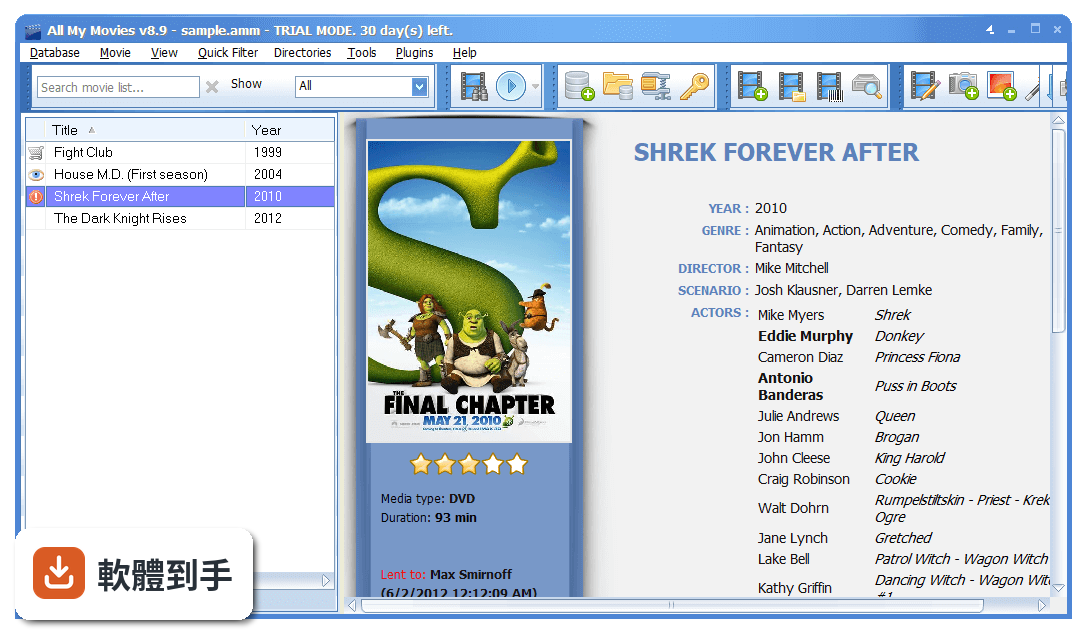
它是一套 Windows 上的電影收藏管理工具,核心功能是把你的實體光碟和數位影片檔建成一個可搜尋的資料庫。你只要把電影丟進去,它會自動連上 IMDb、Amazon、TheMovieDB 等線上資料庫,把片名、導演、演員、類型、簡介、封面這些欄位自動填好,不用自己一個字一個字打。之後要找片、統計收藏量、看自己最常收哪個導演的片,都從這個資料庫查。
02我有一堆 DVD 和藍光片,這套軟體能管理實體光碟嗎?
可以。它支援 DVD、藍光、VHS 錄影帶這類實體媒體,也支援 MP4、AVI、MKV 等常見的數位影片格式。實體光碟可以用條碼掃描的方式建檔,把光碟盒背面的 UPC/EAN 條碼輸入進去,它就會自動抓取這部片的資料。另外它也能掃描你硬碟裡的影片檔,批次把檔案加入資料庫,不用一片一片手動建。
03它能不能直接播放我收藏的影片?
可以,它內建播放功能,可以直接在軟體裡面播放你收藏的影片,也可以當作影片播放清單來用。不過要注意,它的主要定位是「管理」而不是「播放」,播放功能算是附加的。如果你需要的是功能很完整的播放器,這套軟體在播放這塊的深度可能不如專門的播放軟體,這點要自己衡量。
04我收藏了上千部片,找片的時候會不會很慢?
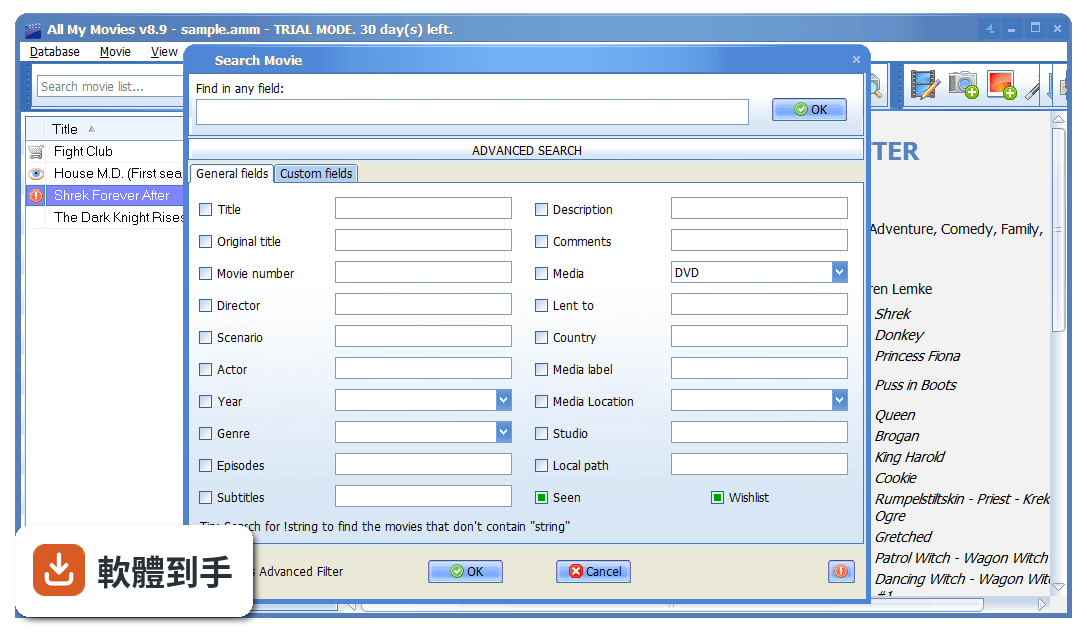
它設計了搜尋和篩選功能,就是為了應付大量收藏。你可以用片名、導演、年份、演員、類型、簡介等欄位來搜尋,也可以依年份、類型、格式等條件做篩選。左邊有篩選面板,可以快速依分類縮小範圍。收藏量大的時候,與其靠記憶翻資料夾,不如靠這個資料庫的搜尋功能,這正是它存在的意義。
05朋友跟我借片,我常常忘記誰借走了,這套軟體能處理嗎?
可以,它內建一個借出管理功能。你可以記錄哪一部片借給了誰、什麼時候借出去的,之後打開軟體就能看到哪些片還在別人那裡。這對會把片子借給朋友的人來說很實用,不用再靠腦子記或貼便利貼。還片之後把紀錄清掉就行,收藏清單隨時保持完整。
06這套軟體適合什麼樣的人用?
適合收藏量有一定規模、而且會持續增加的人。如果你只有二、三十部片,用資料夾分類可能就夠了,建資料庫反而多一道工。但如果你有上百部甚至上千部,而且包含實體光碟和數位檔案混雜,靠記憶或 Excel 已經管不動,那這套軟體的自動抓取資料、搜尋、篩選、統計功能就會派上用場。另外,會把片借給朋友、需要追蹤借出狀況的人,也會覺得借出管理這個功能實用。
07我英文不好,介面只有英文會不會很難用?
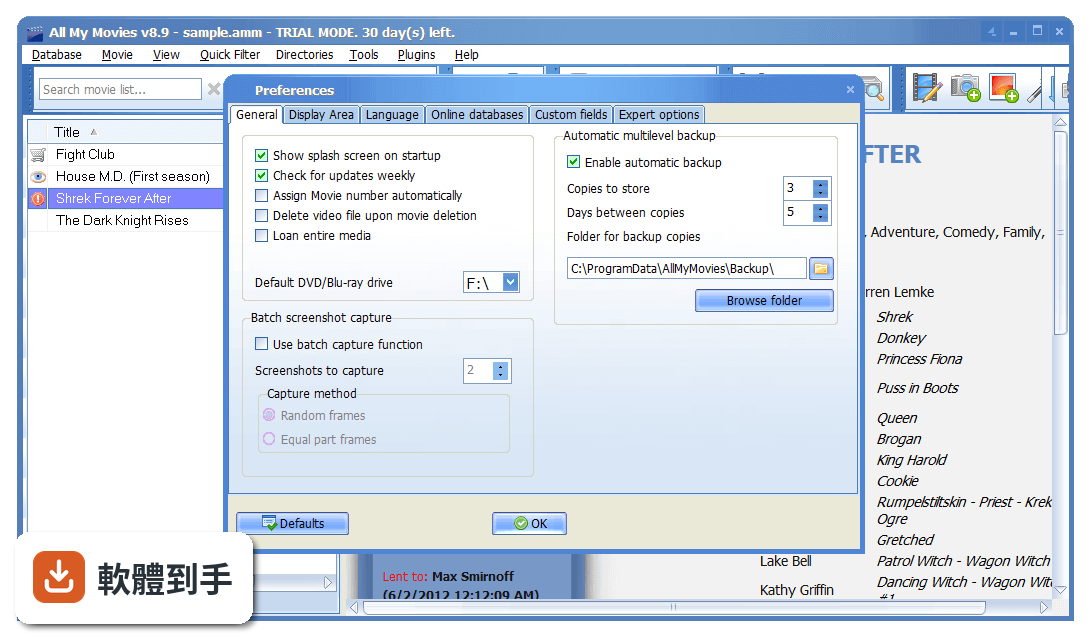
它的介面確實只有英文,沒有中文語系。如果你對英文介面不熟悉,操作上會需要一些時間適應。不過它的介面設計算是直觀,主要功能都在工具列和左側面板上,常用的操作像是新增電影、搜尋、篩選,圖示和位置都算好認。但如果你完全無法閱讀英文,建議先想清楚自己能不能接受,或者找找看有沒有其他有中文介面的替代軟體。
08這套軟體跟 Media Companion 比起來,差在哪?
兩套都是電影收藏管理工具,功能方向類似,評分人數也差不多(All My Movies 和 Media Companion 都是 46 人評分)。主要差異在於 All My Movies 有內建播放功能、借出管理、行動裝置同步,功能面比較廣;Media Companion 則更專注在抓取影片資訊和整理海報、後設資料這塊。如果你需要的是播放和借出管理,All My Movies 會比較符合;如果只是要整理影片檔的資訊,Media Companion 也可以考慮。
09這套軟體是免費的嗎?
不是,它是試用版授權,也就是說你可以先試用,但完整功能需要付費購買授權才能使用。試用版通常會有功能限制,具體限制到什麼程度,官方網站上沒有寫得很明確,建議你下載試用之後自己確認。另外,它沒有開放原始碼,也不是免費軟體,這點在選擇時要先有心理準備。
10我主要是用手機看電影,這套軟體有手機版嗎?
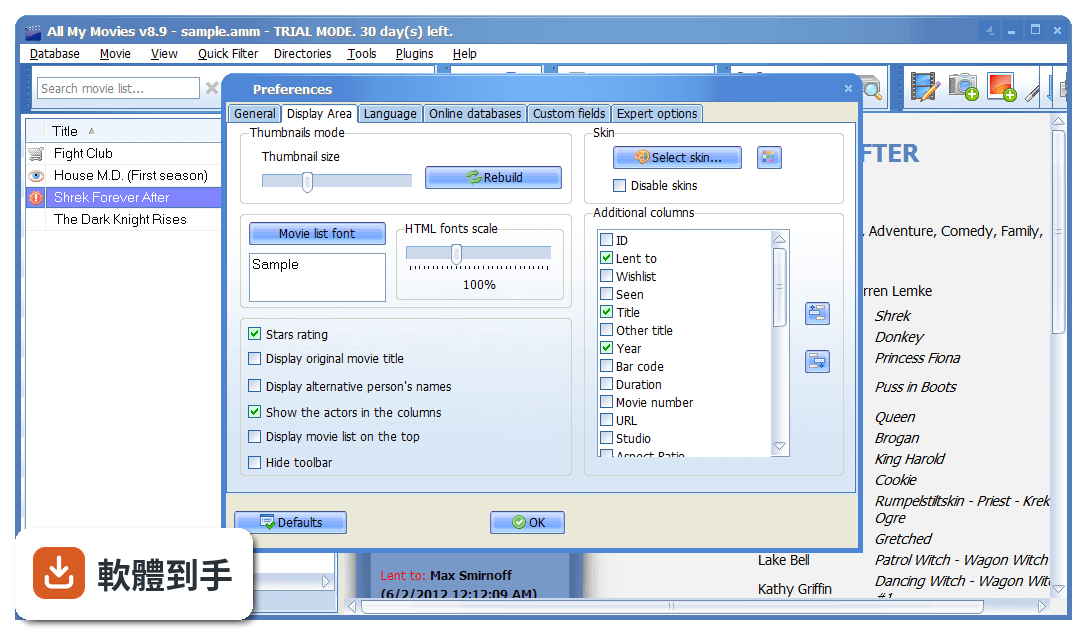
它沒有獨立的手機 App,但可以把手上的電影資料庫匯出到手機或平板,讓你在外面也能查自己的收藏清單。它支援跟 iPhone、iPad、Android 裝置同步,同步的是「資料庫」而不是影片本身。也就是說,你在手機上可以查到自己有哪些片、導演是誰、評分多少,但不能直接用手機看片。如果你要的是手機端的電影管理工具,這套軟體可能不是你要的。
11我已經用 Excel 整理了一部分收藏,可以轉過來嗎?
可以,它支援從 CSV、Excel 或其他電影管理程式的格式匯入,方便你從別的軟體跳槽過來。它也能匯出成 PDF、HTML、TXT、CHM、Excel 等格式,所以就算之後不想用了,資料也帶得走。這點對已經有整理習慣的人來說算友善,不用擔心被綁死在一個軟體裡。
12這套軟體跟 DVDFab 比起來,哪個比較多人用?
DVDFab 的評分人數是 208 人,All My Movies 是 46 人,以評分人數來看,DVDFab 的使用者基數明顯比較大。不過兩者的定位不同:DVDFab 主要是光碟備份和轉檔工具,電影管理只是它的附加功能;All My Movies 則是以「管理電影收藏」為核心。如果你要的是專門的電影資料庫管理,All My Movies 的功能更對口;如果你同時需要光碟備份,那 DVDFab 可能更符合需求。
下載與官方連結
amm_setup.exe · 連結指向軟體原廠
版本紀錄
- 2026-10-17 All My Movies 10.3 23.1 MB
- 2026-09-28 All My Movies 10.2 22.9 MB
- 2026-09-18 All My Movies 10.1 21.9 MB
再看 4 筆
- 2026-09-13 All My Movies 10.0 21.9 MB
- 2026-03-18 All My Movies 9.3 18.1 MB
- 2023-09-17 Select Version
- 2017-09-12 All My Movies 8.9
這一版改了什麼
What's new in this version:
All My Movies 8.9
- added the ability to scale fonts in HTML template. You can do this either in Preferences or with CTRL+Plus and CTRL-Minus keys
- added alternative Excel export function. The old export is available as a separate menu item
- added the ability to export to RTF, ODT, ODS formats. Check "Tools - Export to" menu item
- added folder history in "Scan drive for movies" menu
- added the ability to import collection from dying Personal Video Database program
- added the ability to copy cover image and screenshots to the clipboard with the popup menu
- fixed getting movie details from MovieMeter.nl, Filmweb.pl, Kinopoisk.ru
- fixed getting a video bitrate for DVDs
- fixed: delete movie in a "group by..." mode deletes the movie from the tree too
- sharper images in "cover thumbnails" view mode
- fixed a dozen of minor issues as well
All My Movies 8.8
- added a field for the personal movie rating
- added the ability to sort movies by date added and date modified in the "Append from..." dialog. Click with the right mouse button on the list and use popup menu to change the sort mode
- added statistics chart by File type. Press F5 to open
- added the ability to export Seen and Wishlist field values to CSV, Excel, simple HTML table
- improved quick search by title. When you type anything in the main program window, the program will try to jump to the movie title that starts with what you typing
- fixed grouping collection by custom fields using a button on toolbar
- fixed Last 10 opened video files list for Unicode file names
- several minor fixes and improvements
All My Movies 8.7
- bigger buttons on the toolbar, new panels added for quick sort/group the collection and more
- added the ability to import movie details from Kodi .nfo files
- added the ability to group movies by Scenario
- group by director and scenario now possible with the popup menu when you click on person's name in the movie details area
- plugin for import from Ant Movie Catalog updated to support 4.x databases
- fixed several issues with treeview view mode
- fixed getting movie details from Moviemeter.nl
- improved function of parsing title and year from the video file name
- batch add by barcode now can accept comma-delimited barcodes
- minor fixes in getting person details from IMDb
- minor fixes in getting movie details from blu-ray.com
All My Movies 8.6
- added the ability to batch update media info from the linked video files in menu item "Tools - Batch update movie details..."
- batch movie files rename feature now can create folders and can use "Quality" field value
- added generic parser for unknown URLs
- person popups now includes the movie amount (in brackets) with them in the current collection
- fixed clearing personal marks from the popup menu
- fixed a bug with program start after turning off the skin support
- improved DVD Cover print template
- fixed getting movie details by Australian barcodes
- fixed getting movie details from IMDb.com (cover image, rating)
- fixed several minor issues
All My Movies 8.5
- `improved module for getting images from scanners. More devices are supported now
- added the ability to tune hue and brightness for the current skin (Preferences, "Display area" tab)
- added a button to paste image from Clipboard as Screenshot ("Screenshots" tab in the movie card)
- added an ability to set filter by name in Friends directory
- added an ability to continue batch update of the movie details process that was cancelled or aborted due to an error (menu item Tools - Batch update movie details)
- added the option to get first search result in batch person details lookup
- now you can setup a folder list (instead of just one folder) to scan for new video files on program start (menu item "Movie - Scan drive for movies...")
- now it is possible to add movies to the collection from person filmography (for the persons, updated with this new build from IMDb or Kinopoisk)
- now the program can rename the existing movie titles when you turn on/off the option of transferring the articles on "Expert options" tab in the Preferences
- a dozen of minor issues were fixed