
這是歷史版本頁面 — 看 ALLPlayer 最新版本
看外語影片字幕跟不上?ALLPlayer 能幫你什麼
 ALLPlayer 7.5
資料更新 2017-10-17
閱讀約 6 分鐘
你抓了一部沒字幕的電影,或從朋友那邊拿到一個影集檔案,打開來發現對話完全聽不懂。你開始在網路上找字幕檔,找到的卻跟影片不同步,講了一句話字幕還停在上一句。你只想好好把片子看完,結果花在找字幕、對時間軸的時間比看片還久。
手動下載字幕再想辦法對齊,是大部分人第一個想到的做法,但這條路很麻煩。字幕網站介面不一定好懂,下載回來的檔案格式可能不支援,就算格式對了,時間軸也可能差個幾秒。這類播放器的切入點,是把「找字幕」和「對字幕」變成播放器自己處理的事,你打開檔案,它去幫你找,找到以後還能即時調整,甚至把字幕唸出來給你聽。
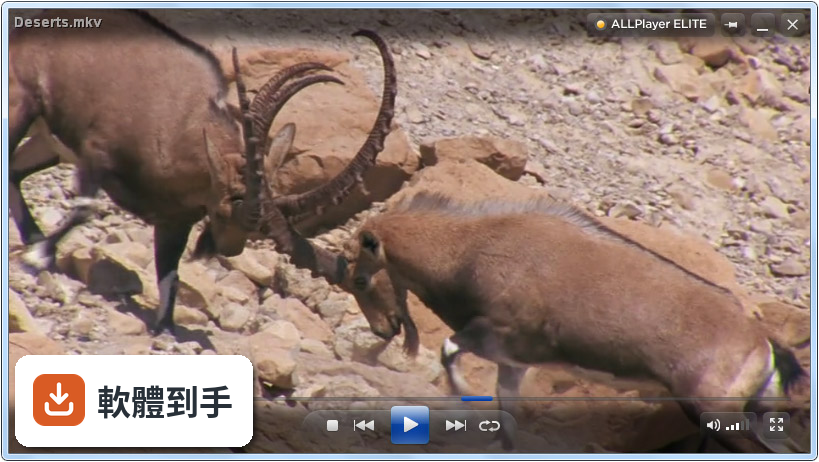
01ALLPlayer 主要能拿來做什麼?
它是一套 Windows 用的影音播放器,主打不用另外裝解碼包就能播常見的 AVI、MP4、MKV、WMV、FLV 影片檔,以及 MP3、FLAC 這類音樂檔。除了基本播放,它最特別的是字幕功能:可以自動從 OpenSubtitles.org 這類線上資料庫抓字幕,也能即時翻譯和同步字幕,這是它跟其他播放器比較不一樣的地方。
02它跟一般播放器差在哪裡?
最大的差異在於字幕的處理方式。一般播放器要你自己準備字幕檔,它頂多讓你自己手動調整延遲;ALLPlayer 則是把「下載字幕」整合進播放流程,檔案打開沒字幕,它會自己去線上資料庫找。另外它還有語音朗讀功能,可以把字幕用合成語音唸出來,這在一般播放器上很少見。
03字幕翻譯和同步實際用起來是什麼感覺?
根據官方說明,它支援即時字幕翻譯和同步調整。意思是當你播放一個外語影片,字幕時間軸不準時,可以直接在播放器裡微調,不用另外開字幕編輯軟體。翻譯功能則是把字幕內容轉成你熟悉的語言,不過官方沒有說明支援哪些語言、翻譯品質如何,這部分需要自己實際測試。
04它支援哪些影片格式?
官方宣稱支援「幾乎所有常見格式」,包括 AVI、MP4、MKV、WMV、FLV,音訊部分有 MP3 和 FLAC。它內建整合了解碼包,所以不需要另外安裝 K-Lite 或 CCCP 這類第三方解碼工具。如果你手上有比較冷門的格式,官方沒明確列出,建議先試播看看。
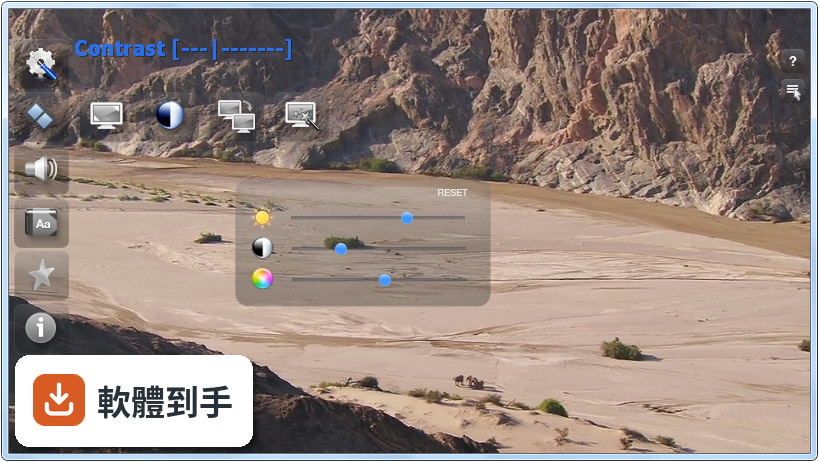
05除了播影片,它還有什麼附加功能?
有幾個比較特別的:家長控制可以針對特定檔案或資料夾設定密碼鎖;支援播放「下載到一半的 torrent 檔」,不用等完整下載就能先看;還有音訊標準化功能,會自動平衡音量忽大忽小的問題。另外它也支援外部字幕檔,像是 SRT、SSA、SUB 這些格式。
06這套軟體適合什麼樣的人用?
適合常看外語影片、但又不想花時間在網路上找字幕的人。它的自動下載字幕和即時翻譯功能,省掉不少手動處理的功夫。另外,視障使用者或想練外語聽力的人,可以用語音朗讀功能把字幕唸出來。如果你只是要一個「打開就能播、不用管設定」的播放器,它也符合這個需求。
07它對電腦效能的要求高嗎?
官方列出的需求很低:作業系統 Windows 7 到 11 都行,處理器 1 GHz 以上、記憶體 1 GB、安裝空間約 100 MB。以現代電腦的標準來看,這算是非常輕量的軟體,安裝檔也不大。不過要注意,如果你要播 4K 影片,官方有說「只要硬體支援就可以」,但沒有保證所有 4K 檔案都能順暢播。
08它的介面有中文嗎?
沒有。官方列出的介面語系只有英文,所以操作介面、右鍵選單、設定選項都是英文顯示。如果你對英文介面不熟悉,使用上會需要一些時間摸索。不過它的操作邏輯不算複雜,主要功能都在主控制面板上,右鍵選單也有額外控制選項,但整體設計偏陽春,沒有太多華麗的外觀。
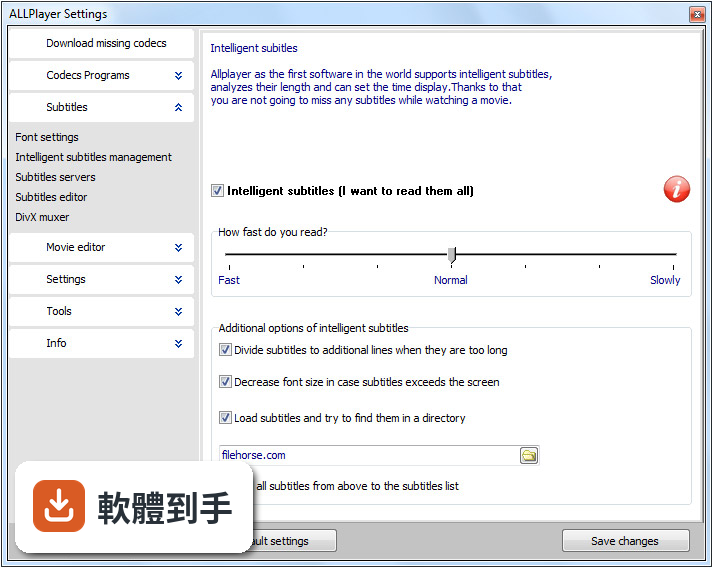
09什麼情況不該選它?
如果你很在意介面外觀和主題換裝,它不適合你——官方自己也承認,皮膚和自訂選項比 VLC 少很多。如果你需要進階的影像調整、濾鏡、色彩校正這類專業功能,它也給得不多。另外,它的評分人數只有 294 人,相較於 PotPlayer 的 821 人、GOM Player 的 887 人,使用者的回饋樣本數明顯少很多,這點可以納入考量。
10它跟 PotPlayer、GOM Player 比起來如何?
以評分人數來看,PotPlayer 和 GOM Player 的使用者基數大得多,代表討論資源、問題解法比較好找。ALLPlayer 的強項在字幕自動下載和翻譯,這兩個對手沒有同等級的功能。但如果你不需要字幕功能,只想找一個穩定、很多人用的播放器,PotPlayer 或 GOM Player 可能是更主流的選擇。介面語言也是個考量點,PotPlayer 和 GOM 都有中文介面。
11它會不會綁一堆垃圾軟體或廣告?
官方說安裝程式很輕量,不含 bloatware(捆綁的額外軟體),也聲明沒有惡意軟體。安裝過程中可以自己選擇要安裝哪些解碼器、要不要關聯檔案類型。不過這畢竟是官方說法,實際安裝時還是建議留意每個安裝步驟,不要一直按「下一步」,確認沒有多勾選其他東西。
12這套軟體還有在維護嗎?
有,但更新頻率不算高。根據收錄紀錄,它從 2011 年開始持續發布新版本,最近一年內有 2 次更新、兩年內有 4 次,整體來說算是持續在維護的軟體,不是放著不管的專案。官方也說會持續更新解碼器支援和功能增強,不過具體更新了什麼,需要看每次的版本說明。
下載與官方連結
ALLPlayerEN.exe · 32.1 MB · 連結指向軟體原廠
版本紀錄
- 2026-02-19 ALLPlayer 9.6.0 90.84 MB
- 2025-11-20 ALLPlayer 9.5.0 85.08 MB
- 2025-02-13 ALLPlayer 9.4.0 73.28 MB
再看 5 筆
- 2024-10-16 ALLPlayer 9.3.0 70.26 MB
- 2024-03-20 ALLPlayer 9.2.0 71.5 MB
- 2024-01-10 ALLPlayer 9.1.0 60.17 MB
- 2023-12-14 ALLPlayer 9.0.0 60.17 MB
- 2023-11-17 ALLPlayer 8.9.6 56.98 MB
這一版改了什麼
What's new in this version:
- The latest version of ALLPlayer 7.5 is faster and weight less, it has built all updated codecs that use hardware support for watching videos, so the player should not have trouble opening any video file
- The key change is a brand new video search visible from the player screen. After configuration, ALLPlayer searches for movies stored on local drives in the specified directories and on websites offering free videos - movies or video clips - more about the configuration of the search engine on our FORUM
- We improved significantly internet radio, which now is divided into convenient folders and grouped by location and music genre
- Support for subtitles to videos from opensubtitles.org was also improved
- The latest engine supports the latest video and audio standards, such as support for 4K Ultra HD or WebM, and also improves the quality of subtitles
- By connecting to leading subtitles database such as OpenSubtitles.org ALLPlayer automatically downloads the perfectly matching subtitles in the selected language
- They should not also be unnoticed subsequent changes to improve the usability in a modern program interface known more from smartphones and tablets than Windows
- ALLPlayer interface was designed and looks like smartphone apps interface, so many young people should operate it intuitive and with ease. All functions are readily available, the precise moment they are needed
- We haven't forgotten about mobile users - for them is prepared ALLPlayer Android compatible with Android 5.0 Lollipop, and convenient remote control app to operate the player
Most important features:
- Windows 10 compatible
- Built-in codecs to play any audio/video files ( with support for 4K and ULTRA HD)
- Movie and tv series search
- Playing movies and TV series with subtitles
- Internet radio stations
- Automatic download of matching subtitles
Fixes:
- Fixed flac files playback
- Fixed movie editor
- Fixed free LiveUpdate for older versions of the program
- Click on Radio list does not hide Radio
- Fixed GUI
- Better recognition of the latest audio-video files