
這是歷史版本頁面 — 看 AnyTrans 最新版本
Windows 電腦管理 iPhone 檔案,AnyTrans 能做到什麼程度
 AnyTrans 6.3.0
資料更新 2017-12-23
閱讀約 7 分鐘
把 iPhone 接上 Windows 電腦,想傳幾張照片、丟幾首歌進去,結果打開檔案總管只看到一個相機資料夾,其他什麼都碰不到。想用 iTunes 同步,介面又舊又卡,動不動就跟你說「無法同步」,連備份都要等半天。明明手機裡一堆照片、訊息、聯絡人,電腦卻像個局外人,什麼忙都幫不上。
一般人遇到這種狀況,第一個念頭是裝 iTunes,但 iTunes 在 Windows 上本來就不是為了「管理檔案」設計的,它只管同步和備份,你想單獨抽出一則訊息、看某個 App 的資料,它完全做不到。也有人會想用雲端硬碟或通訊軟體傳檔,但那只適合少量檔案,整批照片、音樂庫、換機遷移根本行不通。這類工具的切入點,是把 iPhone 當成一個可以瀏覽、複製、搬移的儲存裝置來操作,繞過 iTunes 的限制,直接讀取手機裡的資料。
01AnyTrans 到底能拿來做什麼?
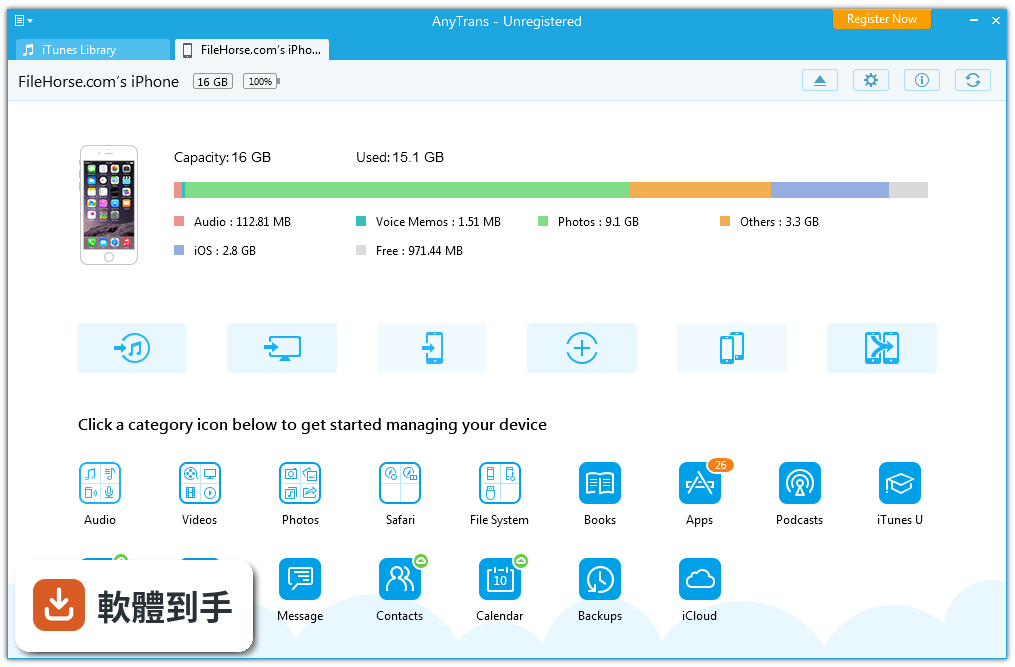
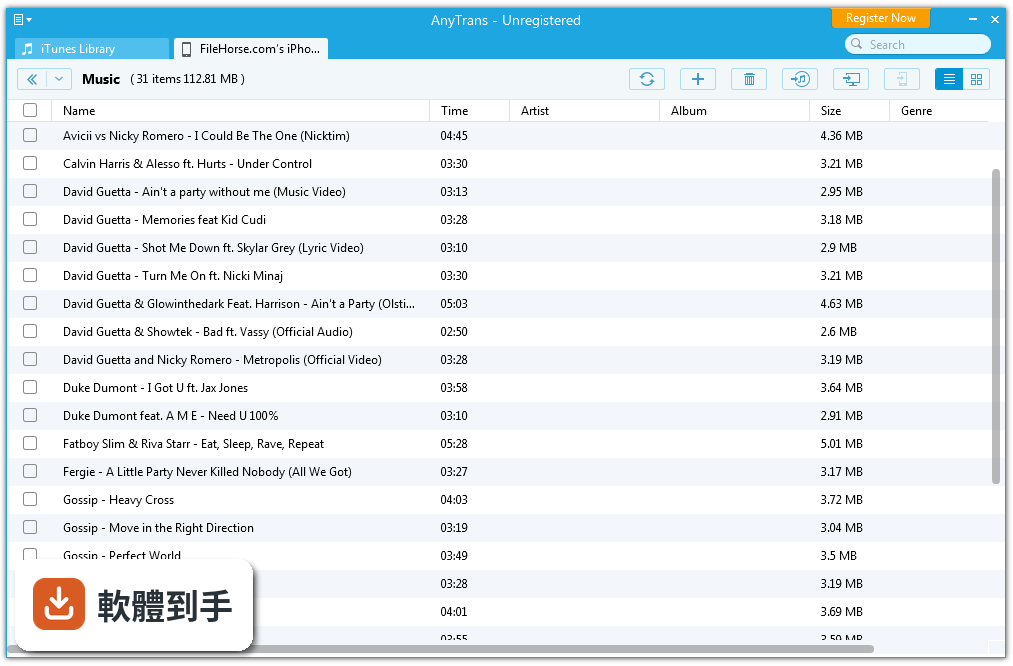
它是一套在 Windows 上管理 iOS 裝置內容的工具,主要涵蓋音樂、照片、影片、訊息、聯絡人、備忘錄、Safari 瀏覽紀錄、語音備忘錄等資料的傳輸與備份。也能瀏覽 iCloud 備份內容、把舊 iPhone 的資料搬到新手機、合併多台 Apple 裝置的資料到同一支手機,甚至製作鈴聲、錄製螢幕。簡單說,iTunes 能做的它大多能做,iTunes 做不到的單檔管理它也能做。
02想把 iPhone 照片全部抓到電腦,它辦得到嗎?
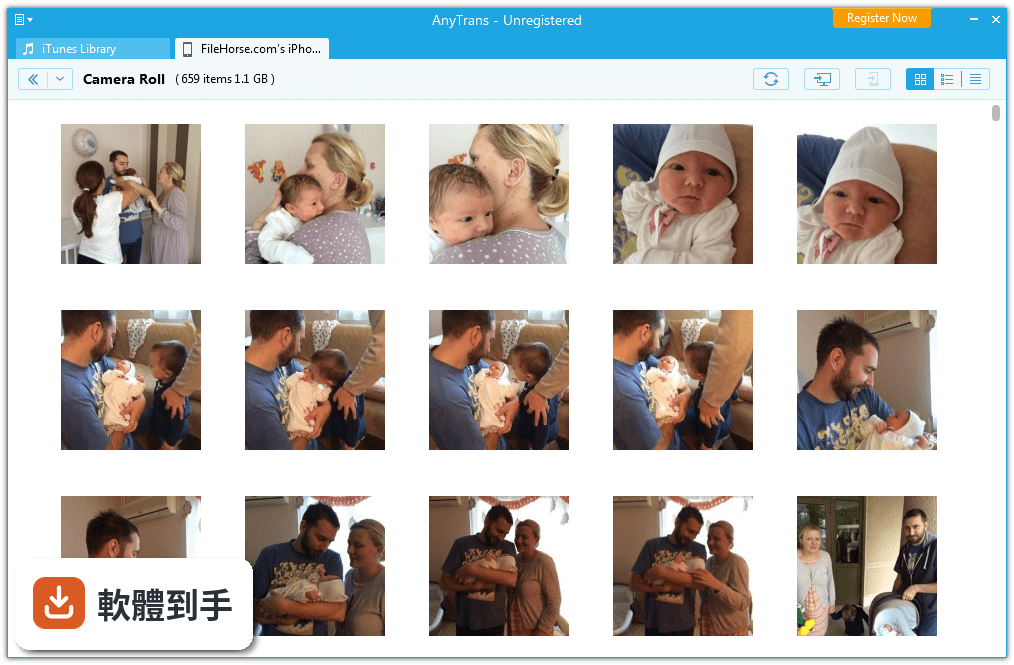
可以。官方說明指出,透過幾次點擊就能把數千張照片或整個照片圖庫在 iPhone、iPad 和電腦之間一次傳輸。操作上是在電腦端選取照片後匯出,不是用拖曳的方式。要注意的是介面是英文,初次使用需要花點時間熟悉按鈕位置。另外,傳輸大量照片時建議用 USB 連線,Wi-Fi 傳輸雖然可行但速度會慢很多。
03換新 iPhone 的時候,它能幫我把舊手機資料搬過去嗎?
可以,官方宣稱一鍵就能把聯絡人、照片、音樂、訊息、備忘錄、行事曆、桌布等資料從舊 iPhone 複製到新 iPhone,也支援只挑部分資料搬移。這對不想用 iCloud 備份還原、或舊手機系統版本較舊的人來說是條捷徑。不過實際搬移速度取決於資料量與連線方式,官方沒有提供具體時間數據,建議保留足夠時間操作。
04它能讀取 iCloud 備份的內容嗎?
可以。官方說明提到,這套軟體能讓 iCloud 和 iCloud Drive 上的內容完全可見,可以下載、瀏覽甚至抽取特定檔案。也就是說,就算手機不在手邊,只要登入 Apple ID,就能從 iCloud 備份裡撈出需要的照片或訊息。但要注意,登入 iCloud 需要輸入 Apple ID 密碼,且可能觸發 Apple 的雙重驗證,操作時手機最好在身邊。
05除了基本檔案,它能備份 LINE 或 WhatsApp 的對話紀錄嗎?
官方功能清單中有「Transfer & Back Up WhatsApp Data」這一項,表示支援 WhatsApp 資料的傳輸與備份。但 LINE 的部分官方說明完全沒有提到,無法確認是否支援。如果你主要想備份 LINE 對話,這套軟體可能幫不上忙,建議先確認官方文件或試用版測試,不要預設它一定能處理。
06我英文不好,介面只有英文會不會很難用?
介面確實只有英文,這是官方規格明確列出的限制。對不熟悉英文介面的人來說,初次操作會需要對照翻譯或摸索按鈕功能,學習成本較高。不過這類工具的操作邏輯通常一致,例如「Export」就是匯出、「Import」就是匯入,只要記住幾個關鍵字,基本傳輸功能還是能上手。如果完全無法接受英文介面,可以考慮其他有中文介面的替代軟體。
07我只有 Windows 電腦,這套軟體適合我嗎?
它只支援 Windows 7 到 Windows 11,正好補足 Windows 使用者管理 iPhone 的需求。Mac 用戶有 Finder 和 AirDrop 可用,不需要這套工具。如果你長期在 Windows 環境下使用 iPhone,又不想依賴 iTunes,這套軟體確實是選項之一。但要注意它是 Trial 授權,不是免費軟體,試用期過後需要付費才能繼續使用完整功能。
08它跟 iTunes 有什麼差別?裝了它還需要 iTunes 嗎?
它做的事情比 iTunes 更細,例如單獨匯出一則訊息、瀏覽 iCloud 備份內容、合併多台裝置資料,這些 iTunes 都做不到。但 iTunes 是 Apple 官方工具,負責系統備份、韌體更新等底層操作,這套軟體無法取代。實務上建議兩者都裝,日常檔案管理用 AnyTrans,系統層級的備份與更新還是交給 iTunes。官方說明沒有提到它能否取代 iTunes 的系統備份功能。
09它適合什麼樣的人用?
適合三種人:一是手上有多台 Apple 裝置、想把資料集中到同一支手機的人,官方說明特別提到可以合併不同 Apple ID 的裝置資料,不用反覆登出登入;二是經常需要從 iCloud 備份中抽取單筆資料的人;三是換機頻率高、想快速遷移資料的人。如果你只是偶爾傳幾張照片,用雲端硬碟或通訊軟體就夠了,不需要為此付費。
10什麼情況下不該選它?
如果你用的是 Mac,完全不適用,它只支援 Windows。如果你需要中文介面,它只有英文,操作門檻較高。如果你主要想備份 LINE 對話,官方沒提到支援,風險自負。另外,它近 12 個月只更新過 1 次,更新頻率偏低,如果你很在意新 iOS 版本的支援速度,可能要考慮其他更新更勤快的軟體。評分人數僅 115 人,樣本數不多,參考價值有限。
11它有免費版嗎?試用版夠用嗎?
授權型式是 Trial,表示有試用版,但官方說明沒有寫明試用版的功能限制與天數。一般這類工具的試用版通常會限制傳輸數量或部分進階功能,例如 iCloud 瀏覽、換機遷移可能鎖住。建議先下載試用版,實際測試你要用的功能是否被限制,再決定是否付費。不要預設試用版等於免費版,兩者功能一定有差距。
12有功能相近、更多人用的替代軟體嗎?
官方資料列出幾個功能相近的軟體,包括 Sharepod(115 人評分)、Dr.Fone Toolkit for iOS(86 人評分)、iMyFone D-Back iPhone Data Recovery(113 人評分)、iFreeUp(209 人評分)、WinX MediaTrans(71 人評分)。其中 iFreeUp 評分人數最多,但這不代表它比較好,只是樣本較大。這些軟體各有側重,有的專攻資料救援,有的偏媒體傳輸,建議依你的主要需求分別研究,不要只看評分人數。
下載與官方連結
anytrans-setup.exe · 連結指向軟體原廠
版本紀錄
- 2026-07-09 AnyTrans for iOS 8.9.14 9.3 MB
- 2018-10-25 AnyTrans for iOS 7.0.3 2.5 MB
- 2018-09-28 AnyTrans for iOS 7.0.2 2.3 MB
再看 5 筆
- 2018-09-20 AnyTrans for iOS 7.0.1 2.5 MB
- 2018-03-29 AnyTrans 6.3.6 1.3 MB
- 2018-03-01 AnyTrans 6.3.5 1.3 MB
- 2018-02-02 AnyTrans 6.3.3 1.4 MB
- 2017-12-23 AnyTrans 6.3.0
這一版改了什麼
What's new in this version:
AnyTrans 6.3.0
- Supported the latest iOS 11.2.1
- Updated to support the newest iTunes 12.7.2
- Added White Christmas appearance
- Fixed some minor bugs
AnyTrans 6.2.0
- Udated to support the latest macOS 10.13.2 Beta
- Added Golden Thanksgiving appearance
- Fixed some minor bugs
AnyTrans 6.1.0
- Introduced Air Backup feature to automatically backup your iOS device via Wi-Fi or as scheduled
- Supported to convert iOS 11 photos from HEIC to JPG format
- Supported the newest iOS 11.1
- Updated to support the latest iTunes 12.7.1
- Optimized Photos management via adding classifications of photos as Live Photo, Screenshot, Selfies, Location and Favorite
- Supported to convert Live Photos to GIF, MP4 and M4V format
AnyTrans 6.0.2
- Updated to support the latest iOS 11.0.2
- Supported the newest iTunes 12.6.3
AnyTrans 6.0.1
- Updated to support the latest iOS 11
- Supported the newest iPhone 8, iPhone 8 Plus and iPhone X
AnyTrans 6.0.0
- Updated to support the iOS 11 Public Beta
- Introduced iOS Mover feature to transfer all Android Device Data to iOS Device with one-click, including Contacts, Messages, Call Log, Calendars, Photo Library, Music, Ringtones, Movies, etc.
- Added Content to iTunes option to move Android Device Data to iTunes Library - such as Music, Movies, Ringtones, Photo Library and Book in iOS Mover feature
- Supported to transfer Android Device Data to iCloud - like Photo Library, Contacts and Calendar
- Redesigned and optimized UI with simpler navigation and newly-added interesting animations
AnyTrans 5.5.4
- Supported to view iTunes Encrypted Backups with iOS 10 or higher in AnyTrans
- Updated to support the newest iPad 5 and iPad Pro (2nd Generation)
- Introduced iCloud Music feature to transfer purchased music to computer
- Supported to add calendars from computer to iOS device
- Optimized the performance and fixed some minor bugs
AnyTrans 5.5.3
- Updated to support the latest macOS High Sierra and iOS 11 Beta
- Supported to download iCloud backups with iOS 1O.3 or higher
- Added Simplified Chinese
- Fixed some minor bugs
AnyTrans 5.5.2
- Supported the latest iOS 10.3
- Updated to support the latest iTunes 12.6.0
- Fixed some minor bugs
AnyTrans 5.5.1
- Supported to delete iCloud photos in iCloud Content feature
- Added uploading device data to iCloud directly, like Contacts, Notes and Calendar
- Updated to transfer photos stored on device to iCloud directly, including Camera Roll, Photo Stream, Photo Library, Photo Share, Panoramas and Bursts
- Optimized the user interface and fixed some minor bugs
AnyTrans 5.5.0
- Optimized iCloud Content feature to manage data in iCloud, including photos, contacts, notes, calendar and reminders
- Introduced iCloud Sync feature to integrate iCloud contents between different iCloud accounts with a few clicks
- Added iCloud Drive function to 1-click import & export your documents to device & computer
- Newly-added iCloud Import & Export function supports to transfer iCloud contents with an easy way
AnyTrans 5.4.0
- Introduced Video Download feature to download videos from popular websites to computer or directly to your iOS device
- Fixed some minor bugs
AnyTrans 5.3.2
- Introduced data preview and classification feature in Add Content option
- Added White Christmas appearance
- Optimized the performance and fixed some minor bugs
AnyTrans 5.3.1
- Update to support the latest iOS 10.2
- Fix some minor bugs
AnyTrans 5.3.0
- Add Fast Drive function
- Add Arabic
- Fix some minor bugs
AnyTrans 5.2.1
- Updated to fully support iOS 10.1
- Introduced three new appearances: space black, space gray, and rose pink
- Fixed some minor bugs
AnyTrans 5.2.0
- Updated to fully support iOS 10.1
- Introduced two new appearances: space black for fashionable men, and rose pink for ladies
- Fixed some minor bugs
AnyTrans 5.1.1
- Updated to fully support iOS 10, including Clone Device and Merge Device feature
- Fixed some minor bugs and improved the running performance
AnyTrans 5.0.0
- Improved the overall speed to reach the fastest iOS data transfer in the market
- A completely resigned UI with simpler navigation and interesting animations
- Updated to support the latest iOS 10
- Updated to support to directly export live photos as animated GIF pictures
- Updated to support to intercept audio files as your exclusive ringtones
AnyTrans 4.9.6
- Optimized the performance of merging SMS and iMessages
- Fixed some minor bugs
AnyTrans 4.9.5
- Optimized the performance of transferring PDF and EPUB files
- Updated to support the latest iTunes 12.4
- Fixed some minor bugs
AnyTrans 4.9.2
- Updated to support the latest iOS 9.3
- Fixed some minor bugs
AnyTrans 4.9.1
- Updated to support deleting photos on device running iOS 9.2 or later
- Fixed some minor bugs
AnyTrans 4.9.0
- Improved the performance of transferring app data
- Fixed the bug with deleting photos of iOS 9.0 devices under Win x64
- Improved the program stability with iOS 9.0 and above
- Fixed some other minor bugs