
這是歷史版本頁面 — 看 Auslogics BoostSpeed 最新版本
電腦變慢卡頓,Auslogics BoostSpeed 能幫上什麼忙
 Auslogics BoostSpeed 10.0.1.0
資料更新 2017-12-28
閱讀約 7 分鐘
開機要等好幾分鐘,點開資料夾轉圈圈,開個瀏覽器也要等半天。你只是想好好用電腦,不是來跟它比耐心的。硬碟空間莫名其妙越來越少,不知道被什麼東西塞滿,偶爾還會跳出錯誤訊息,甚至直接藍屏。這些狀況不是只有你遇到,很多人的電腦用幾個月之後就開始這樣,明明買的時候還很順。
一般人遇到這種情況,直覺是重開機、刪幾個不用的程式,或者上網找「電腦變慢怎麼辦」。但這些做法治標不治本,暫存檔、登錄檔殘留、重複檔案這些東西不會因為你刪幾個程式就消失。這類系統清理優化工具就是針對這個問題設計的——掃描整台電腦,找出拖慢效能的垃圾檔案和設定問題,一次處理掉。它做的事情不是什麼魔法,就是把那些你找不到、也不知道該不該刪的東西清乾淨。
01Auslogics BoostSpeed 到底能幹嘛?
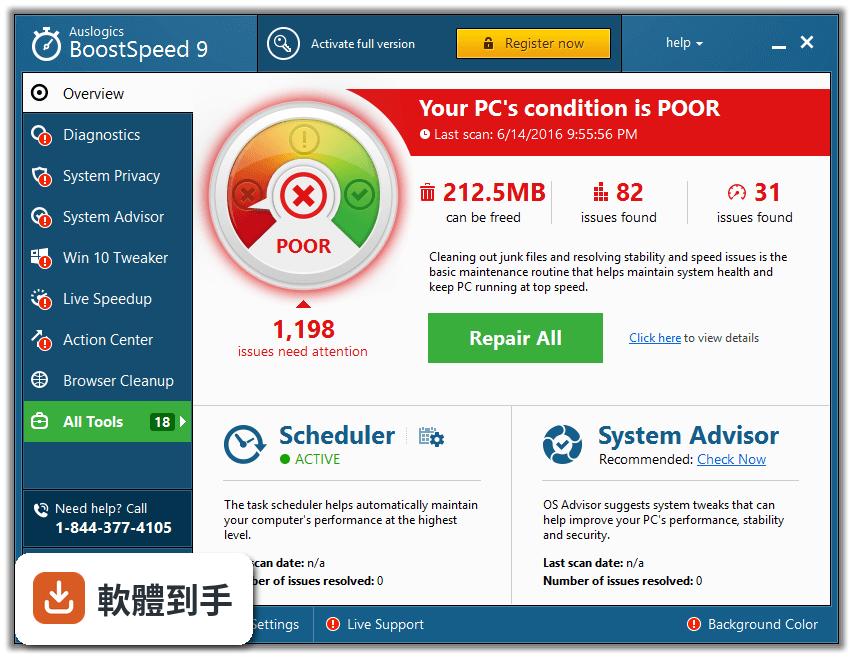
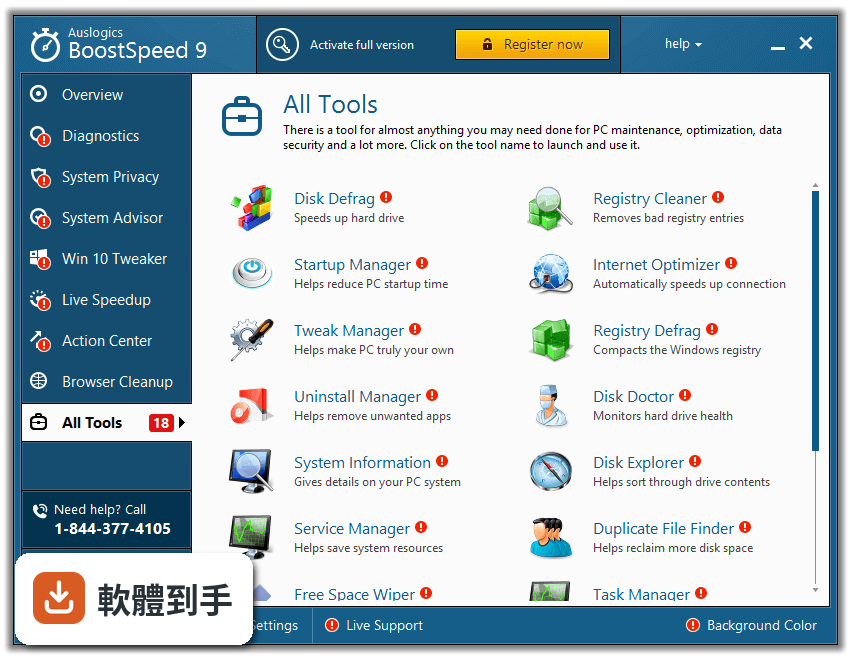
它是一套 Windows 系統清理與優化工具,主要功能包括清除垃圾檔案、清理登錄檔、移除重複檔案、管理開機啟動項目、最佳化網路設定,以及清除瀏覽器隱私紀錄。官方說法是透過一次全面掃描,找出拖慢系統的檔案和設定問題,然後一併處理。它也有磁碟重組功能,可以重新排列硬碟上的檔案位置,讓讀取速度變快。
02電腦開機很慢,這套軟體有辦法解決嗎?
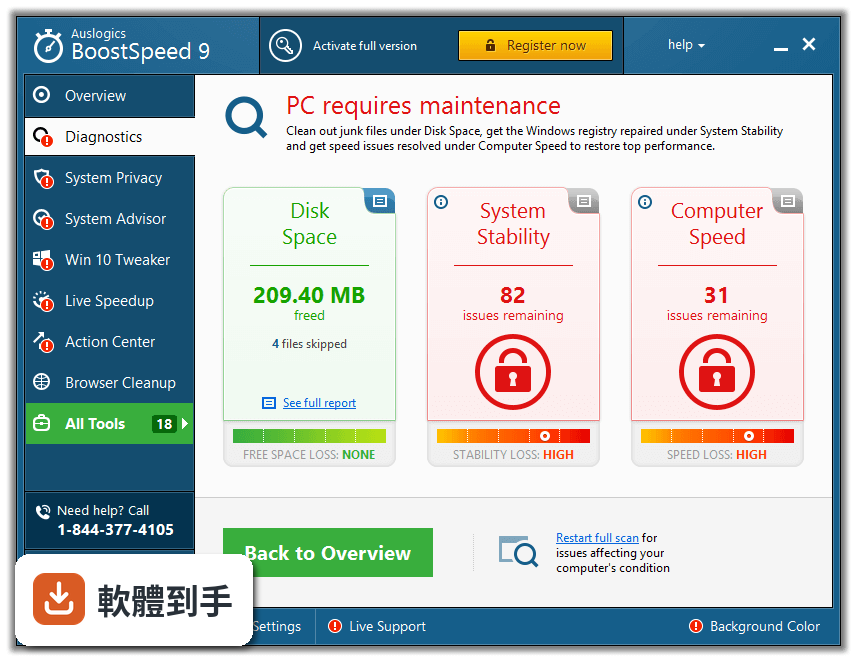
開機慢的原因很多,其中一個常見原因是開機時載入太多不必要的程式。BoostSpeed 有啟動管理功能,可以讓你看見哪些程式在開機時自動執行,並停用不需要的項目。另外,它也會清理登錄檔和暫存檔案,這些累積太多也可能拖慢開機速度。不過開機慢也可能跟硬碟健康度或硬體規格有關,這套軟體無法處理硬體本身的問題。
03它跟 Windows 內建的磁碟清理有什麼不同?
Windows 內建的磁碟清理只能刪除特定類型的暫存檔案,範圍有限。BoostSpeed 的清理範圍更廣,包含登錄檔、重複檔案、瀏覽器快取、隱私紀錄等,而且會對整個系統做全面診斷,找出效能瓶頸。另外它還有磁碟重組、網路最佳化、啟動管理等功能,這些都是內建工具沒有的。不過如果你只需要偶爾清一下暫存檔,內建工具其實就夠用了。
04免費版跟付費版差在哪裡?
根據官方提供的資訊,免費版包含基本的垃圾檔案清理、登錄檔清理、磁碟重組、隱私保護和手動網路最佳化。付費版多了自動網路最佳化、進階清理選項、SSD 最佳化、智慧型磁碟重組、排程掃描、瀏覽器反追蹤等功能,還有即時專家問答服務。免費版在使用時會看到廣告和升級提示,而且部分進階功能無法使用。
05它能不能清掉瀏覽器的上網紀錄?
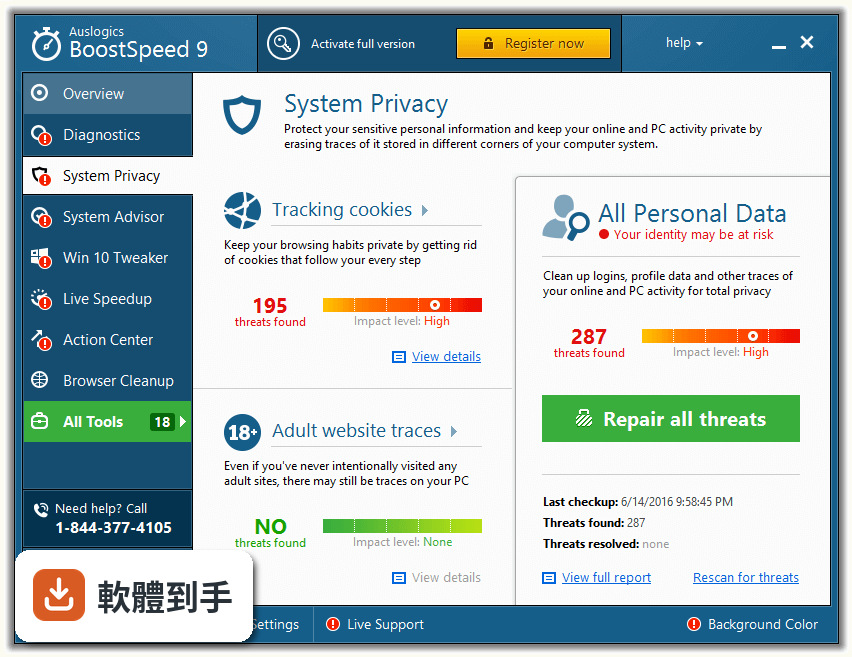
可以。BoostSpeed 有隱私清理功能,官方說明提到它會移除所有隱私痕跡,包含瀏覽器上網紀錄、快取、Cookie 等,目的是保護個人資料。這類功能在免費版就有提供,不過付費版多了「瀏覽器反追蹤」功能,可以防止網站追蹤你的線上行為。如果你只是偶爾想清一下紀錄,瀏覽器本身的無痕模式或清除資料功能其實就夠用了。
06這套軟體適合什麼樣的人用?
適合不想自己手動研究系統設定的人。如果你知道登錄檔是什麼、敢自己改設定、會手動清暫存,那這套軟體對你來說可能多餘。但如果你只是希望電腦變快,不想花時間搞懂每個檔案能不能刪,那這種一鍵掃描、一鍵清理的工具確實省事。官方也強調它介面設計得讓一般家庭用戶也能操作,不需要太多電腦知識。
07英文不好的人能用嗎?
這點要留意,BoostSpeed 的介面只有英文,沒有中文語系。如果你看不懂英文,操作上會比較吃力,因為清理工具涉及很多專業術語,例如 registry、fragmentation、startup 這些詞,看不懂的話很難判斷哪些功能在做什麼。如果你完全不懂英文,建議找有中文介面的替代軟體,例如 Advanced SystemCare 或 Glary Utilities 都有中文版。
08它跟 Advanced SystemCare 或 Glary Utilities 比起來如何?
這三套都是系統清理優化工具,功能重疊度很高。從使用者評分來看,Advanced SystemCare 有 779 人評分,Glary Utilities 有 394 人評分,而 BoostSpeed 只有 96 人評分,樣本數明顯少很多。評分人數少代表實際使用者的參考資料有限,你比較難判斷它在真實環境下的表現。功能面上三者大同小異,如果你在意中文介面或想參考更多使用者經驗,另外兩套是更常見的選擇。
09這套軟體會不會誤刪重要檔案?
官方資料有提到,過度積極的清理和最佳化設定有可能造成系統不穩定,或移除必要的檔案。這是所有這類工具的共通風險,不是 BoostSpeed 獨有的問題。使用時建議先從免費版的清理功能開始,看清楚它準備刪除哪些項目再執行。另外,清理前先做系統備份或建立還原點,是比較保險的做法。
10它的更新頻率如何?軟體會不會已經沒在維護了?
根據收錄的版本紀錄,這套軟體最早在 2017 年有版本,最近一次更新在 2026 年 4 月,但過去 24 個月只更新了 1 次。這個更新頻率算偏低,代表開發商可能沒有投入太多資源在持續維護上。系統清理工具需要不斷跟上 Windows 更新和瀏覽器版本的變化,如果長期不更新,清理效果可能會打折,甚至無法正確辨識新版系統的檔案結構。
11免費版一直跳廣告,會不會很煩?
官方資料明確指出,免費版包含廣告和升級到付費版的提示。這在免費軟體中很常見,但如果你很在意使用體驗,廣告確實會干擾操作。如果你不想看廣告,可以考慮付費版,或者改用其他沒有廣告的免費替代方案。另外,這套軟體在掃描和最佳化過程中會佔用系統資源,官方資料也提到它可能讓舊電腦在掃描時變得更慢。
12我的電腦已經很舊了,跑得動這套軟體嗎?
官方資料提到,這套軟體在掃描和最佳化時會消耗較多系統資源,可能讓舊電腦在執行期間變得更慢。如果你的電腦本身規格很低,執行這類工具反而會讓情況更糟。建議先確認電腦的硬體規格,再決定要不要安裝。另外,如果你的硬碟是傳統機械硬碟,磁碟重組功能可能有用;但如果是 SSD,重組功能對效能的幫助有限,甚至可能減少 SSD 壽命。
下載與官方連結
前往官方網站 下載 Auslogics BoostSpeed
boost-speed-setup.exe · 連結指向軟體原廠
版本紀錄
- 2026-04-30 Auslogics BoostSpeed 14.2.0.6
- 2023-10-27 Auslogics BoostSpeed 13.0.0.6
- 2023-10-10 Auslogics BoostSpeed 13.0.0.5
再看 5 筆
- 2018-04-04 Auslogics BoostSpeed 10.0.8.0 20.1 MB
- 2018-03-21 Auslogics BoostSpeed 10.0.7.0 20.2 MB
- 2018-03-07 Auslogics BoostSpeed 10.0.6.0 20 MB
- 2018-02-21 Auslogics BoostSpeed 10.0.5.0 20 MB
- 2018-02-07 Auslogics BoostSpeed 10.0.4.0 20 MB
這一版改了什麼
What's new in this version:
Auslogics BoostSpeed 10.0.1.0
- Resolved the bug that affected window maximizing feature for certain user groups
- Improved support for the latest Windows 10 subversions
- Fixed all known bugs and improved program stability
Auslogics BoostSpeed 10.0.0.0
- Added brand-new Windows Slimmer tool to help reduce the size of unneeded system “filling” and save you extra space on your PC
- Implemented multiple usability improvements to make the software even more intuitive and convenient to use
- Made multiple changes to ensure compatibility with the latest OS versions and major programs
- Fixed all known bugs
Auslogics BoostSpeed 9.2.0.0
- Modified reporting language and style to help users get a better picture of their system’s state
- Made improvements to several tools under the All Tools tab
- Made a number of usability improvements so users can enjoy their BoostSpeed experience and get better results
- Resolved all known bugs
Auslogics BoostSpeed 9.1.4.0
- Functionality and/or usability improvements made to every tool in the All Tools section
- Fixed the issue with Disk Defrag used via command line interface
- Added hints to help users better understand certain advanced features
- Scan mechanism improved to make the scans go even faster
- Cleanup & repair mechanism improved to make it even more effective and get you even better results
- All known bugs have been fixed
Auslogics BoostSpeed 9.1.3.0
- Improved command line functionality for the Disk Defrag tool
- Resolved several localization bugs
- Optimized Live Speedup tool list
- Improved scheduling feature
- Made functionality improvements throughout the program
- Fixed all known bugs
Auslogics BoostSpeed 9.1.2.0
- Improved scan mechanism and repair algorithms
- Fixed all known bugs
Auslogics BoostSpeed 9.1.1.0
- Fixed all known bugs
Auslogics BoostSpeed 9.1.0.0
- Improved repair algorithms that work faster now to save you even more time
- Advanced testing and tweaking done to make the program even safer
- Full info on your disk drives in Disk Defrag and Disk Doctor tools for improved convenience
- Updated interface with livelier background color options, so you can enjoy your BoostSpeed experience more
- Database of potential system tweaks expanded for even better optimization effect
Auslogics BoostSpeed 9.0.0.0
- Thoroughly tested and tweaked for maximum Windows 10 compatibility
- Useful Windows 10 optimization tweaks added to help you customize your new OS
- Program translated into multiple languages: select your language in Settings
- Notifications are now more informative
- Multiple algorithm improvements implemented
- All known bugs fixed
Auslogics BoostSpeed 8.2.1.0
- Fixed all known bugs
Auslogics BoostSpeed 8.2.0.0
- Added option to place a system status button onto the window frames of other software programs on a PC
- Live Speedup section now has one more tool that helps optimize system services
- Auto Defrag in Live Speedup now supports processing SSD drives
- Fixed all known bugs and improved program stability
Auslogics BoostSpeed 8.1.2.0
- Fixed all known bugs
Auslogics BoostSpeed 8.1.1.0
- Fixed all known bugs
Auslogics BoostSpeed 8.1.0.0
- Fixed all known bugs
- Improved program stability and reliability
- Improved internal libraries
- Improved program installer
Auslogics BoostSpeed 8.0.2.0
- Fixed all known bugs
Auslogics BoostSpeed 8.0.1.0
- Fixed all known bugs
- Improved program stability and reliability
- Improved internal libraries
- Improved program installer
Auslogics BoostSpeed 8.0.0.0
- System Advisor is back to monitor your PC and suggest up to 56 tweaks for best performance
- Over 100 improvements in every module and component
- 7 skins to customize program interface
- Powerful boot-time defrag to bring fragmentation to zero % and more
Auslogics BoostSpeed 7.9.0.0
- Fixed all known bugs
Auslogics BoostSpeed 7.8.1.0
- Fixed all known bugs
Auslogics BoostSpeed 7.8.0.0
- Fixed all known bugs
Auslogics BoostSpeed 7.7.0.0
- Added full Windows 10 support. Program has been tested to support Windows 10 Technical Preview, all detected bugs fixed
- Fixed all bugs and problems discovered earlier
- Made a number of improvements to program installer
Auslogics BoostSpeed 7.6.0.0
- Added algorithms for optimizing Windows with SSD drives installed. Now, if you have one or more SSD drives, the program will analyze Windows settings and tweak them to ensure the most efficient handling of SSDs
- Improved appearance of some defragmentation map color patterns
- Fixed all known bugs
- Optimized algorithms for defragmenting regular hard drives
Auslogics BoostSpeed 7.5.0.0
- Fixed all known bugs
- Improved internal libraries
- All Tools: fixed all known bugs
- Improved program stability and reliability
Auslogics BoostSpeed 7.4.0.0
- Registry Cleaner: added new search feature that allows scanning the whole registry for a specific key or entry with further removal of that key at a click of a button. This feature will be very useful to those who are trying to clean the registry from remnants of previously uninstalled software, whose leftover entries could not be removed automatically
- Registry Cleaner: improved registry scanner through better algorithms for searching main scan categories for unwanted entries
- Improved program interface
- Improved internal libraries
Auslogics BoostSpeed 7.3.2.0
- Improved internal libraries
- Improved program stability
- Fixed several minor bugs
Auslogics BoostSpeed 7.3.1.0
- Improved Windows 8.1 support
- Made a number of minor algorithm corrections
- Improved support for latest Chrome and Firefox web browser versions
Auslogics BoostSpeed 7.3.0.0
- Duplicate File Finder: added duplicate preview feature to help the user decide which duplicates should be removed
- Duplicate File Finder: added options to Settings that manage the preview feature
- Duplicate File Finder: added advanced search feature that lets the user look for duplicates in scan results using more precise filters
- Duplicate File Finder: added Ignore List to Settings, which helps significantly reduce duplicate scan time and lets you exclude system folders and other files that shouldn't be removed
- Duplicate File Finder: added option to scan using default settings
- Made improvements to program interface
- Improved program installer
Auslogics BoostSpeed 6.5.6.0
- Fixed a bug that could lead to a crash during extended program sessions
Auslogics BoostSpeed 6.5.3.0
- Fixed a critical bug that could cause significant performance loss on certain systems running Windows 8.1
- Improved program stability
- Improved program launch speed
Auslogics BoostSpeed 6.5.2.0
- Corrected installer errors, optimized program installation and uninstallation
Auslogics BoostSpeed 6.5.1.0
- Registry Cleaner and Registry Defrag are included in BoostSpeed as separate tools now
- All scanners now include an option to select categories for scanning
- Added hints to describe various interface elements and operation progress
- Added current update status
- Improved data presentation on the statistics page
Auslogics BoostSpeed 6.5.0.0
- Registry Cleaner and Registry Defrag are included in BoostSpeed as separate tools now
- All scanners now include an option to select categories for scanning
- Added hints to describe various interface elements and operation progress
- Added current update status
- Improved data presentation on the statistics page
Auslogics BoostSpeed 6.4.2.0
- Improved category rating indicators making them easier to read and understand
- Improved text descriptions for many program components
- Improved Disk Space detailed view window to display up-to-date information
- Added a feedback system that allows contacting customer support straight from the program window
- Browser Care: Improved the toolbar and add-on list to make it easier to read and understand
- Browser Care: Improved the browsing data cleanup feature
- Browser Care: Added a portable version of the application that does not require installation
Auslogics BoostSpeed 6.3.2.0
- Corrected a bug that under certain conditions may have led to removal of bookmarks in FireFox during temporary Internet file cleanup for this browser
- Corrected a number of bugs that caused the program to crash in certain cases