
Avast Premier 停更好久了,現在裝來用還行嗎
 Avast Premier 19.1.4142.0
資料更新 2019-01-04
閱讀約 7 分鐘
你電腦裡裝的防毒軟體快到期了,或者你剛重灌完 Windows,正在找一套能一次搞定病毒、釣魚網站、銀行交易保護的軟體。你看到 Avast Premier 功能列表很完整,密碼管理、安全瀏覽器、資料粉碎都有,感覺什麼都包了,但心裡總有個疑問:這套軟體怎麼好像很久沒聽人討論了?
免費防毒不是不能用,但免費版通常沒有防火牆、沒有銀行保護、沒有自動更新軟體的功能。你想升級到付費版,又怕踩到雷——花錢買一套已經不維護的軟體,等於把大門鑰匙交給一個已經離職的警衛。這類「什麼都包」的防毒套裝,切入點是讓你在一個介面裡管好所有安全設定,不用分別裝五套工具,但前提是它必須持續更新,才能認得最新的威脅。
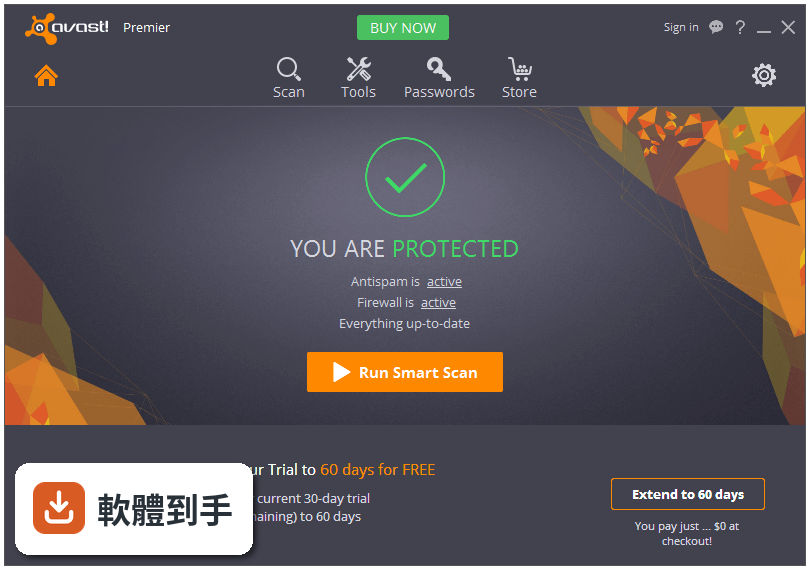
01Avast Premier 到底能防哪些東西,跟一般免費防毒差在哪?
根據官方說明,它除了基本病毒掃描,還包含防火牆、SafeZone 安全瀏覽器、密碼管理員、自動軟體更新、資料粉碎、SecureDNS 保護,以及家庭網路掃描。免費版通常只有病毒掃描和基本網頁防護,防火牆和銀行保護這類功能要付費版才有。不過要注意,這些功能是 2016 年版本的介紹,實際運作狀況要以安裝後的介面為準。
02它那個 SafeZone 瀏覽器是做什麼用的,我平常都用 Chrome,需要它嗎?
SafeZone 是一個隔離的瀏覽環境,官方說在裡面輸入帳號密碼不會被側錄,適合用來做網路銀行、購物、繳費。如果你平常只在信得過的網站上交易,而且電腦沒有奇怪的軟體,Chrome 加雙重驗證也夠用。但如果你常需要在不確定安全性的電腦上登入金融服務,SafeZone 多一層隔離確實有它的價值。
03密碼管理員是幹嘛的?我現在都用瀏覽器記密碼,有差嗎?
瀏覽器記密碼很方便,但密碼是明碼存在瀏覽器設定裡,而且同一個瀏覽器只要有人拿到你的登入權限,所有密碼都看得到。Avast 的密碼管理員會幫每個網站產生獨立且複雜的密碼,你只需要記住一組主密碼。不過這功能不是 Avast 獨有,市面上有專門的密碼管理軟體,功能更完整,如果你只需要記密碼,不一定要為了這個功能買整套防毒。
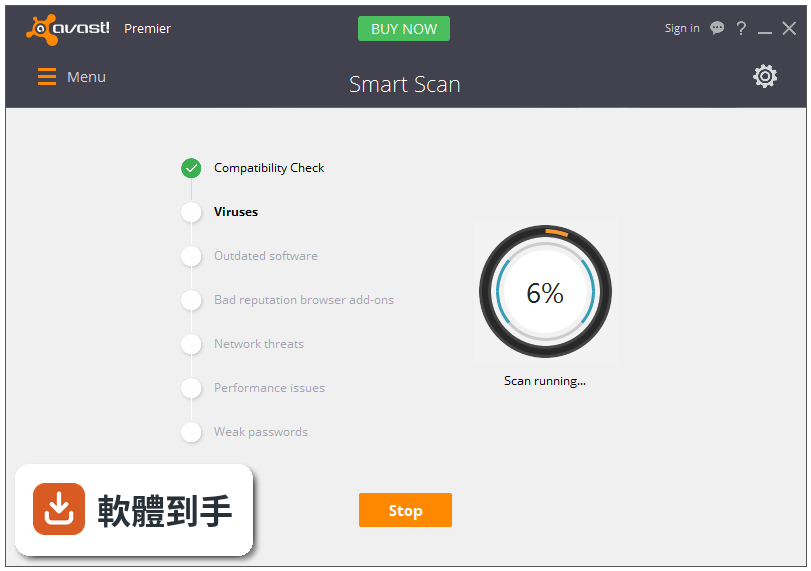
04資料粉碎是什麼意思?我把檔案刪掉還不夠嗎?
一般刪除檔案只是把檔案標記為可覆寫,硬碟上還是留有實際資料,用救援軟體有機會救回來。資料粉碎是用特殊方式多次覆寫檔案所在區域,讓資料無法復原。如果你打算賣掉舊電腦或把硬碟送人,這個功能有用。但如果你只是平常刪一些不重要檔案,一般刪除就夠了,不需要每次都用粉碎。
05它說可以掃描家用網路的漏洞,這對一般人有什麼好處?
官方說法是可以偵測路由器漏洞,保護印表機、網路硬碟和路由器本身。實際好處是,如果你家有很多裝置連同一個 Wi-Fi,而且你不太確定路由器設定是否安全,它可以幫你找出潛在弱點。但要注意,這功能掃的是你「自己家」的網路,不是公共 Wi-Fi。如果你只是在家上網,路由器是電信商給的,通常已經有基本防護,這功能對你的額外幫助有限。
06這套軟體適合什麼樣的人用?
適合需要「一套搞定」的人——不想研究防火牆、密碼管理、DNS 保護各別裝什麼軟體,希望開一個介面就看到所有安全狀態。也適合電腦等級較舊、還在用 Windows 7 或 8 的使用者,因為它支援這些系統。另外,如果你常需要幫親友組裝電腦或重灌,30 天試用期可以當作暫時的防護方案。
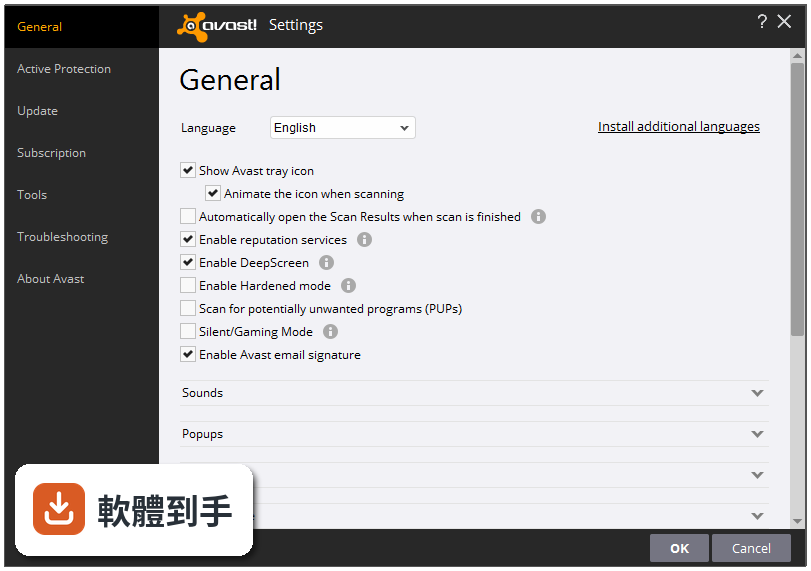
07我電腦是 Windows 10,裝這套會不會有相容性問題?
官方支援清單有包含 Windows 10,所以基本安裝應該沒問題。但要注意,這套軟體最後一次更新是 2019 年,之後就沒有新版本。Windows 10 本身持續有安全性更新,防毒軟體如果沒有跟著更新,有可能會出現誤判、漏判,或與新的系統元件衝突。如果你用的是 Windows 10,建議安裝後觀察一段時間,看有沒有異常。
08它跟 Avast Internet Security 或 Pro Antivirus 比起來,差在哪?
這三套都是 Avast 的產品,Premier 是功能最完整的版本,多了資料粉碎和自動軟體更新。Internet Security 和 Pro Antivirus 功能較少,但評分人數分別是 97 人和 79 人,比 Premier 的 105 人略少,差距不大。如果你用不到資料粉碎和自動更新,選 Internet Security 或 Pro Antivirus 可能就夠了,而且它們的授權型式相同,都是試用版。
09這套軟體已經兩年多沒更新了,還適合拿來當主要防毒嗎?
這是最大的問題。防毒軟體的核心價值在於病毒碼和偵測引擎要持續更新,才能辨識新出現的威脅。Avast Premier 從 2019 年之後就沒有新版本,代表它可能不認識這之後出現的新病毒。如果你只是拿來掃描已知檔案,它還可以用;但如果你要拿它來防護日常上網,風險很高。建議把它當作「備用掃描工具」,主要防護還是選一套持續更新的軟體。
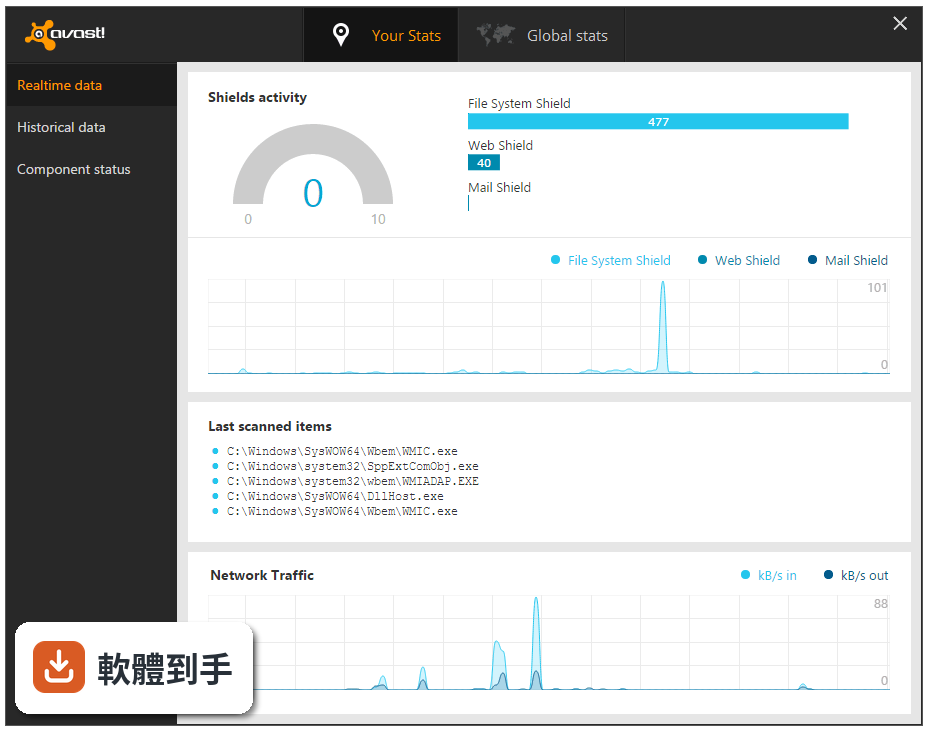
10它只有 30 天試用,試用期過了會怎樣?還能繼續用嗎?
官方說明寫得很清楚:這是 30 天試用版。試用期過後,軟體會停止提供完整功能,你可能會失去防火牆、SafeZone 等付費功能,只剩下基本掃描。如果你只是想試試看,30 天夠你摸清楚所有功能;但如果你打算長期使用,試用期結束後還是得付費購買授權,或是改用其他免費防毒。
11我該不該為了它的防火牆功能選這套?Windows 內建防火牆不夠嗎?
Windows 內建防火牆對一般使用者來說已經足夠,它會擋掉未經允許的連入連線。Avast 的防火牆多了應用程式控管,可以個別設定哪個程式能不能連網,但這對一般使用者來說不一定需要。如果你只是在家上網、不跑伺服器,內建防火牆就夠了,不需要為了這個功能選一套停更的軟體。
12網路上有人說 Avast 會蒐集使用者資料,這套也會嗎?
官方功能說明提到,它有一個由超過 2.3 億使用者組成的社群,當有人遇到威脅時會回報。這代表它會蒐集一定程度的威脅資訊,但具體蒐集哪些資料、怎麼使用,官方說明沒有寫清楚。如果你在意隱私,建議安裝前先看完整的使用者授權協議,或直接選擇其他隱私政策更透明的防毒軟體。
下載與官方連結
avast_premier_antivirus_setup.exe · 340 MB
版本紀錄
- 2019-01-04 Avast Premier 19.1.4142.0 340 MB
- 2018-11-16 Avast Premier 18.8.2356.0 268 MB
- 2018-10-09 Avast Premier 18.7.4041.0 268 MB
再看 5 筆
- 2018-08-21 Avast Premier 18.6.3983.0 262 MB
- 2018-06-21 Avast Premier 18.5.2342.0 258 MB
- 2018-03-01 Avast Premier 18.2.3827.0 246 MB
- 2018-02-12 Avast Premier 18.1.3800.0 245 MB
- 2017-12-23 Avast Premier 17.9.2322.0
這一版改了什麼
What's new in this version:
Avast Premier 19.1.4142.0
- Change log not available for this version
Avast Premier 18.8.2356.0
- Fixed critical vulnerability
- Last version for Windows XP/Vista
Avast Premier 18.7.4041.0
- Change log not available for this version
Avast Premier 18.6.3983.0
- Change log not available for this version
Avast Premier 18.5.2342.0
- Change log not available for this version
Avast Premier 18.4.3895.0
- Change log not available for this version
Avast Premier 18.3.2333.0
- Change log not available for this version
Avast Premier 18.2.3827.0
- Fixed problems with rescue disk creation
- Fixed crashes reported by users
Avast Premier 18.1.3800.0
- Change log not available for this version
Avast Premier 17.9.2322.0
New:
- Now you can send feedback and bug reports from Settings > About
- Recycle Bin content can now be shredded via Windows contextual menu (Avast Premier only)
- Redesigned Scan & Shields screens in the Protection menu for easier navigation
- Redesigned Avast Passwords UI for easier use
- More detailed status reporting to Windows Security Center in Windows 10 Fall Creators Update
- Nested virtualization support for AMD CPUs
- Better proxy detection by setup and update from Windows settings
Fixed:
- Fixed a problem with white UI (you might see more processes AvastUI.exe now, but that's OK)
- Sensitive Data Shield now works with Windows XP and Vista
- Anti-Phishing Protection in Web Shield now works with Windows XP
- Clicking Scan Details in the Notification Center no longer starts another scan
- Fixed Avast service crash when a license expires
- Fixed performance scan in Performance > Cleanup Premium
- Fixed issue where Behavior Shield sometimes cut off a user’s Internet connection
- False positives can now be reported directly from threat detection warnings (File Shield)
- Fixed boot issue on Windows XP when Virtual PC driver is installed
- Fixed BSOD caused by conflict between DELL percsas3 and Avast Self-defense drivers
Avast Premier 17.8.2318.0
Fixed Bugs:
- Erasing malware detected and removed by Behavioral Shield from the chest when other malware was restored
- Adding custom folder to be protected by the Antiransomware Shield
Avast Premier 17.7.3660.0
- New Webcam Shield stops hackers from hijacking your webcam to spy on you (Premier only)
- Virus Chest redesigned and moved to the Protection menu for easier access
- Improved low-level optimizations for better performance with AMD Ryzen CPUs
- Exclusions for Real Site (Secure DNS) can now be added via Web Shield exclusions
- Added support for credit cards in Avast Passwords
- Refreshed UI of SecureLine VPN
Avast Premier 17.6.3625.0
- We found bug in licensing, so we just released new version with fix
Avast Premier 17.5.2303.0
- This version contains fixes under the hood, mainly for SMB customers
Avast Premier 17.5.2302.0
- New feature: Ransomware Shield (for Internet Security and Premier)
- New warning system on dashboard
- Warnings added to notification center
- Redesigned some popups
- Notification counter added to tray icon
- Fixed issues with public profile in Firewall
Avast Premier 17.4.3482.0
New:
- updated GUI engine
- fixed notification of finished Smart Scan, now it correctly shows the results instead of starting the scan again
- fixed several crashes in Web Shield (including corruption of large downloaded files)
- fixed crashing during update of virus definitions on 32-bit OS
- viruses detected by File Shield are now correctly moved to quarantine
- firewall profile is correctly recognized also when you connect via different network adapters
- fixed problem with empty windows profile on Windows 10 after avast update
- right-click explorer scan now runs in main window
Avast Premier 17.3.3443.0
- Fixes crash in installer
Avast Premier 17.3.3442.0
Fixed:
- Firewall: Fixed internet connectivity not working after update (until restart) on Win XP, Vista and 7 - should now always work immediately
- HNS: Fixed incorrectly displayed vulnerabilities - vulnerability info is now correct
- Web Shield: Fixed SSL scanning issue on some sites - sites now load correctly
- Issues with login to roaming profile after update
- Passwords: Fixed issues with self-authorization and import from Easy Pass
- Issue with installation on Braswell CPUs
- Network problems after update on Vista
- Numerous crashes fixed
Avast Premier 17.2.2288
Fixed:
- not working User interface after update
- problems on Windows Vista after update
- issues with SecureLine license after update
- conflict with Comodo firewall
- installation of web extensions on 64-bit version of Firefox
- problems with opening Avast UI after installation
- security issue in SafeZone browser banking mode
Avast Premier 17.1.2286
- Improved user interface - simplified navigation, new brand colors, notification center
- Behavior Shield - better protects you against ransomware by monitoring running programs for suspicious behavior
- Game mode - helps reduce distractions and lag times by automatically prioritizing your game’s performance and suspending all unnecessary background notifications and processes while you play
- Free version no longer requires email registration
- Performance improvements - faster webpage loading and app launching thanks to optimized hashing algorithms
- Wi-Fi Inspector - previously called Home Network Security, this feature now detects even more problems and vulnerabilities on both home and public networks
- Passwords - faster UI and improved browser integration
- Real Site - our new name for SecureDNS, which prevents DNS hijacking to help you avoid visiting fake websites
Avast Premier 12.3.2280
Fixed:
- Slowing down computer during installation
- Unavailability to select other language during installation
Avast Premier 12.3.2279
New:
- Passive mode - new compatibility mode, which should solve compatibility issues, when Avast is being installed on a pc, where other AV is installed (and registred to WSC), Most of the shields are turned off, Avast should be updatable
- Added SafeZone browser, Security browser extension and SafePrice extension to Settings->Components for better management
Fixed:
- BSOD for Skylake processor running Windows 10 Anniversary Update
- Randomly opening Avast UI bug
- SafePrice browser extension component is not installed during update when Browser extension was not installed in the previous version
- Compatibility problems with PICO(Bash) processes on Windows 10 Anniversary Update
- Incorrectly displaying firewall network profile notification
- Avast is correctly recognized in Windows Security Center after upgrade to Windows Anniversary Update
- Showing all passwords as reused in passwords list
Avast Premier 12.2.2276
- Regular monthly program updates - automatic and silent, configurable via Settings
- Fully compatible with Windows 10 Anniversary Update
- The new Components menu in program Settings - an easier way to control which components are installed and running
Avast Premier 12.1.3076
- Change log not available for this version
Avast Premier 11.2.2738
- Change log not available for this version
Avast Premier 11.2.2732
- Change log not available for this version
Avast Premier 11.2.2262
- fixed crashing installations
- fixed BSOD on AMD processors
- fixed problem with huge antispam log
- fixed repeatedly adding SafeZone browser icon on desktop after program update
Avast Premier 11.2.2260
- SafeZone browser is now included also in free version
- Avast program updates are now automatic and silent by default - can be changed via Settings->Update
- Faster computer startup
- Fixed issues with Firewall on Windows 7
- Fixed postpone function on restart dialog
- Fixed starting Pay mode in SafeZone browser
- Better notification about email signatures