
這是歷史版本頁面 — 看 BitComet 最新版本
老牌 BT 下載軟體 BitComet 現在還能做什麼
 BitComet 1.66
資料更新 2020-04-13
閱讀約 7 分鐘
你抓了一個熱門影集或遊戲的種子,興沖沖丟進下載器,結果速度卡在個位數 KB/s,一整天過去了進度條幾乎沒動。你想換個工具試試,又怕重新設定麻煩,更怕下載到一半的檔案得全部重來。這種時候,你需要的不只是「能下載」的軟體,而是能救回進度、把死種子救活、甚至邊下載邊看片的工具。
一般人遇到這種狀況,直覺是換一套下載軟體重抓。但重抓代表放棄已經下載的部分,而且新軟體不一定支援舊種子、不一定連得上 DHT 網路,更別提有些工具設定複雜,開個 port 就要研究半天。這類下載工具的切入點,其實是「怎麼把 P2P 網路的潛力榨乾」——包括連更多節點、同時抓多個來源、甚至用 HTTP 和 eMule 的資源來補 BitTorrent 的不足,讓下載不再只靠運氣。
01BitComet 是什麼軟體,跟一般瀏覽器直接下載有什麼不同?
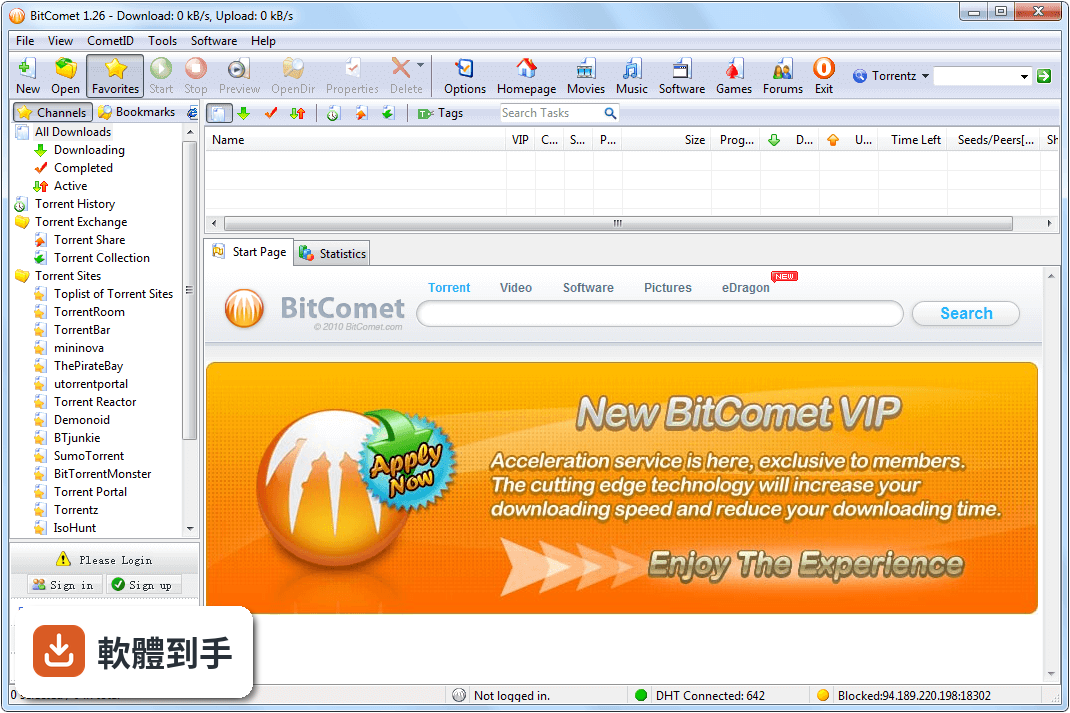
BitComet 是 Windows 上的 P2P 下載軟體,主要走 BitTorrent 協定,也支援 HTTP 和 FTP。跟瀏覽器下載最大的差別是,它會同時從很多人的電腦抓同一個檔案的碎片,人越多速度越快。它還支援磁力連結、DHT 網路(沒有 tracker 也能抓)、下載佇列、限速、自動設定連接埠等功能,適合拿來抓 BT 種子或磁力連結的檔案。
02它能不能邊下載邊看影片?
可以。官方說明提到,下載過程中可以直接預覽 .avi、.rmvb、.wmv 等格式的影片檔。這表示你不用等整個檔案抓完,先下載到的部分就能先播。實際能不能順暢播放,取決於種子健康度、你的網路速度,以及影片編碼格式,不是每個檔都保證能預覽。
03種子沒人做種了,它有什麼辦法救回來?
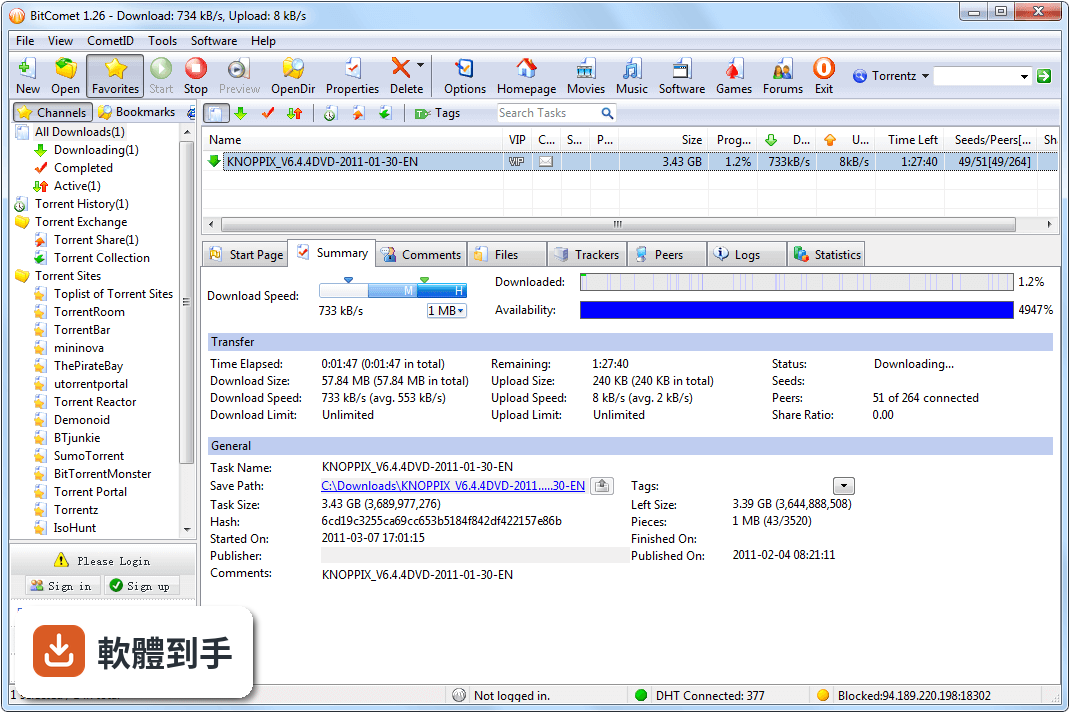
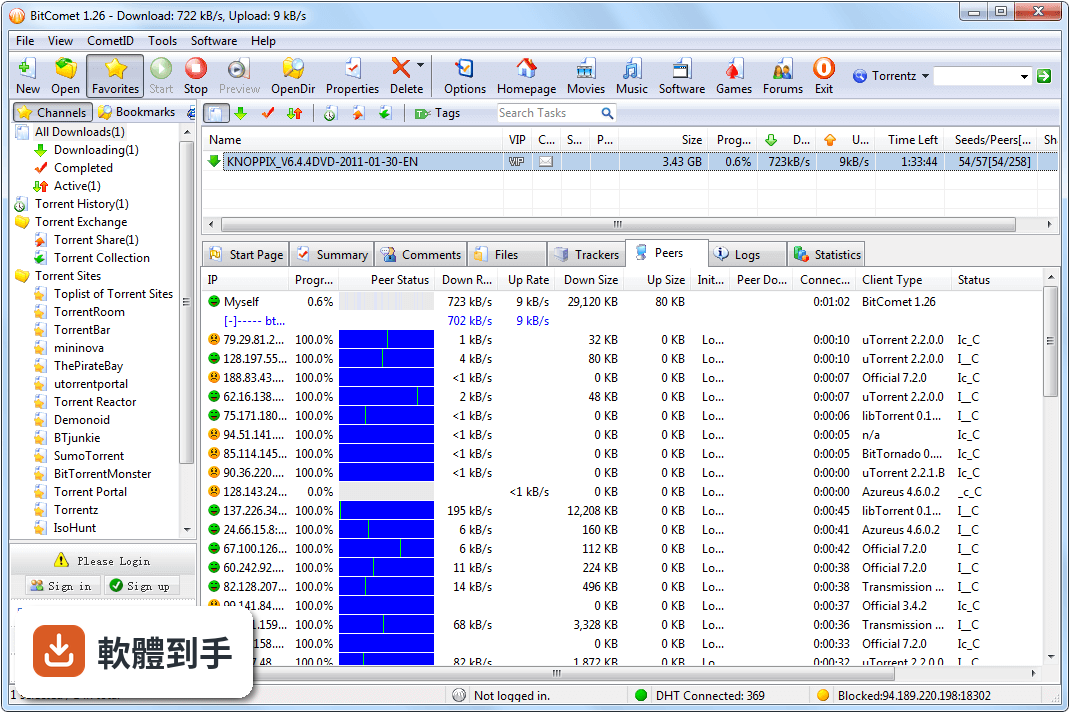
它有「Long-Time Seeding」功能,目的是加速下載並讓死掉的種子復活。做法是透過 DHT 網路找其他也在抓同一個檔案的節點,即使原本的 tracker 掛了或沒人做種,還是有機會從其他下載者手上拿到碎片。另外它也支援「Torrent Share」,在下載過程中就能跟別人交換 torrent 檔,增加找到來源的機會。
04除了 BT,它還能抓哪些類型的檔案?
它同時支援 HTTP、FTP 和 eMule 的下載來源。官方說法是「Cross Protocol Downloading」,也就是在抓 BT 的同時,也會從 HTTP、FTP 或 eMule 的來源補檔案碎片。這對一些冷門種子特別有用,等於多好幾條路在抓同一個檔案。不過實際效果要看檔案有沒有對應的 HTTP/FTP 鏡像或 eMule 來源。
05下載到一半的檔案,換電腦或重灌系統後能續傳嗎?
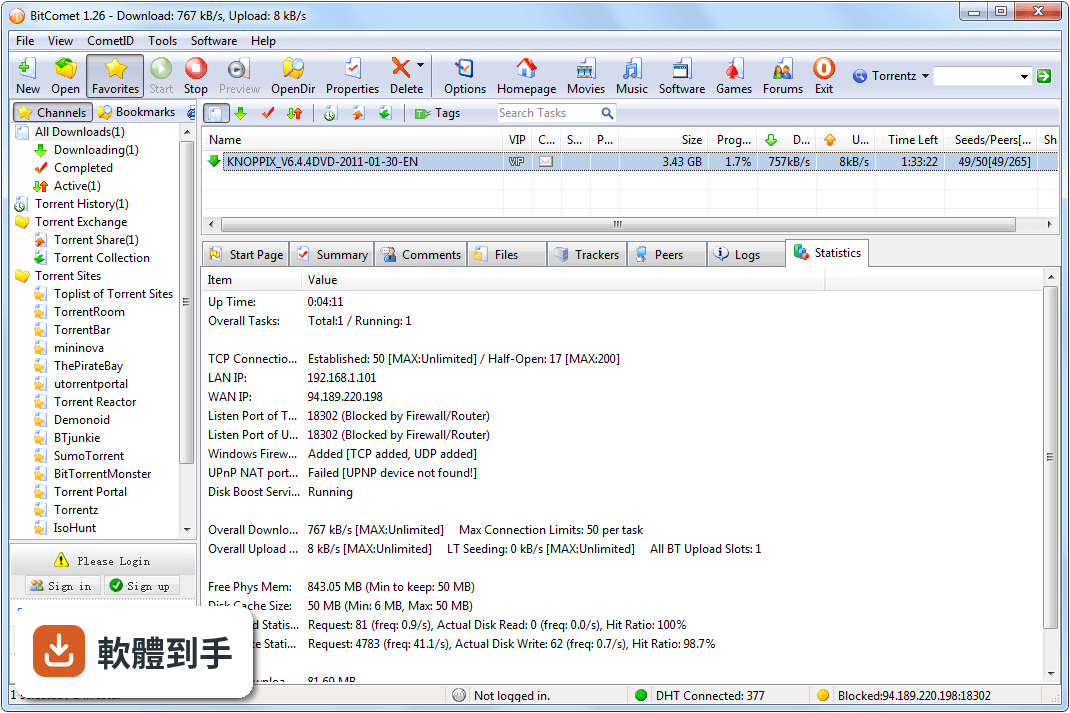
可以,它有「fast-resume」功能,中斷下載後再開啟,會從中斷的地方繼續抓,不用重新開始。另外它支援「Intelligent Disk Cache」,用記憶體快取減少硬碟讀寫次數,對硬碟壽命有幫助。如果你要換電腦,把原本的下載資料夾和 .torrent 檔一起搬過去,通常可以接著抓,但建議先確認新電腦的 BitComet 版本跟舊的相容。
06這套軟體適合什麼樣的人用?
適合常抓 BT 種子或磁力連結、而且會遇到死種子或速度很慢的人。它內建 DHT、自動連接埠對應、IP 過濾、代理伺服器等功能,對不熟網路設定的人來說,裝好就能用,不用自己開防火牆或路由器連接埠。另外,如果你會同時抓很多檔案,它的下載佇列和檔案優先權設定(可以指定哪個檔先抓完)也滿實用。
07它跟 qBittorrent 或 Transmission 比起來,有什麼不一樣?
以官方功能來看,BitComet 多了跨協定下載(HTTP/FTP/eMule 補來源)和邊下載邊預覽影片,這是 qBittorrent 和 Transmission 沒有的。但 qBittorrent 有 187 人評分,BitComet 只有 45 人,表示使用者的回饋樣本少很多。另外 BitComet 安裝時有廣告,qBittorrent 和 Transmission 是純淨開源軟體,這點在安裝時要留意。
08這套軟體還在持續更新嗎?
根據收錄的版本紀錄,它從 2003 年開始釋出,總共 142 個版本,但最近一次更新停在 2020 年 8 月,之後就沒有新版本。也就是說,它已經有好幾年沒有維護。如果你用的是 Windows 10,目前還能跑,但未來 Windows 更新或新硬體架構出現時,會不會有相容性問題,官方沒有提供保證。
09它的介面有中文嗎?英文不好會不會很難操作?
官方資料沒有明確列出介面語言,但它是台灣和中國使用者很早就開始用的軟體,中文介面在網路上有大量討論,實際安裝時通常可以選語言。不過因為官方更新停滯,新版 Windows 的介面顯示問題(例如文字模糊、按鈕跑位)有可能發生,這點需要自己安裝後確認。
10什麼情況不該選它?
如果你用的是 Windows 11 或更新的系統,官方支援清單只寫到 Windows 10,新版系統能不能正常運作沒有保證。另外,如果你很在意軟體更新頻率,它已經多年沒更新,遇到安全漏洞或新協定(例如新的 tracker 協定)可能無法應對。還有,它安裝時有廣告,不喜歡安裝過程被推銷其他軟體的人,可以考慮 qBittorrent 或 Transmission。
11它跟 eMule 比起來,哪個比較適合抓老檔案?
兩者走不同協定,BitComet 以 BitTorrent 為主,eMule 是電驢網路。BitComet 官方有說支援 eMule 的下載來源,但那是輔助性質,不是完整取代。如果你要抓的是 eMule 社群的老檔案,eMule 本身可能更直接;但如果你手上是 BT 種子或磁力連結,BitComet 會比 eMule 適合。兩套都裝也可以,但要注意同時跑會佔用網路頻寬。
12它的評分只有 7.66 分,是不是代表不好用?
這個分數來自 45 人的評分,樣本數不多,參考價值有限。對比 qBittorrent 有 187 人評分,BitComet 的使用者回饋數量明顯少很多。分數低不一定代表功能差,可能是因為更新停滯、安裝有廣告,或使用者遇到相容性問題。建議你實際裝來試試看,特別是你常抓的檔案類型能不能順利下載,比看分數更準。
下載與官方連結
BitComet_1.66_setup.exe · 20.59 MB
版本紀錄
- 2020-08-12 BitComet 1.70 3.87 MB
- 2020-07-14 BitComet 1.69 3.87 MB
- 2020-05-06 BitComet 1.67 3.87 MB
再看 5 筆
- 2020-04-13 BitComet 1.66 20.59 MB
- 2020-03-16 BitComet 1.65 18.7 MB
- 2020-01-15 BitComet 1.64 18.67 MB
- 2019-12-26 BitComet 1.63 18.08 MB
- 2019-12-03 BitComet 1.62 17.93 MB
這一版改了什麼
What's new in this version:
GUI Improve:
- improve icons in toolbar and download list for HiDPI display
- add settings button in toolbar of torrent list
- new option for DHT torrents: Only show torrents with metadata
- add Feed Name in RSS torrent list
- display number of piece in torrent maker dialog
- display metadata downloading info in Statistics pane
- do not display listen port of peer if unknown for BT peers
- "Preview Download Mode" renamed to "Sequential Download Mode" in context menu of BT task
- add Compact Database command in settings menu of torrent list
- new advanced option: bittorrent.dht_torrent_refresh_interval, 5 sec as default to decrease disk activity time
- new advanced option: system.compact_memory_interval
- display configuration file folder in Global Log pane
- display Long-Term Seeding status in Statistics Pane
- add copy command to context menu of settings list in advanced option page
- improve HiDPI support for Batch download dialog
- new option in Proxy setting page: DNS query using proxy server
- add unit choice for Speed limit in Option dialog
- support add batch-download by drag and drop multiple URL links to floating window or main window
- support add batch-download by clipboard monitor
- new advanced option: bittorrent.hash_check_for_ltseed
- add memory usage details about process heap size and disk write buffer size
- new settings in advanced option page to select IP address to bind to when initiate a connection
- show pending DNS number in Statistics pane
GUI Bugfix:
- the number of torrents in the left channel list is not refreshed in time
- sort bug for first column of Torrent History list
- task summary panel text alignment
- level progress display error when progress is 0% in the lower left corner
- incorrect configuration file folder used in certain case
- UI lag when select all by Ctrl+A in torrent list
Core Improve:
- DHT Tracker use worker thread to reduce the UI lag
- support initiate a connection using preferred network adapter if multiple network adapters exist in system
- support IPv6 connection through SOCKS5 proxy server
- support UTF8 BOM when improve URL list from text file in Batch download dialog
- support extract URL links containing Chinese characters from html page segment dropped to BitComet from web page
- improve memory allocation, decrease memory usage for UDP buffer and log buffer
- optimize UDP packet sending efficiency,default value of network.max_udp_pkt_per_sec changed to 1000 from 500
- avoid program crash caused by IE component damage
- improve Preview download mode for BT task
- reduce memory usage when downloading metadata for DHT torrent list
Core Bugfix:
- the global option "allocation disk space before download" works even when disabled
- empty files should not be created when performs hash-check
- connection error retry issue when download from long-term seed
- fix speed limit deviation
- "Sequential Download Mode" does not work if "Optimize download strategy for preview" disabled in Option dialog