
這是歷史版本頁面 — 看 Camtasia Studio 最新版本
錄了螢幕不會剪?Camtasia 把錄製和剪輯綁在一起
 Camtasia Studio 2018.0.8
資料更新 2018-11-16
閱讀約 5 分鐘
你剛錄完一段操作示範,打算做成教學影片放給同事看。錄的當下很順,但回頭播放才發現中間有幾段停頓、滑鼠點錯地方、還有一段長長的沉默。你想把這些剪掉,卻發現手邊的錄製工具只能錄不能剪,只好把影片丟進另一個剪輯軟體,結果介面複雜到不知道從哪裡開始。
一般人遇到這種狀況,通常會先找免費的錄影工具,錄完才發現剪輯功能陽春到幾乎等於沒有。再去找免費剪輯軟體,又得重新學一套時間軸、關鍵影格、轉場這些名詞。你只是想剪掉幾段多餘的畫面、加個字幕、把影片交出去,不是想成為剪輯師。這類工具的切入點,就是把「錄製」和「剪輯」放在同一個流程裡,錄完直接開剪,不用轉檔、不用切換軟體。
01Camtasia Studio 是用來做什麼的?
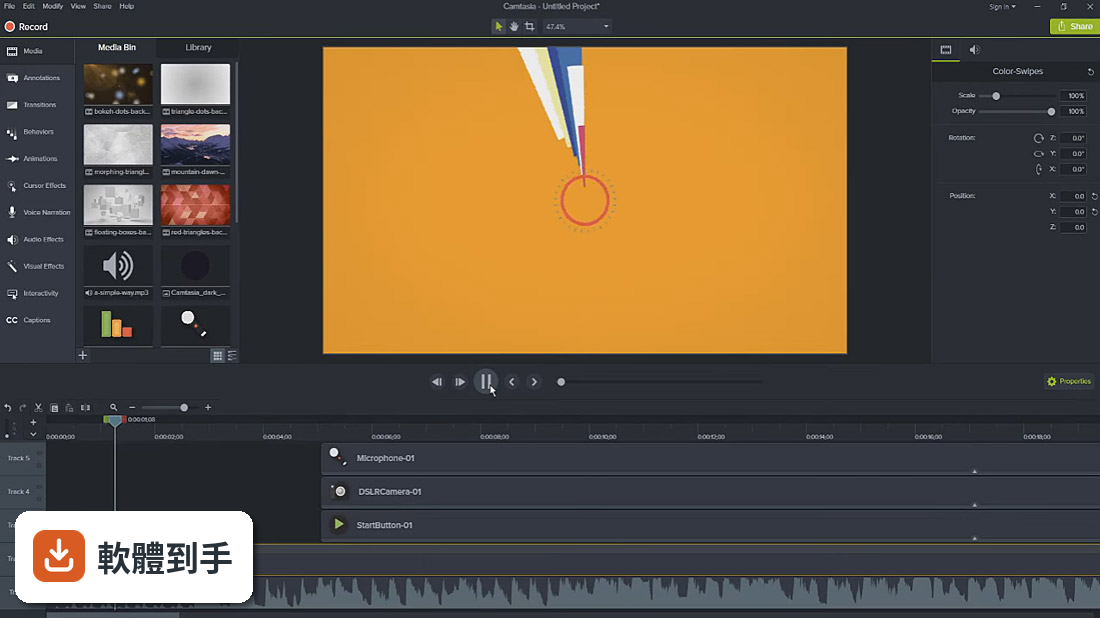
它是螢幕錄製加影片剪輯的軟體,可以錄電腦螢幕、網路攝影機畫面,然後在時間軸上剪接、加字幕、過場效果、調整音訊。錄製和剪輯在同一個程式裡完成,不用錄完再另外開剪輯軟體。官方說明提到它同時具備錄製和編輯功能,適合做教學影片、產品示範、簡報錄影這類內容。
02錄好的螢幕畫面可以怎麼剪?
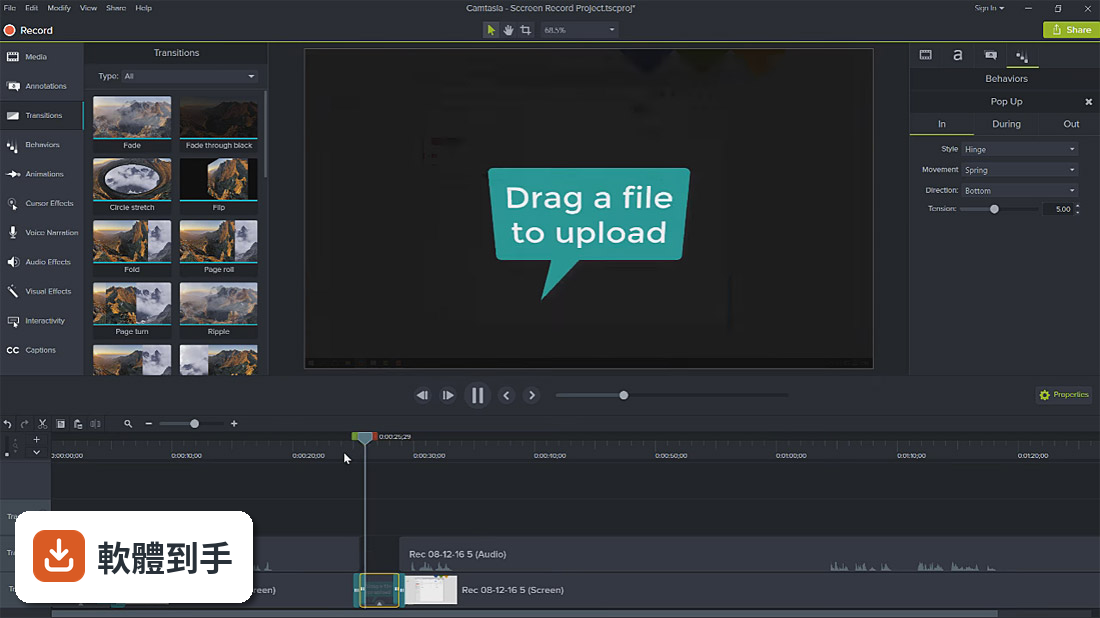
錄完之後可以在時間軸上剪掉不要的片段、調整順序、分割影片。它提供超過75種過場效果,也有動作模糊、圓角效果可以套用。如果素材是大型高解析度影片,可以開啟代理影片功能,用低解析度副本先剪輯,最後再還原成原始畫質,剪輯過程會比較順暢。
03AI功能具體有哪些?
官方列出的AI功能包括:AI輔助背景移除、文字式剪輯(把影片轉成文字稿,直接編輯文字來剪片)、AI腳本生成、填充詞自動移除、AI配音、音訊和字幕翻譯成7種語言和9種方言、AI圖片生成、AI自動產生標題和章節、音訊轉文字。這些功能大多需要訂閱Create以上的方案才使用得到。
04剪好的影片要怎麼分享?
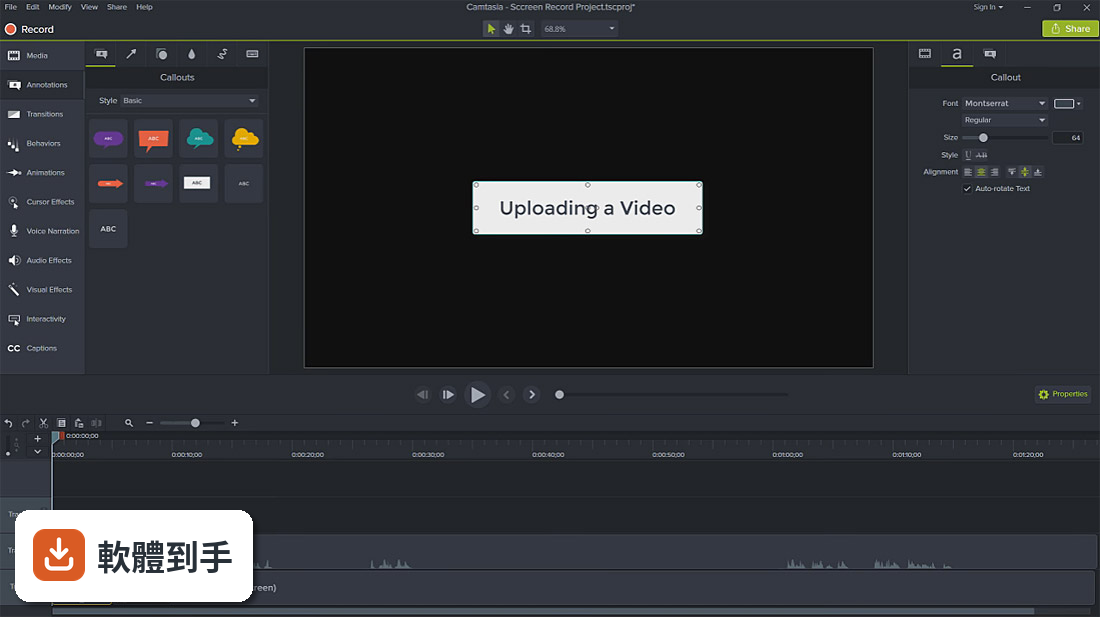
可以直接從Camtasia匯出到Screencast平台,對方可以在線上觀看、留言、自動轉錄字幕。也可以輸出成一般影片檔案,再上傳到其他平台。專案檔可以打包成單一檔案,方便傳給同事或轉移到另一台電腦繼續編輯。
05音訊可以調整嗎?
可以。它有一個「強調音訊」效果,直接拖到片段上,就會自動調整背景音樂和旁白的音量比例。編輯器裡也有音量表,可以即時看到音量大小。旁白可以傳到TechSmith Audiate做進一步的降噪和修音,再傳回來。
06不會剪片的人用得了嗎?
官方說它的功能設計同時考慮到初學者和專業使用者。操作介面是時間軸式的剪輯,但常用功能都有預設效果可以直接套用。不過介面是英文的,如果對英文介面不熟悉,學習成本會比較高。建議先下載試用版,實際操作看看再決定。
07做教學影片的人適合嗎?
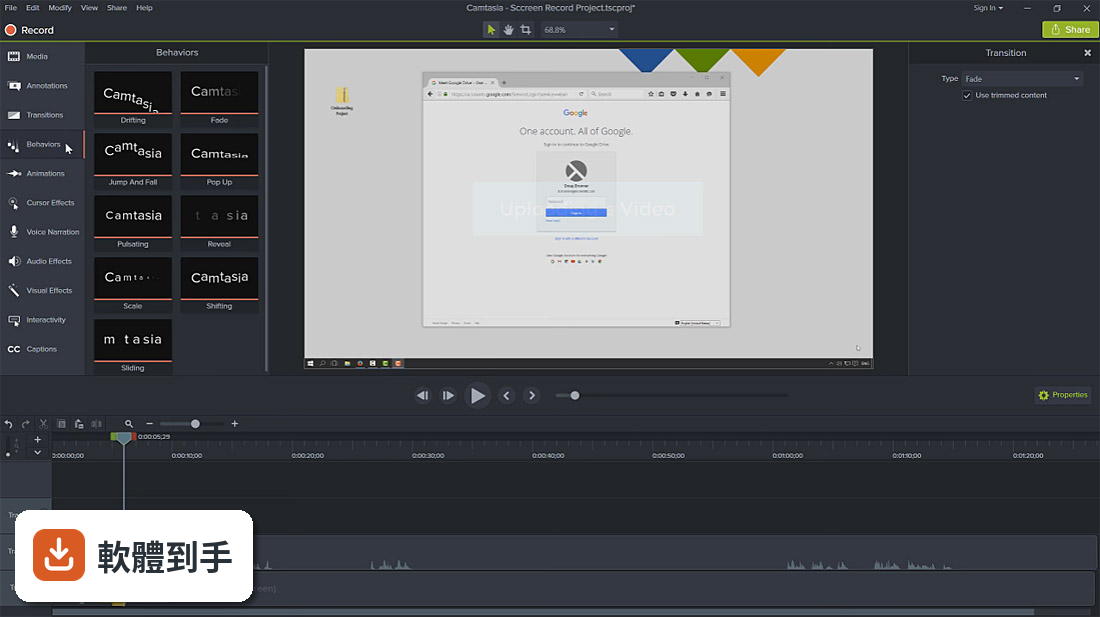
適合。它的核心用途就是螢幕錄製加剪輯,可以錄製操作步驟、加上字幕和標註、輸出成教學影片。AI功能裡的腳本生成、填充詞移除、自動字幕,都是為了加速教學影片製作而設計的。不過這些AI功能需要訂閱Create以上的方案,要確認預算。
08跟免費的OBS比起來差在哪?
OBS是免費開源的錄製和直播軟體,但剪輯功能很有限,錄完通常要另外用剪輯軟體處理。Camtasia把錄製和剪輯整合在一起,還有AI輔助功能,但它是付費訂閱制,一年要€197.94起。如果只需要錄製不需要剪輯,OBS就夠了;如果需要完整的剪輯流程,Camtasia的整合性比較高。
09只有Windows可以用嗎?
根據資料,Camtasia Studio支援Windows 10(64位元)和Windows 11。官方說明提到Mac和Windows平台都可以編輯內容,但這份資料的系統需求只列出Windows,如果要用Mac版,需要自行到官方網站確認。
10一定要付費才能用嗎?
可以免費試用,但官方說明提到「各種限制」。正式使用需要訂閱,有三個方案:Essentials一年€197.94、Create一年€274.01、Pro一年€659.16。Essentials包含螢幕錄製、剪輯工具和語音轉文字;Create多了AI腳本生成、音訊清理、200多種配音聲音;Pro再多了協作審閱、AI翻譯、AI標題章節生成和1億多個素材。
11介面是英文的,看不懂怎麼辦?
這套軟體的介面語系是英文,沒有提到中文介面。如果英文不熟,可以考慮用其他有中文介面的替代軟體,例如Filmora或ScreenPal,官方FAQ裡有列出這些替代方案。或者先下載試用版,看能不能接受英文介面。
12有免費替代品嗎?
有。官方FAQ列出的替代方案包括:OBS Studio(免費開源錄製和直播)、Shotcut(免費開源剪輯軟體,也有螢幕錄製功能)。如果預算有限,可以考慮OBS錄製加Shotcut剪輯的組合,但流程上會比Camtasia多一道手續。
下載與官方連結
camtasia.exe · 272 MB · 連結指向軟體原廠
版本紀錄
- 2026-10-27 Camtasia Studio 2026.2.3 306 MB
- 2026-09-24 Camtasia Studio 2026.2.2 304 MB
- 2026-08-19 Camtasia Studio 2026.2.1 304 MB
再看 5 筆
- 2026-08-11 Camtasia Studio 2026.2.0 304 MB
- 2025-11-12 Camtasia Studio 2025.2.5 335 MB
- 2025-01-22 Camtasia Studio 2024.1.5 327 MB
- 2023-08-23 Camtasia Studio 2023.2.0
- 2023-08-09 Camtasia Studio 2023.1.2
這一版改了什麼
What's new in this version:
Camtasia Studio 2018.0.8
- Change log not available for this version
Camtasia Studio 2018.0.7
- Fixed a crash on startup that could occur for users that had previously entered Video Info metadata in the production wizard
- Fixed a problem that could prevent captions and/or hotspots from working properly in Smart Player productions
Camtasia Studio 2018.0.6
- Fixed a bug that prevented some legacy .camrec files from loading, playing, and/or producing properly
- Added support to resume a SCORM e-learning lesson with the TechSmith Smart Player. Users will be able to resume the video at the time they exited the video
- Added capability to Reset Camtasia to Factory Defaults from the Preferences menu
- Fixed a bug that caused thumbnails to appear black when Markers were applied to stitched media
- Ctrl-Shift-V now stops a Voice Narration recording as it should
- Ctrl-Alt-Shift-ArrowKey hotkey now works as expected when media are selected
- The ENTER keystroke callout now displays ENTER instead of RETURN
- Optimized video output to Screencast.com to reduce buffering for viewers
- Fixed a bug that caused the file extension to be shown twice when saving a project on a German OS
- Fixed a bug that prevented production when the project filename was too long
- Fixed a crash that could happen when adjusting Noise Removal settings
- Adjusted YouTube settings to address an issue that could make the YouTube sharing output unavailable for some users
Camtasia Studio 2018.0.5 (64-bit)
- Fixed a bug that prevented playback on systems where the default audio device did not support stereo playback
Camtasia Studio 2018.0.4 (64-bit)
- Added support for French language
- Added a preview of theme colors to the Theme Manager window
- Updated SmartPlayer to version 5.17.1
- iTunes Information tab removed from the production wizard
- Cursor clicks now render correctly at any DPI
- Non-English characters render correctly for legacy-style callouts
- Fixed import/upgrade of Camtasia 9.x libraries with asset names containing non-English
- characters Automatically-named recordings numbered above 10 are now ordered correctly on the timeline
- MOV files recorded on iPhone 6 phones now render correctly in software-only rendering mode
- Fixed a crash when trying to change the cursor for certain features on the timeline
- Fixed a bug that prevented updating media with images using a .jpeg extension
- Fixed a bug that caused captions to display off-center in video productions
- Fixed a bug that caused productions to hang when producing to multiple files using markers
- Animated GIFs with large dimensions now display correctly
- Fixed a bug that caused the Recent Projects window to clear out prematurely
- Fixed a bug that caused videos with non-square pixels to appear squashed
- Fixed a bug that caused callout text to render inconsistently when flipped along its Y-axis
- Fixed a bug that caused an error dialog when editing library assets
Camtasia Studio 2018.0.3 (64-bit)
- Change log not available for this version
Camtasia Studio 2018.0.2 (64-bit)
- Improved support for operating systems that use commas as the decimal mark
- Updated SmartPlayer to version 5.15.2
- Fixed other security bugs
Camtasia Studio 2018.0.1 (64-bit)
- Fixed bugs with library upgrading
- Fixed bugs with libzip importing
- Fixed bugs with MP4 and MOV performance
- Fixed a bug with delete files selection in Deployment Tool
- Fixed a bug with Deployment Tool not using language selection
- Fixed a crash when audio placed on 60 fps timeline
- Fixed a crash when dragging an unsaved GIF from Snagit to Camtasia
- Fixed a crash when applying noise removal to certain MP3s
- Fixed a crash when applying clip speed to audio
- Fixed a crash when applying clip speed to audio
- Other bug fixes and improvements
Camtasia Studio 2018.0.0 (64-bit)
- Learn more about the new features here
- New Library: Save frequently used assets, effects, and media
- Theming: Create themes with colors and fonts and apply to assets and effects
- Additional customizable and stock video assets
- fps video import, editing, and production
- Editor performance improvements for preview playback and timeline edits
- Production engine improvements for faster export
- New Behaviors (Explode and Fly In)
- Fixed crash when SCORM selected with production preset
- Fixed clip speed not working with decimals in German
- Fixed incorrect color when annotation saved to library
- Fixed issue with parsing file names for batch production
- Other Bug fixes and improvements
Camtasia Studio 9.1.2 Build 3011 (64-bit)
- Improvements to color contrasts in user interface to increase legibility and reduce fatigue
- Added banner messaging in-product for reaching users with timely and relevant information
- Fixed issue where viewer could not enter a jump-to-time in quiz feedback
- Fixed issue where jump-to-marker was not displaying a list of markers in quiz feedback
- Other bug fixes and improvements
Camtasia Studio 9.1.1 Build 2546 (64-bit)
- Made improvements to the TechSmith Smart Player
- New device frame visual effect to make videos more engaging
- New properties panel to quickly adjust colors and text of animated graphics, like intros and lower thirds
- New extend frame functionality to make extending your clips more intuitive
- New functionality to import PowerPoint files
- Addressed an issue where recordings would show as only one frame long on timeline incorrectly
- Handling finding offline media on users' computer in a smoother way
- Fixed a bug where batch production without subfolders option selected would still create subfolders
- Fixed a bug where production dialog hangs with multiple files based on markers selected
- Fixed AVI production for non TechSmith codecs
- Fixed a bug where sometimes scrolling through the font dropdown caused a crash
- Fixed a bug where media bin and canvas would end up being hidden on startup
- Fixed a bug where dragging transitions on media that is split caused a hang
- Fixed a bug where audio only TRECs caused a crash
- Other bug fixes and improvements
Camtasia Studio 9.1.0 Build 2356 (64-bit)
- Change log not available for this version
Camtasia Studio 9.0.5 Build 2021
- Change log not available for this version
Camtasia Studio 9.0.4 Build 1948
- Added a display of playhead time and project duration
- Added support for media with PNG codec to allow MOV files with transparency
- Addressed an issue with YouTube sign in due to Google’s change to OAuth support
- Addressed an issue where a color picker would not accept RGB values while editing a callout
- Addressed an issue where OTF custom font types were unusable
- Addressed an issue where unnecessary meta data files were created during production
- Addressed an issue with subfolder creation during production
- Improvements to trial and registration windows
- Removed OneDrive and O365 SharePoint sharing destinations (known as ‘My Places’) due to security vulnerability
Camtasia Studio 9.0.3 Build 1627
- Change log not available for this version