
這是歷史版本頁面 — 看 Cheat Engine 最新版本
單機遊戲太難或太簡單?Cheat Engine 改數值
 Cheat Engine 7.0
資料更新 2019-08-21
閱讀約 5 分鐘
玩單機遊戲時,常常遇到一個關卡怎麼打都過不去,或是覺得敵人太弱、遊戲變得很無聊。你想調整血量、金錢、經驗值這些數字,讓遊戲難度符合自己的節奏,但遊戲本身沒有提供任何修改選項,只能硬著頭皮繼續刷,或是乾脆放棄不玩。這種卡在「想改卻改不了」的時刻,正是需要一個能直接動遊戲內部數值的工具。
一般人會先想到去下載別人做好的修改器,但修改器往往只對應特定版本,遊戲一更新就失效,而且不一定找得到。另一種做法是改存檔,但存檔格式複雜,改錯反而壞檔。這類工具的做法是直接掃描遊戲執行時記憶體裡的變數,找到你指定的數值並修改它,同時還附帶除錯、加速等功能。它不保證每個遊戲都能改,但提供了一套通用的方法,讓你自己動手。
01Cheat Engine 能改哪些遊戲的數值?
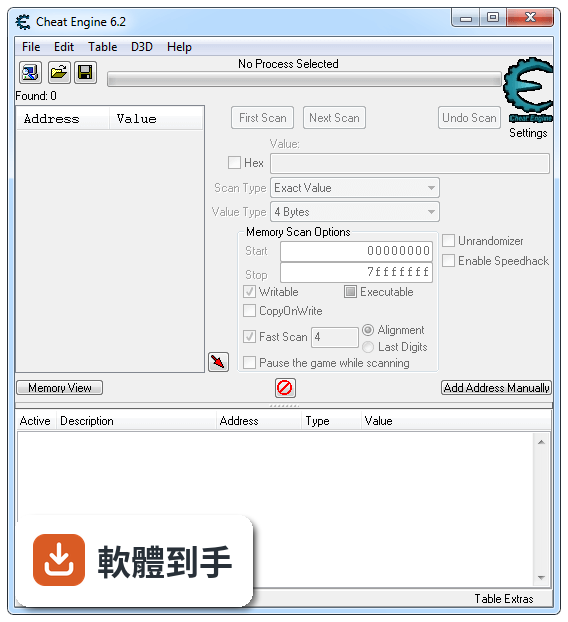
官方說明指出,它主要用於修改單機遊戲,可以調整血量、金錢、經驗等變數,讓遊戲變難或變簡單。實際支援哪些遊戲沒有明確列表,因為它靠掃描記憶體來找數值,理論上多數單機遊戲都能試,但有些遊戲可能加了防護而無法修改。建議先從內建教學開始,熟悉基本操作後再套用到其他遊戲。
02它除了改數值,還能做什麼?
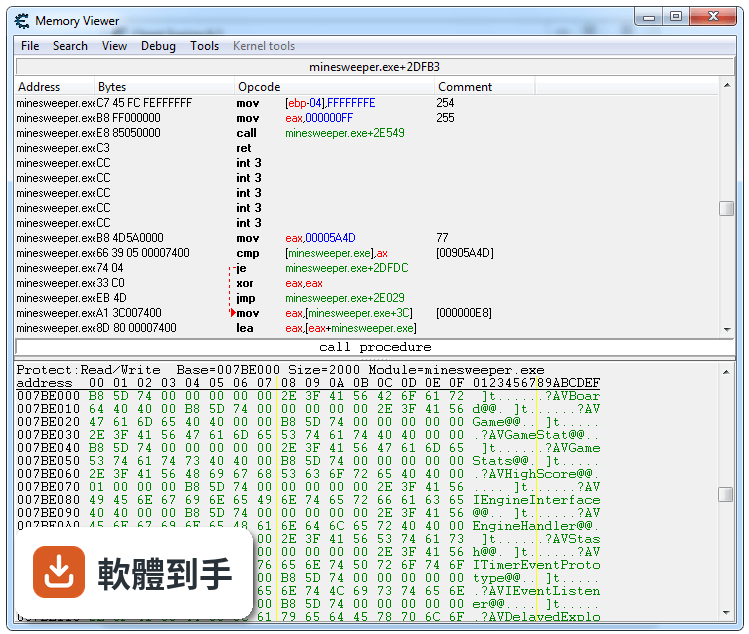
除了記憶體掃描,它還包含除錯器、反組譯器、組合語言工具、加速器、訓練器製作工具,以及 Direct3D 操作和系統檢查工具。這些功能主要給進階使用者用來分析遊戲或一般應用程式,例如找出程式邏輯、調整執行速度。對一般玩家來說,最常用到的還是改數值和加速功能。
03怎麼用記憶體掃描找到遊戲裡的數值?
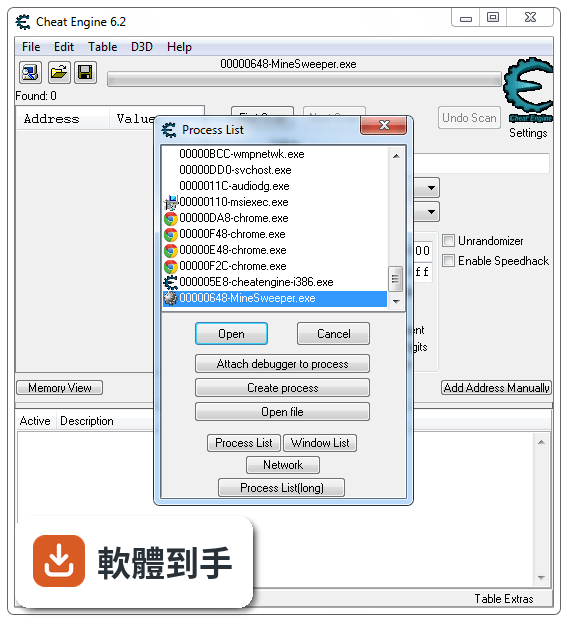
基本流程是:先開啟遊戲,記住一個數值(例如血量 100),在 Cheat Engine 中輸入 100 並掃描;接著在遊戲中讓血量改變(例如受傷變成 80),再輸入 80 掃描;重複這個動作,直到掃描結果剩下一個或少數幾個位址,就能鎖定或修改它。官方建議新手至少完成內建教學的前五個步驟,才能理解運作原理。
04它能不能改線上遊戲?
不行。官方明確說明它只支援修改單機遊戲,線上遊戲的數值通常由伺服器端控制,而且修改記憶體可能違反遊戲規則,導致帳號被封鎖。如果你主要玩線上遊戲,這套軟體不適合你,也不需要冒險嘗試。
05它有沒有教學或教學模式?
有。安裝後在程式集裡可以找到內建教學(Tutorial),它會一步步引導你練習掃描、修改、鎖定數值等操作。官方建議新手至少完成前五步,以建立基本概念。教學是英文介面,但操作步驟簡單,照著做就能學會。
06什麼樣的人適合用這套軟體?
適合喜歡玩單機遊戲、想自訂遊戲難度的人,尤其是那些遇到卡關或覺得遊戲太簡單的玩家。它也適合對程式除錯有興趣的人,因為內建除錯器和反組譯工具。不過你需要有耐心學習基本操作,如果完全不想花時間研究,只想一鍵修改,那可能不適合。
07我完全不懂程式,能用嗎?
可以,但需要先花時間照著內建教學練習。基本修改數值不需要寫程式,只要會操作掃描和鎖定功能就行。不過如果遇到遊戲有防護或數值加密,就需要進階技巧,那時可能需要一些程式概念。建議先從簡單的遊戲開始,熟悉流程後再挑戰複雜的。
08它適合用來做遊戲開發或除錯嗎?
官方提到它包含除錯器、反組譯器、組合語言工具等,可以用來除錯遊戲或一般應用程式。但這不是它的主要用途,而且介面偏工程導向,對專業開發者來說可能不如專用除錯工具完整。如果你只是偶爾想分析程式行為,可以試試;但如果是正式開發,建議使用專門的 IDE 或除錯器。
09我的系統是 Windows 10/11,能用嗎?
官方支援系統只列出 Windows XP、Vista、7、8,沒有提到 Windows 10 或 11。因此在新版系統上可能無法正常運作,或出現相容性問題。你可以嘗試以相容模式執行,但不保證成功。如果你的系統是 Windows 10 或 11,需要自行測試確認。
10它會被防毒軟體誤判嗎?
官方說明特別提到,有些防毒軟體會誤將 Cheat Engine 的部分檔案判為木馬或病毒。這是因為它修改記憶體的行為與惡意程式類似。如果你遇到誤判,可以將它加入防毒軟體的例外清單,但前提是你從官方管道下載,並確認檔案來源可靠。
11它還持續更新嗎?
根據收錄的版本紀錄,最近一次更新是在 2020 年,之後就沒有新版本,近兩年更新次數為零。這表示它長期沒有維護,可能無法支援新推出的遊戲或新的作業系統。如果你玩的遊戲很新,可能無法使用,或需要等待社群提供非官方修補。
12我只玩線上遊戲,適合嗎?
不適合。官方明確限定它只能修改單機遊戲,線上遊戲的數值由伺服器控制,修改記憶體不僅無效,還可能觸發反作弊系統導致帳號被封。如果你只玩線上遊戲,這套軟體對你沒有用處,也不需要考慮。
下載與官方連結
CheatEngine70.exe · 17 MB
版本紀錄
- 2020-11-04 WorkFlowy Desktop 1.3.5 109 MB
- 2020-11-04 Cheat Engine 7.2 24.2 MB
- 2020-04-22 Cheat Engine 7.1 21.9 MB
再看 5 筆
- 2019-08-21 Cheat Engine 7.0 17 MB
- 2019-08-14 WorkFlowy Desktop 1.3.4 88.4 MB
- 2019-07-28 WorkFlowy Desktop 1.3.3 88.4 MB
- 2019-06-26 WorkFlowy Desktop 1.3.2 88.4 MB
- 2019-06-13 WorkFlowy Desktop 1.3.1 87.9 MB
這一版改了什麼
What's new in this version:
Additions and changes:
- Icons
- Added a way to dissect and show a function's working using a diagram
- Auto repeat option for unchanged value scans
- Added lua formula scans
- Moved the compare to first/saved from scan type to a checkbox
- Added a scanner that can detect and undo memory changes in the target process code sections (patch scanner under tools in memview)
- The tutorial now has a link to online help for each step
- Added a toolbar for stepping while debugging
- When a memoryrecord fails to activate, you can rightclick it and see why it failed
- AutoAssembler will now cut down on the nop's used
- Better error reporting in autoassembler scripts
- DBVM can now dynamically adjust the TSC. This can be disabled if it causes performance issues with dbvm_setTSCAdjust(disable)
- speedhack now also hooks gettickcount64
- added dw 'utf16string' support
- implement VPID support in DBVM (performance increase)
- kernelmode->driverlist now also shows driver exports
- kernelmode symbols now also show in the enum dll's and exports
- change the way slow symbol lookup is handled
- several small updates to the codecave scanner
- several small updates to the hexview find window
- Use defered pdb loading instead of waiting for it
- Several more windows have been made DPI Aware
- Add option to show processid's as decimal in the processlist
- When pressing shift+space instead of space to follow an instruction you will now open a new memview window
- Added *:undefined support for dropdown lists
- Added init.lua files for translations to use
- Stackview now shows symbolnames as well
- Some extra windows will now save their location
- Exe trainer generator now lets you change the default files
- The description of conditional jumps is better to understand now
- Ultimap2 can now keep the tracer files and scan kernelmode memory as well if desired
- Groups now get created afgter the selected item
- Smartedit can now also 'smart'-edit children
- You can now pick a breakpoint type without having to go to settings, and once picked it will be the default type for Toggle breakpoints until changes again
- Floating point screen will now stay within the screen
- Clicking execute in the lua engine will now change focus back to the editor field
- Debugger interface settings will now only lock after a succesful attach
- Some translation improvements here and there
- DBVM changeregonbp's are now displayed in CE's interface as well
- The foundlist colors can be customized now
- Improved DBVM cloak performance when more than 20 regions are cloaked
- Implemented DBVM based execute watch and "find what addresses this code accesses"
- Implemented DBVM breakpoints (They always execute afterwards, including execute bp's)
- Improved autocomplete so it now doesn't delete old code
- Added hotkeys to ultimap2
Fixes:
- fixed BSOD in recent windows updates
- fixed VEH debug not handling breakpoints when a thread is created/destroyed right at the same time as a breakpoint
- fixed the stacktrace in 64-bit targets
- fixed rounded Extreme for float and double scans
- speedhack now waits for proper dll injection
- several disassembler instructions
- some assembler instructions
- improved the stability of dbvm find what * routines
- fixed the hit counter in dbvm find what * routines
- fixed kernelmode symbol loading
- fixed DBVM memoryleak when disabling watches
- fixed DBVM internal memory manager (more stable now)
- fixed internal VirtualToPhysicalCR3 when dealing with 2MB+ pagesizes
- fixed using megajmp's in cloaked regions
- fixed speech when using async records
- fixed executeCodeEx for more than 4 parameters
- fixed static field script in mono by adding 64-bit codegeneration
- fixed mono process crashing in some cases
- fixed megacall following
- fixed NO_CACHE memory being scanned anyhow even if it was disabled
- fixed dealing with floating point values that are too big to be useful
- fixed setting DR7 to a strange value when using global debug
- fixed clearing DR6 when in the wrong process in kernel debug
- fixed triggering kernelmode breakpoints in locations you can not properly break (no interrupts)
- fixed loading dbvm inside dbvm inside dbvm inside dbvm
- fixed autoassembler replacing words in quoted strings
- fixed processwatcher not getting a proper PID
- fixed hotkeys triggering changed/unganged for types they aren't supposed to
- fixed showing dr2, dr3 and dr4 types in the threadlist
Changes:
- getWindowList now returns the results just like ce's window list
- documented OnChangeBounds for the Control class (was already there, now documented as well)
- executeCodeEx can now also taker just parameters without typedefs
- added Data field to ListItem's
- added description field to memrec.createHotkey method
- added clear method to the menuItem class
- readStringEx() can now deal with partial memory reads
- executeCodeEx: Fixed more than 4 parameters
- added Point type
- fixed editbox selstart/sellength types, and added CaretPos
- added HeaderSection class and document HeaderSections
- added roundRect, drawFocusRect and textRect to the Canvas.
- added ansicode character support for textRect
- added loadFromStream and saveToStream to the RasterImage class
- added readAnsiString and writeAnsiString to the Stream class
- Better document the mode field of createFileStream
- Expose the handle of the LuaPipeServer
- Publish frmTracer
- Publish frmUltimap2
- Publish frmCodeFilter
- Publish imagelist
- Added the DrawItemEvent general GUI property to Lua's callback system
- Added the MenuDrawItemEvent general GUI property to Lua's callback system
- Added the ContextPopupEvent general GUI property to Lua's callback system
- Created a new Diagram class group which can allow you to create graphs and diagrams
- Memoryrecord.DropDownValue and DropDownDescription work now (still RO)