
這是歷史版本頁面 — 看 ConvertXtoDVD 最新版本
影片想燒成DVD在家看?ConvertXtoDVD能幫你什麼
 ConvertXtoDVD 7.0.0.52
資料更新 2017-11-06
閱讀約 6 分鐘
你手上有一堆從網路下載、手機錄影或舊硬碟翻出來的影片檔,想在客廳的DVD播放器上放給家人看,卻發現播放器根本不認得這些檔案格式。你試過直接把檔案燒進光碟,結果播放器讀不到;也試過用系統內建的燒錄功能,但燒出來的片子沒有選單、不能選段落,看起來就像一坨混亂的資料。
一般人遇到這種狀況,會先去找免費的轉檔軟體,把影片轉成DVD格式,再另外找燒錄工具把檔案燒進光碟。但這樣一來一往,要處理的軟體至少兩三套,轉檔設定看不懂、燒錄失敗也不知道錯在哪,光是搞懂流程就耗掉整個晚上。這類工具的切入點,是把「轉檔、選單製作、燒錄」整段流程收攏成一個動作,讓你把影片丟進去、按一下,就得到一張能在一般DVD播放器上播的片子。
01ConvertXtoDVD可以把哪些影片轉成DVD?
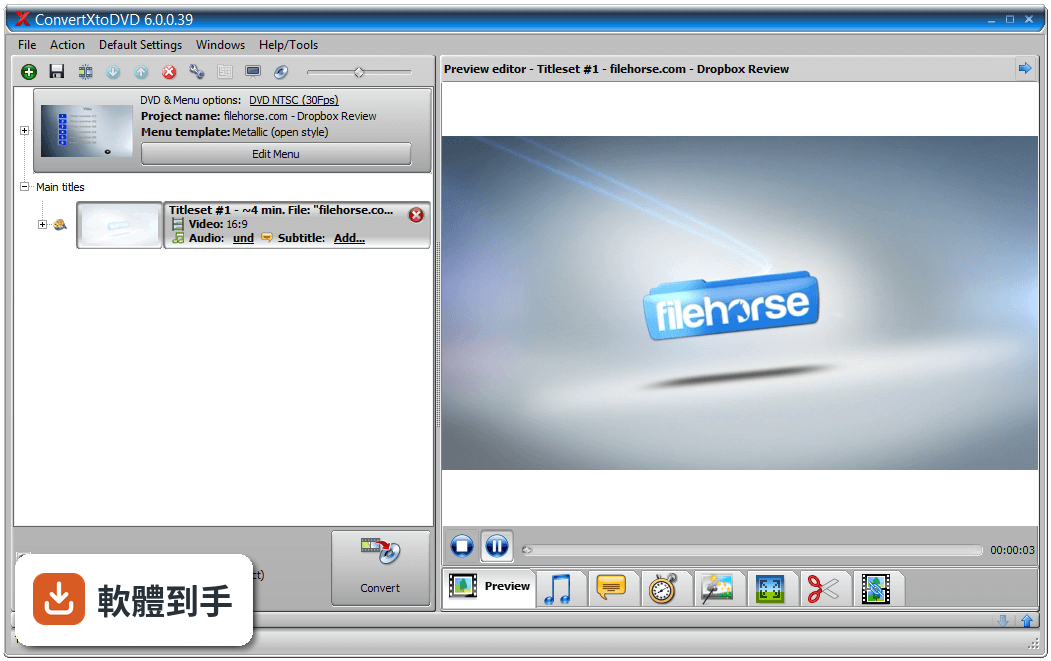
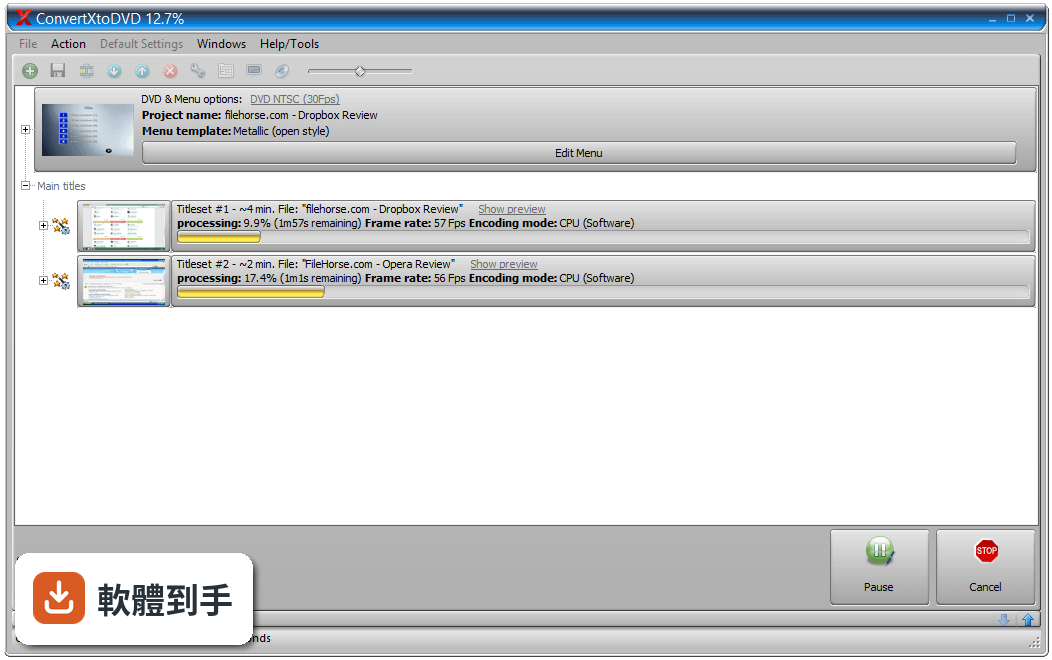
官方說明指出它支援多數常見的影片和字幕格式,包括AVI、MP4、MOV、MKV、WMV等。你只要把檔案加進專案,它會轉成DVD播放器能讀的結構,並內建燒錄引擎,可以直接把轉好的內容燒進空白DVD光碟。不需要先轉檔再燒錄,一個步驟完成。
02這套軟體能不能自己設計DVD選單?
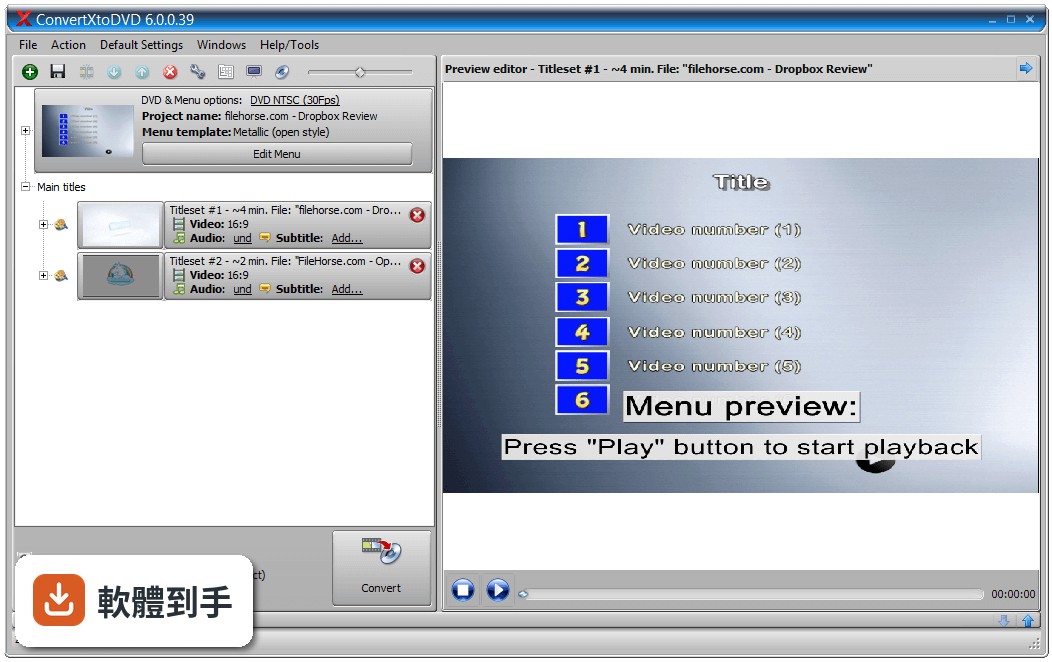
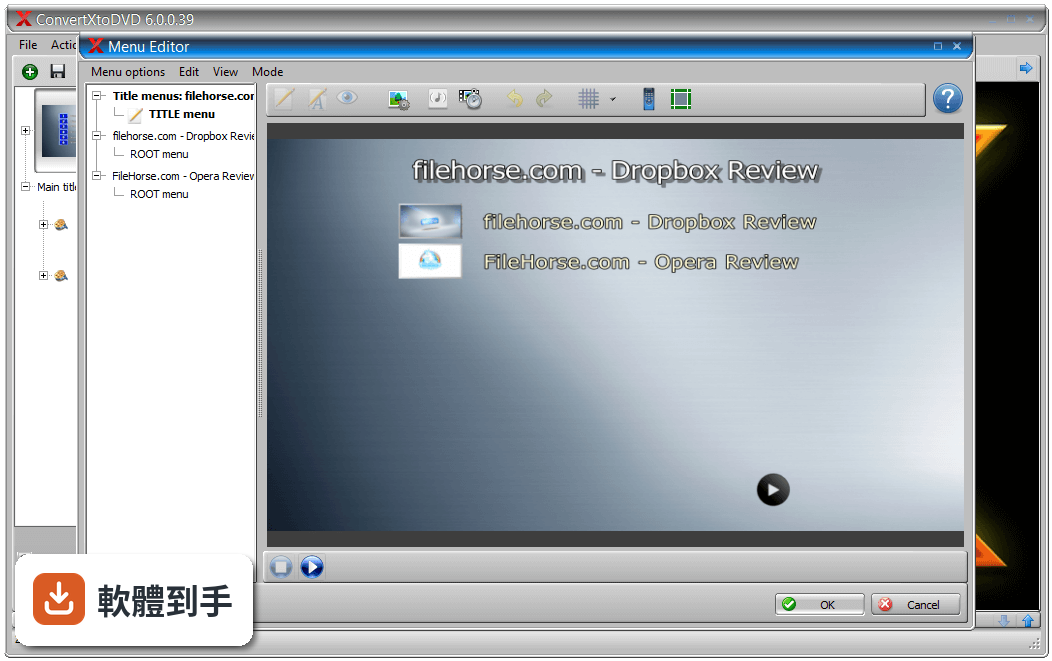
可以。它提供自訂選單的功能,你可以建立自己的選單畫面,也能合併多個影片檔、加入自訂章節。選單的背景可以放影片或音樂,讓燒出來的片子看起來像市售DVD。如果你不想花時間設計,它也有預設的建議設定,直接採用就能得到基本可用的結果。
03影片太長想剪掉廣告或不要的片段,它做得到嗎?
可以。它提供修剪功能,讓你去除影片中不需要的部分,例如廣告片段。除了剪輯,還能旋轉影片方向、調整亮度、對比度和銳利度,也有音量正常化功能。這些調整都可以在轉檔前透過即時預覽確認效果,不用等燒完才發現弄錯。
04字幕和音軌可以自己選嗎?
可以。它支援多條音軌和多個字幕軌,字幕可以轉成外部字幕檔,也可以直接嵌進影片裡。字幕的外觀包括顏色、字型、編碼和位置都能調整。如果影片和字幕不同步,它提供「偏移」功能,讓你用簡單的方式校正影音和字幕的同步問題。
05轉檔和燒錄的設定有哪些可以調整?
你可以選擇輸出尺寸和編碼品質,也能指定縮放濾鏡。畫面比例可選全螢幕或寬螢幕(4:3或16:9),電視系統可選NTSC或PAL。燒錄方面,可以存到硬碟、燒成ISO檔或直接燒進DVD,單層或雙層光碟都支援,官方說任何品牌的光碟機和光碟片都能用。
06我只有一台老舊的電腦,跑得動嗎?
官方列出的最低需求是Windows 7以上系統、Intel Pentium IV或AMD Athlon處理器、2GB記憶體,建議4GB,硬碟需8GB可用空間。它內建硬體解碼技術,可以減輕CPU的負擔。如果你的電腦符合這些條件,應該能運作,但轉檔速度會受硬體效能影響。
07這套軟體適合什麼樣的人用?
適合手上有大量各種格式影片、想把它們整理成DVD在家用播放器觀看的人。它的操作設計是「一鍵解決」,把轉檔、選單、燒錄整合在一起,對不想研究複雜設定的使用者來說比較友善。如果你需要處理多條音軌、字幕調整或加入片頭影片這類進階功能,它也提供了專業級選項。
08我只是偶爾燒一兩片,值得花錢買嗎?
這要看你的需求。它提供7天完整試用,試用期間所有功能都能用。試用結束後仍可繼續使用,但轉出的影片會加上浮水印。如果你只是偶爾燒一片,可以考慮在試用期內處理完;如果之後還會用到,官方有1年訂閱方案,包含技術支援和1年更新。訂閱到期後仍可永久使用已取得的功能。
09這套軟體有中文介面嗎?
官方資料顯示介面語言是英文,但說明中提到「本程式提供多種語言」,實際是否包含繁體中文,官方頁面沒有明確列出。如果你對英文介面不熟悉,建議先下載試用版確認操作畫面能否接受,或考慮其他有中文介面的替代軟體。
10我想要燒藍光光碟,它能做嗎?
不行。官方明確列出它的限制之一是「不支援藍光」。它只處理DVD格式,輸出是標準DVD結構,能在一般DVD播放器上播放。如果你需要燒藍光,這套軟體無法滿足,得另外找支援藍光的工具。
11我需要的只是把影片轉成MP4檔,用它適合嗎?
不適合。它的核心功能是轉成DVD並燒錄,不是通用的影片轉檔工具。如果你只是想把影片轉成MP4或其他格式,官方自己推薦的替代方案是Format Factory或Freemake Video Converter,後者在評分人數上明顯多很多,表示有較多人使用。這套軟體對你來說是殺雞用牛刀。
12這套軟體和Freemake Video Converter比起來,哪個比較多人用?
以評分人數來看,Freemake Video Converter有631人評分,ConvertXtoDVD只有64人評分,差距將近十倍。評分人數多不代表一定比較好,但通常表示有較多實際使用經驗可供參考。如果你在兩者之間猶豫,可以都下載試用版,實際操作看看哪個流程比較順手,再決定要不要付費。
下載與官方連結
vsoConvertXtoDVD7_setup.exe · 連結指向軟體原廠
版本紀錄
- 2025-12-31 ConvertXtoDVD 7.5.0.138 37.8 MB
- 2023-06-28 ConvertXtoDVD 7.0.0.83
- 2023-01-25 ConvertXtoDVD 7.0.0.78
再看 5 筆
- 2023-01-07 Rufffle
- 2023-01-07 ConvertXtoDVD 7.0.0.77
- 2023-01-02 ConvertXtoDVD 7.0.0.75
- 2018-08-08 ConvertXtoDVD 7.0.0.61 36.1 MB
- 2018-04-18 ConvertXtoDVD 7.0.0.59 35.6 MB
這一版改了什麼
What's new in this version:
ConvertXtoDVD 7.0.0.52
- [Bug] Add missing DLLs for localisation tool
- [Feature Request] Add import option for menu templates
- [Bug] A period appears after the Title
- [Bug] Folder not deleted after burning
- [Feature Request] make sure Spanish translation is uptodate
- [Bug] Exception when entring empty chain in menu editor
- [Suggestion] use 'disc' instead of 'disk'
- [Bug] taken into account folder structure when checking file name length
- [Bug] FR hint for cores setting is not correct
- [Bug] BD subtitles rendered empty
ConvertXtoDVD 7.0.0.40
- [Bug] Subtitles missing from Blu-ray sources - resolved
ConvertXtoDVD 7.0.0.36
- [Bug] naming of episodes not correct - resolved
- [Bug] menu thumbnails are not always the same size - resolved
ConvertXtoDVD 7.0.0.31
- [Bug] Improve interface theme color customization form
- [Bug] HTML display issue with some visual themes
- [Bug] hint for smart copy is not correct
- [Bug] project name/disk label in default settings is ignored
- [Bug] still cannot edit Project name
ConvertXtoDVD 7.0.0.28
- This new major version includes a new menu template editor. You can now create and save your own menu templates! It offers advanced customization options: number of times per page, thumbnails to be added or not, offset, menu item animations, add your own buttons, sounds, etc…
ConvertXtoDVD 6.0.0.90
- [Bug] Audio normalization - Disable remux when normalization is requested
- [Bug] When both add chapters every X mins and use original chapter points are selected, both are added to video
- [Information] navigate using arrows in global settings does not update display in left panel
- [Bug] during chapter menu rendering always displays "0 fps" but conversion completes
ConvertXtoDVD 6.0.0.81
- [Bug] DTS audio tracks are not remuxed even if I select "Automatic" and uncheck "Convert DTS to AC-3" in audio settings
ConvertXtoDVD 6.0.0.80
- [Bug] Some mpg files result with bad audio/video sync on output
- [Bug] Menu selection not working in menu editor
- [Bug] clicking noise with ALAC codec files in menu
- [Bug] default simple menu has artifacts around selecting/highlighting cursor
- [Bug] file browser window does not always stay ontop - appears app is froozen
- [Bug] missing thumbnail of menu preview in treeview in menu drop down selection
- [Crash] Template thriller causes crash if overlay colors are changed
ConvertXtoDVD 6.0.0.77
- [Bug] Some subtitles are partially rendered when merged on video
- [Crash] Getting "External exception C000001D" when entering my unlock key
ConvertXtoDVD 6.0.0.76
- [Bug] if audio shorter than menu duration audio does not loop in menu
- [Bug] if user changes an audio setting and saves project - the project will not open again
ConvertXtoDVD 6.0.0.75
- [Bug] DVD subtitles are black on output
ConvertXtoDVD 6.0.0.74
- [Bug] Some files crash at end of conversion (when raw copy is used)
ConvertXtoDVD 6.0.0.73
- Getting "This version is not licensed for public distribution." when starting to burn
ConvertXtoDVD 6.0.0.72
- [Bug] Conversion fails if some original subtitles included in conversion
- [Feature Request] Apply menu audio normalization only on useful parts (and speed up menu editor launching)
- [Suggestion] change "resume" to "play" in menu
- [Feature Request] change preview background to dark grey rather than black so not to be mistaken with padding on video included on output
ConvertXtoDVD 6.0.0.71
- [Bug] "Demo mode" for image enhancement doesn't works
- [Bug] bars on side of menu preview look light grey, not dark grey
- [Information] " VTS_01_0.IFO has been modified to keep DVD VIDEO compatibility" should not be happening
- [Bug] editing items in menu editor item becomes pink and cannot be seen
ConvertXtoDVD 6.0.0.64
- [Bug] a particular file stops encoding around 48%
- [Bug] No audio in preview/output with some E-AC-3 audio streams
- [Bug] Missing text in menu output
- [Feature Request] Add support for last HD TV stream formats
ConvertXtoDVD 6.0.0.63
- [Bug] Film framerate (24p) setting not always applied
- [Bug] cinema - navigation with text menu template - in root menu is missing navigation items/text
- [Bug] menu - The selector cursor overlay is not aligned correctly
- [Bug] option to change the number of chapters per page on menu template "Metallic-Text buttons for navigation" is greyed out
- [Bug] menu editor - selected overlay color selected seems much paler in preview window
- [Bug] image filters not applied - setting not saved
- [Bug] generate time stamps if those of the source file are not consistant
- [Feature Request] files can be added by "pasting"- 'ctrl + v' into app
ConvertXtoDVD 6.0.0.55
- [Bug] Size of preview window not remembered when reopening ConvertX
- [Bug] Some chapters are missing at end of file (when using "create chapter each Xs" option)
- [Bug] Remaining conversion time not accurate if "Always normalize" option is enabled
- [Bug] ConvertX task bar icon disappear when application is minimized
ConvertXtoDVD 6.0.0.54
- [Suggestion] Use "Arial - bold" as default subtitle font
- [Bug] false alert on pirated keys - blacklist clean up
- [Bug] When merging files, only the chapters of first file are imported
ConvertXtoDVD 6.0.0.53
- [Bug] audio normalization not working if checked in default settings
- [Bug] display problem in output tab under preview window
- [Suggestion] default opening size is too small
- [Bug] add another subtitle stream and causes custom subtitle name for 1st file to be discarded
- [Bug] editing tabs under preview window not user friendly
- [Bug] importing/ updating of default chapter setting problem
ConvertXtoDVD 6.0.0.45
- [Bug] creating cut sections, and playing in preview with "fastforward" checked cursor does not move in sync with image
- [Bug] Getting green line on right of video if using odd value for padding
- [Bug] Video turns black if moving mouse cursor under preview inside a cut section (when red cross displayed)
- [Bug] get conversion error if set to allow "2" simultaneous conversions when using cinema theme and bonuses- [Bug] get conversion error if set to allow "2" simultaneous conversions when using cinema theme and bonuses