
這是歷史版本頁面 — 看 Driver Easy 最新版本
驅動程式手動找老半天?Driver Easy 能幫你什麼
 Driver Easy 5.5.6
資料更新 2017-12-20
閱讀約 6 分鐘
重灌電腦或換了新硬體之後,打開裝置管理員看到一堆黃色驚嘆號,音效沒聲音、網路連不上、印表機抓不到。你想把驅動程式裝好,但不知道硬體型號,去官網找又像大海撈針,下載下來還可能裝錯版本,一裝就藍畫面。明明只是想讓電腦恢復正常,卻卡在驅動程式這個關卡,浪費整個下午。
一般人習慣的做法是去硬體廠商官網,一個一個找對應型號的驅動,但老舊硬體或冷門裝置的驅動常常早就下架,只能去論壇碰運氣。這類工具的切入點是:先掃描你電腦裡所有硬體,比對驅動資料庫,列出哪些驅動缺失或過舊,再幫你下載、安裝。你不用知道硬體型號,也不用記驅動版本,只要讓它掃一遍,照著清單點下去就好。
01Driver Easy 到底能幹嘛?
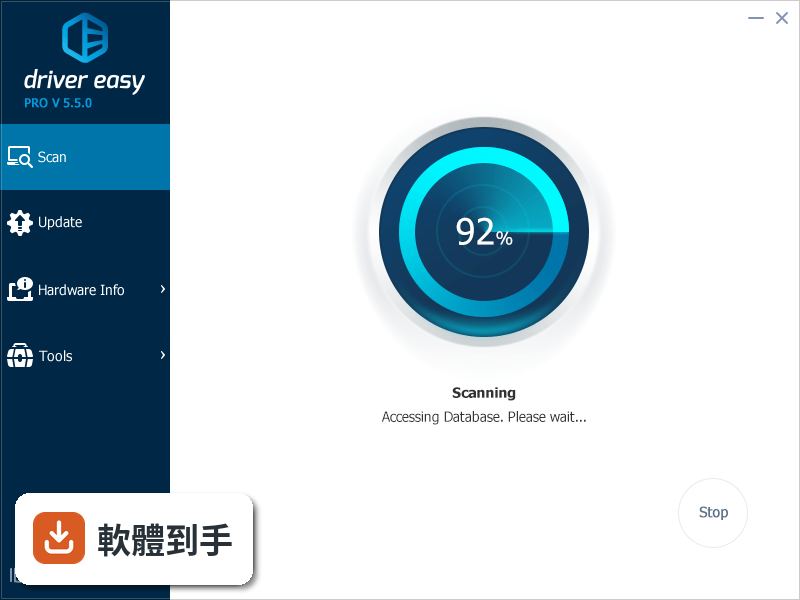
它會掃描你電腦上的音效卡、顯示卡、網路卡、印表機、藍牙裝置等硬體,比對內建的驅動資料庫,列出哪些驅動程式缺失或過舊。掃完之後,你可以直接從清單上下載並安裝需要的驅動,不用自己跑各廠商官網一個一個找。官方說資料庫有超過八百萬筆驅動,涵蓋的裝置類型相當廣。
02掃描之後,它會告訴我哪些驅動有問題嗎?
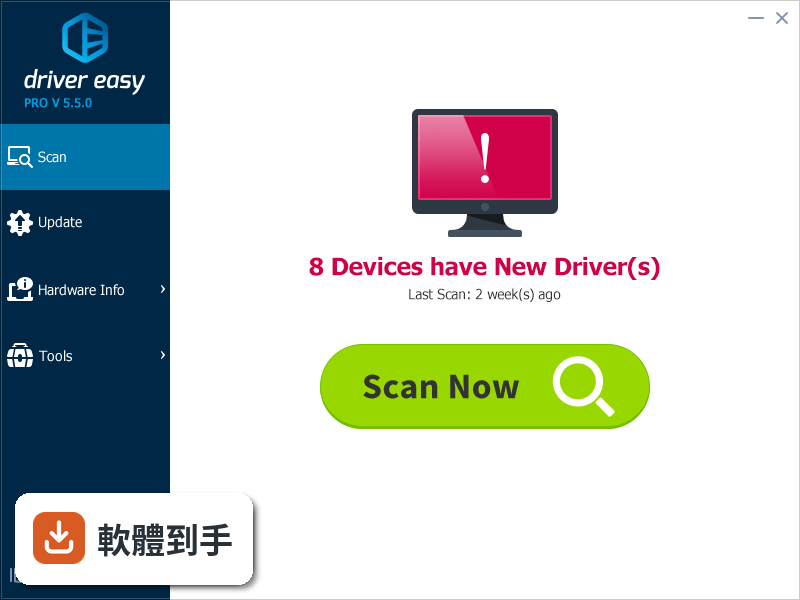
會。掃描完成後,它會列出所有需要更新或缺少的驅動程式,並標示目前的狀態。你可以看到哪些驅動過舊、哪些完全沒裝。免費版就能掃描和檢視這份清單,但下載和安裝需要付費版才能解鎖。掃描本身不用花錢,可以先裝來看看電腦有哪些驅動需要處理。
03可以只更新我選的驅動,不要一次全裝嗎?
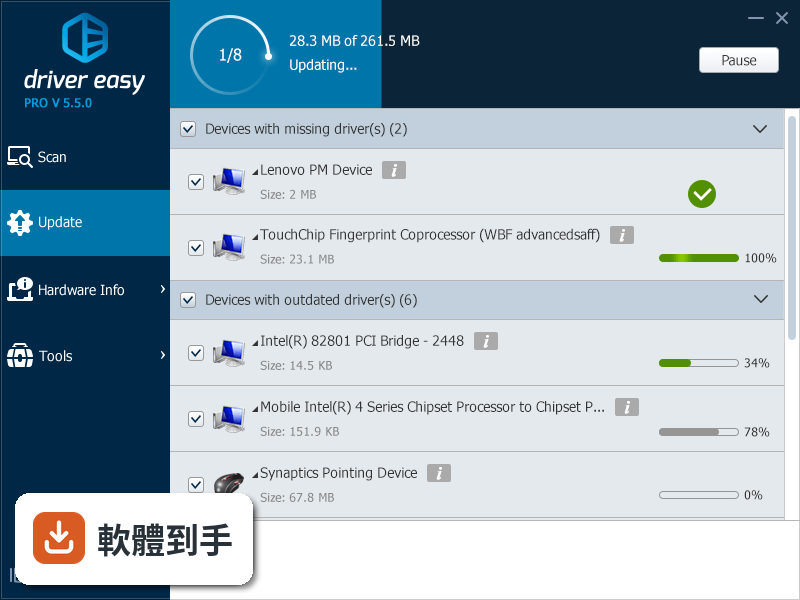
可以。掃描結果會顯示一份清單,你可以勾選想要更新的驅動,再按下更新按鈕,它就會下載並安裝你選的那幾項。不需要一次把所有驅動都裝完,可以依照自己的需求分批處理。付費版提供一鍵更新所有驅動的功能,但如果你只想處理特定裝置,手動勾選也做得到。
04沒有網路的時候,這套軟體還能用嗎?
可以,但有限制。它支援離線掃描,你可以在沒有網路的電腦上先掃描,把掃描結果存下來,再拿到另一台有網路的電腦去下載驅動,最後把驅動檔案帶回來安裝。這個功能在網路卡驅動壞掉、連不上網路的狀況下特別實用,因為你可以用別台電腦幫這台電腦抓驅動。
05它會幫我備份舊驅動嗎?萬一更新後出問題怎麼辦?
會。付費版會在你更新驅動之前,先備份現有的驅動程式。如果更新之後出現相容性問題,或你想回到之前的版本,可以用備份還原。免費版沒有這個功能,所以如果你習慣更新後測試一陣子,付費版的備份功能可以當作安全網。
06電腦不太熟的人,用這套軟體會很難上手嗎?
介面設計算簡單,主要流程就是掃描、看清單、按更新,三個步驟而已。官方也強調操作只需要點幾下滑鼠。不過要注意,介面語言是英文,雖然按鈕和選項不多,但如果你不習慣看英文,還是會有一點門檻。掃描和更新的流程本身不複雜,比較需要理解的是每個驅動對應哪個硬體。
07我只有一台電腦,買一年方案划算嗎?
付費版一年授權是 29.95 美元,可以在一台電腦上使用,包含自動更新、備份驅動、離線掃描、高速下載這些功能。如果你只是偶爾重灌電腦、需要更新驅動,免費版掃描後手動處理可能就夠了。但如果你常常幫人處理電腦,或不想每次更新驅動都手動找,付費版會省下不少時間。
08免費版和付費版差在哪?
免費版可以掃描電腦、列出缺失或過舊的驅動,但下載和安裝需要付費版才能用。付費版另外還有一鍵更新所有驅動、驅動備份還原、離線掃描、高速下載這些功能。如果你只是想知道電腦有哪些驅動有問題,免費版就夠用;要實際更新驅動,就得付費。
09我的電腦是 Windows 7,還能用嗎?
可以。它支援 Windows 7、8、10、11,32 位元或 64 位元都有支援。官方列出的系統需求包含 Windows XP 和 Vista,但軟體頁面標示的支援系統是 Windows 7 到 11。如果你的電腦還在 Windows 7,可以正常安裝使用,但要注意微軟已經停止支援 Windows 7,驅動更新可能也不是那麼頻繁。
10介面只有英文,看不懂怎麼辦?
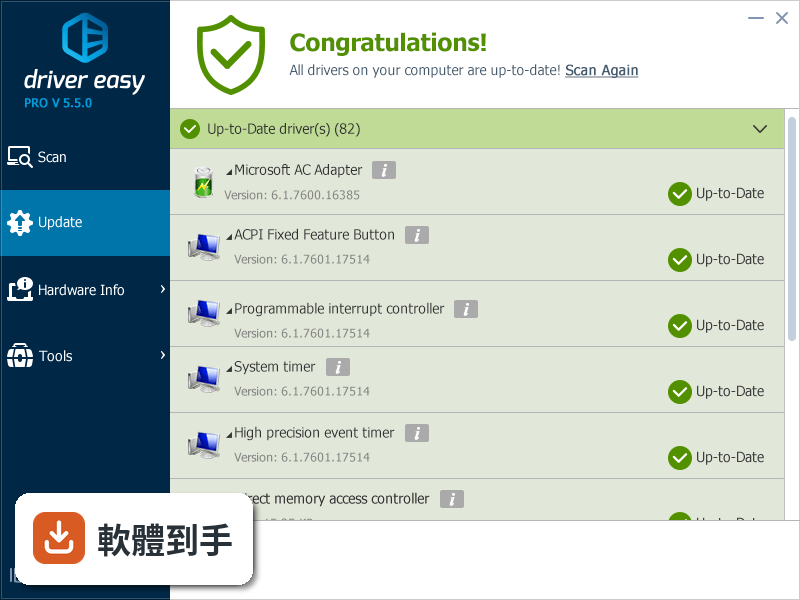
這套軟體目前只有英文介面,沒有中文語系。如果你對英文不熟悉,操作上會需要一些基礎的單字理解,例如 scan(掃描)、update(更新)、download(下載)。不過流程很固定,第一次使用的時候可以搭配翻譯工具對照,之後大概就知道每個按鈕的功能了。如果完全無法接受英文介面,可以考慮其他有中文介面的驅動更新工具。
11它跟 Driver Booster Free 比起來如何?
Driver Booster Free 在評分人數上比較多,有 551 人評分,Driver Easy 是 317 人。兩者都是驅動更新工具,功能方向類似。Driver Booster Free 有免費版本可以直接更新驅動,而 Driver Easy 的免費版只能掃描,下載安裝要付費。如果你不想付費就想更新驅動,Driver Booster Free 的免費版可能更符合需求。
12我習慣自己抓驅動,還需要這套嗎?
如果你很清楚自己的硬體型號,也知道去哪裡抓驅動,那這套軟體對你的幫助有限。它主要解決的是「不知道硬體型號」和「找不到驅動來源」這兩個麻煩。但如果你有舊裝置或冷門硬體,官網早就把驅動下架了,它的資料庫也許還留著,這時候拿來應急還是有用的。另外,它也能幫你找出系統裡沒用到的驅動並移除,釋放磁碟空間。
下載與官方連結
DriverEasy_Setup.exe · 連結指向軟體原廠
版本紀錄
- 2026-10-27 Driver Easy 7.2.3 7.9 MB
- 2026-10-13 Driver Easy 7.2.2 7.8 MB
- 2026-09-14 Driver Easy 7.2.1 7.8 MB
再看 5 筆
- 2026-09-08 Driver Easy 7.2.0 7.7 MB
- 2026-07-24 Driver Easy 7.1.5 6.8 MB
- 2023-03-13 Driver Easy 5.8.0
- 2022-08-22 Driver Easy 5.7.3
- 2022-01-30 Driver Easy 5.7.1
這一版改了什麼
What's new in this version:
Driver Easy 5.5.6
- Driver icons in the Devices with missing driver(s) category now indicates driver types, so you can see what types of drivers are missing
- Shows full device name when your mouse pointer hover over the device name in the driver update list
- Adds the stop scanning feature, so you can stop the scanning process whenever you want
- The password for proxy server information is now invisible
- Improves the dialogue box for Driver Backup
- Fixes bugs with the side bar and the scan result bar display, and driver backup process
- Fixes bugs with the scan crash when enable the “Get driver software from Windows Update” feature
Driver Easy 5.5.5.4057
- Improves scan engine so it can identify the correct driver for the same hardware with different driver information
- Improves the Arabic and Dutch translation
- Slightly improves the category design in the Update screen
- Improves the stability of the download speed in the Free version
- Download process shows 1 decimal place for you to have a clearer view of large file download progress
- Fixes a crash bug when only one driver update is available in the Arabic version
- Fixes other minor bugs
Driver Easy 5.5.4.17697
- Adds “Report Bug” option in the Menu bar so you can directly report software bugs to us
- Adds translation for Arabic, Greek and Czech
- Driver Restore icon is now clickable for you to choose driver(s) to restore
- Items in the Update list are sorted alphabetically for you to locate easily
Driver Easy 5.5.3.15599
- Redesigns single driver update process on free version
- Adds single driver update instructions on the sidebar of the free version
- Updates certain translation in Danish and German
- Updates wordings in System Restore window
- Fixes some bugs
Driver Easy 5.5.2.18358
- Rewrite scan engine to support Windows 10 new driver detection technology
Driver Easy 5.5.1.14322
- Redesigns UI for Hardware Info
- Adapts to screen reader
- Adds “Report Miss-detected Drivers” & “Improves Translation” link to menu list
- Updates German and Portuguese translations
- Improves driver scan server performance
- Improves create restore point logic, creates one restore point per day
- Standardizes all popup message designs
- Improves many UI & UX elements
- Fixes Technician License not showing full license key issue
- Fixes device name showing question mark (?) issue in some non-English environment
- Fixes some Windows 10 machines cannot create restore point issue
- Fixes many other minor bugs
Driver Easy 5.5.0.5335
- Redesigns UI, now with flat design
- Rewrites Driver Backup & Driver Restore features completely
- Improves Feedback feature
- Adds Get free Ultimate Fix Guidebook (Windows 10) by sharing
- Fixes many minor bugs
Driver Easy 5.1.7.31793
- Enhances Offline Scan feature, now supports both Ethernet & Wi-Fi devices
- Amends Unplugged Device notes, for easier understanding
- Last Scan time will automatically update
- Adds some missed multi-language translation
- Fixed some minor bugs
Driver Easy 5.1.6.18378
- Add Japanese, Danish Language UI
- Add “Help Us Improve” link
- Improved Hardware Information detection
- Fixed “File size has changed” & “The file is damaged” during download progress
- Fixed some minor bugs
Driver Easy 5.1.5.5598
- Change log not available for this version
Driver Easy 5.1.4.1489
- Improve Feedback feature to enable multiline text copying and pasting
- Reduce software package size
- Improve driver installation progress
- Improve minor UI design
- Fixed some driver installation issues
- Fixed “Get License” not working on some computers
Driver Easy 5.1.3.15871
- Improved Driver Scan Engine
- Improved Driver Installation Progress
- Improved Feedback Feature
- Fixed Crash Issue on Some Date/Time Format
- Fixed Some Translation Error in Italian Version
- Fixed some minor bugs
Driver Easy 5.1.2.2353
- Add an option to use Windows Update drivers (Default is disabled)
- Allow proxy server settings in Internet Connection
- Add “Help” function when scan error occurs
- Redesign “Update All” progress bar
- Improved driver update animation
- Enhanced license input box with auto added “-“
- Drivers without Driver Date (Blank) show date as 0000-00-00
- Fixed a bug when auto launch a .zip driver file
- Fixed crashes when system data not in century format
Driver Easy 5.1.1.7383
- Added playing reminder sound after finishing driver install
- Added System Restore button on Settings Screen
- Redesigned Like Us feature
- Fine-tuned for more User Friendly UI
- Fixed some minor bugs
Driver Easy 5.1.0.19252
- Change log not available for this version
Driver Easy 5.0.9.40298
- Improved error report feature
- Fixed some minor bugs
Driver Easy 5.0.7.3966
- Improved Driver Scan Engine
- Fixed some translation error
- Fixed some minor bugs
Driver Easy 5.0.5.5083
- The “i” icon is clickable to show the driver information( In previous version you can click the device name next to the “i” icon to show the same driver information).
- The notification for unplugged device will always show up( In previous version it only shows up when you choose at least one unplugged device ).
- Remove the 3 color driver status indicator due to Symantec’s (aka Norton) false positive. The indicator is designed to help us easily identify driver status(up-to-date, out-of-date within 30 days and out-of-date). Please do not ask us why, we have tried to explain(several times), please ask Symantec, since their engineers consider the driver status indicator as a performance indicator.
- Fixed a date conversion bug, which cause 0.32% of drivers showing incorrect Driver Date