
這是歷史版本頁面 — 看 DriverPack Solution Offline 最新版本
重灌系統後驅動裝不上?DriverPack Solution Offline 能做什麼
 DriverPack Solution Offline 15518 (64-bit)
資料更新 2019-06-14
閱讀約 5 分鐘
重灌系統是許多人遇過的惡夢:系統裝好了,畫面出來了,但網絡卡驅動沒裝,網路連不上,瀏覽器開不了,什麼驅動都下載不了。明明電腦就在眼前,卻像被斷了手腳,只能想辦法用另一台電腦或手機慢慢抓驅動再搬過來。更麻煩的是,舊電腦的驅動官網常常已經下架,或是根本不知道自己的主機板、音效卡是哪個型號,只能一個一個試。
一般人習慣的做法是去裝置管理員看驚嘆號,然後上網搜尋型號、找官網、下載、安裝,重複好幾次。但型號看不懂、官網找不到、下載下來裝了沒反應,這些狀況層出不窮。這類工具的做法是反過來:先把大量驅動程式打包成一個離線資料庫,安裝時自動比對硬體、一次裝完,不需要網路、不需要知道型號,省掉逐個找驅動的過程。
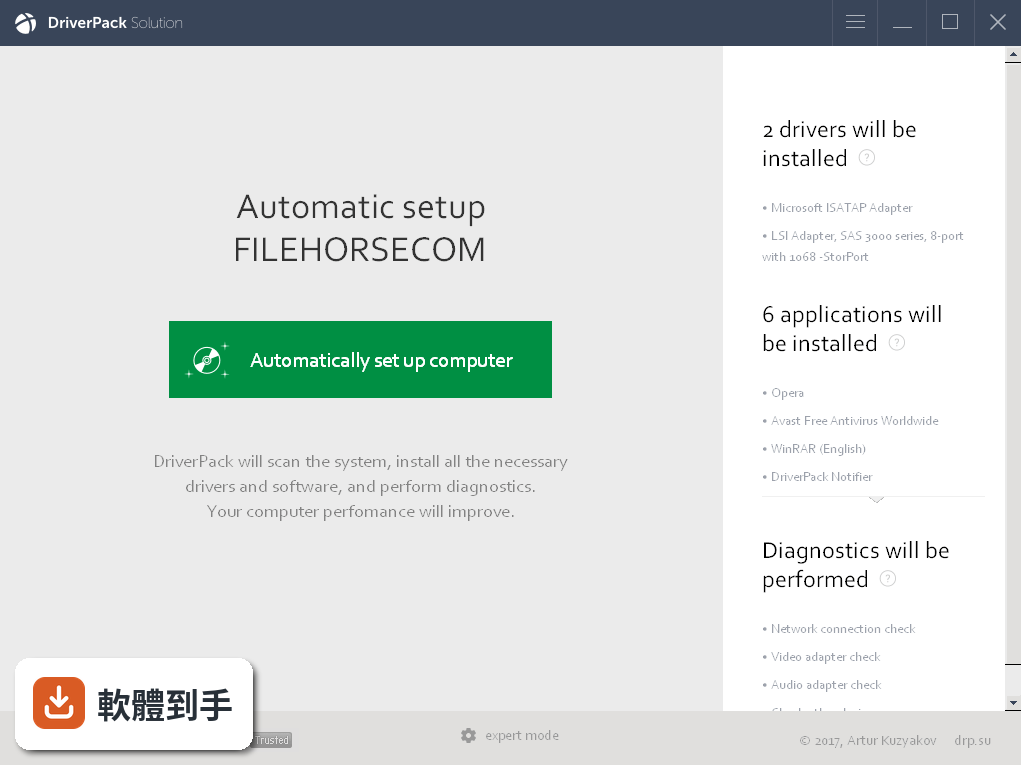
01DriverPack Solution Offline 到底能做什麼?
它是一套離線驅動安裝工具,內建超過一百萬個手動挑選並測試過的驅動程式。主要功能是自動安裝電腦上所有缺的驅動,也能把舊驅動更新到新版本,還可以把不需要的驅動移除。整個過程不需要連上網路,適合在剛重灌完、還沒有網絡卡驅動的狀態下使用。
02它跟一般驅動安裝工具有什麼不同?
最大的差別在於離線運作。一般驅動工具需要連網下載驅動,但這套軟體把驅動全部打包在安裝檔裡,安裝時直接從本機資料庫比對硬體、安裝驅動。安裝檔大約 37 GB,可以透過官方網站或 BT 種子下載,下載一次之後,之後裝任何電腦都不需要再上網抓驅動。
03裝驅動的時候可以自己選嗎?
可以。安裝過程中有自訂選項,你可以讓它自動安裝所有需要的驅動,也可以手動勾選只裝特定裝置的驅動。如果不想讓它動某些硬體的驅動,可以在安裝前取消勾選,它就不會去碰那些裝置。
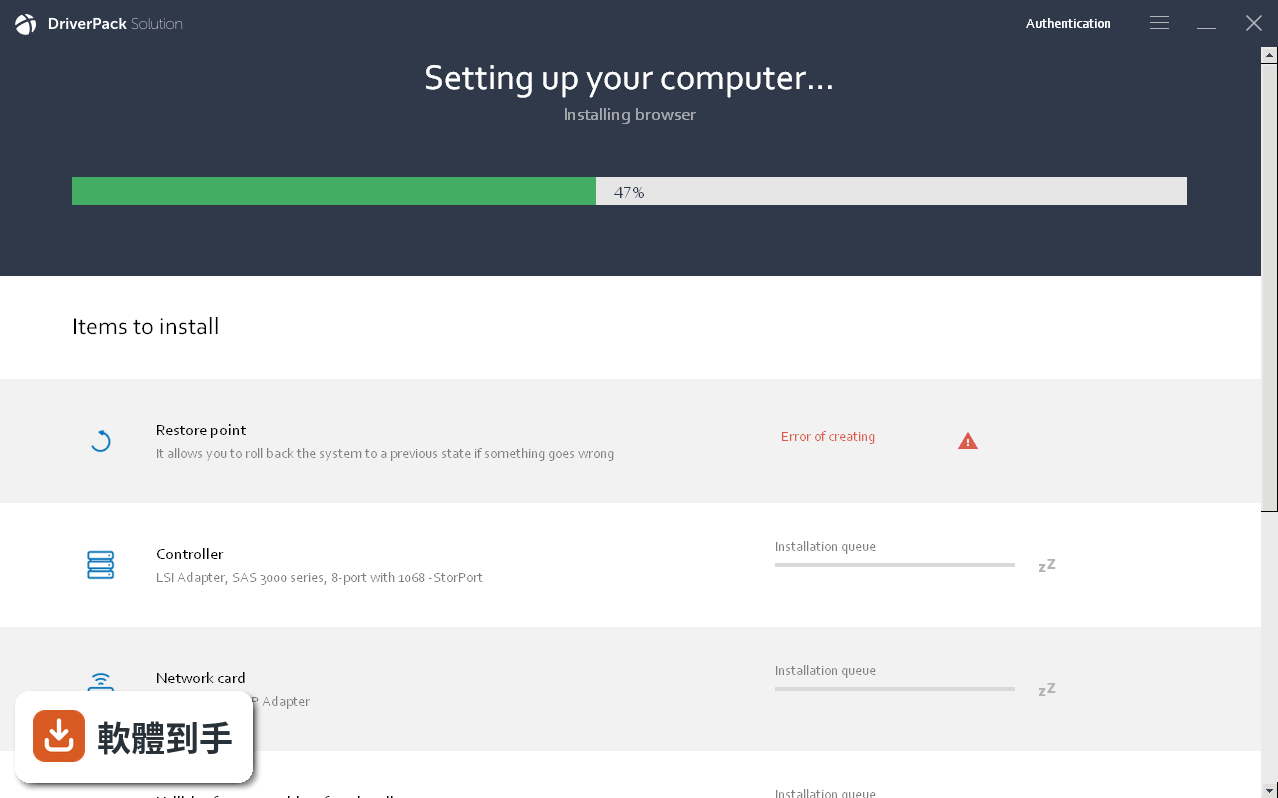
04裝完驅動之後還能做什麼?
除了安裝,它也能更新現有驅動到較新的版本,以及移除不再需要的驅動。更新和移除的流程都跟安裝一樣,從本機資料庫比對、操作,不需要另外上網找驅動程式。
05它支援哪些裝置?
涵蓋範圍很廣,包括藍芽裝置、網絡卡、讀卡機、晶片組、鍵盤滑鼠、硬碟控制器、資料機、螢幕、手機、印表機、音效卡、電視卡、顯示卡、網路攝影機、Wi-Fi 裝置,以及其他像是繪圖板、POS 終端機、VR 裝置等。官方說明列出超過二十種裝置類別。
06重灌系統後網絡卡驅動沒裝、上不了網,適合用這個嗎?
適合。這正是它主要的應用情境。因為驅動資料庫是離線的,不需要先有網路就能安裝網絡卡驅動,裝完網絡卡驅動之後,電腦就能上網了。之後要裝其他驅動,也可以繼續用它一次補齊。
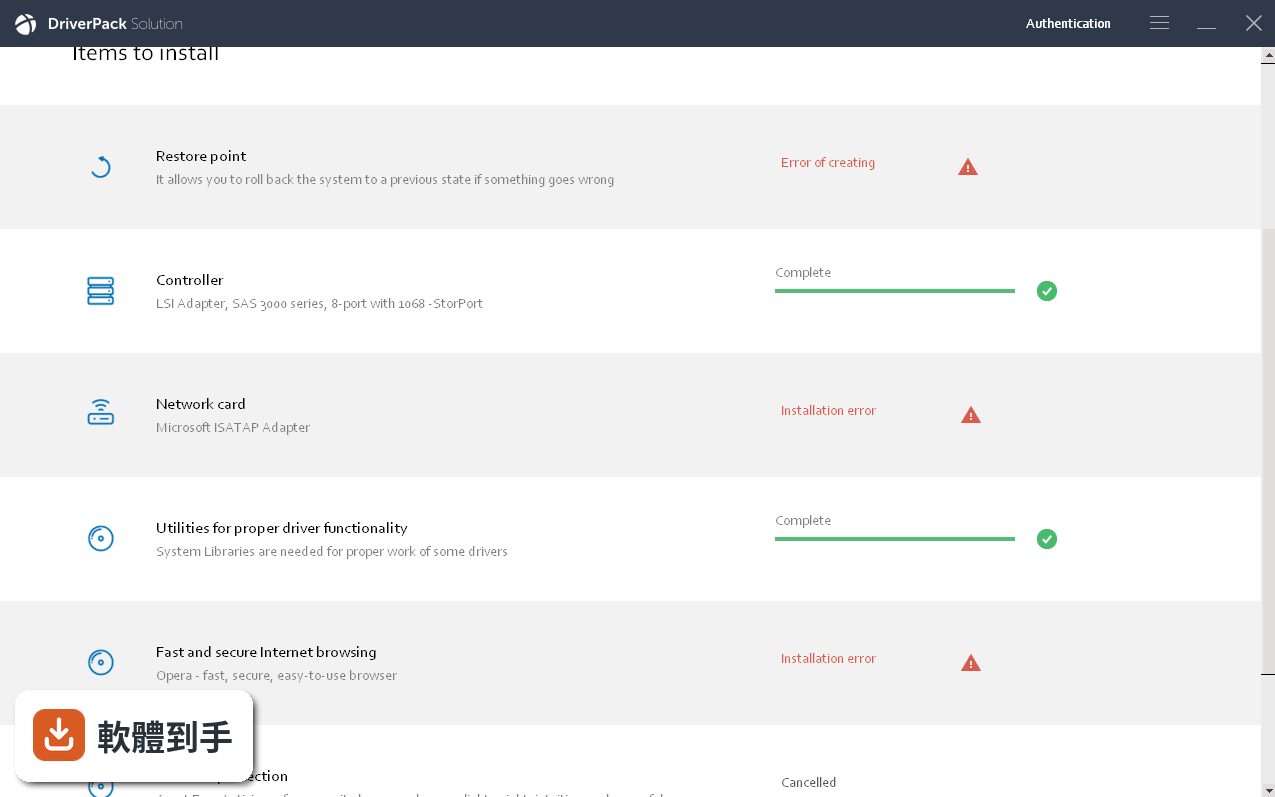
07幫別人修電腦、裝系統的人,用這個方便嗎?
方便。官方說明提到它沒有限制安裝次數,可以在多台電腦上重複使用。對於常幫親友重灌系統的人來說,只要準備好一份離線安裝檔,到哪裡都能裝驅動,不用每次到現場才開始找驅動、等下載。
08電腦很舊,官網早就找不到驅動了,這個能救嗎?
有機會。它支援 Windows XP 到 Windows 11,涵蓋的裝置型別也包含舊款硬體。官方說明列出支援華碩、宏碁、索尼、三星、惠普、聯想、東芝、戴爾、微星等品牌的電腦和筆電。不過舊機型能不能完全對應,還是要看實際安裝結果。
09安裝檔 37 GB,下載很麻煩,有沒有更輕量的選擇?
有。官方另有 DriverPack Network 版本,檔案較小,但功能範圍不同。其他像是 Driver Talent 或 Bluetooth Driver Installer 這類工具,檔案也小很多,但通常只涵蓋特定型別的驅動。如果只需要裝某一個驅動,找該裝置廠商提供的驅動會比下載整套更實際。
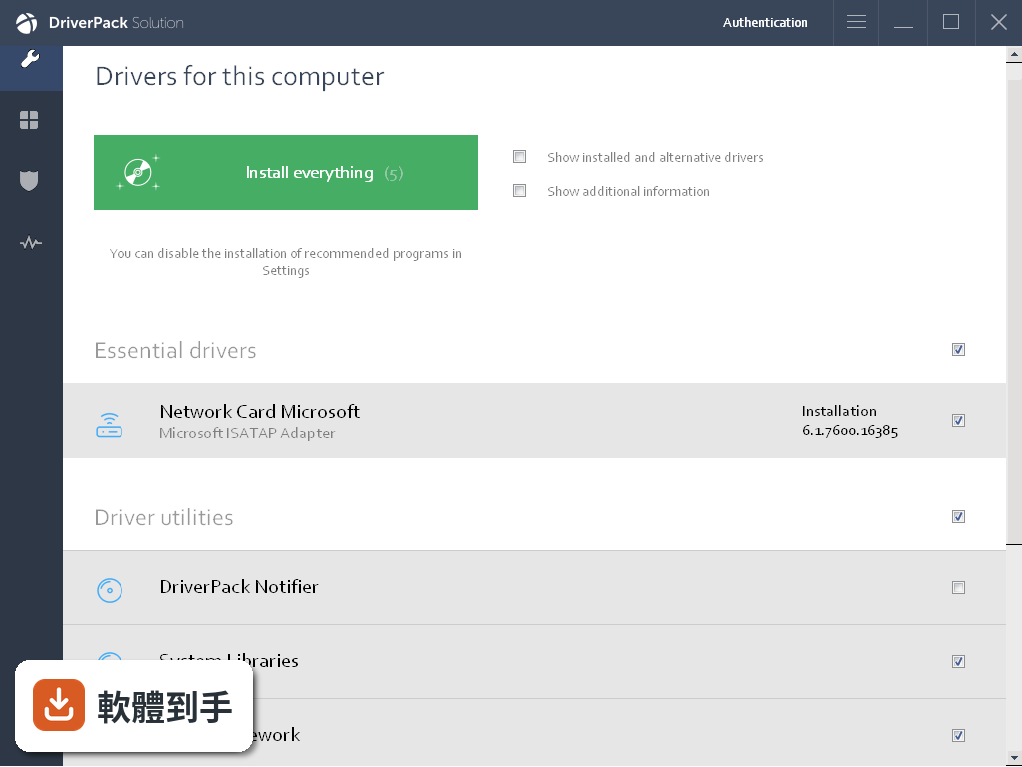
10介面是英文的,看不懂怎麼辦?
這套軟體的介面只有英文,沒有中文選項。如果英文介面會造成操作困難,需要自行斟酌。不過安裝流程主要是按幾個按鈕,選項不多,實際操作上需要閱讀的英文不多,但還是建議先確認自己能接受英文介面再下載。
11這個軟體安全嗎?
官方 FAQ 自己提到,任何軟體都可能帶有安全風險,雖然許多使用者認為它值得信賴,但下載和使用時仍要謹慎,尤其是從第三方來源下載。建議只從官方網站或官方提供的 BT 種子下載,安裝前也可以先用防毒軟體掃描。
12我只需要裝一個特定驅動,用這個會不會太小題大做?
如果只需要裝單一驅動,例如某個型號的印表機驅動,直接去該廠商官網下載會更直接。這套軟體適合的是「缺很多驅動、不知道從何下手」的狀況,例如重灌系統後一次補齊所有驅動。只缺一個驅動時,用整套 37 GB 的離線包確實不太划算。
下載與官方連結
前往官方網站 下載 DriverPack Solution Offline
rocrail-15518-win64.exe · 11.7 MB · 連結指向軟體原廠
版本紀錄
- 2025-11-17 DriverPack Solution Offline 17.10.14
- 2019-06-14 Rocrail 15518 (64-bit) 11.7 MB
- 2017-11-24 DriverPack Solution Offline 17.7.77
這一版改了什麼
What's new in this version:
Rocrail 15518 (64-bit)
- Mbus: reject fnchanged -1
- Ocation: maxocc per cargo type
- Location: max commuter option added
Rocrail 15515 (64-bit)
- Schedules: reset callerid and callertype
Rocrail 15515 (64-bit)
- Control: set the IID in the callerid variable
- Check4redsignals option added, default off
- Wmz21: ignore bidikmh
- Mbus: send lights(f0) also after the speed/dir commands
Rocrail 15510 (64-bit)
- Win64 build: strip debug info
Rocrail 15506 (64-bit)
- System actions: sub state implemented for IID
Rocrail 15505 (64-bit)
- Location: disregard maxocc if the loco already did arrive
- Set UID to 21 if zero to be compatible with previous revisions
- Locationdlg: removed deprecated adjust flag
- Set uid on state report
Rocrail 15504 (64-bit)
- Change log not available for this version
Rocrail 15503 (64-bit)
- Change log not available for this version
Rocrail 15500 (64-bit)
- Trace: fix for empty trace file name
- Z21: uid field added
- Clntcon: fix for ping and reply with pong
- Rcon: reactivate the 5s idle ping
- Mqtt-cs: serial connect added
- Clntcon/rcon: set keepalive socket option
Rocrail 15498 (64-bit)
- Change log not available for this version
Rocrail 15494 (64-bit)
- Planpanel: save scroll position
- Mqtt-cs python example extended with XML parsing
Rocrail 15492 (64-bit)
- Item/guiframe: restore throttle position and size dependent from loco ID
- Rocview makefile: fix for wxsubincl 3.0 -> 3.1
Rocrail 15486 (64-bit)
- Signal: white address as bit pattern if port is zero
- Rocwebworker: support for https
- Rocwebworker: support for https
- Tracedlg: fix for close event (X)
Rocrail 15482 (64-bit)
- Rocweb: http return code correction for plan and options xml
- Evaluate function event
- Function control type added
- Translation merge: fr
- Xmlscriptdlg: replaced settargetrange with the 3.0 start/end function
- Aboxdlg: layout fixes
- EStW: threeway symbol added
Rocrail 15475 (64-bit)
- Change log not available for this version
Rocrail 15470 (64-bit)
- Xmlscriptdlg: try to select the complete invalid line
- Xmlscriptdlg: select invalid XML line
- Xmlscriptdlg: select text from invalid XML
- Block: fix for service wait
- Output: function type added
Rocrail 15465 (64-bit)
- Block: revert put out of operation behaviour in case from dialog
- Xmlscriptdlg: find added
- Xmldlg: find added
Rocrail 15462 (64-bit)
- Model: trace level correction
- Block: crosscheck fix for service
- MBUS: not evaluating type in case of UID zero
- Cv index support for accelleration and calibrating
- Xmlscript: block throttle command added
- Locdialog: show CV index in grid
- Mbus,rocpro: mfx cv index support
- Block: fix for wait and service
- Block: check if occupied in case of modify and new state should be close
Rocrail 15453 (64-bit)
- Tt: set accessory bit in case of f6915
- Xmlpointsize default set to 11
- Manifest: removed dpiAwareness
- Xml: add wrap and pointsize attribute