
這是歷史版本頁面 — 看 FreeMind 最新版本
FreeMind 0.9.0
 FreeMind 0.9.0
資料更新 2011-02-18
下載與官方連結
FreeMind-Windows-Installer-0.9.0-max.exe · 13.02 MB · 連結指向軟體原廠
版本紀錄
- 2025-09-25 EdrawMind 13.0.3 2 MB
- 2014-04-12 FreeMind 1.0.1
- 2014-01-25 FreeMind 1.0.0 36.31 MB
再看 3 筆
- 2011-02-18 FreeMind 0.9.0 13.02 MB
- 2008-02-26 FreeMind 0.8.1 8.53 MB
- 2005-09-07 FreeMind 0.8.0 7.81 MB
這一版改了什麼
What's new in this version:
New Editor:
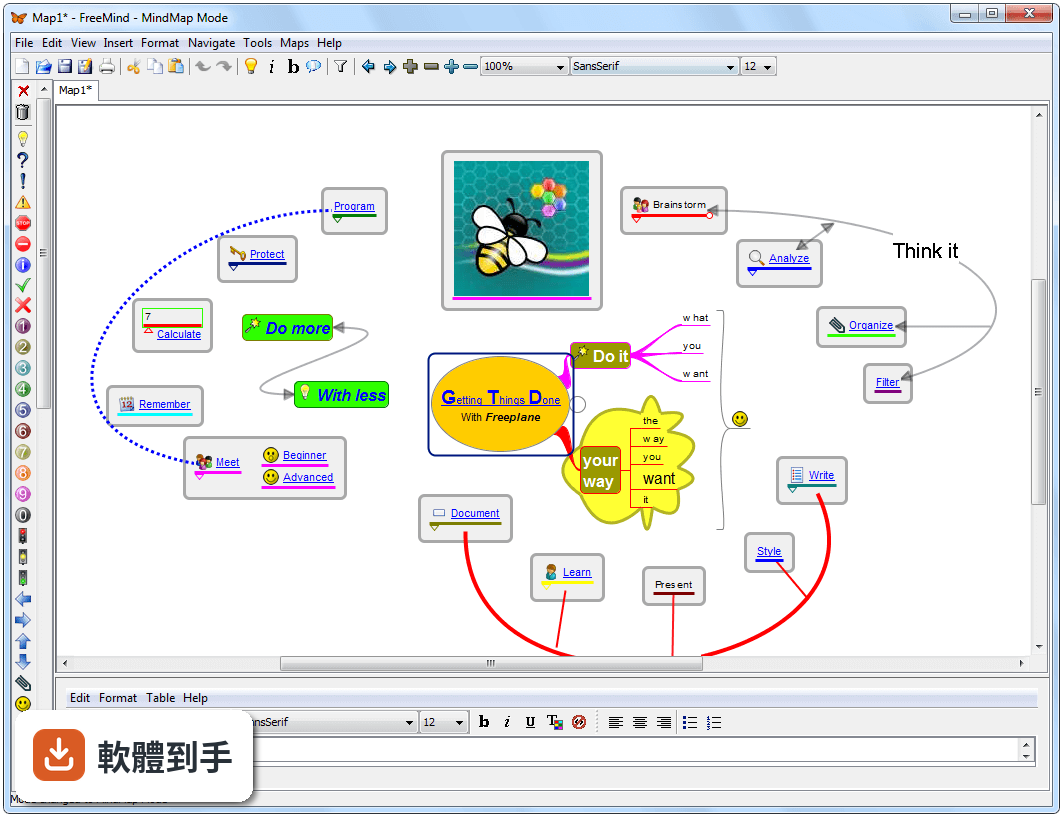
- The new editor supports text formatting in nodes and notes (the little window at the bottom of the frame).
- It is stored as (X)HTML inside the nodes and can be thus exported to HTML very efficiently.
Notes enhancements:
- The notes do now directly belong to the main window. Even if it is not visible a tooltip indicates the content.
Filter:
- Using Filters the current mindmap can be reduced to nodes satisfying certain criteria. For example, if you only want to see every node containing "TODO", then you have to press on the filter symbol (the funnel beside the zoom box), the filter toolbar appears, choose "edit" and add the condition that the node content contains "TODO". Then select the filter in the filter toolbar. Now, only the filtered nodes and its ancestors are displayed unless you choose "No filtering" in the toolbar.
- Using the settings "Show ancestors" and "Show descendants" you can influence the apperance of the parent and child nodes that are connected with the nodes being filtered.
- There are many different criteria filters can be based on such as a set of selected nodes, a specific icon and some attributes.
Attributes:
- Attributes are additional meta information in the form of text pairs attached to nodes.
- Thus, criteria like Context->Home or Context->Job can be expressed. Later a filter limits the display only to certain contexts.
- Moreover, Groovy scripts are currently stored within attributes.