
這是歷史版本頁面 — 看 Google AdWords Editor 最新版本
Google Ads 廣告改不完?AdWords Editor 離線批次處理
 Google AdWords Editor 12.2.1
資料更新 2017-11-14
閱讀約 6 分鐘
管理 Google Ads 廣告活動時,最常遇到的狀況是:廣告群組裡有上百則廣告要調整、關鍵字要一次改出價、或是要將某個廣告群組的素材複製到另一個活動。打開瀏覽器登入 Google Ads 網頁後台,一筆一筆點開、修改、儲存,改到一半網路不穩或分頁不小心關掉,剛剛的修改全部白費。尤其是月底要大量調整預算或暫停成效差的廣告時,這種重複性操作特別耗費時間。
一般人習慣直接在 Google Ads 網頁後台操作,但當修改數量龐大時,網頁介面的載入速度、逐筆編輯的流程,都會讓整個過程變得冗長。而且網頁後台需要連線才能作業,離線時完全無法處理。這類工具的切入點,是將帳戶資料下載到本機,用專門的編輯介面批次修改,完成後再一次上傳同步,讓大量修改可以在離線狀態下完成,減少在網頁介面反覆等待的時間。
01Google AdWords Editor 到底能做什麼?
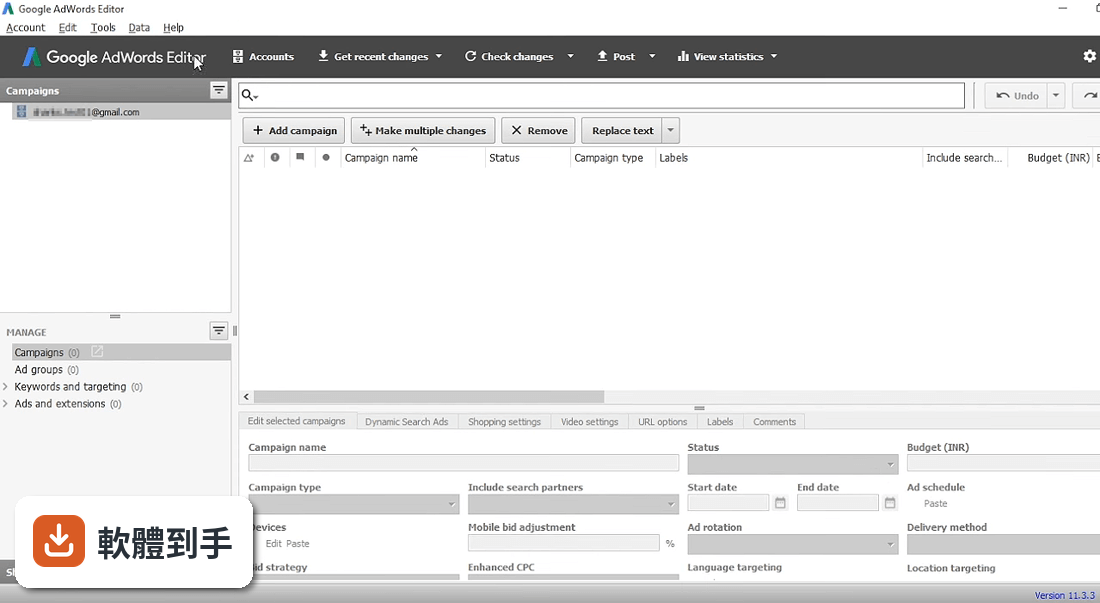
它是 Google 提供的免費廣告管理工具,核心功能是將你的 Google Ads 帳戶下載到電腦,離線編輯後再上傳同步。支援批次修改大量廣告、關鍵字和出價,可以複製或移動項目到不同廣告群組和活動,也能匯出匯入檔案分享修改提案。另外提供篩選器,可快速找出特定廣告進行編輯,並在發布前預覽所有變更。
02這套軟體適合什麼樣的人用?
適合需要大量管理 Google Ads 帳戶的人,例如負責多個廣告帳戶的代理商操作者,或是單一帳戶內廣告群組、關鍵字數量龐大的廣告主。如果你每天要改的廣告不超過十筆,直接在網頁後台操作即可,不需要額外安裝軟體。但若你常需要一次調整數十筆以上的出價或暫停大量廣告,這套工具能明顯縮短作業時間。
03它跟直接在 Google Ads 網頁後台操作有什麼差別?
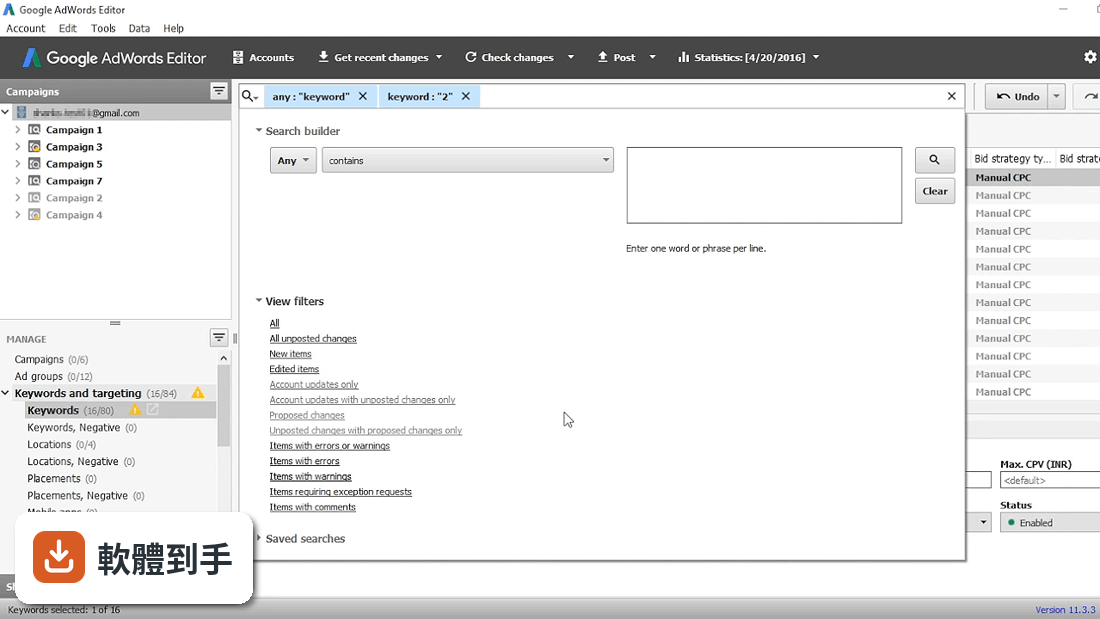
最大的差別在於離線作業與批次處理。網頁後台必須連線才能操作,且逐筆修改較慢;這套軟體可先將帳戶下載到電腦,離線進行大量修改,完成後再一次上傳同步。它也提供網頁後台沒有的進階篩選和自訂規則檢查功能,例如找出沒有回應式搜尋廣告的廣告群組,這些在網頁介面中需要手動逐一檢查。
04可以同時管理多個 Google Ads 帳戶嗎?
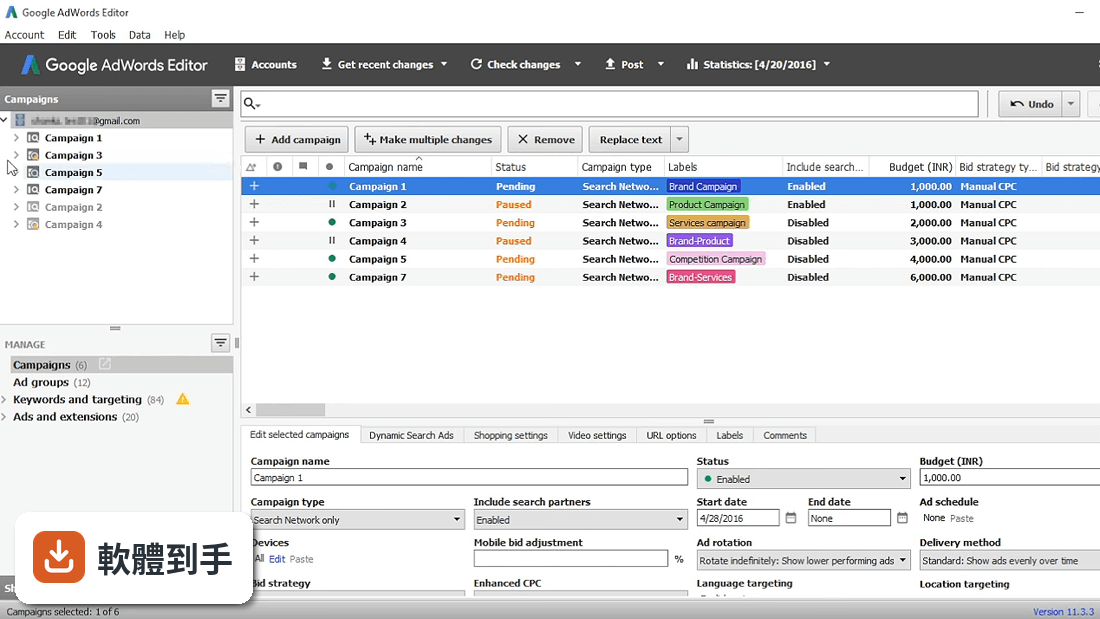
可以。軟體支援在單一視窗中選取並開啟多個帳戶,並可跨帳戶進行編輯。這對管理多家客戶帳戶的代理商特別實用,不需要切換登入不同帳戶,就能在同一個介面中處理所有帳戶的廣告活動。
05這套軟體需要付費嗎?
不需要,它是免費工具,且涵蓋 Google Ads 的所有功能,不會因為使用這套編輯器而缺少任何廣告功能。但使用前提是你必須有 Google 帳戶,並以該帳戶登入 Google Ads 才能下載和同步資料。沒有 Google 帳戶就無法使用。
06這套軟體有中文介面嗎?
沒有。軟體介面只有英文,包括選單、按鈕和說明文件都是英文。雖然操作邏輯不算複雜,但若你對英文介面不熟悉,或對 Google Ads 的英文專有名詞(如 campaign、ad group、bid strategy)不熟悉,使用上會需要額外花時間適應。若完全無法接受英文介面,可能不適合選用。
07這套軟體在 Mac 電腦上能用嗎?
官方資料顯示有提供 Mac 版本可供下載,但這份資料的系統需求僅列出 Windows 11 或 Windows 10(64 位元),包含處理器 2 GHz 以上、4 GB 記憶體(建議 8 GB)、1024x768 以上螢幕解析度,以及需要網路連線進行同步。Mac 版的具體系統需求沒有在資料中說明,需要自行前往官方頁面確認。
08這套軟體的更新頻率如何?
根據收錄的版本紀錄,最早版本在 2017 年,最近一次更新在 2026 年,近 12 個月更新 1 次,近 24 個月也是 1 次。代表它大約一年更新一次,屬於持續維護中的軟體,但更新不算頻繁。如果你期待每個月都有新功能加入,這套軟體的更新節奏可能不符合預期。
09這套軟體有沒有什麼限制或缺點?
有幾個已知限制。第一,它沒有即時成效數據,無法在軟體內看到廣告的即時點擊或花費,需要同步後才能看到最新數據。第二,所有修改都必須手動同步到 Google Ads 線上帳戶,不會自動更新。第三,與第三方工具的整合有限,若你依賴其他自動化工具或外部數據平台,這套軟體能提供的整合功能不多。
10這套軟體適合初學者使用嗎?
不太適合完全沒接觸過 Google Ads 的新手。它的介面是英文,且功能設計是為了大量編輯,對不熟悉廣告帳戶結構的人來說,操作門檻較高。建議先熟悉 Google Ads 網頁後台的基本操作,了解活動、廣告群組、關鍵字之間的關係後,再考慮使用這套工具。若你只是偶爾改幾筆廣告,網頁後台就足夠。
11這套軟體的使用者評價如何?
目前收錄的評分為 7.74 分(滿分 10 分),但只有 27 人評分,樣本數偏少,參考價值有限。相較之下,功能相近的 Autodesk DWG Trueview 有 161 人評分、NetBalancer 有 66 人評分,評分人數都多於這套軟體。如果你很在意其他使用者的實際體驗,現有評分人數可能不足以反映真實使用狀況。
12這套軟體可以取代 Google Ads 網頁後台嗎?
不能完全取代。它適合用來做大量修改和離線編輯,但網頁後台仍有其必要性。例如查看即時成效數據、設定新的廣告活動類型、使用 Google Ads 網頁後台專屬的新功能等,都需要回到網頁操作。這套軟體比較像是一個輔助工具,在需要批次處理時使用,日常管理仍以網頁後台為主。
下載與官方連結
前往官方網站 下載 Google AdWords Editor
GoogleAdWordsEditorSetup.exe · 連結指向軟體原廠
版本紀錄
- 2026-07-25 Google AdWords Editor 2.13.2
- 2019-01-16 Google AdWords Editor 12.6.1 1.1 MB
- 2018-10-23 Google AdWords Editor 12.5.3 1.1 MB
再看 4 筆
- 2018-08-28 Google AdWords Editor 12.5.2 1.1 MB
- 2018-07-10 Google AdWords Editor 12.4.1 1.1 MB
- 2018-05-01 Google AdWords Editor 12.3.1 1.1 MB
- 2017-11-14 Google AdWords Editor 12.2.1
這一版改了什麼
What's new in this version:
Google AdWords Editor 12.2.1
- AdWords Editor version 12.2 features several updates, including Gmail asset-based ads, full support for promotion and video extensions, and a new budget type option for video ads
Gmail asset-based ads:
- Asset-based ads in Gmail are now fully supported in AdWords Editor
Campaign total budgets:
- Video campaigns now have the option of choosing Campaign Total budget type
Custom rules updated:
- New built-in custom rules are now available for structured snippet extensions and non-serving campaigns and ad groups
Semantic location:
- You can now set a bid modifier to target your ads by location with AdWords Editor
Promotion extensions:
- Promotion extensions are now fully supported by AdWords Editor
Life events:
- “Life events” is now a category of audience targeting
Video campaign extensions:
- All video campaign extensions are now supported
Ad group level ad rotation:
- Ad groups can now be set to so ads rotate
Expanded language targeting:
- Campaign language targeting in now available for Bengali, Tamil, and Telugu
Google AdWords Editor 12.1
Expanded Dynamic Search ads:
- You can now use AdWords Editor to create and edit expanded Dynamic search ads
Showcase ads:
- AdWords Editor now supports Shopping Showcase ads and ad group types
New campaign goal for UAC:
- Universal app campaigns now include the “In-app actions” goal to target users who are likely to complete the specific in-app actions you’ve set up for your campaign
First position bidding:
- The Advanced Bid Changes tool now includes First position bidding to help you get the most reach for your budget
Keyword display tools:
- The new Keyword display width column shows the length of keyword text in display units to help users judge text limit. Note: This column will be hidden by default
Show campaign violations:
- You can now view campaign and ad groups that violate your custom rules. These violations will not be separate from other error and warning messages in your account
Download more metrics:
- You can now download metrics for first position bid, ad relevancy, landing page experience, and click-through-rate
Google AdWords Editor 12.0.4
Custom rules:
- This version lets you create and edit custom rules that notify you of violations to best practices before posting changes
Faster version downloads:
- AdWords Editor now migrates more of your data from the previous version when you download a new one. This makes downloading a new version of AdWords Editor faster
New design:
- Version 12 features a new design with easier navigation
Maximum conversions bidding:
- This version provides full support for the Maximum conversions bid strategy
More videos and images for universal app campaigns:
- You can now include up to 20 videos and 20 images in universal app campaigns
New optional fields for responsive ads:
- Several optional fields have been added for responsive ads, including “4:1 logo,” “Price prefix,” “Promotion text,” and “Call to action text.”
Google AdWords Editor 12.0
- Custom rules help you build high-performing campaigns
- Faster account downloads for new AdWords Editor versions
- A new look and feel
AdWords Editor 11.8
Campaign-level remarketing lists:
- Version 11.8 lets you add remarketing lists across your campaigns. Keep in mind that campaigns can only have campaign-level or ad group-level remarketing lists—not both.
Price extensions:
- You can now create and edit price extensions using AdWords Editor. Price extensions showcase your business’s offerings in detail, so people can find what they want more quickly through your ad.
Revert edits across campaigns and ad groups:
- A new “Revert with all included items” option on the “Edit” menu lets you revert all edits made to campaigns or ad groups, along with all of their included items.
Save images:
- Version 11.8 lets you save images for image ads or responsive ads to a folder.
Square image requirement:
- Square images for responsive ads are now required when creating or editing an ad.
AdWords Editor 11.7
Export expanded text ads as responsive ads:
- Version 11.7 lets you use the “Export as” feature to convert expanded text ads into responsive ads.
Location extensions:
- You can now create, edit, and remove location extensions. Keep in mind that linking to Google My Business accounts isn’t supported.
Bumper ads:
- This version fully supports bumper ads, a short video ad format designed to allow you to reach more customers and increase awareness about your brand by using a short, memorable message.
Gmail multi-product promotion template:
- You can now use AdWords Editor to create and edit Gmail ads using the multi-product promotion template.
Square images for responsive ads:
- Square images for responsive ads are now supported.
More frequency options for video campaigns:
- In addition to “per campaign,” you can now also use “per ad group” and “per ad” frequency capping for video campaigns.
Google AdWords Editor 11.6
- Change log not available for this version
Google AdWords Editor 11.5.9
- Change log not available for this version
Google AdWords Editor 11.5.8
Expanded text ads:
- This version provides full support for expanded text ads
Search improvements:
- Several improvements were made to the search bar to make it easier to find what you're looking for
Multiple account posting:
- You can now post changes to multiple accounts at the same time
Mobile app engagement ads:
- Version 11.5 lets you create and edit mobile app engagement ads
Structured snippets:
- This version provides full support for structured snippets, which allow your ads to highlight specific aspects of your products and services
Multiple account import and export:
- You can now import a CSV file into multiple accounts and export more than one account into a single CSV file.
Filter by type:
- When downloading campaigns, you can now use the “Select by type” option to choose certain types of campaigns, such as all Shopping campaigns.
Sorting multiple columns:
- Version 11.5 lets you sort multiple columns.
Aggressive targeting optimization:
- New ad groups created in mobile app installs campaigns are set to “aggressive targeting optimization” by default.
Optional landscape image for app install ads:
- Version 11.5 lets you upload an optional landscape image when you create an app install ad.
Google AdWords Editor 11.5.7
- Expanded text ads: AdWords Editor 11.5 provides full support for expanded text ads. Expanded text ads offer nearly 50% more ad text for you to highlight your products and services before people even click into your ad. It’s important to take advantage of expanded text ads as soon as possible because after October 26th, 2016, you’ll no longer be able to create or edit standard text ads. AdWords Editor lets you create and edit expanded text ads at scale so you can easily migrate all of your standard text ads before this date. To help you get started, check out our best practices guide.
- Mobile app engagement ads: Mobile app engagement ads are a great choice if you want to help existing app users take action in your app. You can now create and edit mobile app engagement ads in AdWords Editor, making it easier to reach more of the right app users with the right message.
- Import, export, and posting for multiple accounts: We’re always looking for new ways to make managing accounts easier and more efficient. With this latest version of AdWords Editor, you can post changes to multiple accounts at the same time, import a CSV file into multiple accounts, and export more than one account into a single CSV file.
- Structured snippet extensions: Structured snippets let you highlight features of a specific product or describe the range of products or services your business offers. AdWords Editor now allows you to create and edit structured snippets at scale.
- AdWords Editor 11.5 also provides support for filtering by type when downloading campaigns, aggressive targeting optimization for mobile app installs campaigns, multi-column sorting, and enhancements to advanced search.
Google AdWords Editor 11.4.3
- Faster campaign creation: The “Add campaign” button now has a drop-down menu that lets you select which campaign type to create. When you create campaigns this way, certain default settings specific to campaign types will be set. For example, for video campaigns, bidding is set to Manual CPV, video settings are enabled, and two content exclusions are pre-configured. For Shopping campaigns, languages are set to “all.”
- Ads and extensions are separated in navigation: In the type list, ads and extensions are now separated into two sections: “Ads” and “Ad extensions.”
- App extensions: You can now create and edit app extensions in AdWords Editor. App extensions showcase your mobile or tablet app by showing a link to your app below your ad
- Review extensions: AdWords Editor now fully supports review extensions, which highlight third-party reviews in your ads
- Mobile app installs: You can now create mobile app installs campaigns for your Display Network ads in AdWords Editor
- Broad match modifier in duplicate keywords tool: The find duplicate keywords tool now ignores the broad match modifier match type when you select the “Duplicates can have different match types” option
- Target CPA bid strategy: You can now change your campaign’s bid strategy to Target CPA
- Frequency capping: To limit the number of times the same person will see your Display Network ad, you can now edit the frequency capping campaign setting and export it for archiving and sharing. However, CSV import and export aren’t supported
Google AdWords Editor 11.3.2
- Video campaigns: TrueView video ads are an interactive way to engage your customers on YouTube and across the Internet. Version 11.3 lets you create and edit standard TrueView video campaigns. You can add content exclusions and change your targeting methods to help control who sees your ads. You can also change other settings, such as your maximum cost-per-view (max CPV). Keep in mind that TrueView for shopping and mobile app installs campaigns aren’t supported
- Callout extensions: You can now create and edit callout extensions for your campaigns and ad groups. Callout ad extension lets you include additional text with your search ads. This lets you provide detailed information about your business, including products and services you offer
- HTML5: AdWords Editor now supports HTML5 ads
- Recent changes selection: Version 11.3 adds an option to have newly created items selected when "Make changes in duplicate items" is turned on
- Meta-words in Append Text tool: This version lets you use meta-words, such as "[campaign]" and "[ad group]" when using the Append Text tool
- New user list types: Two new user list types are now available in the user list picker: "Customer list" and "Similar."Google AdWords Editor 11.6