
這是歷史版本頁面 — 看 Hard Disk Sentinel 最新版本
硬碟快壞了怎麼知道?Hard Disk Sentinel 在做什麼
 Hard Disk Sentinel 5.40
資料更新 2019-03-20
閱讀約 6 分鐘
電腦用著用著開始變慢,開個資料夾要轉好幾圈,偶爾還會聽到硬碟發出咔咔聲。你想知道它是不是快壞了,但又不知道從哪裡看起——工作管理員只顯示使用率,看不出健康狀況,更別提預測什麼時候會掛掉。怕的是哪天突然開不了機,裡面的照片、文件、工作檔案全部跟著消失。
一般人的習慣是等電腦真的出問題才處理,但硬碟壞掉通常不是瞬間發生,而是慢慢惡化。問題是,Windows 內建工具給的資訊太少,你根本無從判斷「偶爾卡一下」是正常老化還是警訊。這類工具切入的角度,就是持續盯著硬碟的溫度、S.M.A.R.T. 數值、壞軌數量這些底層數據,在真正故障前先發出警報,讓你有時間備份。
01Hard Disk Sentinel 到底能幹嘛?
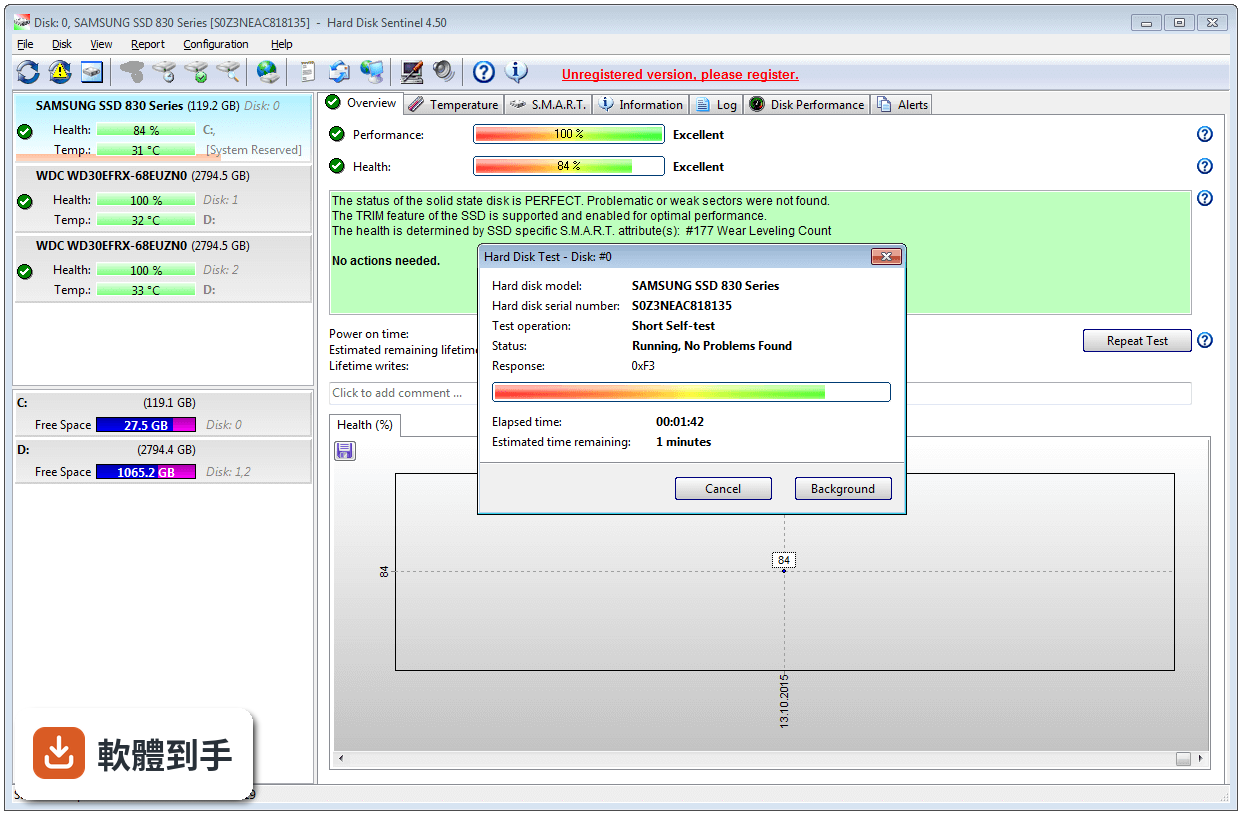
它是一套硬碟監控軟體,主要工作是盯著電腦裡或外接盒中的 HDD、SSD 健康狀況。它會即時顯示每顆硬碟的溫度、S.M.A.R.T. 數值、健康評分和效能表現,並在偵測到異常時發出警報。另外也內建磁碟表面測試和傳輸速度測量,可以用來判斷硬碟是否有實體損壞或效能衰退。
02它跟工作管理員或 Windows 內建工具差在哪?
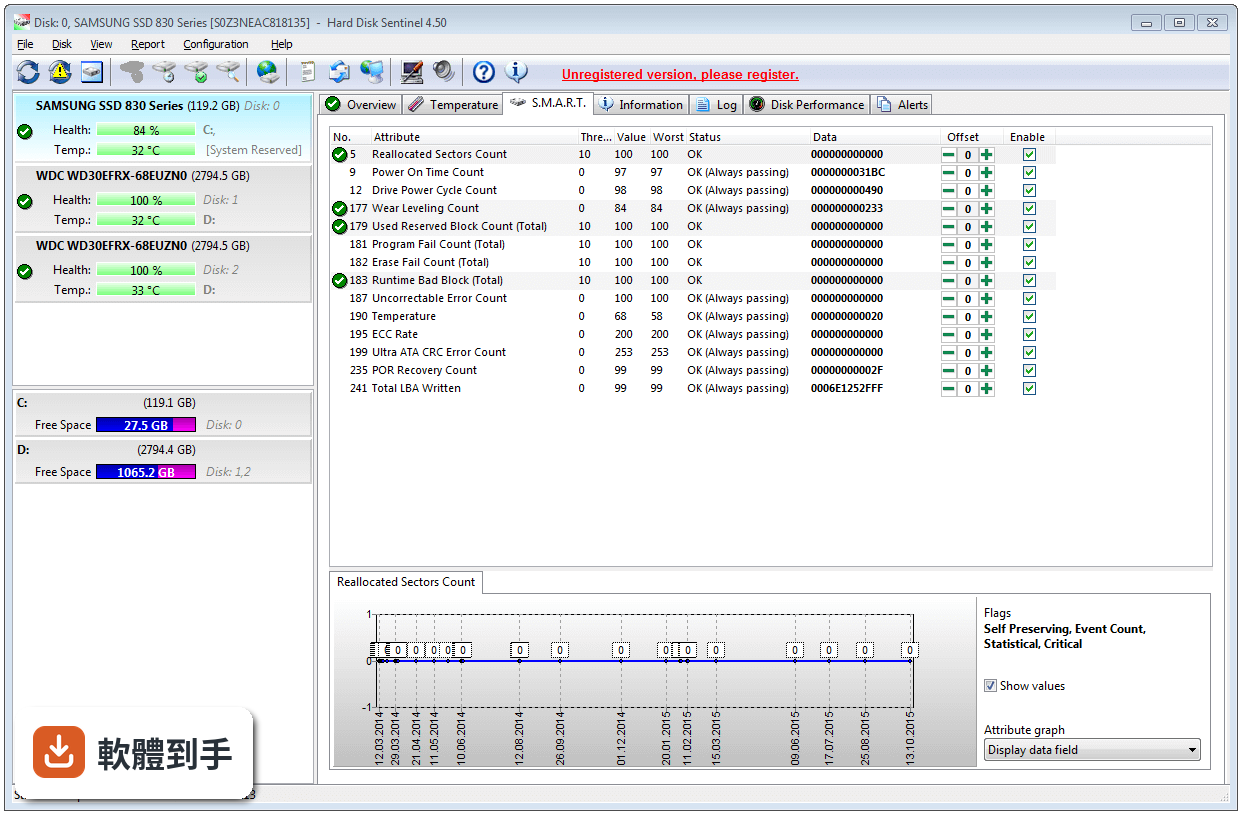
工作管理員只告訴你當下磁碟使用率,看不出硬碟的長期健康趨勢。Hard Disk Sentinel 會持續記錄每顆硬碟的 S.M.A.R.T. 數據,包含重新分配磁區數、讀寫錯誤率、通電時數等,並換算成一個健康百分比。這些資訊 Windows 內建工具不會顯示,而這些正是判斷硬碟是否快故障的關鍵指標。
03它怎麼判斷硬碟快壞了?
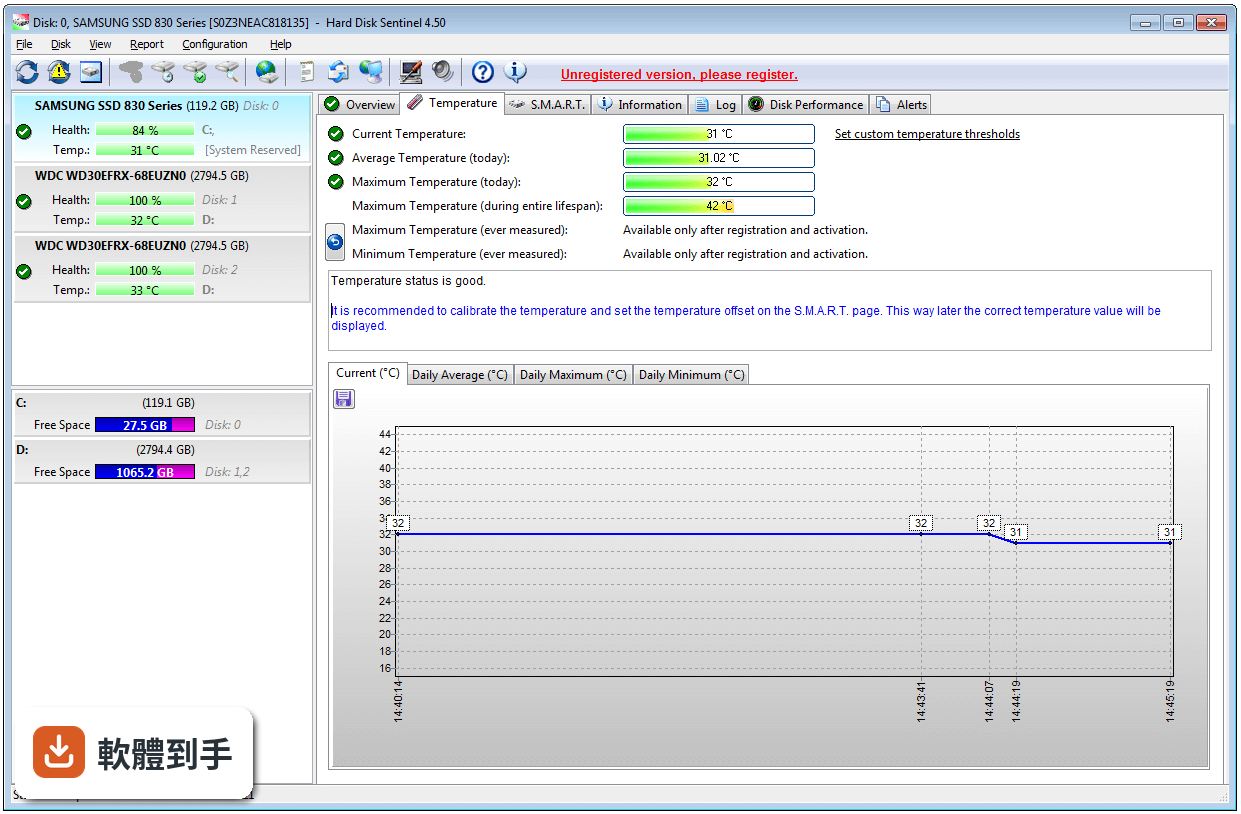
它會分析硬碟內建的 S.M.A.R.T. 數據,這套機制是硬碟自己記錄的自我監測數值。軟體把這些數值轉成健康評分,分數越低代表風險越高。同時它也監控溫度,過熱會加速硬碟老化。當某個數值異常或溫度超標,它會跳出通知或寄 email 警告你,讓你在硬碟完全掛掉前有時間備份。
04它能測硬碟速度嗎?
可以。它提供即時的磁碟傳輸速度測量,也能當作效能基準測試工具,評估硬碟目前的讀寫表現。這可以用來判斷硬碟是否出現效能衰退——例如一顆原本讀取速度有 150MB/s 的硬碟,如果現在只剩一半,可能就是老化或故障的徵兆。不過要注意,它主要測的是當前狀態,不是拿來跟其他硬碟做詳細比較的專業跑分軟體。
05它能修壞軌嗎?
它能「偵測」壞軌,透過磁碟表面測試掃描整顆硬碟找出實體損壞的區域,但「修復」不是它的主要功能。官方說明提到它能診斷和協助處理硬碟問題,但對於已經出現的壞軌,最實際的處理方式是盡快把資料備份出來,然後更換硬碟。別指望軟體能把壞軌修好,那只會讓你誤判風險。
06什麼樣的人需要裝這種軟體?
如果你電腦裡有多顆硬碟或 SSD,或是使用外接硬碟、筆電、伺服器,而且裡面的資料不見了會很麻煩,那你就需要這類工具。特別是那些硬碟已經用了一兩年以上、又沒有定期備份習慣的人,裝一套監控軟體至少能在硬碟壞掉前收到警告,爭取時間把檔案複製出來。
07筆電使用者需要嗎?
需要,而且筆電使用者比桌機更該注意。筆電的硬碟通常更緊湊、散熱條件較差,而且整台機器帶著走,震動和碰撞的風險比桌機高。Hard Disk Sentinel 支援筆電常見的 S-ATA、NVMe 介面,也能監控溫度。如果你的筆電硬碟已經用了很久,裝一套來盯健康狀況是合理的預防措施。
08外接硬碟也監控得到嗎?
可以。官方說明明確提到支援 USB 和 e-SATA 外接盒中的硬碟,也支援 USB-NVMe 轉接器、擴充座和外接多槽 RAID 盒。不過要注意,部分外接盒或轉接器可能無法完整傳遞 S.M.A.R.T. 數據,實際能讀到多少資訊,取決於你的外接裝置和硬碟型號,建議裝了之後先確認是否顯示完整數值。
09免費的 CrystalDiskInfo 就夠用了嗎?
如果你只需要看基本的 S.M.A.R.T. 健康狀態和溫度,CrystalDiskInfo 確實是很多人用的免費選擇,而且它的評分人數(227 人)比 Hard Disk Sentinel(189 人)還多。但 Hard Disk Sentinel 多了磁碟表面測試、即時傳輸速度測量、更詳細的警報設定,以及專業版的自動備份功能。如果你只是想知道「硬碟還能不能用」,免費工具就夠;如果你要更完整的監控和測試,再考慮付費。
10它只有英文介面,看不懂怎麼辦?
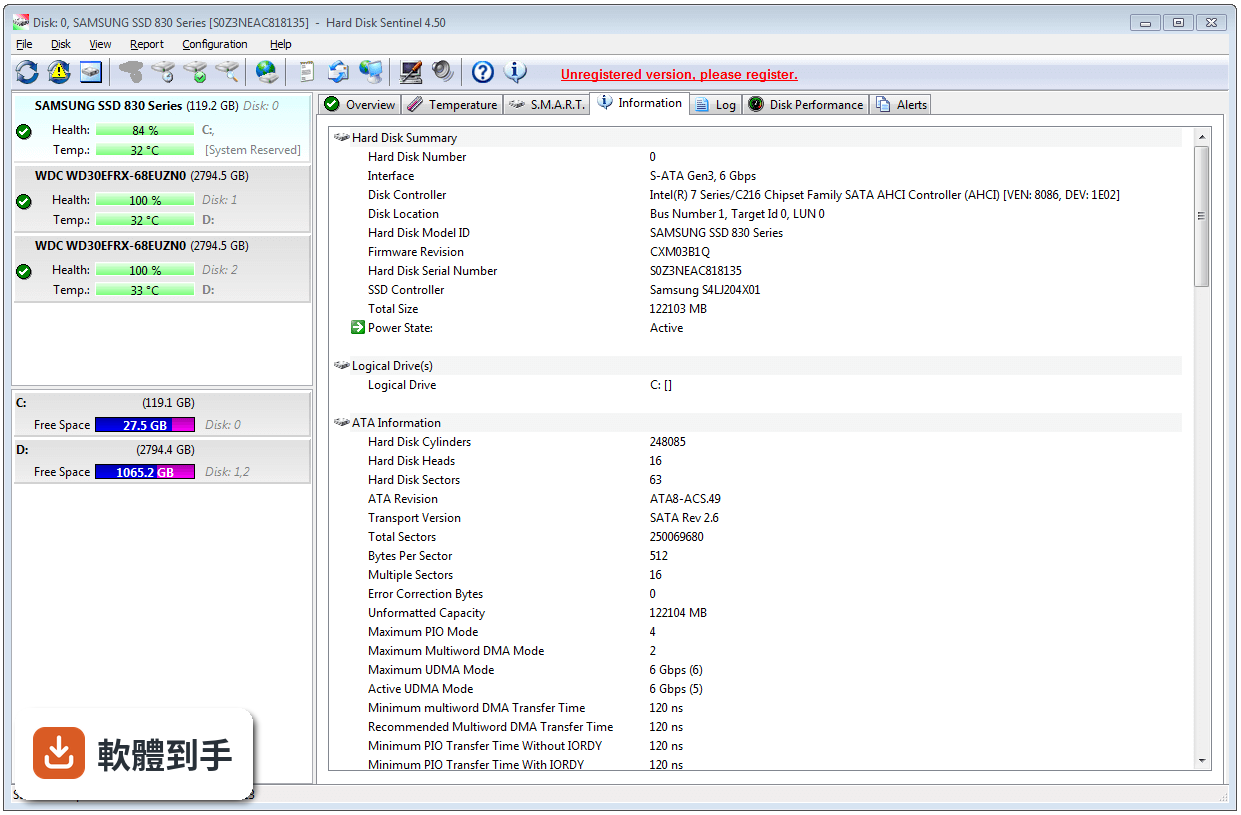
這套軟體目前介面只有英文,官方說明中提到的語言更新是新增了葡萄牙語,沒有提到繁體中文。如果你英文閱讀沒問題,操作上還算直觀,主畫面就是每顆硬碟的健康狀態、溫度和效能圖示。但如果看不懂英文,你可能會誤判某些警報訊息,這種情況下用有中文介面的 CrystalDiskInfo 會比較安全。
11試用版跟付費版差在哪?
它是 Trial 授權,代表可以試用,但功能可能受限。官方說明提到 Professional 版本有排程和自動備份功能,可以在偵測到問題時自動備份資料,這在試用版中不一定有。另外,試用版可能無法使用所有進階功能,或是有使用天數限制。具體的試用期限和功能限制,官方網站上才有詳細說明,安裝前建議先確認。
12這套軟體適合伺服器或 NAS 嗎?
官方說明提到它支援伺服器環境,也支援 RAID 設定和 NVMe 硬碟,並改善了 Intel VROC、Broadcom 控制器等 RAID 組態的偵測。不過要注意,伺服器通常需要長時間穩定運作,這類監控軟體如果設定不當,可能干擾系統效能。而且伺服器環境通常有更專業的監控方案,如果你只是管理一台家用伺服器,這套軟體夠用;如果是企業等級,建議先確認是否支援你的硬體控制器。
下載與官方連結
hdsentinel_setup.zip · 24.98 MB · 連結指向軟體原廠
版本紀錄
- 2026-03-24 Hard Disk Sentinel 6.40 40.43 MB
- 2025-03-18 Hard Disk Sentinel 6.30 38.31 MB
- 2024-05-08 Hard Disk Sentinel 6.20 38.27 MB
再看 5 筆
- 2023-05-18 Hard Disk Sentinel 6.10 34.9 MB
- 2022-03-15 Hard Disk Sentinel 6.01
- 2022-03-10 Hard Disk Sentinel 6.00
- 2021-01-19 Hard Disk Sentinel 5.70
- 2020-05-05 Hard Disk Sentinel 5.61 32.21 MB
這一版改了什麼
What's new in this version:
Improvements and new features:
- added option to configure offsets for SCSI, SAS hard disk drives/SSDs, NVMe SSDs, industrial SD memory cards
- added watchdog extension: protection against unwanted closing/termination after running for multiple days
- detect and display new problems, degradations of SCSI, SAS disk drives on the Log page
- improved and extended Log page for IDE, SATA, USB drives: display additional problems, degradations
- it is possible to sort disks in Load status of offline disks window, multiple disk test selector window, authentic report selector window
- it is possible to find (CTRL+F, F3) in Load status of offline disks window, multiple disk test selector window, authentic report selector window
Improved hardware support:
- added support of Lenovo 720I SATA/SAS RAID controllers: detect complete status of SATA/SAS hard disks, SSDs managed by such RAID controllers
- added/improved support of HP RAID controllers: Smart Array H240nr, Smart Array P240nr, Smart Array P542D: detect complete status of SATA/SAS hard disks, SSDs managed by such RAID controllers
- added support of HPE P/E-Class SR Gen10 SATA/SAS RAID controllers (tested: HPE Smart Array P408i-a SR Gen10)
- added support of Intel RSP3TD160F SAS RAID controller: detect complete status of SATA/SAS hard disks, SSDs managed by this RAID controller
- completely redesigned and fixed drive order, logical drive detection with Intel, LSI, Dell, IBM RAID controllers
- completely redesigned VIA RAID controller detection: detect and display logical/physical disks better
- completely redesigned JMicron-RAID detection: detect complete disk status, RAID members and their health, temperature, self-monitoring status 10-40 times faster than previously
- added support of Kingston SUV500 series SSDs
- added support of Crucial BX500 series SSDs: display health and status information correctly
- added support for ASMedia ASM236X USB -> NVMe bridge: detect complete NVMe M.2 SSD status over USB connection
- added support of USB-NVMe adapters with JMicron JMS583 chip: detect and display complete NVMe status information
- added support of Jeyi I9, ITHOO Tech USB-NVMe adapter
- added support of UNITEK S1201A USB3.1 Type-C to M.2 (PCIe/NVMe) Enclosure
- added support of Icy Box and Delock External enclosure for M.2 NVMe SSD, USB 3.1 Type-C, Glotrends Scorpio M.2 NVME USB-C External Enclosure
- added support of Corsair Voyager GTX pendrives: display complete self-monitoring status, lifetime writes and details
- added support of Mediasonic K32-SU3 external USB 3.0 - SATA hard disk enclosure
- added support of ICY BOX IB-231StU3 external USB hard disk enclosure
- added support of RaidOn dual drive RAID devices: detection of both hard disk drives / SSDs used with temperature, health and complete self-monitoring S.M.A.R.T. information
- Supported devices: RaidOn iR2623-S3, iR2772-S3, iR2771-S3, iR2770, iR2022, iR2622, SR2611-2S-S2R+, GR3680-SB3
- added support of Oyen Digital MiniPro RAID V3 enclosure and SilverStone TS231U-C enclosure: detect complete disk status of both hard disk drives / SSDs used in both standalone and any RAID mode
- improved support of ADATA SX8200NP NVMe M.2 SSD (previous version may showed 0% health)
- improved detection and display of Crucial P1 M.2 NVMe SSD, HP SSD EX920 1TB, XPG GAMMIX S11 and various NVMe M.2 SSDs
- improved detection with Intel SMART Response Technology (SSD cache) with newer Intel RAID drivers
- improved support of Intel SSDSC2KW120H6 SSD, ADATA SP550 SSD, SK Hynix SSDs, Kingspec SSDs, LiteON SSDs
- improved support of ADATA SU650 SSD, KINGSTON RBUSNS8280S3128GH2 SSD, Seagate Barracuda SSDs, Intel SSDPEKNW512G8
- improved support of Adaptec SAS/SATA RAID controllers
- improved support of 3ware 9650 SATA, 9690 SATA/SAS RAID controllers
- improved support of Sandisk SD8TB8UxxxG1001, SD8TN8UxxxG1001, SD9SN8W-xxxG-1006 models
- improved compatibility with MO (Magneto-optical) drives, Lexar Jumpdrive F35 pendrives
- improved disk drive temperature display on HP RAID controllers
- improved support of multi-disk enclosures / docking stations with JMicron chipset and ASMEDIA chipset
- improved NVMe status detection under Windows 7 with Intel RST driver 15.7 (available from Support -> Driver Zone)
- improved compatibility with HP SAS Expander
- improved support of VLI 711 USB-ATA chipset
- improved power on time reporting on TOSHIBA MQ01ABD100, FUJITSU MHY2250BH, HUS726040ALS214 and various SAS hard disk drives
- reporting correct health for WD BLUE SSDs (previous version may showed 1% health)
- added support of Apacer AS330 Panther
- detection of UASP transfer mode on double (multi-drive) docking stations
- fixed: detect multiple NVMe SSD status on Intel VROC when SSDs are in standalone (non-RAID) configuration
Bug fixes, further modifications:
- improved display during surface test: show surface reinitialization level, show disk number in title
display disk comment in random seek test window instead of acoustic level (if comment defined)
- transfer rate tray icon (when enabled) automatically shows transfer rate in MB/sec instead of KB/s when the value is at least 1 MB/sec
- improved display of SCSI/SAS disks in "Load status of offline disks" window
- improved authentic report saving
- improved support and display of Arabic, Korean language
- complete Greek help (thanks for Michael I. Goudevenos for the translation)
- drives un-selected (hidden) from main window are not selected in save authentic report window
- fixed Windows OS type detection on 64 bit Windows 10 systems
- minor changes, modifications