
這是歷史版本頁面 — 看 HitFilm Express 最新版本
免費剪片軟體 HitFilm Express 被官方停更了還能用嗎
 HitFilm Express 16.0.10807
資料更新 2020-12-11
閱讀約 6 分鐘
想找一套免費的影片剪輯軟體,在網路上繞了一圈,看到 HitFilm Express 的介紹,號稱有專業級剪輯功能,還內建 410 種以上的特效,甚至能玩 3D 合成。下載安裝好,打開介面卻全是英文,操作起來比想像中複雜。更麻煩的是,聽說這套軟體的原廠已經停止開發,心裡難免猶豫:現在開始學一套可能不會再更新的軟體,時間投下去值得嗎?
免費剪輯軟體不是沒有,但功能往往陽春,想要多一點轉場或特效,就得另外找素材或外掛。HitFilm Express 的切入點是「剪輯加上視覺特效」一次滿足,不用在兩套軟體之間來回切換。只是它的門檻不在價錢,而在英文介面與不算平緩的學習曲線。搞清楚它到底能做什麼、限制在哪裡,再決定要不要把時間花在上面,會是比較實際的做法。
01HitFilm Express 這套軟體現在還能下載來用嗎?
可以。官方網站仍提供免費版本下載,安裝後不需要付費就能使用基本剪輯功能。要注意的是,原廠 Artlist 已經宣布停止 HitFilm 與 Imerge 的開發,也就是說這套軟體不會再有新版本,但既有功能還是可以正常運作。如果你不介意用一套「功能已定型」的軟體,下載使用沒有問題。
02它跟一般免費剪輯軟體比起來,特別的地方在哪?
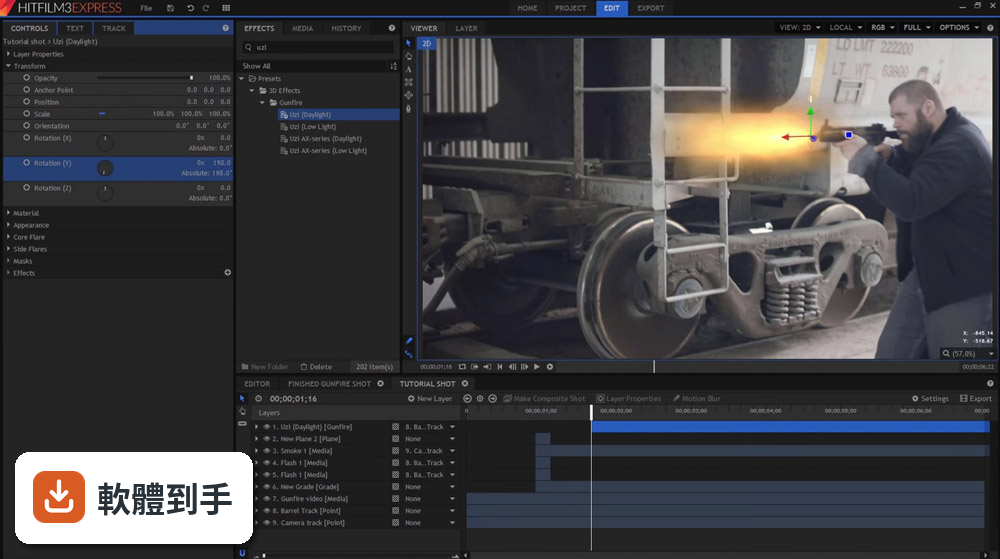
它最大的差異是內建完整的 2D 與 3D 合成功能,以及超過 410 種特效和預設效果,包含閃電模擬、3D 文字、動態追蹤、綠幕去背等。一般免費剪輯軟體多半只提供基礎剪輯與轉場,特效要嘛很少、要嘛需要另外安裝。如果你需要的是「剪輯加特效」一次到位,這套軟體的功能深度確實少見。
03免費版到底能用哪些功能?會不會剪到一半被鎖住?
免費版提供基本的剪輯工具、無限軌道與轉場,內建 10 首歌、25 個音效和 5 個範本,可以永久免費使用,沒有時間限制。但進階功能如 8K 輸出、32-bit 色彩、3D 物件、BorisFX 外掛等,需要訂閱 Creator(每月 7.99 歐元)或 Pro(每月 12.99 歐元)方案才能解鎖。一般剪片、加字幕、套特效,免費版夠用。
04它的動態追蹤功能好用嗎?大概能做到什麼程度?
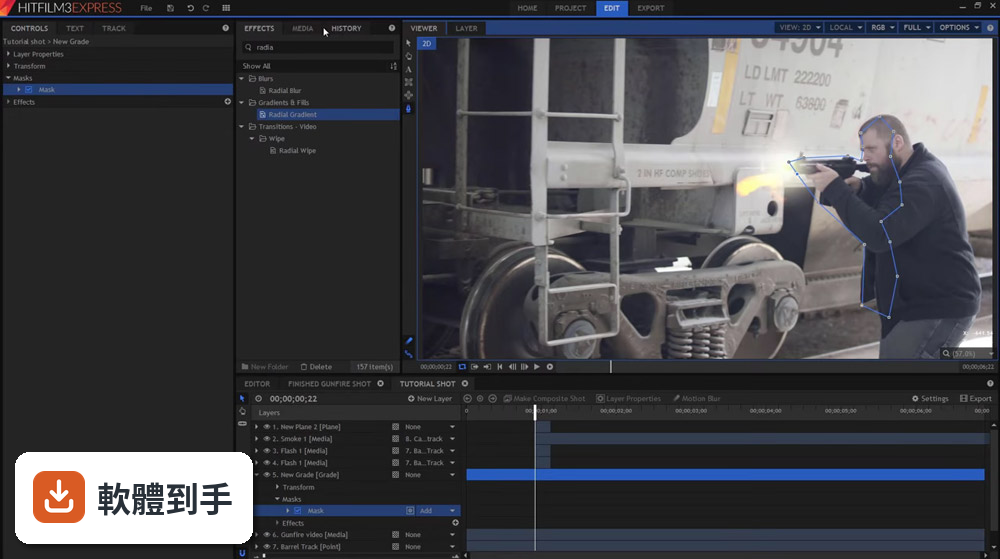
它採用光流技術的動態追蹤,可以鎖定影片中物體的移動路徑,再把文字或特效貼上去跟著跑。例如讓字幕跟著人物移動、把特效綁在特定物體上,這在免費軟體中很少見。實際操作上需要一些耐心,要手動設定追蹤點、調整參數,不是一鍵完成。但以免費工具來說,能做到這個程度已經算很進階。
05電腦配備不夠好的話,跑得動嗎?
官方說明提到它支援多核心與 GPU 加速,也有背景渲染機制,讓你在輸出時還能繼續編輯。但官方沒有給出明確的最低硬體需求,所以能不能順跑,取決於你的電腦規格。建議先安裝免費版,匯入幾段影片實際剪剪看,如果預覽會卡、操作延遲明顯,再考慮升級硬體或換其他軟體。
06英文不好的人用這套軟體會很吃力嗎?
會。這套軟體介面只有英文,沒有中文語系,操作選單、特效名稱、參數設定全部是英文。如果你對剪輯軟體的操作邏輯不熟,又要同時理解英文介面,學習曲線會比較陡。建議先看官方提供的免費教學影片,確認自己能不能接受全英文的操作環境,再決定要不要投入時間。
07新手完全沒剪過片,適合直接學這套嗎?
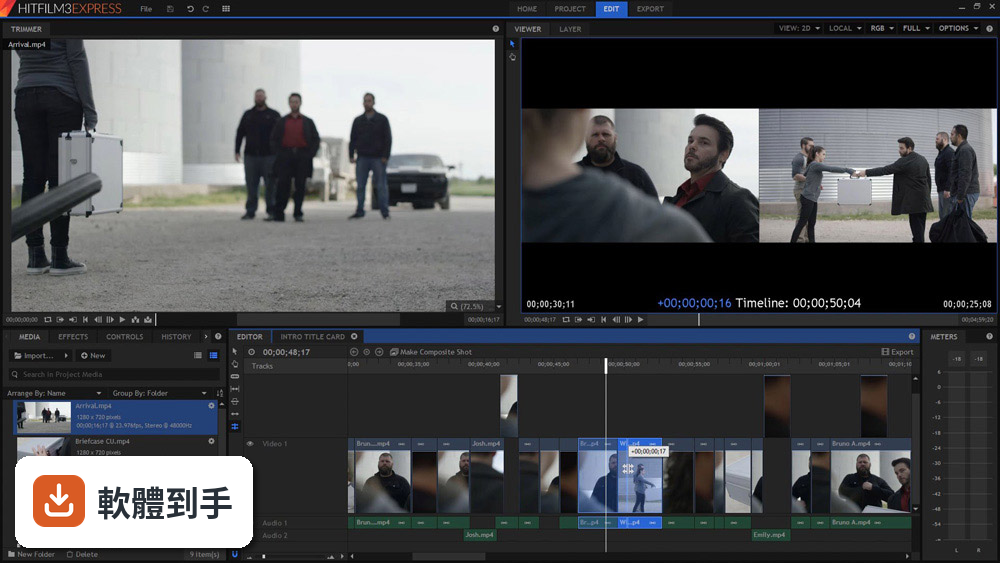
如果你完全沒碰過剪輯軟體,這套的起手式會比較重。它的功能很多,介面資訊量大,特效參數也複雜,新手容易迷失在選單裡。官方有提供免費教學影片和專案範本,跟著做可以學到基本流程,但需要花時間。如果你只是想快速剪一支簡單的影片,其他更直覺的免費軟體會比較友善。
08聽說這套軟體被官方停掉了,現在開始學會不會白費功夫?
官方確實已經停止開發,不會再有新版本或新功能。但軟體本身還能正常使用,你學到的剪輯與合成概念,換到其他軟體也通用。比較需要考慮的是:如果未來 Windows 系統大改版,這套軟體可能無法相容;另外,遇到問題時,官方不會再提供更新修復。如果你不介意這些風險,它仍然是一套功能完整的工具。
09跟 DaVinci Resolve 比起來,我該選哪一套?
DaVinci Resolve 的評分人數遠多於 HitFilm Express(365 人對 22 人),表示使用者的回饋樣本數較大,穩定性與社群支援相對有保障。DaVinci 以調色聞名,HitFilm 則強在特效與合成。如果你主要想學剪輯和調色,DaVinci 是比較多人走的路;如果你對特效、3D 合成特別感興趣,HitFilm 的免費方案有它的獨特價值。
10我想要有中文介面的免費剪輯軟體,這套適合嗎?
不適合。HitFilm Express 只有英文介面,沒有中文語系選項。如果你需要中文介面,可以考慮 OpenShot Video Editor,它有中文語系,操作也比較簡單,但特效和合成功能遠不如 HitFilm。取捨點在於:你願意為了特效功能接受英文介面,還是優先選擇順手的中文工具。
11這套軟體更新頻率這麼低,是不是代表有問題沒人修?
近兩年只更新過一次,加上官方已宣布停止開發,可以視為「不會再修」的狀態。目前已知的功能運作正常,但未來若遇到系統更新導致相容性問題,不會有人處理。如果你需要一套長期穩定、持續維護的軟體,這套不適合;如果你只是短期專案要用,或想免費體驗專業級特效功能,它還是可以勝任。
下載與官方連結
HitFilmExpress_x64_16.0.10807.58344.msi · 連結指向軟體原廠
版本紀錄
- 2025-11-25 HitFilm - Free Video Editing Software
- 2022-07-28 HitFilm Express 18.0
- 2021-09-24 HitFilm Express 17.0.11715.56097
再看 5 筆
- 2021-09-24 HitFilm Express 17.0
- 2021-03-18 HitFilm Express 16.1.11108.07206
- 2020-12-11 HitFilm Express 16.0.10807
- 2020-12-11 HitFilm Express 16.0 403 MB
- 2020-10-26 HitFilm Express 15.2.10619 399 MB
這一版改了什麼
What's new in this version:
Enhancements:
- 3D model formats which support animation no longer generate animation files on import, unless the model includes animation data
- Editor tracks can now be renamed by double-clicking on the track name
- The GoPro FX Reframe effect has been renamed, and is now GoPro Lens Reframe
- The names of imported 3D animation assets are now displayed in the Media panel
- The motion blur settings now use a default shutter phase of -90
- The default radius for Highpass Sharpen was adjusted, and the blend modes have been reordered based on intensity
- The new Export menu provides access to all export functions in a single location
- All spinbox values in the interface can now be edited by click-dragging with the mouse
- The Export Frame feature now names the image based on the timecode of the frame being exported
- The new Remove Unused command deletes all unused assets from the Media panel with a single command
Bug-Fixes:
- Adding curves to a layer which contains a mask no longer causes stability issues
- Selecting a point layer in the controls for Video Copilot's Optical Flares no longer causes stability issues
- Trying to add a preset to a layer which does not support certain types of effects no longer causes stability issues
- Opening a new project after creating a text object on the editor no longer causes stability issues
- If a timeline is shortened to a timecode which precedes the Out point, the Out point is clamped to fit the new duration
- Behavior effects are now added at the bottom of the effects list, when applied to editor sequence objects
- Clicking the Reset Master button in Trapcode Particular no longer causes stability issues
- Searching for "4 point" in the Effects panel now returns the 4-point gradient in the results
- Parenting a camera to a 2D layer which is parented to a 3D layer no longer causes stability issues
- Saving a project no longer prevents the font in the Text effect from being changed
- Scopes are now only calculated when the Scopes panel is visible
- Exporting a project no longer stops the Text effect from updating in the viewer
- The Controls panel now updates properly for pasted objects
- Making a composite shot from a clip with curves applied no longer causes stability issues
- The GoPro Lens Reframe interface is now resized to fit the selected Projection preset
- Dragging to reposition the view in GoPro Lens Reframe now moves the view in the expected direction
- Eliminated an artifact at the center of the GoPro Lens Reframe effect when running on Intel 600-series graphics
- Clarified the wording of some error messages
- MPEG-1 .ts video files now import correctly
- The export preview now properly renders when the Export panel is re-opened during an ongoing export task
- Improved the handling of audio files containing floating-point PCM values
- 360° effects can now be searched for in the Effects panel without including the degrees symbol
- Media files containing pre-multiplied alpha channels now render correctly in the Trimmer, the Media panel, and the editor thumbnails
- Playback in the trimmer now includes the last frame of the video
- Editing the border color for a mask is now processed on the viewer immediately
- Reduced the bitrates for Instagram export presets
- Merging audio from two recordings of the same event with noticeable variations has been improved
- The Export Now > Contents command now creates a folder at the chosen location, if the folder doesn't already exist
- 3D models using the Override Texture option now properly respect the viewer's downsample mode
- The export button is now correctly disabled when there is nothing to export
- Repositioning masks now registers correctly, so the mask does not move again when the mouse is clicked
- Clicking the Favorite button with multiple effects selected now favorites all selected effects
- The large curves interface in the Controls panel now displays correctly when enabled
- Selection of a folder in the Export panel presets list is now clearly indicated
- Rounded rectangle mask controls now update properly based on the size of the mask
- Selecting a foreground layer in Video Copilot's Optical Flares no longer causes stability issues
- Double-clicking a mask shape now finalizes the mask after adding it
- Resetting an orthographic view now updates to display all objects correctly
- Copy-paste now behaves more consistently on the Editor and composite shot timelines
- Adding an effect which does not include any controls no longer switches focus to the Controls panel
- Added the option to Convert to Point Text/Paragraph Text to the contextual menu on the editor
- Switching projects while an export task is ongoing now stops the expor
- The Apply Matte option in Mocha HitFilm now functions correctly on Mac systems. (Mac)
- Clicking the Master System button in Trapcode Particular no longer causes stability issues
- The editor timeline will now offer to match the resolution of non-media assets, such as a planes, when they are the first object added to the timeline
- Improved the styling of properties containing non-editable text, to make it more apparent which properties are read-only
- Adding an effect now consistently opens the effect controls in the Controls panel, and selects the object on the timeline
- Creating a null in Video Copilot's Element 3D no longer causes stability issues
- Creating a composite shot from an audio-only asset now uses the project resolution, rather than a resolution of 1x1.The controls for the Atomic Particles now update correctly when the effect is applied to a 3D model
- The controls for the Atomic Particles now update correctly when the effect is applied to a 3D model
- Deleting a layer after cut/pasting the layer and source asset no longer causes stability issues
- The histogram for the Levels Histogram effect is no longer calculated unless the histogram is visible
- Improved the styling for the names of video files, which were being elided unnecessarily on Mac systems. (Mac)
- The interface now renders correctly when interface tabs are repositioned. (Mac)
- Zooming the viewer with the mouse wheel is now disabled while creating a mask
New:
- Commands for importing media and recording voiceover have been added to the File menu
- Added an option to sync video and audio tracks when scrolling vertically through the editor timeline
- Boris FX BCC 3D Objects plugins have been updated to version 2020.5
- The keyboard shortcuts for adjusting the scale of the timeline can now also be used on the timeline in the Controls panel
- Mocha HitFilm has been upgraded to version 7.0.5
- Added a command to remove all empty tracks on the editor timeline at once
- Added support for decoding of HEVC/H.265 video files in the software, and on hardware for systems with supported GPUs
- Export Frame functionality has been extensively reworked, with more options and greater control
- Voiceover audio can now be recorded directly in HitFilm, through the Media panel or the File menu
- The glTF format is now supported for importing 3D models and animation
- 3D models now support physically-based rendering, using both Metallic-Roughness and Specular-Glossiness materials
- Added support for hardware decoding on Macs with supported graphics hardware. (Mac)