
找圖示不用再開瀏覽器?Icons8 Pichon 能做什麼
 Icons8 10.0.11
資料更新 2026-11-02
閱讀約 6 分鐘
做簡報、畫介面、剪影片封面時,最煩的就是「找一顆合適的圖示」。明明腦海裡已經有大概的樣子,但打開瀏覽器、進圖庫網站、輸入關鍵字、一張一張翻,翻到對的卻發現格式不對、尺寸太小、顏色跟整體設計不搭,只好換關鍵字重來。來回幾趟,半小時就沒了,最後常常是隨便挑一顆「還可以」的硬用。
一般人習慣的做法是「用瀏覽器開圖庫網站,下載後再丟進設計軟體調整」。但這條路在網路不穩、或臨時要改顏色改尺寸時特別卡——下載回來的檔案常常要再開另一個軟體轉格式,拖進設計軟體後又發現解析度不夠。這類工具的切入點,是把整個圖示素材庫變成一個裝在電腦裡的桌面程式,先下載好、離線也能翻,而且在下載前就能先改好顏色、尺寸、格式,讓素材直接符合專案需求,省掉中間來回轉檔的步驟。
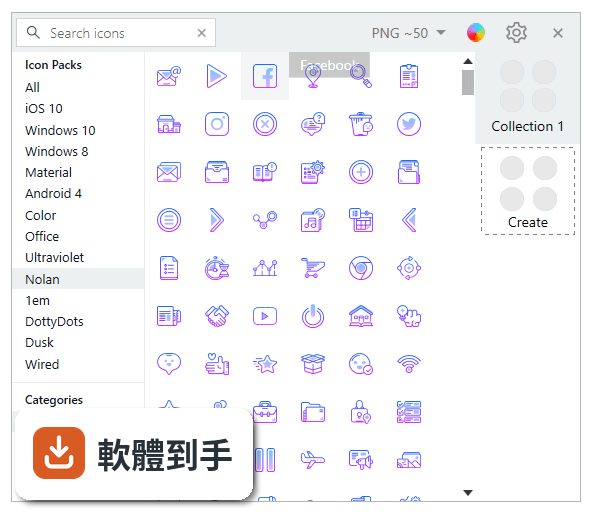
01Icons8 Pichon 跟直接去 Icons8 網站抓圖示有什麼差?
網站版需要開瀏覽器、連網路才能搜尋和下載;Pichon 是把整個 Icons8 素材庫下載到電腦硬碟裡,安裝後離線狀態下也能瀏覽、搜尋、拖出圖示。另外它提供下載前的編輯功能,可以在程式裡先調整顏色、尺寸、格式再匯出,不用像網站版那樣下載後還要自己用其他軟體改。
02這套軟體能不能離線用?
可以。官方說明指出,Pichon 的設計就是把所有 Icons8 圖示存到本機硬碟,安裝完成後,即使沒有網路也能搜尋、瀏覽、下載素材。這對常常在咖啡廳、客戶端、或網路不穩的環境工作的人來說是主要優勢。不過要注意,第一次安裝和下載素材庫時還是需要連網路。
03圖示可以改顏色和大小嗎?
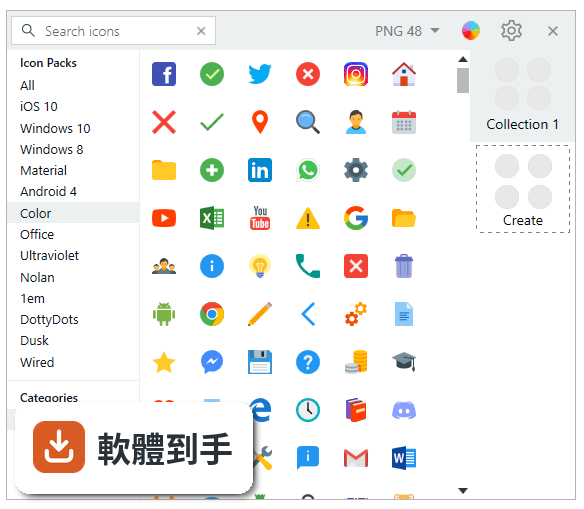
可以。Pichon 內建重新著色(recolor)和調整尺寸(resize)的功能,在下載或拖出素材前,可以先在程式裡把圖示改成專案需要的顏色和大小。這比下載後再用其他繪圖軟體調整來得直接,也避免放大後失真或顏色跟整體設計不搭的問題。
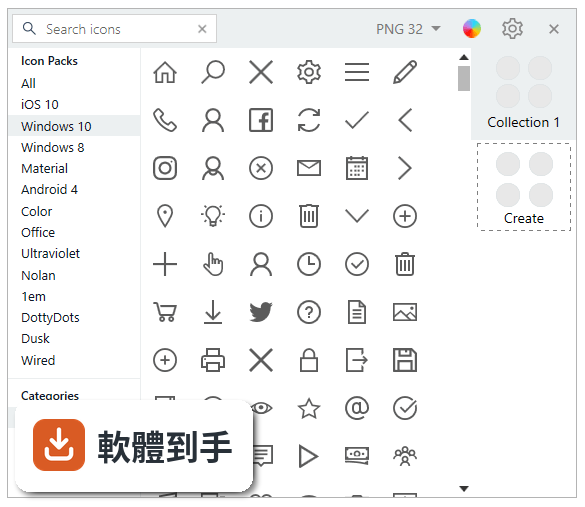
04可以輸出哪些檔案格式?
官方列出的匯出格式包含 SVG、PNG、EPS、ICO、PDF。也就是說,從網頁用的 PNG、向量用的 SVG/EPS、到 Windows 捷徑或應用程式用的 ICO 都有涵蓋。實際使用時,可以依專案需求選擇對應格式,不需要另外轉檔。
05能不能直接拖進 Photoshop 或 Figma?
可以。Pichon 支援拖放功能,官方說明明確提到可以把圖示直接拖進 Figma、Sketch、Adobe XD、Photoshop、Xcode 或其他設計軟體。這代表你不用先下載到資料夾、再從資料夾插入設計檔案,省掉中間步驟,對常用設計軟體的人來說會順手很多。
06什麼樣的人適合用這套軟體?
官方定位是給設計師、開發者、創意工作者使用。具體來說,如果你常常需要幫介面設計、簡報、社群圖、或開發中的應用程式找圖示和插圖,而且希望素材能離線使用、快速拖進專案,那這套軟體的工作方式會貼合你的需求。個人接案者和設計團隊都適用。
07不會設計的人用得上嗎?
如果你只是偶爾做簡報、寫文件需要放幾顆圖示,Pichon 的搜尋和拖放功能確實不難上手,不需要繪圖技術也能用。但它的核心價值在於「大量素材離線管理」和「下載前客製化」,對素材需求不多的人來說,免費圖庫網站可能就夠用,不一定需要安裝一個桌面程式。
08這套軟體是免費的嗎?
根據授權型式,Pichon 屬於 Demo(試用版),不是免費軟體。這表示它可能有限制功能、限制使用次數、或限制部分素材的授權範圍。官方說明提到素材可用於個人和商業專案,但試用版具體能用哪些功能、有沒有浮水印或數量限制,需要到官方網站確認授權細節。
09介面只有英文,會不會很難用?
Pichon 的介面語系是 English,沒有繁體中文。對不習慣英文介面的人來說,搜尋圖示的關鍵字、設定匯出格式這些操作需要稍微熟悉一下英文選單。不過圖示軟體的操作邏輯相對單純,主要功能就那幾個,如果日常使用設計軟體已經是英文介面,適應上不會太困難。
10它跟 CorelDRAW 比起來哪個比較多人用?
在收錄的評分資料中,CorelDRAW Graphics Suite 有 561 人評分,Pichon 有 70 人評分,CorelDRAW 的評分人數明顯較多。但兩者定位不同——CorelDRAW 是完整的向量繪圖軟體,Pichon 是圖示素材管理工具。如果你需要的是「畫圖、排版、做完整設計」,CorelDRAW 是不同類型的產品;如果只是要找圖示素材,Pichon 的用途更直接。
11這套軟體還有在更新嗎?
從版本紀錄來看,Pichon 收錄了 6 個版本,最早的版本在 2017 年,最近一次更新在 2025 年,但近 12 個月內沒有新版本,近 24 個月也只有 1 次更新。也就是說,這套軟體目前處於更新頻率偏低的狀態。如果你很在意素材庫是否持續新增內容,這點需要列入考量。
12有沒有其他功能相近的軟體可以比較?
在收錄資料中,功能相近的軟體有 Axialis IconGenerator、IcoFX、Axialis IconWorkshop,評分人數分別是 15 人、48 人、27 人,都比 Pichon 的 70 人少。另外 CorelDRAW Graphics Suite(561 人評分)和 Canvas X(1628 人評分)雖然不是純圖示管理工具,但評分人數較多,表示使用者基數較大。建議可以試用比較,看哪一套的介面和流程符合你的習慣。
下載與官方連結
Icons8Setup.exe · 129 MB · 連結指向軟體原廠
版本紀錄
- 2026-11-02 Pichon by Icons8 10.0.11 129 MB
- 2026-10-21 Pichon by Icons8 10.0.10 129 MB
- 2026-10-19 Pichon by Icons8 10.0.9 129 MB
再看 5 筆
- 2026-10-14 Pichon by Icons8 10.0.5 129 MB
- 2025-06-13 Pichon by Icons8 10.0.4 90.9 MB
- 2019-03-20 Icons8 7.1.5.0 61.6 MB
- 2019-03-20 Icons8 7.1.4.0 61.6 MB
- 2019-03-06 Icons8 7.0.7.0 61.5 MB
這一版改了什麼
- Now, you can download large collections of Icons8 photos and illustrations, along with the usual icons.
- Create custom icon collections and export them in SVG, PNG, or PDF formats.
- Adjust the colors of monochrome icons to suit your needs.
- Enjoy the new Dark Mode for a more comfortable user experience.
Pichon’s user interface is clean and intuitive, designed to help users quickly access icons and other assets without unnecessary clutter. The main window is divided into sections for icons, illustrations, and photos, with a search bar at the top.
Users can easily browse through categories or use the search function to find the right graphic. The side panel provides filters and customization options, where users can adjust the size, color, or style of icons.
Once users select an asset, they can simply drag it into their design software, which reduces the steps needed to integrate content into a project. Overall, the interface is user-friendly, with clear navigation and minimal learning curve, making it accessible for both beginners and seasoned designers.
Installation and Setup
Installing this software is straightforward. The app is available for Windows and macOS platforms and can be downloaded from the official Icons8 website.
The installation file is lightweight, and the process is completed in just a few clicks:
- Download the installer from Icons8, MS Store or FileHorse website.
- Run the installer and follow the on-screen instructions.
- Once installed, the app opens to a simple user registration or sign-in window, which links to an Icons8 account. You can either create a free account or sign in if you already have one.
- After installation, the app may take a few minutes to download the entire icon library, depending on your internet speed, so users can access the assets offline.
Using this app is effortless. After opening the app, users can search for specific assets by entering keywords into the search bar. Filters such as style, category, or format can be applied to narrow down the search results.
Once an asset is found, users can preview it, change its size or color using the customization tools, and then either download it or drag and drop it directly into their design software.
This process eliminates the need for downloading, importing, or managing assets through other means, making design workflows faster and more efficient.
FAQ
Can I use Pichon for PC offline?
Yes, once the assets are downloaded, they are available for offline use. This feature is one of the app's major selling points.
Is Pichon free?
It offers both free and paid plans. Free users can access a limited set of icons, while premium users gain access to the entire collection, including high-resolution files and additional features.
Which formats are supported for downloading icons?
Icons can be downloaded in multiple formats, including PNG, SVG, PDF, and ICO, which covers most design and development needs.
Can I customize the icons before downloading?
Yes, you can change the size, color, and format of the icons before downloading them, allowing for easy customization to fit your project’s needs.
Does Pichon integrate with design tools?
It supports drag-and-drop functionality, making it easy to integrate with popular design tools like Figma, Sketch, and Photoshop.
Pricing
It offers a freemium model:
Free Plan: Users can access a limited number of icons and design assets in lower resolution.
Paid Plan: For $19.90/month, users can unlock the entire icon library, illustrations, and high-resolution photos, with additional formats and customization options.
What benefits does a subscription provide?
Any of icons/illustrations/photos Icons8 subscription opens you a high-res images and vector formats for corresponding assets type.
System Requirements
- Windows: Windows 11, 10, 8 or 7
- RAM: Minimum 2GB
- Storage: 1GB of free space required for the initial download of assets
- Extensive library of icons, illustrations, and photos.
- Offline access to downloaded assets.
- Simple and intuitive interface.
- Customization tools for size, color, and format.
- Regular updates with new assets.
- Free version has limited access.
- Asset download may take time initially.
Pichon by Icons8 LLC is an indispensable tool for designers, developers, and creative professionals who frequently use icons and design assets in their work. Its offline capabilities, combined with an intuitive interface and powerful customization tools, make it a go-to app for those looking to streamline their design process.
While the free version offers limited functionality, the paid plan unlocks a wealth of resources, making it a worthy investment for professionals who need access to high-quality design assets.
Note: Limited functionality in the demo version.
Also Available: Download Pichon for Mac
Download Pichon Latest Version Why is this app published on FileHorse? (More info)