
這是歷史版本頁面 — 看 JabRef 最新版本
寫 LaTeX 論文文獻亂糟糟?JabRef 能幫你整理什麼
 JabRef 3.4 (64-bit)
資料更新 2016-06-02
閱讀約 6 分鐘
你正在寫學術論文,手邊累積了幾十篇 PDF 和上百條參考文獻。過去你習慣把 BibTeX 條目直接貼進 .bib 檔,但現在條目一多,重複的 key、漏掉的欄位、格式不一致的引用,讓編譯時老是跳出警告。你想找個方式把這些文獻好好管起來,卻不確定該從哪裡下手。
手動維護 BibTeX 檔案不是不能做,只是當文獻量超過某個程度,出錯的機率會高到讓人煩躁。這類工具切入的點,是讓你把文獻資料集中在一處管理,用介面代替純文字編輯,再自動產生格式正確的引用條目。你不需要記住 BibTeX 語法,也不用擔心某條引用少了必要欄位。
01JabRef 到底能幫我做到什麼程度?
它是一套以 BibTeX 為基礎的文獻管理工具,主要功能是建立、編輯、整理書目資料庫。你可以手動新增條目,也可以從 DOI、ISBN 或線上資料庫自動抓取引用資訊。它支援 BibTeX 和 BibLaTeX 兩種格式,也能把 PDF 連結到對應的條目上,讓文獻庫不只是文字資料,還包含全文檔案。
02它可以從 Google Scholar 直接抓文獻資料嗎?
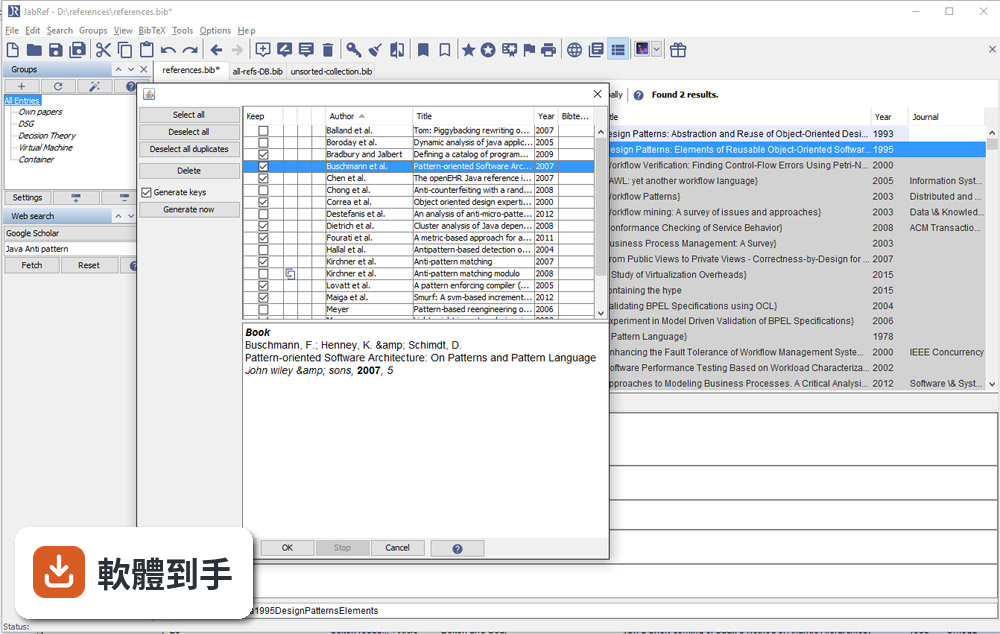
可以。官方說明指出它支援從 Google Scholar、PubMed 和 CrossRef 等學術資料庫檢索並匯入參考文獻。實際使用時,你可以在軟體內輸入關鍵字搜尋,找到後直接加入你的文獻庫,省去手動複製貼上條目的步驟。不過不同資料庫的匯入成功率可能會有差異,建議自己試過再決定主要用哪個來源。
03我有一堆 PDF 論文,它能幫我整理嗎?
它提供 PDF 與檔案連結功能,可以把全文 PDF 附加到對應的文獻條目上。另外有 metadata 擷取功能,能從 PDF 中自動讀取 DOI、ISBN 等資訊,再從線上資料庫補齊引用細節。這表示你不需要逐筆手動輸入,只要把 PDF 丟進去,它有機會自己找出這篇論文是誰寫的、發表在哪裡。
04在 Word 或 LibreOffice 裡寫論文,能用它插入引用嗎?
可以。JabRef 有直接與 Word 和 LibreOffice 整合的功能,可以在文件裡插入引用,並產生格式化書目。這對不用 LaTeX 的人來說是重要的替代路徑。不過要注意,它主要還是以 LaTeX 使用者為核心設計,Word 整合的完整度可能不如 Zotero 或 Mendeley 那類以 Word 為主的工具。
05多人一起寫論文,文獻庫要怎麼共用?
它沒有內建雲端同步功能,但官方說明提到可以把資料庫檔案放在 Dropbox、Google Drive 或 GitHub 上,透過雲端儲存或版本控制系統來同步。也就是說,共用方式是「檔案層級」的合作,不是多人同時編輯同一份資料庫。如果你需要即時協作,可能要考慮其他方案。
06我不用 LaTeX,只寫 Word 文件,適合用這套軟體嗎?
官方說明明確表示,它雖然主要為 LaTeX 使用者設計,但也支援將引用匯出到 Word 及其他格式。如果你只是偶爾需要插入引用,它可以用;但如果你整個寫作流程都依賴 Word,Zotero 或 Mendeley 的瀏覽器擴充功能和 Word 整合會更順手。JabRef 的優勢還是在 BibTeX 生態系裡。
07它介面只有英文,會不會很難上手?
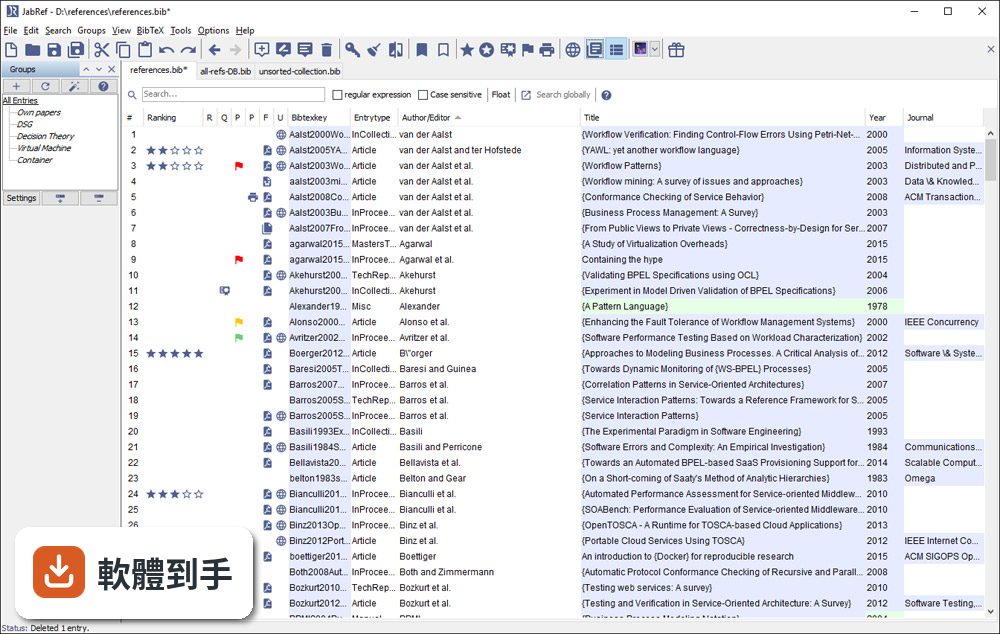
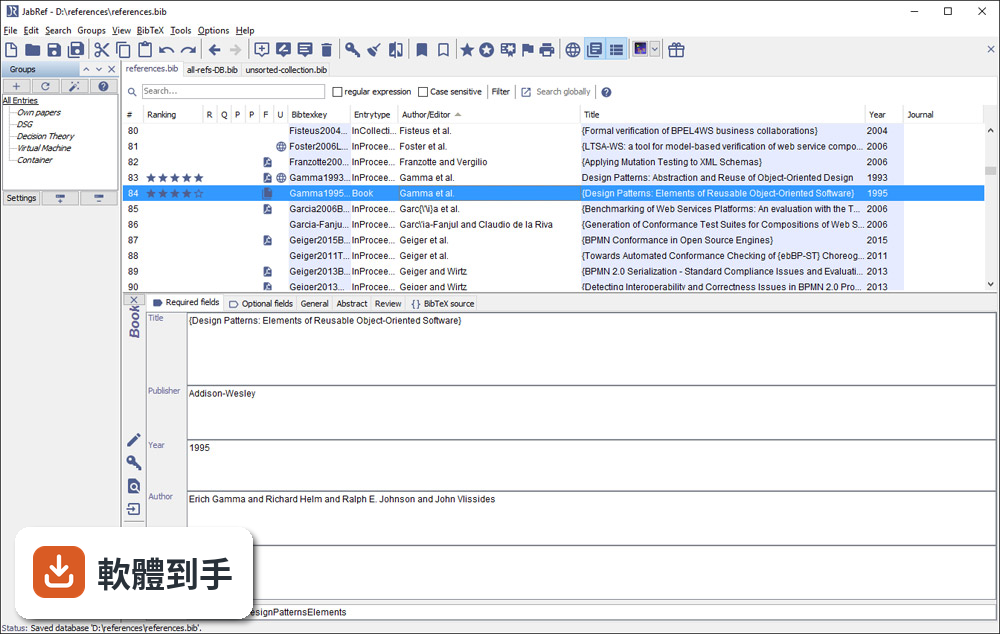
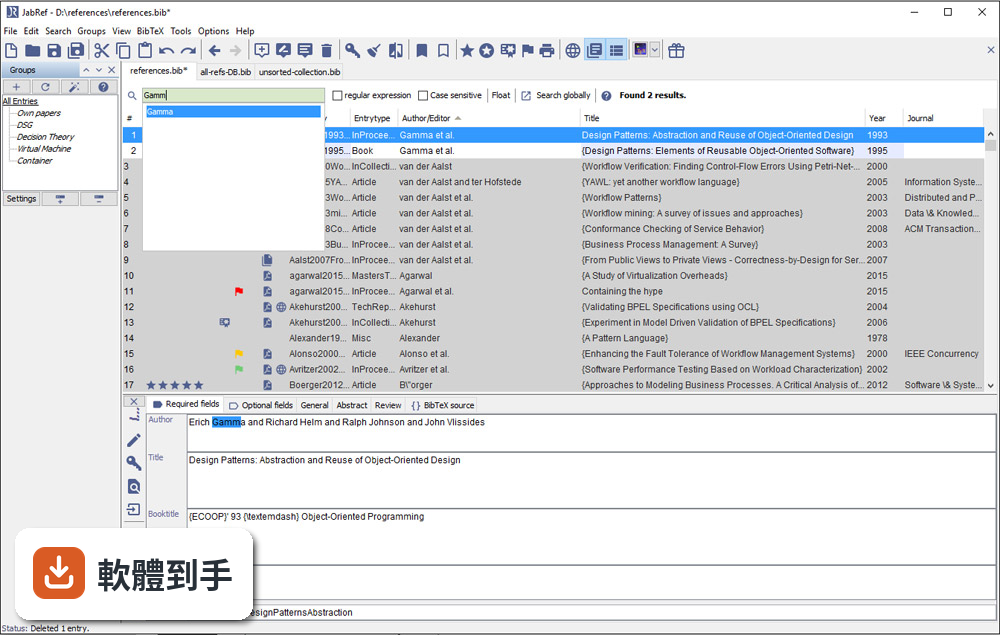
介面確實只有英文,但它的操作邏輯不算複雜:上方是工具列,中間是表格形式的文獻列表,右側是 metadata 面板。對習慣英文介面的人來說,學習成本不高。如果你對英文介面感到吃力,可以考慮 Zotero,它有完整的中文介面,社群文件也比較多。
08它跟 Zotero 比起來,主要差在哪?
兩者都是免費開源文獻管理工具,但定位不同。JabRef 以 BibTeX 為核心,適合 LaTeX 工作流程;Zotero 則以瀏覽器整合和 Word 外掛見長,對一般學術寫作更直覺。Zotero 有內建雲端同步(免費帳號有容量限制),JabRef 沒有。另外 Zotero 的 PDF 註記功能比 JabRef 完整,後者官方說明也承認這點是弱項。
09我習慣用瀏覽器擴充功能一鍵儲存網頁上的文獻,它能做到嗎?
官方功能說明中沒有提到瀏覽器擴充功能。它的匯入方式主要是從學術資料庫檢索、載入 BibTeX 檔案或手動輸入。如果你很依賴「在瀏覽器看到論文,一鍵存進文獻庫」的工作流程,Zotero 或 Mendeley 的瀏覽器外掛會更符合你的需求。JabRef 的匯入路徑比較偏向「先有條目,再整理」。
10它更新頻率好像不高,會不會有相容性問題?
根據版本紀錄,近 24 個月只有 1 次更新,確實不算頻繁。它需要 Java Runtime Environment 11 以上才能執行,如果你系統的 Java 版本太舊,可能無法啟動。另外它支援 Windows 10/11,官方也提供 Mac 和 Linux 版本。如果你擔心長期維護問題,可以觀察社群是否活躍,或考慮更新更頻繁的替代方案。
11我文獻量不大,大概幾十條而已,需要特別用工具管理嗎?
幾十條文獻用手動維護 .bib 檔還算可行,但如果你會持續累積,或需要從多個來源匯入資料,早點建立管理習慣會比較省事。JabRef 的學習曲線不算陡,安裝後把現有 .bib 檔載入就能開始用。不過如果你只是偶爾寫一篇短文,用純文字編輯器也夠用,不必多裝一套需要 Java 環境的軟體。
12這套軟體有內建雲端同步嗎?我需要在不同電腦間同步文獻庫。
沒有內建雲端同步。官方說明明確指出,它不提供雲端儲存功能,但你可以把資料庫檔案放在 Dropbox、Google Drive 或 GitHub 上自行同步。這表示你必須手動管理檔案版本,多人同時編輯時可能會有衝突。如果你需要無縫的跨裝置同步,Zotero 或 Mendeley 的內建同步功能會更省心。
下載與官方連結
JabRef_windows-x64_3_4.exe · 24.6 MB · 連結指向軟體原廠
版本紀錄
- 2026-05-14 JabRef 6.0 Alpha 6 380 MB
- 2024-07-11 JabRef 5.15 196 MB
- 2024-07-09 JabRef 5.14 195 MB
再看 5 筆
- 2024-04-02 JabRef 5.13 196 MB
- 2023-12-25 JabRef 5.12 197 MB
- 2023-10-22 JabRef 5.11
- 2023-09-02 JabRef 5.10
- 2023-01-09 JabRef 5.9
這一版改了什麼
What's new in this version:
Changed:
- Implemented #629: Explicit groups are now written in the "groups" field of the entry instead of at the end of the bib file
- Main table now accepts pasted DOIs and tries to retrieve the entry
- Added support for several Biblatex-fields through drop-down lists with valid alternatives
- Added integrity checker for an odd number of unescaped '#'
- Implemented feature request 384: The merge entries dialog now show all text and colored differences between the fields
- Implemented #1233: Group side pane now takes up all the remaining space
- Added integrity check detecting HTML-encoded characters
- Added missing help files
- Implemented feature request #1294: Added possibility to filter for *.jstyle files in OpenOffice/LibreOffice style selection dialog. Open style selection dialog in directory of last selected file
- Added integrity check for ISSN
- Add LaTeX to Unicode converter as cleanup operation
- Added an option in the about dialog to easily copy the version information of JabRef
- Integrity check table can be sorted by clicking on column headings
- Added SOFTWAREJabref 'Path' registry entry for installation path inside the installer
- Added an additional icon to distinguish DOI and URL links (feature request #696)
- Added nbib fields to Medlineplain importer
- Implemented #1342: show description of case converters as tooltip
- Updated German translation
Fixed:
- Values in an entry containing symbols like ' are now properly escaped for exporting to the database
- Auto save is now working again as expected (without leaving a bunch of temporary files behind)
- NPE when getting information from retrieved DOI
- Empty jstyle properties can now be specified as ""
- NPE when sorting tabs
- Fixed display bug in the cleanup dialog: field formatters are now correctly displayed using their name
- Authors with compound first names are displayed properly
- Selecting invalid jstyle causes NPE and prevents opening of style selection dialog
- Move linked files to default directory works again
- PDF cleanup changes order of linked pdfs
- Remove UI for a configuration option which was no longer available
- Edit -> Mark Specific Color Dysfunctional on OSX
- Empty jstyle properties can now be specified as ""
- Windows: install to LOCALAPPDATA directory for non-admin users
- Default label pattern back to [auth][year]
- Undoing more than one entry at the same time is now working
- Group view is immediately updated after adding an entry to a group
- Dragging an entry to a group preserves scrolling
- Fetch-Preview did not display updated BibTeX-Key after clicking on Generate Now
- File links containing blanks are broken if non-default viewer is set
- Fixed sourceforge bug 1000: shorttitleINI can generate the initials of the shorttitle
- Personal journal abbrevations could not be saved
- Detect path constructs wrong path for Windows
- Add additional DOI field for English version of MS Office 2007 XML
- Save action protect terms protects terms within words unecessarily
- Auto downloader should respect file pattern and propose correct filename
- Improve parsing of author names containing braces
- Auto downloader should try to retrieve DOI if not present and fetch afterwards
- Support multiple words inside LaTeX commands to RTF export
- Entries retain their groupmembership when undoing their cut/deletion
- EntryEditor is restored in the correct size after preference changes
Removed:
- Removed possibility to export entries/databases to an .sql file, as the logic cannot easily use the correct escape logic
- Removed support of old groups format, which was used prior to JabRef version 1.6. If you happen to have a 10 years old .bib file, then JabRef 3.3 can be used to convert it to the current format.
- Removed possibility to automatically add braces via Option - Preferences - File - Store the following fields with braces around capital letters. Please use save actions instead for adding braces automatically.
- Removed button to refresh groups view. This button shouldn't be needed anymore. Please report any cases where the groups view is not updated automatically.
- Medline and GVK importer no longer try to expand author initials (i.e. EH Wissler -> E. H. Wissler).
- Removed not-working option "Select Matches" under Groups -> Settings.