
這是歷史版本頁面 — 看 JabRef 最新版本
寫 LaTeX 論文文獻亂糟糟?JabRef 能幫你整理什麼
 JabRef 5.11
資料更新 2023-10-22
閱讀約 6 分鐘
你正在寫學術論文,手邊累積了幾十篇 PDF 和上百條參考文獻。過去你習慣把 BibTeX 條目直接貼進 .bib 檔,但現在條目一多,重複的 key、漏掉的欄位、格式不一致的引用,讓編譯時老是跳出警告。你想找個方式把這些文獻好好管起來,卻不確定該從哪裡下手。
手動維護 BibTeX 檔案不是不能做,只是當文獻量超過某個程度,出錯的機率會高到讓人煩躁。這類工具切入的點,是讓你把文獻資料集中在一處管理,用介面代替純文字編輯,再自動產生格式正確的引用條目。你不需要記住 BibTeX 語法,也不用擔心某條引用少了必要欄位。
01JabRef 到底能幫我做到什麼程度?
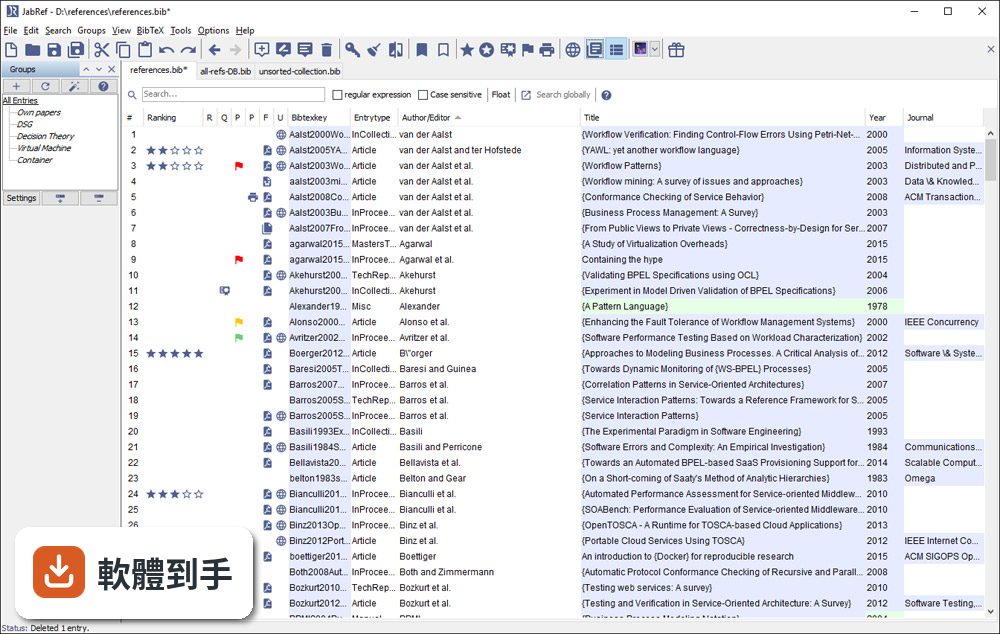
它是一套以 BibTeX 為基礎的文獻管理工具,主要功能是建立、編輯、整理書目資料庫。你可以手動新增條目,也可以從 DOI、ISBN 或線上資料庫自動抓取引用資訊。它支援 BibTeX 和 BibLaTeX 兩種格式,也能把 PDF 連結到對應的條目上,讓文獻庫不只是文字資料,還包含全文檔案。
02它可以從 Google Scholar 直接抓文獻資料嗎?
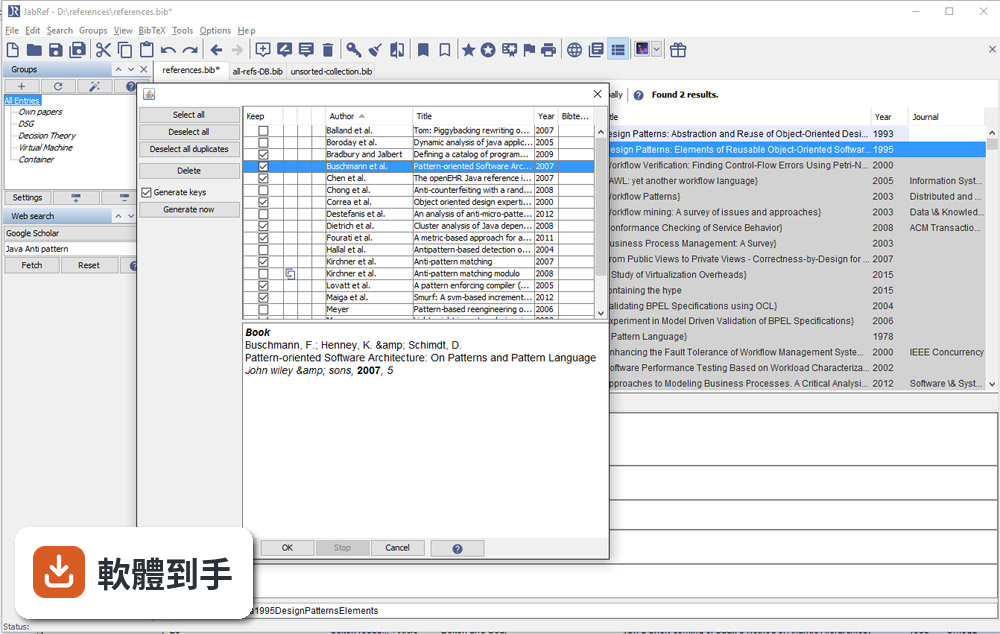
可以。官方說明指出它支援從 Google Scholar、PubMed 和 CrossRef 等學術資料庫檢索並匯入參考文獻。實際使用時,你可以在軟體內輸入關鍵字搜尋,找到後直接加入你的文獻庫,省去手動複製貼上條目的步驟。不過不同資料庫的匯入成功率可能會有差異,建議自己試過再決定主要用哪個來源。
03我有一堆 PDF 論文,它能幫我整理嗎?
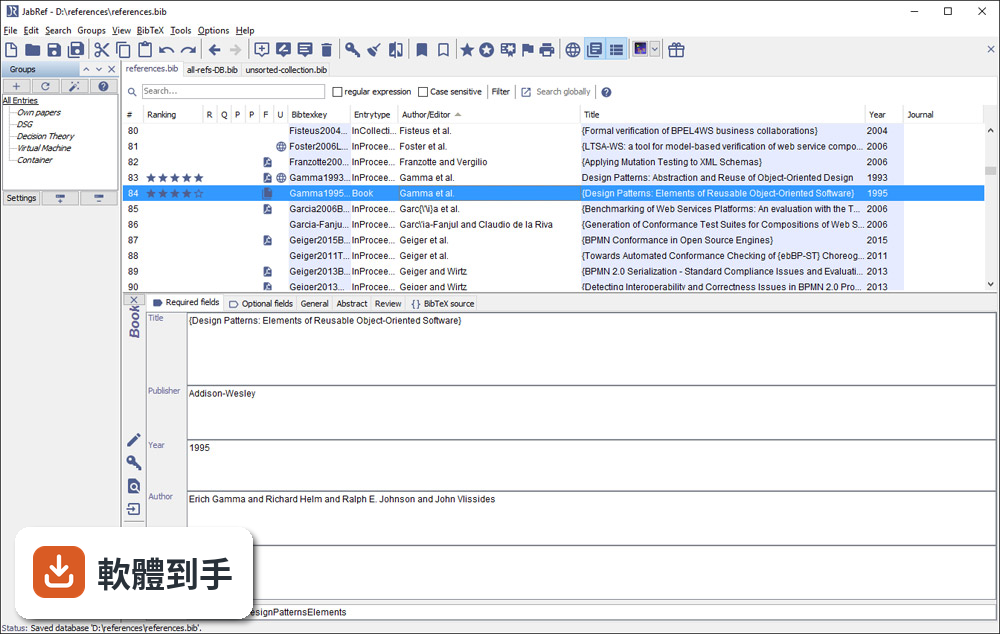
它提供 PDF 與檔案連結功能,可以把全文 PDF 附加到對應的文獻條目上。另外有 metadata 擷取功能,能從 PDF 中自動讀取 DOI、ISBN 等資訊,再從線上資料庫補齊引用細節。這表示你不需要逐筆手動輸入,只要把 PDF 丟進去,它有機會自己找出這篇論文是誰寫的、發表在哪裡。
04在 Word 或 LibreOffice 裡寫論文,能用它插入引用嗎?
可以。JabRef 有直接與 Word 和 LibreOffice 整合的功能,可以在文件裡插入引用,並產生格式化書目。這對不用 LaTeX 的人來說是重要的替代路徑。不過要注意,它主要還是以 LaTeX 使用者為核心設計,Word 整合的完整度可能不如 Zotero 或 Mendeley 那類以 Word 為主的工具。
05多人一起寫論文,文獻庫要怎麼共用?
它沒有內建雲端同步功能,但官方說明提到可以把資料庫檔案放在 Dropbox、Google Drive 或 GitHub 上,透過雲端儲存或版本控制系統來同步。也就是說,共用方式是「檔案層級」的合作,不是多人同時編輯同一份資料庫。如果你需要即時協作,可能要考慮其他方案。
06我不用 LaTeX,只寫 Word 文件,適合用這套軟體嗎?
官方說明明確表示,它雖然主要為 LaTeX 使用者設計,但也支援將引用匯出到 Word 及其他格式。如果你只是偶爾需要插入引用,它可以用;但如果你整個寫作流程都依賴 Word,Zotero 或 Mendeley 的瀏覽器擴充功能和 Word 整合會更順手。JabRef 的優勢還是在 BibTeX 生態系裡。
07它介面只有英文,會不會很難上手?
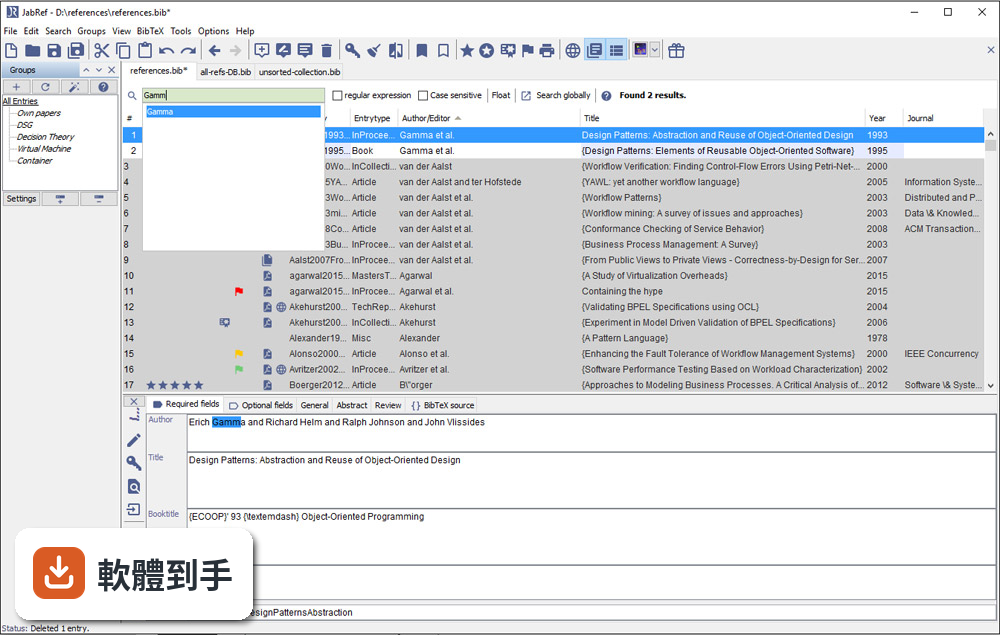
介面確實只有英文,但它的操作邏輯不算複雜:上方是工具列,中間是表格形式的文獻列表,右側是 metadata 面板。對習慣英文介面的人來說,學習成本不高。如果你對英文介面感到吃力,可以考慮 Zotero,它有完整的中文介面,社群文件也比較多。
08它跟 Zotero 比起來,主要差在哪?
兩者都是免費開源文獻管理工具,但定位不同。JabRef 以 BibTeX 為核心,適合 LaTeX 工作流程;Zotero 則以瀏覽器整合和 Word 外掛見長,對一般學術寫作更直覺。Zotero 有內建雲端同步(免費帳號有容量限制),JabRef 沒有。另外 Zotero 的 PDF 註記功能比 JabRef 完整,後者官方說明也承認這點是弱項。
09我習慣用瀏覽器擴充功能一鍵儲存網頁上的文獻,它能做到嗎?
官方功能說明中沒有提到瀏覽器擴充功能。它的匯入方式主要是從學術資料庫檢索、載入 BibTeX 檔案或手動輸入。如果你很依賴「在瀏覽器看到論文,一鍵存進文獻庫」的工作流程,Zotero 或 Mendeley 的瀏覽器外掛會更符合你的需求。JabRef 的匯入路徑比較偏向「先有條目,再整理」。
10它更新頻率好像不高,會不會有相容性問題?
根據版本紀錄,近 24 個月只有 1 次更新,確實不算頻繁。它需要 Java Runtime Environment 11 以上才能執行,如果你系統的 Java 版本太舊,可能無法啟動。另外它支援 Windows 10/11,官方也提供 Mac 和 Linux 版本。如果你擔心長期維護問題,可以觀察社群是否活躍,或考慮更新更頻繁的替代方案。
11我文獻量不大,大概幾十條而已,需要特別用工具管理嗎?
幾十條文獻用手動維護 .bib 檔還算可行,但如果你會持續累積,或需要從多個來源匯入資料,早點建立管理習慣會比較省事。JabRef 的學習曲線不算陡,安裝後把現有 .bib 檔載入就能開始用。不過如果你只是偶爾寫一篇短文,用純文字編輯器也夠用,不必多裝一套需要 Java 環境的軟體。
12這套軟體有內建雲端同步嗎?我需要在不同電腦間同步文獻庫。
沒有內建雲端同步。官方說明明確指出,它不提供雲端儲存功能,但你可以把資料庫檔案放在 Dropbox、Google Drive 或 GitHub 上自行同步。這表示你必須手動管理檔案版本,多人同時編輯時可能會有衝突。如果你需要無縫的跨裝置同步,Zotero 或 Mendeley 的內建同步功能會更省心。
下載與官方連結
JabRef-5.11.msi · 連結指向軟體原廠
版本紀錄
- 2026-05-14 JabRef 6.0 Alpha 6 380 MB
- 2024-07-11 JabRef 5.15 196 MB
- 2024-07-09 JabRef 5.14 195 MB
再看 5 筆
- 2024-04-02 JabRef 5.13 196 MB
- 2023-12-25 JabRef 5.12 197 MB
- 2023-10-22 JabRef 5.11
- 2023-09-02 JabRef 5.10
- 2023-01-09 JabRef 5.9
這一版改了什麼
What's new in this version:
Added:
- We added the ability to sort subgroups in Z-A order, as well as by ascending and descending number of subgroups
- We added the possibility to find (and add) papers that cite or are cited by a given paper
- We added an error-specific message for when a download from a URL fails
- We added support for customizing the citation command (e.g., [@key1,@key2]) when pushing to external applications
- We added an integrity check for more special characters
- We added protected terms described as "Computer science"
- We added a link "Get more themes..." in the preferences to that points to themes.jabref.org allowing the user to download new themes
- We added a fetcher for LOBID resources. koppor#386
- When in biblatex mode, the integrity check for journal titles now also checks the field journal.
- We added support for exporting to Hayagriva YAML format
- We added support for pushing citations to TeXShop on macOS forum#2699.
- We added the 'Bachelor's thesis' type for Biblatex's 'Thesis' EntryType
Changed:
- The export formats listrefs, tablerefs, tablerefsabsbib, now use the ISO date format in the footer
- When searching for an identifier in the "Web search", the title of the search window is now "Identifier-based Web Search"
- The ampersand checker now skips verbatim fields (file, url, ...)
- If no existing document is selected for exporting "XMP annotated pdf" JabRef will now create a new PDF file with a sample text and the metadata
- We modified the DOI cleanup to infer the DOI from an ArXiV ID if it's present
- The ISI importer uses the field comment for notes (instead of `review)
- If no existing document is selected for exporting "Embedded BibTeX pdf" JabRef will now create a new PDF file with a sample text and the metadata
- Translated titles format no longer raise a warning
- We re-added the empty grey containers in the groups panel to keep an indicator for the current selected group, if displaying of group item count is turned off
Fixed:
- We fixed an issue where "Move URL in note field to url field" in the cleanup dialog caused an exception if no note field was present forum#3999
- It is possible again to use "current table sort order" for the order of entries when saving
- Passwords can be stored in GNOME key ring
- We fixed an issue where groups based on an aux file could not be created due to an exception
- We fixed an issue where the JabRef browser extension could not communicate with JabRef under macOS due to missing files. You should use the .pkg for the first installation as it updates all necessary files for the extension
- We fixed an issue where the ISBN fetcher returned the entrytype misc for certain ISBN numbers
- We fixed a bug where an exception was raised when saving less than three export save orders in the preference
- We fixed an issue where it was possible to create a group with no name or with a group separator inside the name
- Biblatex's journaltitle is now also respected for showing the journal information
- JabRef does not hang anymore when exporting via CLI
- We fixed an issue where it was not possible to save a library on a network share under macOS due to an exception when acquiring a file lock
- We fixed an issue where exporting "XMP annotated pdf" without selecting an existing document would produce an exception
- We fixed an issue where the "Enabled" column in the "Protected terms files" tab in the preferences could not be resized
- We fixed an issue where after creation of a new library, the new library was not focused. koppor#592
- We fixed an issue where double clicking on an url in the file field would trigger an exception instead of opening the browser
- We fixed an issue where scrolling was impossible on dragging a citation on the groups panel
- We fixed an issue where exporting "Embedded BibTeX pdf" without selecting an existing document would produce an exception
- We fixed an issue where there was a failure to access the url link for "eprint" for the ArXiv entry.#10474
- We fixed an issue where it was not possible to connect to a shared database once a group with entries was added or other metadata modified
- We fixed an issue where middle-button paste in X not always worked