
這是歷史版本頁面 — 看 JabRef 最新版本
寫 LaTeX 論文文獻亂糟糟?JabRef 能幫你整理什麼
 JabRef 4.2 (64-bit)
資料更新 2018-04-26
閱讀約 6 分鐘
你正在寫學術論文,手邊累積了幾十篇 PDF 和上百條參考文獻。過去你習慣把 BibTeX 條目直接貼進 .bib 檔,但現在條目一多,重複的 key、漏掉的欄位、格式不一致的引用,讓編譯時老是跳出警告。你想找個方式把這些文獻好好管起來,卻不確定該從哪裡下手。
手動維護 BibTeX 檔案不是不能做,只是當文獻量超過某個程度,出錯的機率會高到讓人煩躁。這類工具切入的點,是讓你把文獻資料集中在一處管理,用介面代替純文字編輯,再自動產生格式正確的引用條目。你不需要記住 BibTeX 語法,也不用擔心某條引用少了必要欄位。
01JabRef 到底能幫我做到什麼程度?
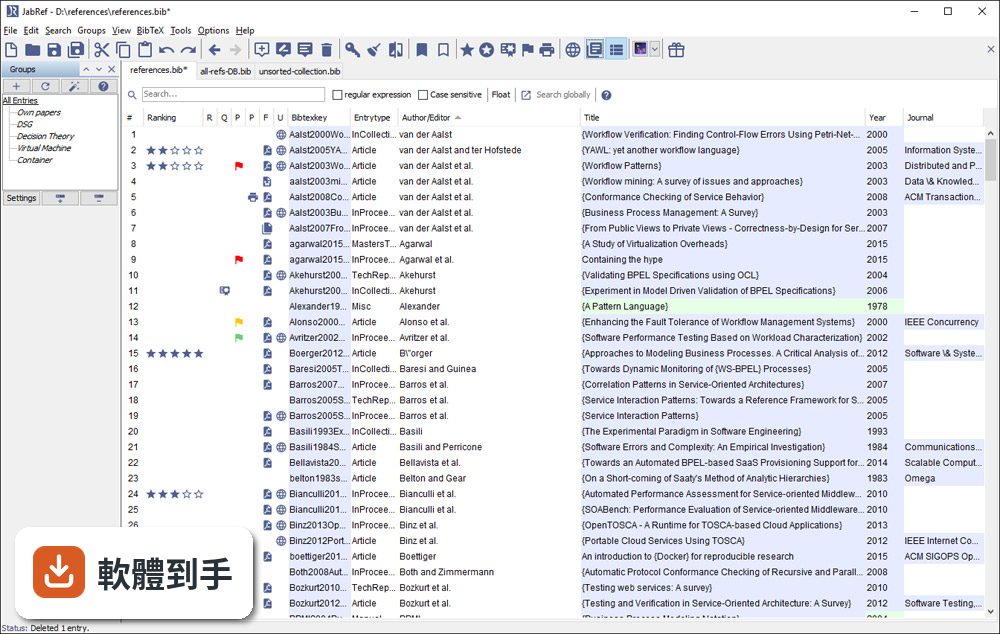
它是一套以 BibTeX 為基礎的文獻管理工具,主要功能是建立、編輯、整理書目資料庫。你可以手動新增條目,也可以從 DOI、ISBN 或線上資料庫自動抓取引用資訊。它支援 BibTeX 和 BibLaTeX 兩種格式,也能把 PDF 連結到對應的條目上,讓文獻庫不只是文字資料,還包含全文檔案。
02它可以從 Google Scholar 直接抓文獻資料嗎?
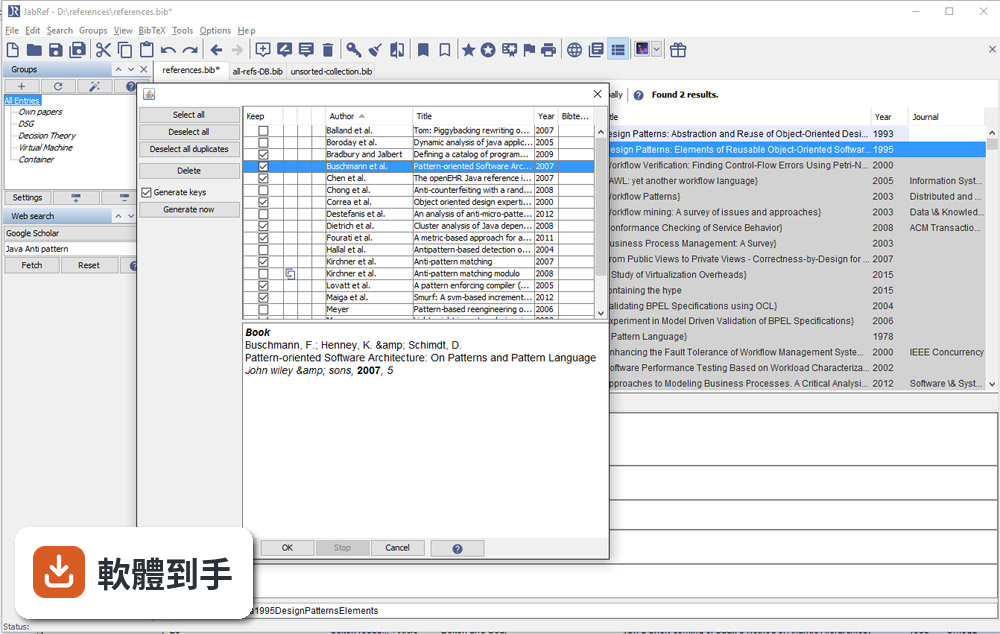
可以。官方說明指出它支援從 Google Scholar、PubMed 和 CrossRef 等學術資料庫檢索並匯入參考文獻。實際使用時,你可以在軟體內輸入關鍵字搜尋,找到後直接加入你的文獻庫,省去手動複製貼上條目的步驟。不過不同資料庫的匯入成功率可能會有差異,建議自己試過再決定主要用哪個來源。
03我有一堆 PDF 論文,它能幫我整理嗎?
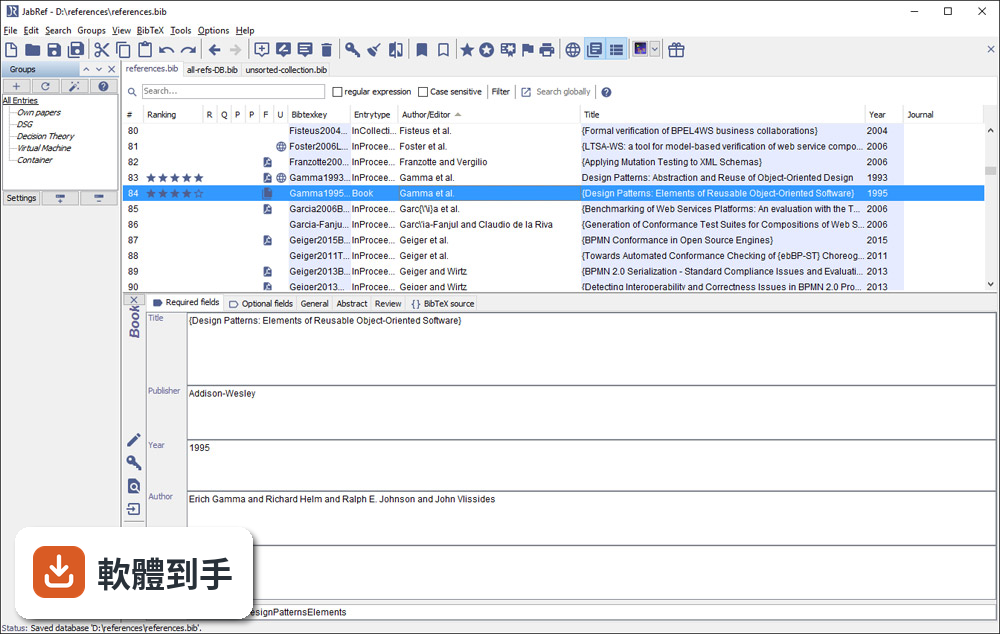
它提供 PDF 與檔案連結功能,可以把全文 PDF 附加到對應的文獻條目上。另外有 metadata 擷取功能,能從 PDF 中自動讀取 DOI、ISBN 等資訊,再從線上資料庫補齊引用細節。這表示你不需要逐筆手動輸入,只要把 PDF 丟進去,它有機會自己找出這篇論文是誰寫的、發表在哪裡。
04在 Word 或 LibreOffice 裡寫論文,能用它插入引用嗎?
可以。JabRef 有直接與 Word 和 LibreOffice 整合的功能,可以在文件裡插入引用,並產生格式化書目。這對不用 LaTeX 的人來說是重要的替代路徑。不過要注意,它主要還是以 LaTeX 使用者為核心設計,Word 整合的完整度可能不如 Zotero 或 Mendeley 那類以 Word 為主的工具。
05多人一起寫論文,文獻庫要怎麼共用?
它沒有內建雲端同步功能,但官方說明提到可以把資料庫檔案放在 Dropbox、Google Drive 或 GitHub 上,透過雲端儲存或版本控制系統來同步。也就是說,共用方式是「檔案層級」的合作,不是多人同時編輯同一份資料庫。如果你需要即時協作,可能要考慮其他方案。
06我不用 LaTeX,只寫 Word 文件,適合用這套軟體嗎?
官方說明明確表示,它雖然主要為 LaTeX 使用者設計,但也支援將引用匯出到 Word 及其他格式。如果你只是偶爾需要插入引用,它可以用;但如果你整個寫作流程都依賴 Word,Zotero 或 Mendeley 的瀏覽器擴充功能和 Word 整合會更順手。JabRef 的優勢還是在 BibTeX 生態系裡。
07它介面只有英文,會不會很難上手?
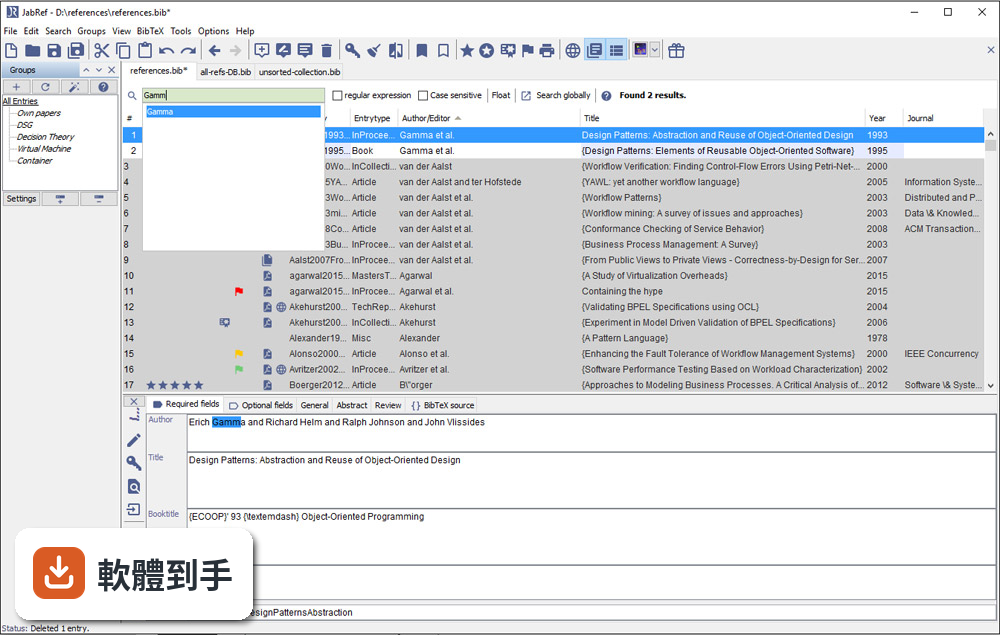
介面確實只有英文,但它的操作邏輯不算複雜:上方是工具列,中間是表格形式的文獻列表,右側是 metadata 面板。對習慣英文介面的人來說,學習成本不高。如果你對英文介面感到吃力,可以考慮 Zotero,它有完整的中文介面,社群文件也比較多。
08它跟 Zotero 比起來,主要差在哪?
兩者都是免費開源文獻管理工具,但定位不同。JabRef 以 BibTeX 為核心,適合 LaTeX 工作流程;Zotero 則以瀏覽器整合和 Word 外掛見長,對一般學術寫作更直覺。Zotero 有內建雲端同步(免費帳號有容量限制),JabRef 沒有。另外 Zotero 的 PDF 註記功能比 JabRef 完整,後者官方說明也承認這點是弱項。
09我習慣用瀏覽器擴充功能一鍵儲存網頁上的文獻,它能做到嗎?
官方功能說明中沒有提到瀏覽器擴充功能。它的匯入方式主要是從學術資料庫檢索、載入 BibTeX 檔案或手動輸入。如果你很依賴「在瀏覽器看到論文,一鍵存進文獻庫」的工作流程,Zotero 或 Mendeley 的瀏覽器外掛會更符合你的需求。JabRef 的匯入路徑比較偏向「先有條目,再整理」。
10它更新頻率好像不高,會不會有相容性問題?
根據版本紀錄,近 24 個月只有 1 次更新,確實不算頻繁。它需要 Java Runtime Environment 11 以上才能執行,如果你系統的 Java 版本太舊,可能無法啟動。另外它支援 Windows 10/11,官方也提供 Mac 和 Linux 版本。如果你擔心長期維護問題,可以觀察社群是否活躍,或考慮更新更頻繁的替代方案。
11我文獻量不大,大概幾十條而已,需要特別用工具管理嗎?
幾十條文獻用手動維護 .bib 檔還算可行,但如果你會持續累積,或需要從多個來源匯入資料,早點建立管理習慣會比較省事。JabRef 的學習曲線不算陡,安裝後把現有 .bib 檔載入就能開始用。不過如果你只是偶爾寫一篇短文,用純文字編輯器也夠用,不必多裝一套需要 Java 環境的軟體。
12這套軟體有內建雲端同步嗎?我需要在不同電腦間同步文獻庫。
沒有內建雲端同步。官方說明明確指出,它不提供雲端儲存功能,但你可以把資料庫檔案放在 Dropbox、Google Drive 或 GitHub 上自行同步。這表示你必須手動管理檔案版本,多人同時編輯時可能會有衝突。如果你需要無縫的跨裝置同步,Zotero 或 Mendeley 的內建同步功能會更省心。
下載與官方連結
JabRef_windows-x64_4_2.exe · 52.3 MB · 連結指向軟體原廠
版本紀錄
- 2026-05-14 JabRef 6.0 Alpha 6 380 MB
- 2024-07-11 JabRef 5.15 196 MB
- 2024-07-09 JabRef 5.14 195 MB
再看 5 筆
- 2024-04-02 JabRef 5.13 196 MB
- 2023-12-25 JabRef 5.12 197 MB
- 2023-10-22 JabRef 5.11
- 2023-09-02 JabRef 5.10
- 2023-01-09 JabRef 5.9
這一版改了什麼
What's new in this version:
Changed:
- Added "." (any file type) to the Import File Filter Dialog
- Abbreviate journal names functionality is now running parallel, increasing performance significantly
- Changed order of items in context menu
- Changed ID-based entry generator to store the last used fetcher
- Reorganised annotation information on the right side of the "File annotations" tab
- We now show a small notification icon in the entry editor when we detect data inconsistency or other problems
- We added oaDOI as a fulltext provider, so that JabRef is now able to provide fulltexts for more than 90 million open-access articles
- We changed one default of Cleanup entries dialog: Per default, the PDF are not moved to the default file directory anymore
- We added a new type of group that shows all items referenced in a given LaTeX file (actually the generated AUX file)
- We added an importer for the EndNote XML format. Feature request in the forum
- We added the export of the translator field to the according MS-Office XML field
- We changed the import of the MS-Office XML fields bookauthor and translator. Both are now imported to their corresponding bibtex/biblatex fields
- We improved the export of the address and location field to the MS-Office XML fields. If the address field does not contain a comma, it is treated as single value and exported to the field city. #1750, comment For more details refer to the field mapping help page
- We added Facebook and Twitter icons in the toolbar to link to our Facebook and Twitter pages
- Renamed the Review Tab into Comments Tab
- We no longer print empty lines when exporting an entry in RIS format
- We added the option to download linked URLs in the context menu in the entry editor
- We improved file saving so that hard links are now preserved when a save is performed
- We changed the default dialog option when removing a file link from an entry. The new default removes the linked file from the entry instead of deleting the file from disk
- The magnifier icon at the search shows the search mode again
- We added a new cleanup operation that replaces ligatures with their expanded form
- We added the function to parse German month names
- Pressing ESC while searching will clear the search field and select the first entry, if available, in the table
- We changed the metadata reading and writing. DublinCore is now the only metadata format, JabRef supports
- We added another CLI functionality for reading and writing metadata to pdfs
- We no longer print errors in field values during autosave into the log
- We improved the search performance by adding a short delay before starting to display search results Bug report in the forum
- We re-added the Generate BibTeX Key button to the EntryEditor toolbar on the left
Fixed:
- We fixed several performance problems with the management of journal abbreviations
- We fixed an issue where changing the type of an entry did not update the label in the tool bar of the entry editor and the contents of the currently visible entry editor tab
- We fixed an issue where pressing space caused the cursor to jump to the start of the text field
- We fixed the missing dot in the name of an exported file
- Autocompletion in the search bar can now be disabled via the preferences
- We fixed an issue where the progress of an ongoing file download was not shown correctly
- We fixed an issue where odd linked files could not be selected in the entry editor
- We fixed and extended the RIS import functionality to cover more fields
- Chaining modifiers in BibTeX key pattern now works as described in the documentation
- We fixed an issue where not all bibtex/biblatex fields would be exported as latex-free to MS-Office XML
- We fixed an issue where linked files would be deleted from bibliography entries despite choosing the "Cancel" option in the dialog menu
- We fixed the name of the group editing window to "Add group" instead of "Edit Group" when adding a new group
- We fixed the pureauth BibTeX key generator pattern to just return the author if no author, but an editor is present
- We fixed an issue where the "Copy linked files" dialog produced an error when the entry had no file
- We fixed the coloring of the search box icon in case a user switches to advanced search mode
- We fixed an issue where pressing del in the file field would trigger the delete dialog a second file, if the first file is deleted
- We fixed the saving of entry preview preferences
Removed:
- We removed the Look and Feels from JGoodies, because the open source version is not compatible with Java 9