
這是歷史版本頁面 — 看 JabRef 最新版本
寫 LaTeX 論文文獻亂糟糟?JabRef 能幫你整理什麼
 JabRef 5.2
資料更新 2020-12-25
閱讀約 6 分鐘
你正在寫學術論文,手邊累積了幾十篇 PDF 和上百條參考文獻。過去你習慣把 BibTeX 條目直接貼進 .bib 檔,但現在條目一多,重複的 key、漏掉的欄位、格式不一致的引用,讓編譯時老是跳出警告。你想找個方式把這些文獻好好管起來,卻不確定該從哪裡下手。
手動維護 BibTeX 檔案不是不能做,只是當文獻量超過某個程度,出錯的機率會高到讓人煩躁。這類工具切入的點,是讓你把文獻資料集中在一處管理,用介面代替純文字編輯,再自動產生格式正確的引用條目。你不需要記住 BibTeX 語法,也不用擔心某條引用少了必要欄位。
01JabRef 到底能幫我做到什麼程度?
它是一套以 BibTeX 為基礎的文獻管理工具,主要功能是建立、編輯、整理書目資料庫。你可以手動新增條目,也可以從 DOI、ISBN 或線上資料庫自動抓取引用資訊。它支援 BibTeX 和 BibLaTeX 兩種格式,也能把 PDF 連結到對應的條目上,讓文獻庫不只是文字資料,還包含全文檔案。
02它可以從 Google Scholar 直接抓文獻資料嗎?
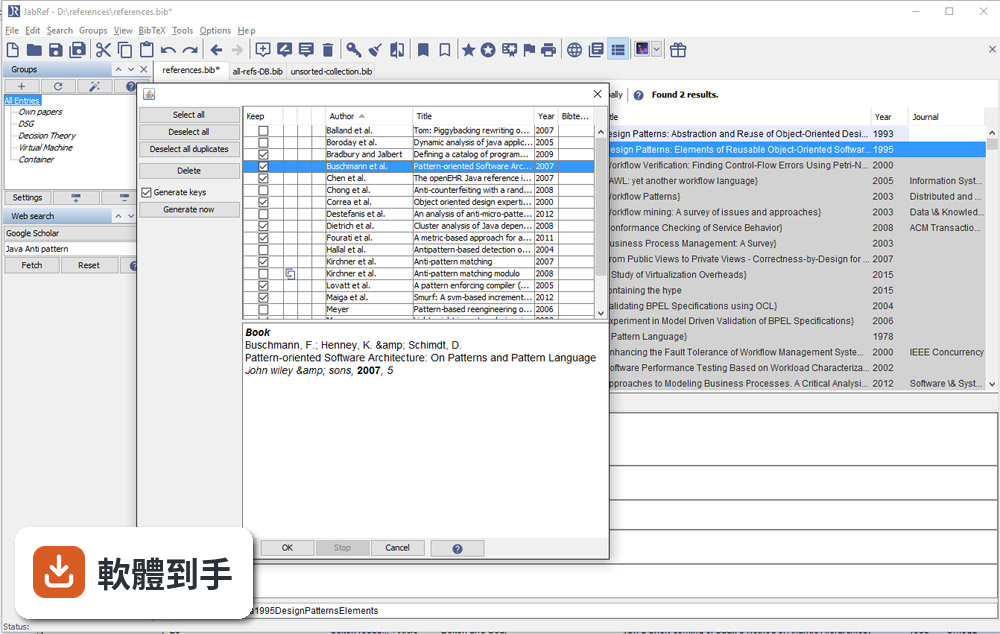
可以。官方說明指出它支援從 Google Scholar、PubMed 和 CrossRef 等學術資料庫檢索並匯入參考文獻。實際使用時,你可以在軟體內輸入關鍵字搜尋,找到後直接加入你的文獻庫,省去手動複製貼上條目的步驟。不過不同資料庫的匯入成功率可能會有差異,建議自己試過再決定主要用哪個來源。
03我有一堆 PDF 論文,它能幫我整理嗎?
它提供 PDF 與檔案連結功能,可以把全文 PDF 附加到對應的文獻條目上。另外有 metadata 擷取功能,能從 PDF 中自動讀取 DOI、ISBN 等資訊,再從線上資料庫補齊引用細節。這表示你不需要逐筆手動輸入,只要把 PDF 丟進去,它有機會自己找出這篇論文是誰寫的、發表在哪裡。
04在 Word 或 LibreOffice 裡寫論文,能用它插入引用嗎?
可以。JabRef 有直接與 Word 和 LibreOffice 整合的功能,可以在文件裡插入引用,並產生格式化書目。這對不用 LaTeX 的人來說是重要的替代路徑。不過要注意,它主要還是以 LaTeX 使用者為核心設計,Word 整合的完整度可能不如 Zotero 或 Mendeley 那類以 Word 為主的工具。
05多人一起寫論文,文獻庫要怎麼共用?
它沒有內建雲端同步功能,但官方說明提到可以把資料庫檔案放在 Dropbox、Google Drive 或 GitHub 上,透過雲端儲存或版本控制系統來同步。也就是說,共用方式是「檔案層級」的合作,不是多人同時編輯同一份資料庫。如果你需要即時協作,可能要考慮其他方案。
06我不用 LaTeX,只寫 Word 文件,適合用這套軟體嗎?
官方說明明確表示,它雖然主要為 LaTeX 使用者設計,但也支援將引用匯出到 Word 及其他格式。如果你只是偶爾需要插入引用,它可以用;但如果你整個寫作流程都依賴 Word,Zotero 或 Mendeley 的瀏覽器擴充功能和 Word 整合會更順手。JabRef 的優勢還是在 BibTeX 生態系裡。
07它介面只有英文,會不會很難上手?
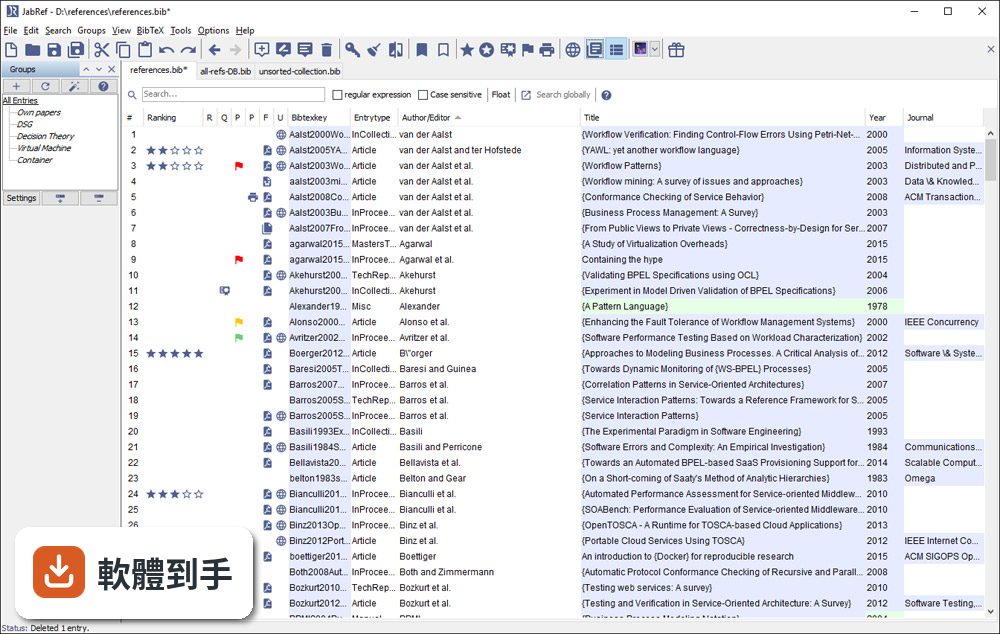
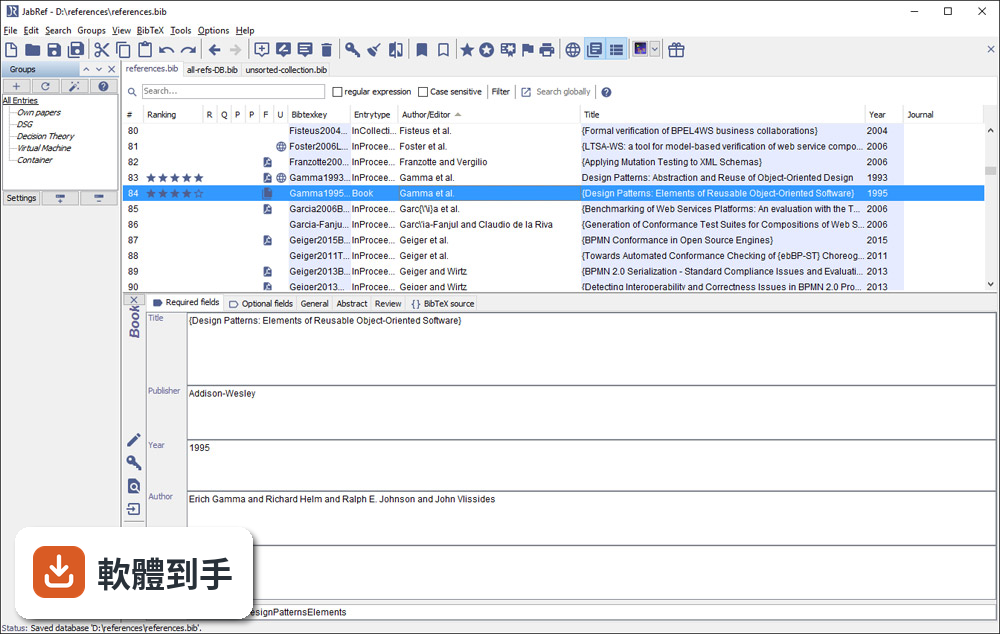
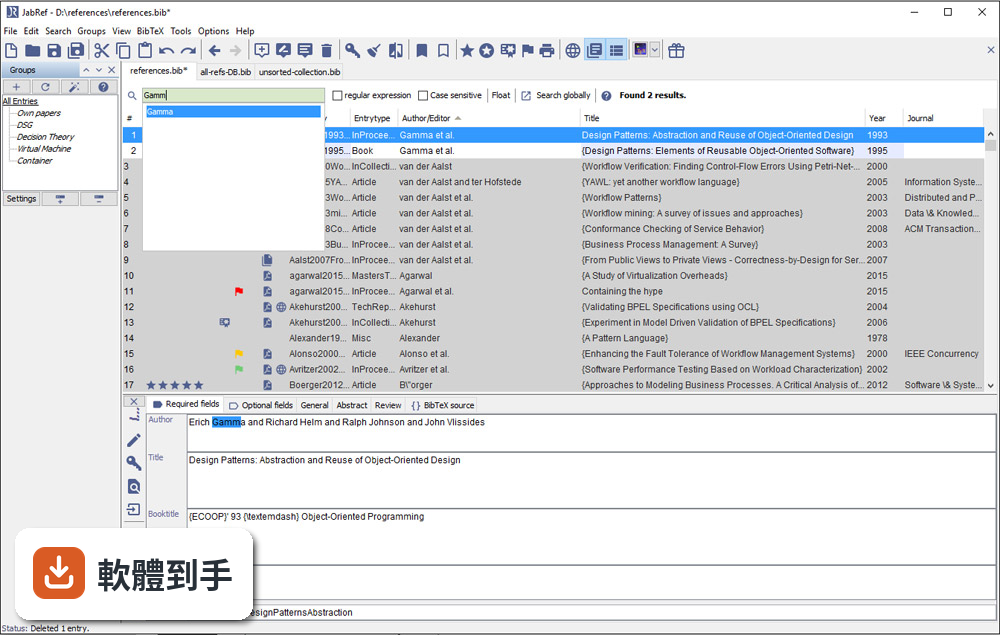
介面確實只有英文,但它的操作邏輯不算複雜:上方是工具列,中間是表格形式的文獻列表,右側是 metadata 面板。對習慣英文介面的人來說,學習成本不高。如果你對英文介面感到吃力,可以考慮 Zotero,它有完整的中文介面,社群文件也比較多。
08它跟 Zotero 比起來,主要差在哪?
兩者都是免費開源文獻管理工具,但定位不同。JabRef 以 BibTeX 為核心,適合 LaTeX 工作流程;Zotero 則以瀏覽器整合和 Word 外掛見長,對一般學術寫作更直覺。Zotero 有內建雲端同步(免費帳號有容量限制),JabRef 沒有。另外 Zotero 的 PDF 註記功能比 JabRef 完整,後者官方說明也承認這點是弱項。
09我習慣用瀏覽器擴充功能一鍵儲存網頁上的文獻,它能做到嗎?
官方功能說明中沒有提到瀏覽器擴充功能。它的匯入方式主要是從學術資料庫檢索、載入 BibTeX 檔案或手動輸入。如果你很依賴「在瀏覽器看到論文,一鍵存進文獻庫」的工作流程,Zotero 或 Mendeley 的瀏覽器外掛會更符合你的需求。JabRef 的匯入路徑比較偏向「先有條目,再整理」。
10它更新頻率好像不高,會不會有相容性問題?
根據版本紀錄,近 24 個月只有 1 次更新,確實不算頻繁。它需要 Java Runtime Environment 11 以上才能執行,如果你系統的 Java 版本太舊,可能無法啟動。另外它支援 Windows 10/11,官方也提供 Mac 和 Linux 版本。如果你擔心長期維護問題,可以觀察社群是否活躍,或考慮更新更頻繁的替代方案。
11我文獻量不大,大概幾十條而已,需要特別用工具管理嗎?
幾十條文獻用手動維護 .bib 檔還算可行,但如果你會持續累積,或需要從多個來源匯入資料,早點建立管理習慣會比較省事。JabRef 的學習曲線不算陡,安裝後把現有 .bib 檔載入就能開始用。不過如果你只是偶爾寫一篇短文,用純文字編輯器也夠用,不必多裝一套需要 Java 環境的軟體。
12這套軟體有內建雲端同步嗎?我需要在不同電腦間同步文獻庫。
沒有內建雲端同步。官方說明明確指出,它不提供雲端儲存功能,但你可以把資料庫檔案放在 Dropbox、Google Drive 或 GitHub 上自行同步。這表示你必須手動管理檔案版本,多人同時編輯時可能會有衝突。如果你需要無縫的跨裝置同步,Zotero 或 Mendeley 的內建同步功能會更省心。
下載與官方連結
JabRef-5.2.msi · 連結指向軟體原廠
版本紀錄
- 2026-05-14 JabRef 6.0 Alpha 6 380 MB
- 2024-07-11 JabRef 5.15 196 MB
- 2024-07-09 JabRef 5.14 195 MB
再看 5 筆
- 2024-04-02 JabRef 5.13 196 MB
- 2023-12-25 JabRef 5.12 197 MB
- 2023-10-22 JabRef 5.11
- 2023-09-02 JabRef 5.10
- 2023-01-09 JabRef 5.9
這一版改了什麼
What's new in this version:
Added:
- We added a validation to check if the current database location is shared, preventing an exception when Pulling Changes From Shared Database
- We added a query parser and mapping layer to enable conversion of queries formulated in simplified lucene syntax by the user into api queries
- We added some basic functionality to customise the look of JabRef by importing a css theme file
- We added connection check function in network preference setting
- We added support for exporting to YAML
- We added a DOI format and organization check to detect American Physical Society journals to copy the article ID to the page field for cases where the page numbers are missing
- We added an error message in the New Entry dialog that is shown in case the fetcher did not find anything
- We added a new formatter to output shorthand month format
- We added support for the new Microsoft Edge browser in all platforms
- We reintroduced emacs/bash-like keybindings
- We added a feature to provide automated cross library search using a cross library query language. This provides support for the search step of systematic literature reviews (SLRs)
Changed:
- We changed the default preferences for OpenOffice/LibreOffice integration to automatically sync the bibliography when inserting new citations in a OpenOffic/LibreOffice document
- We restructured the 'File' tab and extracted some parts into the 'Linked files' tab
- JabRef now offers journal lists from https://abbrv.jabref.org. JabRef the lists which use a dot inside the abbreviations
- We removed two useless preferences in the groups preferences dialog
- Synchronization of SpecialFields to keywords is now disabled by default
- JabRef no longer opens the entry editor with the first entry on startup
- We completed the rebranding of bibtexkey as citationkey which was started in JabRef 5.1
- JabRef no longer opens the entry editor with the first entry on startup
- Fetch by ID: (long) "SAO/NASA Astrophysics Data System" replaced by (short) "SAO/NASA ADS"
- We changed the title of the window "Manage field names and content" to have the same title as the corresponding menu item
- We renamed the menus "View -> Previous citation style" and "View -> Next citation style" into "View -> Previous preview style" and "View -> Next preview style" and renamed the "Preview" style to "Customized preview style".
- We changed the default preference option "Search and store files relative to library file location" to on, as this seems to be a more intuitive behaviour
- We changed the title of the window "Manage field names and content": to have the same title as the corresponding menu item
- We improved the detection of "short" DOIs 6880
- We improved the duplicate detection when identifiers like DOI or arxiv are semantiaclly the same, but just syntactically differ (e.g. with or without http(s):// prefix)
- We changed in the group interface "Generate groups from keywords in a BibTeX field" by "Generate groups from keywords in the following field"
- We changed the name of a group type from "Searching for keywords" to "Searching for a keyword"
- We changed the way JabRef displays the title of a tab and of the window
- We changed connect timeouts for server requests to 30 seconds in general and 5 seconds for GROBID server (special) and improved user notifications on connection issues
- We changed the order of the library tab context menu items
- We changed the way linked files are opened on Linux to use the native openFile method, compatible with confined packages
- We refined the entry preview to show the full names of authors and editors, to list the editor only if no author is present, have the year ealier
Fixed:
- We fixed an issue changing the icon link_variation_off that is not meaningful
- We fixed an issue where the .sav file was not deleted upon exiting JabRef
- We fixed a linked identifier icon inconsistency
- We fixed the wrong behavior that font size changes are not reflected in dialogs
- We fixed the failure to Copy citation key and link
- We fixed an issue where the sort order of the entry table was reset after a restart of JabRef
- We fixed an issue where no longer a warning was displayed when inserting references into LibreOffice with an invalid "ReferenceParagraphFormat"
- We fixed an issue where a selected field was not removed after the first click in the custom entry types dialog
- We fixed an issue where a remove icon was shown for standard entry types in the custom entry types dialog
- We fixed an issue where it was impossible to connect to OpenOffice/LibreOffice on Mac OSX
- We fixed an issue with the python script used by browser plugins that failed to locate JabRef if not installed in its default location
- We fixed an issue where spaces and newlines in an isbn would generate an exception
- We fixed an issue where identity column header had incorrect foreground color in the Dark theme
- We fixed an issue where the RIS exporter added extra blank lines
- We fixed an issue where clicking on Collapse All button in the Search for Unlinked Local Files expanded the directory structure erroneously
- We fixed an issue, when pulling changes from shared database via shortcut caused creation of a new tech report
- We fixed an issue where the JabRef GUI does not highlight the "All entries" group on start-up
- We fixed an issue where a custom dark theme was not applied to the entry preview tab
- We fixed an issue where modifications to the Custom preview layout in the preferences were not saved
- We fixed an issue where errors from imports were not shown to the user
- We fixed an issue where the EndNote XML Import would fail on empty keywords tags forum
- We fixed an issue where the color of groups of type "free search expression" not persisting after restarting the application
- We fixed an issue where modifications in the source tab where not saved without switching to another field before saving the library
- We fixed an issue where the "Document Viewer" did not show the first page of the opened pdf document and did not show the correct total number of pages
- We fixed an issue where the context menu was not updated after a file link was changed
- We fixed an issue where the password for a shared SQL database was not remembered
- We fixed an issue where newly added entires were not synced to a shared SQL database
- We fixed an issue where the PDF-Content importer threw an exception when no DOI number is present at the first page of the PDF document
Removed:
- We removed the Google Scholar fetcher and the ACM fetcher do not work due to traffic limitations
- We removed the menu entry "Manage external file types" because it's already in 'Preferences' dialog
- We removed the integrity check "Abbreviation detected" for the field journal/journaltitle in the entry editor5