
這是歷史版本頁面 — 看 JabRef 最新版本
寫 LaTeX 論文文獻亂糟糟?JabRef 能幫你整理什麼
 JabRef 5.3
資料更新 2021-07-06
閱讀約 6 分鐘
你正在寫學術論文,手邊累積了幾十篇 PDF 和上百條參考文獻。過去你習慣把 BibTeX 條目直接貼進 .bib 檔,但現在條目一多,重複的 key、漏掉的欄位、格式不一致的引用,讓編譯時老是跳出警告。你想找個方式把這些文獻好好管起來,卻不確定該從哪裡下手。
手動維護 BibTeX 檔案不是不能做,只是當文獻量超過某個程度,出錯的機率會高到讓人煩躁。這類工具切入的點,是讓你把文獻資料集中在一處管理,用介面代替純文字編輯,再自動產生格式正確的引用條目。你不需要記住 BibTeX 語法,也不用擔心某條引用少了必要欄位。
01JabRef 到底能幫我做到什麼程度?
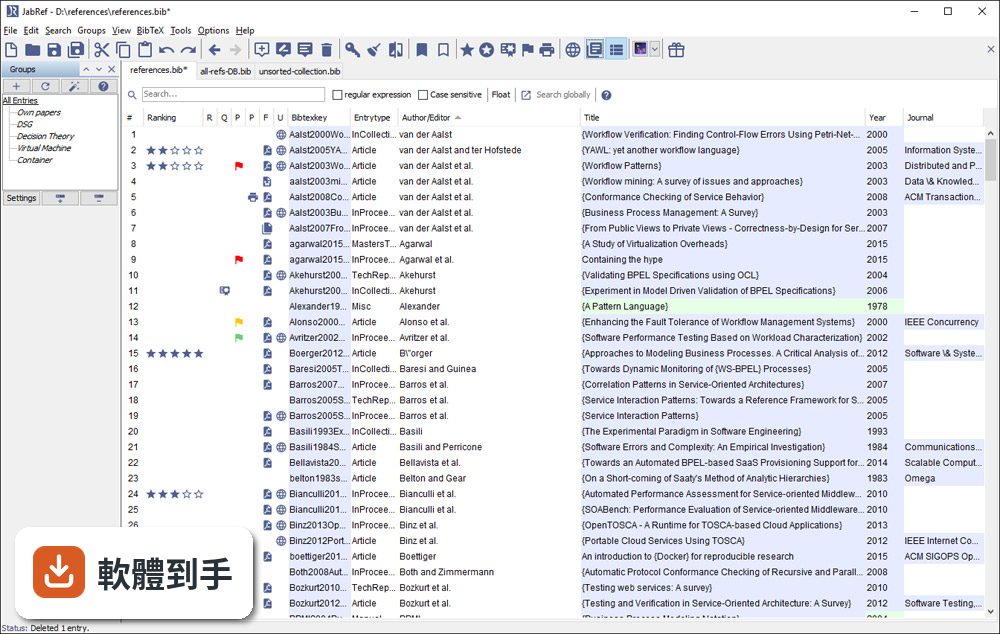
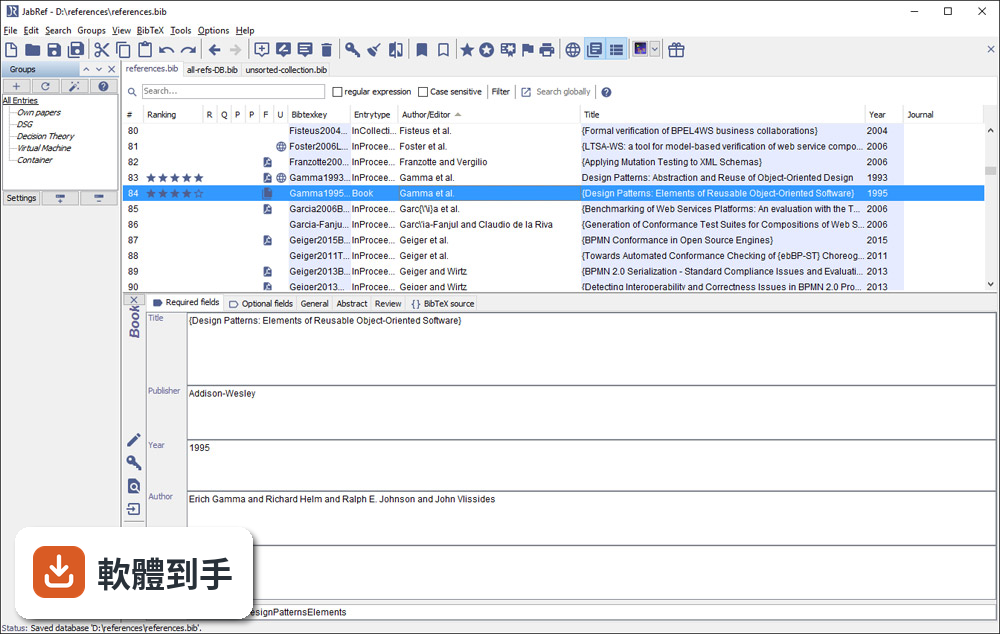
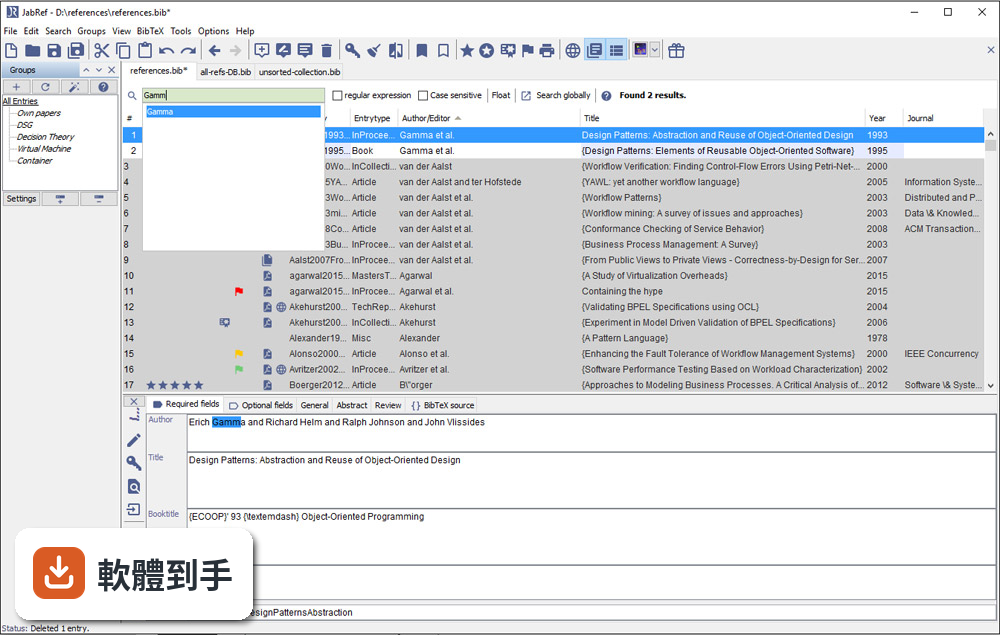
它是一套以 BibTeX 為基礎的文獻管理工具,主要功能是建立、編輯、整理書目資料庫。你可以手動新增條目,也可以從 DOI、ISBN 或線上資料庫自動抓取引用資訊。它支援 BibTeX 和 BibLaTeX 兩種格式,也能把 PDF 連結到對應的條目上,讓文獻庫不只是文字資料,還包含全文檔案。
02它可以從 Google Scholar 直接抓文獻資料嗎?
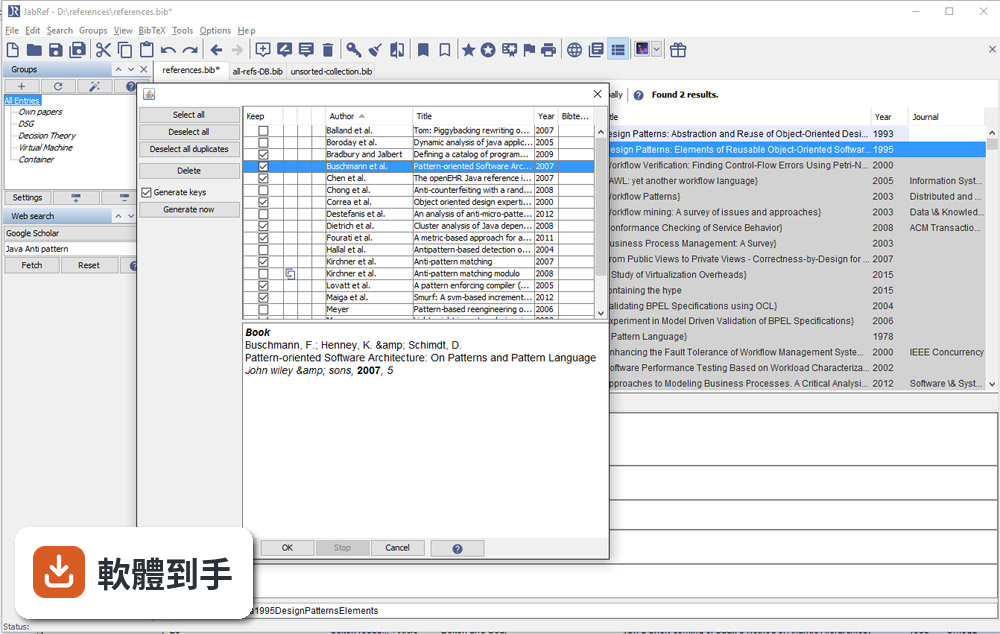
可以。官方說明指出它支援從 Google Scholar、PubMed 和 CrossRef 等學術資料庫檢索並匯入參考文獻。實際使用時,你可以在軟體內輸入關鍵字搜尋,找到後直接加入你的文獻庫,省去手動複製貼上條目的步驟。不過不同資料庫的匯入成功率可能會有差異,建議自己試過再決定主要用哪個來源。
03我有一堆 PDF 論文,它能幫我整理嗎?
它提供 PDF 與檔案連結功能,可以把全文 PDF 附加到對應的文獻條目上。另外有 metadata 擷取功能,能從 PDF 中自動讀取 DOI、ISBN 等資訊,再從線上資料庫補齊引用細節。這表示你不需要逐筆手動輸入,只要把 PDF 丟進去,它有機會自己找出這篇論文是誰寫的、發表在哪裡。
04在 Word 或 LibreOffice 裡寫論文,能用它插入引用嗎?
可以。JabRef 有直接與 Word 和 LibreOffice 整合的功能,可以在文件裡插入引用,並產生格式化書目。這對不用 LaTeX 的人來說是重要的替代路徑。不過要注意,它主要還是以 LaTeX 使用者為核心設計,Word 整合的完整度可能不如 Zotero 或 Mendeley 那類以 Word 為主的工具。
05多人一起寫論文,文獻庫要怎麼共用?
它沒有內建雲端同步功能,但官方說明提到可以把資料庫檔案放在 Dropbox、Google Drive 或 GitHub 上,透過雲端儲存或版本控制系統來同步。也就是說,共用方式是「檔案層級」的合作,不是多人同時編輯同一份資料庫。如果你需要即時協作,可能要考慮其他方案。
06我不用 LaTeX,只寫 Word 文件,適合用這套軟體嗎?
官方說明明確表示,它雖然主要為 LaTeX 使用者設計,但也支援將引用匯出到 Word 及其他格式。如果你只是偶爾需要插入引用,它可以用;但如果你整個寫作流程都依賴 Word,Zotero 或 Mendeley 的瀏覽器擴充功能和 Word 整合會更順手。JabRef 的優勢還是在 BibTeX 生態系裡。
07它介面只有英文,會不會很難上手?
介面確實只有英文,但它的操作邏輯不算複雜:上方是工具列,中間是表格形式的文獻列表,右側是 metadata 面板。對習慣英文介面的人來說,學習成本不高。如果你對英文介面感到吃力,可以考慮 Zotero,它有完整的中文介面,社群文件也比較多。
08它跟 Zotero 比起來,主要差在哪?
兩者都是免費開源文獻管理工具,但定位不同。JabRef 以 BibTeX 為核心,適合 LaTeX 工作流程;Zotero 則以瀏覽器整合和 Word 外掛見長,對一般學術寫作更直覺。Zotero 有內建雲端同步(免費帳號有容量限制),JabRef 沒有。另外 Zotero 的 PDF 註記功能比 JabRef 完整,後者官方說明也承認這點是弱項。
09我習慣用瀏覽器擴充功能一鍵儲存網頁上的文獻,它能做到嗎?
官方功能說明中沒有提到瀏覽器擴充功能。它的匯入方式主要是從學術資料庫檢索、載入 BibTeX 檔案或手動輸入。如果你很依賴「在瀏覽器看到論文,一鍵存進文獻庫」的工作流程,Zotero 或 Mendeley 的瀏覽器外掛會更符合你的需求。JabRef 的匯入路徑比較偏向「先有條目,再整理」。
10它更新頻率好像不高,會不會有相容性問題?
根據版本紀錄,近 24 個月只有 1 次更新,確實不算頻繁。它需要 Java Runtime Environment 11 以上才能執行,如果你系統的 Java 版本太舊,可能無法啟動。另外它支援 Windows 10/11,官方也提供 Mac 和 Linux 版本。如果你擔心長期維護問題,可以觀察社群是否活躍,或考慮更新更頻繁的替代方案。
11我文獻量不大,大概幾十條而已,需要特別用工具管理嗎?
幾十條文獻用手動維護 .bib 檔還算可行,但如果你會持續累積,或需要從多個來源匯入資料,早點建立管理習慣會比較省事。JabRef 的學習曲線不算陡,安裝後把現有 .bib 檔載入就能開始用。不過如果你只是偶爾寫一篇短文,用純文字編輯器也夠用,不必多裝一套需要 Java 環境的軟體。
12這套軟體有內建雲端同步嗎?我需要在不同電腦間同步文獻庫。
沒有內建雲端同步。官方說明明確指出,它不提供雲端儲存功能,但你可以把資料庫檔案放在 Dropbox、Google Drive 或 GitHub 上自行同步。這表示你必須手動管理檔案版本,多人同時編輯時可能會有衝突。如果你需要無縫的跨裝置同步,Zotero 或 Mendeley 的內建同步功能會更省心。
下載與官方連結
JabRef-5.3.msi · 連結指向軟體原廠
版本紀錄
- 2026-05-14 JabRef 6.0 Alpha 6 380 MB
- 2024-07-11 JabRef 5.15 196 MB
- 2024-07-09 JabRef 5.14 195 MB
再看 5 筆
- 2024-04-02 JabRef 5.13 196 MB
- 2023-12-25 JabRef 5.12 197 MB
- 2023-10-22 JabRef 5.11
- 2023-09-02 JabRef 5.10
- 2023-01-09 JabRef 5.9
這一版改了什麼
What's new in this version:
Added:
- We added a progress counter to the title bar in Possible Duplicates dialog window
- We added new "Customization" tab to the preferences which includes option to choose a custom address for DOI access
- We added zbmath to the public databases from which the bibliographic information of an existing entry can be updated
- We showed to the find Unlinked Files Dialog the date of the files' most recent modification.
- We added to the find Unlinked Files function a filter to show only files based on date of last modification (Last Year, Last Month, Last Week, Last Day)
- We added to the find Unlinked Files function a filter that sorts the files based on the date of last modification(Sort by Newest, Sort by Oldest First)
- We added the possibility to add a new entry via its zbMath ID (zbMATH can be chosen as ID type in the "Select entry type" window)
- We added the extension support and the external application support (For Texshow, Texmaker and LyX) to the flatpak
- We added some symbols and keybindings to the context menu in the entry editor
- We added keybindings for setting and clearing the read status
- We added two new fields to track the creation and most recent modification date and time for each entry. kopp
- We added a feature that allows the user to copy highlighted text in the preview window
- We added a feature that allows you to create new BibEntry via paste arxivId
- We added support for conducting automated and systematic literature search across libraries and git support for persistenc
- We added a add group functionality at the bottom of the side pane
- We added a feature that allows the user to choose whether to trust the target site when unable to find a valid certification path from the file download site
- We added a feature that allows the user to open all linked files of multiple selected entries by "Open file" option
- We added a keybinding preset for new entries
- We added a select all button for the library import function
- We added a search feature for journal abbreviations
- We added auto-key-generation progress to the background task list
- We added the option to write XMP metadata to pdfs from the CLI
Changed:
- The export to MS Office XML now exports the author field as Inventor if the bibtex entry type is patent
- We changed the EndNote importer to import the field label to the corresponding bibtex field endnote-label forum
- The keywords added via "Manage content selectors" are now displayed in alphabetical order
- We improved the "Find unlinked files" dialog to show import results for each file
- The content of the field timestamp is migrated to creationdate. In case one configured "udpate timestampe", it is migrated to modificationdate. koppo
- The JabRef specific meta-data content in the main field such as priorities (prio1, prio2, ...) are migrated to their respective fields. They are removed from the keywords.
- We fixed an issue where groups generated from authors' last names did not include all entries of the authors'
- The export to MS Office XML now uses the month name for the field MonthAcessed instead of the two digit number
- We included some standalone dialogs from the options menu in the main preference dialog and fixed some visual issues in the preferences dialog.
- We improved the linking of the python3 interpreter via the shebang to dynamically use the systems default Python. Related to JabRef-Browser-Extension
- Automatically found pdf files now have the linking button to the far left and uses a link icon with a plus instead of a briefcase. The file name also has lowered opacity(70%) until added.
- We simplified the select entry type form by splitting it into two parts ("Recommended" and "Others") based on internal usage data.
- We improved the submenu list by merging the'Remove group' having two options, with or without subgroups.
- The export to MS Office XML now uses the month name for the field Month instead of the two digit number forum
- We reintroduced missing default keybindings for new entries. #7346
- Lists of available fields are now sorted alphabetically.
- The tooltip of the search field explaining the search is always shown.
- We rewrote the ACM fetcher to adapt to the new interface.
- We moved the select/collapse buttons in the unlinked files dialog into a context menu.
- We fixed an issue where journal abbreviations containing curly braces were not recognized
Fixed:
- We fixed an isuse where some texts (e.g. descriptionss) in dialogs could not be translated
- We fixed an issue where import hangs for ris files with "ER - "
- We fixed an issue where getting bibliograhpic data from DOI or another identifer did not respect the library mode (BibTeX/biblatex)
- We fixed an issue where importing entries would not respect the library mode (BibTeX/biblatex)
- We fixed an issue where an exception occured when importing entries from a web search
- We fixed an issue where the table column sort order was not properly stored and resulted in unsorted eports
- We fixed an issue where the value of the field school or institution would be printed twice in the HTML Export forum
- We fixed an issue preventing to connect to a shared database.
- We fixed an issue preventing files from being dragged & dropped into an empty library.
- We fixed an issue where double-click onto PDF in file list under the 'General' tab section should just open the file.
- We fixed an issue where the dark theme did not extend to a group's custom color picker.
- We fixed an issue where choosing the fields on which autocompletion should not work in "Entry editor" preferences had no effect.
- We fixed an issue where the "Normalize page numbers" formatter did not replace en-dashes or em-dashes with a hyphen-minus sign.
- We fixed an issue with the style of highlighted check boxes while searching in preferences.
- We fixed an issue where the option "Move file to file directory" was disabled in the entry editor for all files
- We fixed an issue where application dialogs were opening in the wrong display when using multiple screens
- We fixed an issue where the "Find unlinked files" dialog would freeze JabRef on importing.
- We fixed an issue where the "Find unlinked files" would stop importing when importing a single file failed.
- We fixed an issue where JabRef froze for a few seconds in MacOS when DNS resolution timed out.
- We fixed an issue where an exception would be displayed for previewing and preferences when a custom theme has been configured but is missing
- We fixed an issue where URLs in file fields could not be handled on Windows.
- We fixed an issue where the regex based file search miss-interpreted specific symbols.
- We fixed an issue where the Harvard RTF exporter used the wrong default file extension.
- We fixed an issue where the Harvard RTF exporter did not use the new authors formatter and therefore did not export "organization" authors correctly.
- We fixed an issue where the field urldate was not exported to the corresponding fields YearAccessed, MonthAccessed, DayAccessed in MS Office XML
- We fixed an issue where the password for a shared SQL database was only remembered if it was the same as the username
- We fixed an issue where some custom exports did not use the new authors formatter and therefore did not export authors correctly
- We fixed an issue where alt+keyboard shortcuts do not work
- We fixed an issue about the file link editor did not allow to change the file name according to the default pattern after changing an entry.
- We fixed an issue where the file path is invisible in dark theme.
- We fixed an issue where the secondary sorting is not working for some special fields.
- We fixed an issue where changing the font size makes the font size field too small.
- We fixed an issue with TexGroups on Linux systems, where the modification of an aux-file did not trigger an auto-update for TexGroups. Furthermore, the detection of file modifications is now more reliable.
- We fixed an issue where the Unicode to Latex formatter produced wrong results for characters with a codepoint higher than Character.MAX_VALUE.
- We fixed an issue where a non valid value as font size results in an uncaught exception.
- We fixed an issue where "Merge citations" in the Openoffice/Libreoffice integration panel did not have a corresponding opposite.
- We fixed an issue where drag and drop of bib files for opening resulted in uncaught exceptions
- We fixed an issue where columns shrink in width when we try to enlarge JabRef window.
- We fixed an issue where Content selector does not seem to work for custom fields.
- We fixed an issue where font size of the preferences dialog does not update with the rest of the GUI.
- We fixed an issue in which a linked online file consisting of a web page was saved as an invalid pdf file upon being downloaded. The user is now notified when downloading a linked file results in an HTML file.
- We fixed an issue where opening BibTex file (doubleclick) from Folder with spaces not working.
- We fixed the header title in the Add Group/Subgroup Dialog box.
- We fixed an issue with saving large .bib files
- We fixed an issue with very large page numbers
- We fixed an issue where the file extension is missing on saving the library file on linux
- We fixed an issue with opacity of disabled icon-buttons
- We fixed an issue where journal abbreviations in UTF-8 were not recognized
- We fixed an issue where the article title with curly brackets fails to download the arXiv link (pdf file).
- We fixed an issue with toggle of special fields does not work for sorted entries
- We fixed an issue with the default path of external application.
- We fixed an issue where urls must be embedded in a style tag when importing EndNote style Xml files. Now it can parse url with or without a style tag.
- We fixed an issue where the article title with colon fails to download the arXiv link (pdf file).
- We fixed an issue where the keybinding for delete entry did not work on the main table
- We fixed an issue where the RFC fetcher is not compatible with the draft
- We fixed an issue where duplicate files (both file names and contents are the same) is downloaded and add to linked files
- We fixed an issue where changing the appearance of the preview tab did not trigger a restart warning.
- We fixed an issue where editing "Custom preview style" triggers exception.
- We fixed the SAO/NASA Astrophysics Data System fetcher.
- We fixed an issue where a title with multiple applied formattings in EndNote was not imported correctly forum
- We fixed an issue where a report in EndNote was imported as article forum
- We fixed an issue where the field publisher in EndNote was not imported in JabRef forum
Removed:
- We removed add group button beside the filter group tab