
這是歷史版本頁面 — 看 Kaspersky Total Security 最新版本
Kaspersky Total Security 試用版值得裝嗎
 Kaspersky Total Security 18.0.0.405
資料更新 2016-06-29
閱讀約 6 分鐘
你正在找一套防毒軟體,看到某套號稱能防毒、防釣魚、管小孩上網、還有 VPN 和密碼管理器,功能多到眼花撩亂。但仔細一看,介面是英文的,而且是試用版,你開始猶豫:裝下去會不會很難操作?試用期過了怎麼辦?
一般人遇到這種狀況,會先抓免費版來用,但免費版通常功能不全,而且不知道有沒有偷偷裝東西。或者直接買最貴的,結果發現用不到那麼多功能。其實選這類工具,關鍵不是看功能列表有多長,而是看它解決的是不是你現在的問題,以及那些限制(英文介面、試用期、更新頻率)你能不能接受。
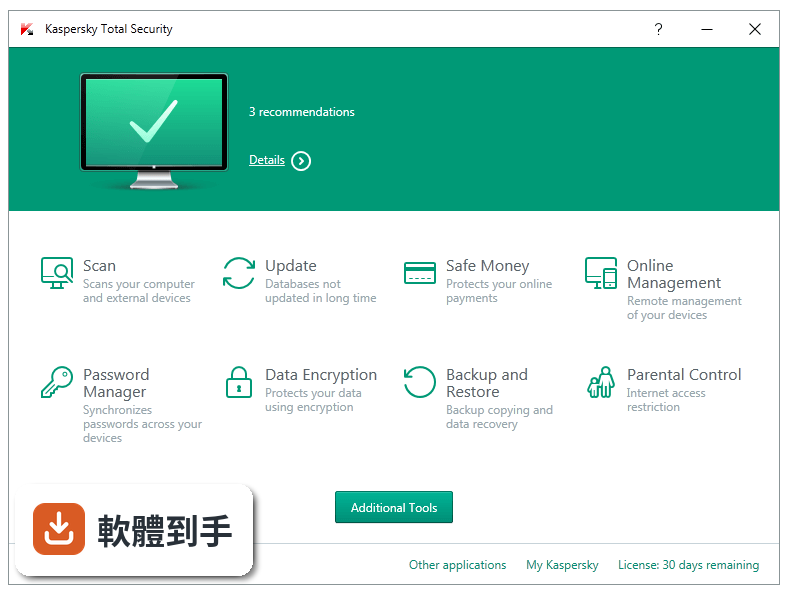
01Kaspersky Total Security 到底能防什麼?
它是一套整合式安全套裝,涵蓋防毒、防釣魚、雙防火牆、反廣告、網路監控等功能。官方說明提到能保護隱私、金錢、身分、照片和家庭,並支援 Windows、Mac、Android 和 iOS 裝置。實際防護範圍以安裝後的介面為準,因為不同平台的功能可能略有差異。
02它那個 VPN 是幹嘛的,真的無限流量嗎?
官方說明提到包含 Unlimited VPN,也就是無限流量的 VPN 服務,主要用來加密網路連線、隱藏瀏覽活動。但資料沒有說明 VPN 的伺服器數量、連線速度或是否限制特定國家,這些需要安裝後自行確認。如果你只是偶爾用 VPN 看網頁,它可能夠用;如果需要高速連線,就要再評估。
03家長控制能管到多細?
官方說明提到可以追蹤小孩的位置、設定安全區域、離開區域會收到通知,還能監控 YouTube 搜尋紀錄、阻擋成人網站、建立允許清單,以及控制每天使用螢幕的時間。不過,管理無限數量的兒童和授權需要額外付費,每年約 14.99 美元,這筆費用要另外計算。
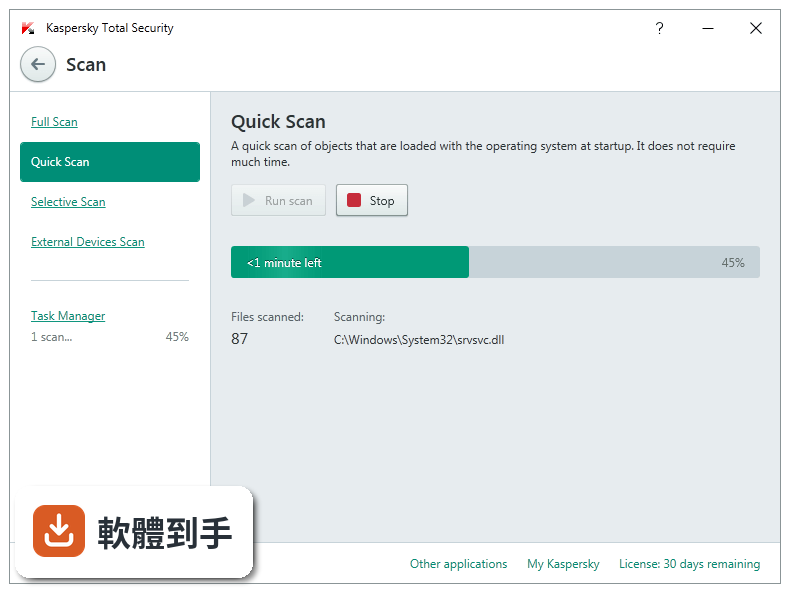
04密碼管理器是綁在裡面還是要另外裝?
密碼管理器是內建的,不需要另外安裝。官方說明提到所有 app 和網站的密碼都會安全儲存並同步,可以在 PC、Mac、Android 手機和平板、iPhone 和 iPad 上使用,只需要記住一個主密碼。但資料沒有說明主密碼忘記時如何找回,建議設定時先確認救援方式。
05備份和加密是做什麼用的?
備份功能可以複製照片、音樂、檔案等資料,但官方說明特別提到備份不包含線上空間,儲存位置要自己安排,例如外接硬碟或 NAS。加密功能可以防止未授權使用者讀取檔案,另外還有徹底刪除檔案的功能,避免資料被複原。這些功能對重視隱私的人有用,但需要花時間設定。
06我電腦是 Windows、手機是 Android,一套夠用嗎?
官方說明明確支援 Windows、Mac、Android 和 iOS,所以 Windows 電腦和 Android 手機可以共用一套授權。它還有 My Kaspersky 雲端管理介面,可以從任何地方管理所有裝置的防護狀態。不過,不同平台的防護功能可能不完全相同,例如手機版的 VPN 和電腦版可能有限制,安裝前可以先看各平台的功能清單。
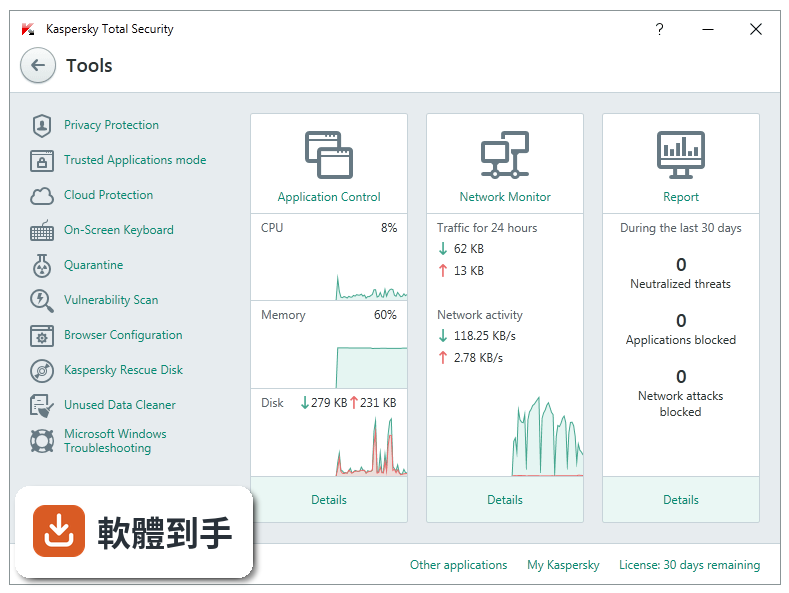
07家裡小孩愛亂上網,這套管得住嗎?
家長控制功能包含位置追蹤、安全區域、YouTube 搜尋監控、成人網站阻擋和螢幕時間管理,對一般家庭來說算完整。但要注意,完整的 Safe Kids 功能需要額外付費,每年約 14.99 美元,而且只包含在訂閱中。如果只是要阻擋成人網站,基本功能可能就夠,但詳細差異要自己確認。
08我只要基本防毒,需要用到這套嗎?
如果你只需要防毒、防釣魚和防火牆,官方說明提到 Kaspersky Internet Security 是入門級套裝,已經提供大量有效的安全功能。Total Security 多了 VPN、密碼管理器、家長控制、備份和加密等,如果你用不到這些,選入門版可能更划算。但資料沒有價格資訊,實際費用要自行比較。
09介面只有英文,看不懂怎麼辦?
這套軟體的介面語系只有英文,沒有中文選項。如果你英文不熟,操作上會需要查字典,尤其是設定家長控制或備份這類功能時,選單和說明都是英文。建議先安裝試用版,實際看看介面能不能接受,再決定要不要繼續用。如果完全無法接受英文介面,可以考慮其他有中文的防毒軟體。
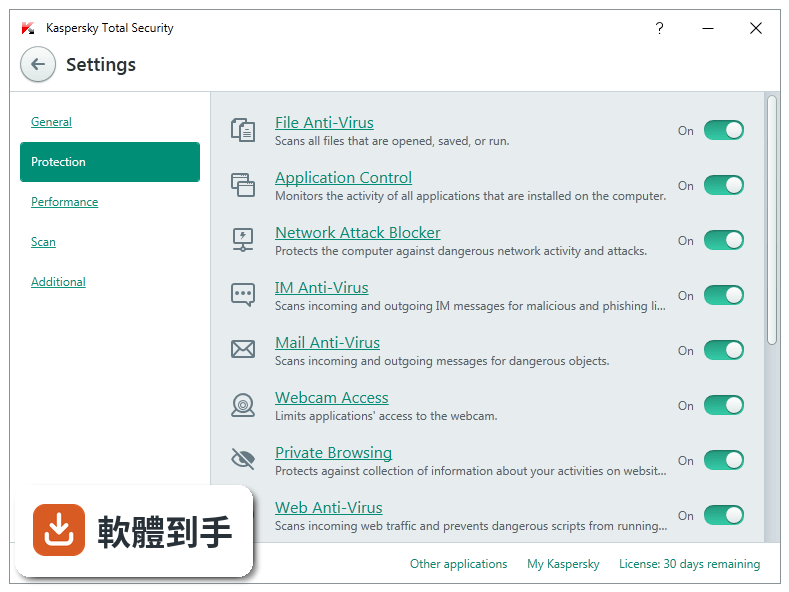
10它是試用版,之後要花錢嗎?
授權型式是 Trial,也就是試用版,試用期過後需要購買正式授權才能繼續使用。但資料沒有提供試用期長度和正式版價格,這些要上官方網站確認。如果你只是短期需要防護,試用版可能夠用;如果打算長期使用,就要把購買費用算進預算。
11這套是不是很久沒更新了?
根據版本紀錄,近 12 個月沒有更新,近 24 個月只有 1 次更新,更新頻率偏低。防毒軟體需要定期更新病毒定義和程式修補,如果長期不更新,對新威脅的防護力可能下降。建議安裝前先確認官方是否還在維護,或者看看 Kaspersky 其他產品(如 Internet Security)的更新狀況。
12評分才 6.98,是不是很差?
評分 6.98/10 來自 89 人,樣本數不多,參考價值有限。相比之下,Kaspersky Internet Security 有 171 人評分,K7 Total Security 有 609 人評分,樣本數更多。評分低可能反映某些問題,但也要看評語內容。建議到軟體網站看實際評語,瞭解使用者抱怨的是什麼,再判斷是否影響你的使用。
下載與官方連結
前往官方網站 下載 Kaspersky Total Security
kav18.0.0.405aben_12874.exe · 連結指向軟體原廠
版本紀錄
- 2025-05-26 Kaspersky Total Security 21.21.7.384 4.53 MB
- 2021-03-11 Kaspersky Total Security 2021 21.3.10.391
- 2020-11-02 Kaspersky Total Security 2021 21.2.16.590
再看 5 筆
- 2020-08-18 Kaspersky Total Security 2021 21.1.15.500
- 2020-08-18 Kaspersky Total Security 2020 21.1.15.500 2.5 MB
- 2019-06-26 Kaspersky Total Security 2020 20.0.14.1085 2.7 MB
- 2018-12-03 Kaspersky Total Security 2019 19.0.0.1088 2.4 MB
- 2016-06-29 Kaspersky Total Security 18.0.0.405
這一版改了什麼
What's new in this version:
Kaspersky Total Security 18.0.0.405
- Tutorials for the main application components available in the main window have been added.
- Software Updater functionality has been added. Using this component, you can manage updates for applications that are installed on your computer. For example, you can automatically install only important updates or all updates.
- Kaspersky Secure Connection has been added. This application protects your data on public Wi-Fi networks and provides anonymity on the Internet.
- Software Cleaner functionality has been added. Using this component, you can remove applications from your computer, such as rarely used applications or applications that were installed without your consent.
- Wi-Fi network connection notifications have been improved. Wi-Fi network categorization issues have been fixed.
- Anti-Banner component operation mode has been improved.
- Private Browsing functionality has been improved. Operation of the Kaspersky Protection extension has been improved.
- Safe Money functionality has been improved. An option to send feedback has been added.
- Application upgrade in the background mode has been improved. You no longer have to accept the terms of the End User License Agreement again during the upgrade unless those terms have been changed.
- Mail Anti-Virus has been improved. The default level of heuristic analysis has been increased to medium.
Kaspersky Total Security 17.0.0.611
- Tutorials for the main application components available in the main window have been added
- Software Updater functionality has been added. Using this component, you can manage updates for applications that are installed on your computer. For example, you can automatically install only important updates or all updates
- Kaspersky Secure Connection has been added. This application protects your data on public Wi-Fi networks and provides anonymity on the Internet
- Software Cleaner functionality has been added. Using this component, you can remove applications from your computer, such as rarely used applications or applications that were installed without your consent
- Wi-Fi network connection notifications have been improved. Wi-Fi network categorization issues have been fixed
- Anti-Banner component operation mode has been improved
- Private Browsing functionality has been improved. Operation of the Kaspersky Protection extension has been improved
- Safe Money functionality has been improved. An option to send feedback has been added
- Application upgrade in the background mode has been improved. You no longer have to accept the terms of the End User License Agreement again during the upgrade unless those terms have been changed
- Mail Anti-Virus has been improved. The default level of heuristic analysis has been increased to medium
Kaspersky Total Security 16.0.1.445
- Change log not available for this version