
LogMeIn Pro 4.1.15370
 LogMeIn Pro 4.1.15370
資料更新 2024-02-23
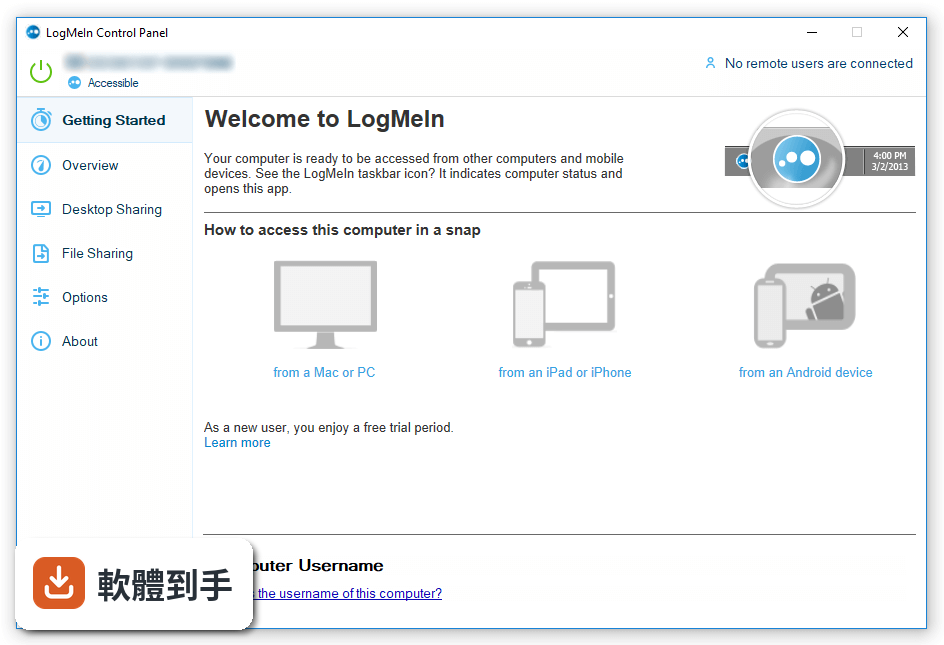
下載與官方連結
LogMeIn.exe · 連結指向軟體原廠
版本紀錄
- 2024-02-23 LogMeIn Pro 4.1.15370
- 2023-06-20 LogMeIn Pro 4.1.15158
- 2023-06-06 LogMeIn Pro 4.1.15086
再看 5 筆
- 2023-04-05 LogMeIn Pro 4.1.15024
- 2022-11-07 LogMeIn Pro 4.1.14838
- 2021-11-12 LogMeIn Pro 4.1.14512
- 2021-03-18 LogMeIn Pro 4.1.14344
- 2019-05-15 LogMeIn Pro 4.1.12624 29.1 MB
這一版改了什麼
What's new in this version:
LogMeIn Pro 4.1.15370
- Change log not available for this version
LogMeIn Pro 4.1.15242
- Change log not available for this version
LogMeIn Pro 4.1.15224
- Change log not available for this version
LogMeIn Pro 4.1.15158
- Change log not available for this version
LogMeIn Pro 4.1.15086
- Change log not available for this version
LogMeIn Pro 4.1.15024
- Change log not available for this version
LogMeIn Pro 4.1.14892
- Change log not available for this version
LogMeIn Pro 4.1.14838
- Change log not available for this version
LogMeIn Pro 4.1.14786
- Change log not available for this version
LogMeIn Pro 4.1.14582
- Change log not available for this version
LogMeIn Pro 4.1.14512
- Change log not available for this version
LogMeIn Pro 4.1.14496
- Change log not available for this version
LogMeIn Pro 4.1.14344
- Change log not available for this version
LogMeIn Pro 4.1.14148
- Change log not available for this version
LogMeIn Pro 4.1.14072
- Change log not available for this version
LogMeIn Pro 4.1.13774
- Change log not available for this version
LogMeIn Pro 4.1.13508
Improvements:
- Improved Event Viewer filters on the Dashboard to easily include and exclude rules
- The MSI installer now has a nomirrordrv option to disable the installation of the mirror driver
- A notification is no longer displayed now when you turn off LogMeIn Antivirus in the local console
Fixes:
- Fixed a connection issue between LogMeIn Antivirus and the LogMeIn host when updating the Antivirus engine
- The LogMeIn Client App closed unexpectedly when you tried to log in with Duo SSO
LogMeIn Pro 4.1.13370
Improvements:
- Improved reporting with the Antivirus status indicator
- Improved performance on Mac hosts when requesting consent
Fixes:
- Fixed an issue with the View Monitor feature
- Fixed an issue with the LogMeIn Client App for Windows that prevented the application from launching after an update
- Fixed issues on Mac with Remote Sound
LogMeIn Pro 4.1.13058
- Change log not available for this version
LogMeIn Pro 4.1.12700
- Change log not available for this version
LogMeIn Pro 4.1.12624
Windows Components:
- LogMeIn host software 4.1.0.12624
Fixes:
- Fixed an issue when accessing hosts using File Manager that did not allow remote files to be overwritten
LogMeIn Pro 4.1.12572
Improvements:
- The following new features are supported for LogMeIn Antivirus. Note: LogMeIn Antivirus is currently in beta
- Silent mode
- Adding policy exceptions
- Appending local exceptions on the host to new policies
- Introduced support for all versions of the RSA SecurID client
Fixes:
- Fixed an issue that caused a delay when the host attempted to reboot
- Fixed an issue that showed different times between the Remote Sessions (In Last Month) report and the Remote Access Sessions (In Last Month) report
- Fixed an issue that stopped alerts for Microsoft Office
- Fixed an issue that caused a delay in mouse movement
LogMeIn Pro 4.1.12382
- Change log not available for this version
LogMeIn Pro 4.1.12112
- Fixed an issue that caused host computers to become unresponsive
LogMeIn Pro 4.1.12000
Improvements:
- For Windows, the host software is now compatible with the upcoming feature that will allow LogMeIn Central Premier users to deploy LogMeIn Antivirus to Windows hosts
- The website component of this feature can be accessed on https://beta.logmein.com
- Cryptographic protocol enhancements (OpenSSL 1.0.2q)
Fixes:
- Fixed an issue when taking remote control of a macOS Mojave host that caused the host screen to display incorrectly
- Fixed an issue when taking control of hosts from a macOS Mojave client that caused the options menu to stop displaying correctly
- Fixed an issue when taking control of hosts with touch capabilities that caused the touch capabilities to stop working
- Fixed an issue with the chat functionality during remote control
- Fixed an issue with alerts that caused CPU and Memory alerts to trigger prematurely
- Fixed an issue that caused the LogMeIn Client App to stop working when trying to check for updates
- Fixed an issue on the LogMeIn Client App that caused the chat and command prompt options to stop working
LogMeIn Pro 4.1.11776
- Change log not available for this version
LogMeIn Pro 4.1.11660
Improvements:
- OS X 10.9 (Mavericks) is no longer supported
- macOS 10.14 (Mojave) is now fully supported
- Cryptographic protocol enhancements (OpenSSL 1.0.2p)
Fixes:
- Fixed an issue in the LogMeIn Client App for Mac that caused the screen to blank when exiting full-screen mode
- Fixed display issues when taking remote control of hosts with 4k screens
- Fixed an issue with the LogMeIn Control Panel crashing when opened
LogMeIn Pro 4.1.11548
Additional supported Antivirus software for Windows:
- avast! Free Antivirus 18.5.2342 by AVAST Software a.s.
- AVG AntiVirus Free 18.5.3059 by AVG Technologies CZ, s.r.o.
- COMODO Client - Security 10.6.0.6727 by COMODO Security Solutions
- COMODO Client - Security 11.0.0.6606 by COMODO Security Solutions
- F-Secure Client Security Premium 13.11 by F-Secure Corporation
- Kaspersky Internet Security 19.0.0.1088 by Kaspersky Lab
- Managed Antivirus 5.3.34.789 by LogicNow, Inc
- Managed Antivirus 38.5.0.9 by LogicNow, Inc
- Microminder Sentinel Antivirus 5.3.34.786175601 by Microminder
- Sophos Cloud Endpoint 2.0.3 by Sophos Limited
- Trend Micro Worry-Free Business Security Agent 20.0 by Trend Micro, Inc.
LogMeIn Pro 4.1.11340
Windows Components:
- LogMeIn host software 4.1.0.11292
- LogMeIn Client 1.3.0.3987
Fixes:
- Fixed an issue that prevented Kaspersky Endpoint Security for Business from upgrading to version 11 on some hosts
LogMeIn Pro 4.1.11292
Improvements:
- The version of Kaspersky Endpoint Security for Business that is packaged with LogMeIn is updated to version 11
- Updated the Application Updates feature to better conform with GDPR compliance
Fixes:
- Fixed an issue during installation that caused the LogMeIn .msi installer to lock local Windows user accounts
- Fixed an issue that blocked the ability to copy and paste files between Windows hosts and Windows clients
- Fixed an issue on the LogMeIn Client app for Mac that allowed a user to take remote control of hosts after the user logged out
- Fixed an issue that prevented the LogMeIn software from installing on hosts running the Windows 10 Fall Creators Update operating system
- Fixed an issue when taking remote control of a Windows host from a Mac client that stopped the magnifier from refreshing in real time
LogMeIn Pro 4.1.11158
Improvements:
- An indicator is displayed on the host screen when View Monitor (HTML5) is being used during a remote session
- In OpenSSL, removed medium and lower ciphers
Fixes:
- Fixed a logging issue with the Internet Explorer plugin
- Fixed an issue that stopped Windows 7 hosts from appearing on the Computers tab
- Stability improvements when restarting the LogMeIn host software
- On the Anti-virus tab, added available actions for Webroot anti-virus software installed on hosts
LogMeIn Pro 4.1.11066
Windows Components:
- LogMeIn host software 4.1.0.11066
Enhancements:
- Performance improvements for anti-virus detection
LogMeIn Pro 4.1.11036
- Fixed an issue in the LogMeIn Central Anti-virus view that caused LogMeIn Central to display no anti-virus installed on host computers
LogMeIn Pro 4.1.11016
- Change log not available for this version
LogMeIn Pro 4.1.10864
- Fixed an issue that caused the display to fail when taking remote control of a host using a lower color quality setting
LogMeIn Pro 4.1.10830
- Change log not available for this version
LogMeIn Pro 4.1.10622
Fixes:
- Fixed an issue with transferring files from a mapped drive on a host to a client
- Fixed an issue with false alerts being sent for Two-factor authentication
Enhancements:
- Improved performance when loading the host login page, File Manager, and Remote Control
- You can now prevent the host's lock screen from showing when you log in. See How can I prevent the host's lock screen from showing when I log in?
- In Central, under Updates > Applications > Change Settings screen, when Disabled is selected the Kaspersky Software Updater is uninstalled on selected hosts
- On the LogMeIn Client for macOS, you can now disable the touch bar display under Preferences > Advanced
- Various security and performance enhancements
LogMeIn Pro 4.1.9954
Fixes:
- Fixed an issue that caused Application Updates to display an incorrect list of available updates
- Fixed an issue that caused the LogMeIn host software to crash during authentication when the user lacked permission to log in to the host
LogMeIn Pro 4.1.9920
Improvements:
- Upgraded Kaspersky Endpoint Security to Service pack two
- Added the ability to print double-sided printouts from Mac hosts
- When taking remote control of a host from logmein.com, the host lock screen wallpaper is displayed during login
- Improved error messaging when logging in to a host from LogMeIn.com or the LogMeIn Client
Fixes:
- In the Dashboard a tooltip link was fixed
- Fixed an issue that caused the host to revert to the original display settings when multi-monitor was switched to a single monitor
- Fixed an issue that caused the LogMeIn Client to freeze when a Remote Control session was started on a host that was already being accessed
- Fixed an issue that stopped Kaspersky from scanning during a software update