
這是歷史版本頁面 — 看 Mailbird 最新版本
Windows 上郵件多到看不完?Mailbird 幫你把信箱收進一個畫面
 Mailbird 2.4.30.0
資料更新 2017-12-21
閱讀約 6 分鐘
每天開啟電腦,信箱裡堆著工作、訂閱、通知,好幾組帳號要一個一個登入網頁去收信,回信還要切換分頁,光是整理信件就耗掉大半天。你只是想找一個能一次看完所有信、快速回覆、不用一直開瀏覽器的方式,卻覺得每個信箱都各自為政,越收越亂。
用網頁信箱不是不行,但一次開五六個分頁來回切換,信件一多就眼花撩亂;系統內建的信件程式又陽春,連基本的順手操作都卡卡的。這類工具的切入點是:把多個信箱收進同一個畫面,用統一介面處理回信、搜尋、分類,再順手把行事曆、待辦清單這些每天都會用到的工具一起放進來,讓你不用在好幾個軟體之間跳來跳去。
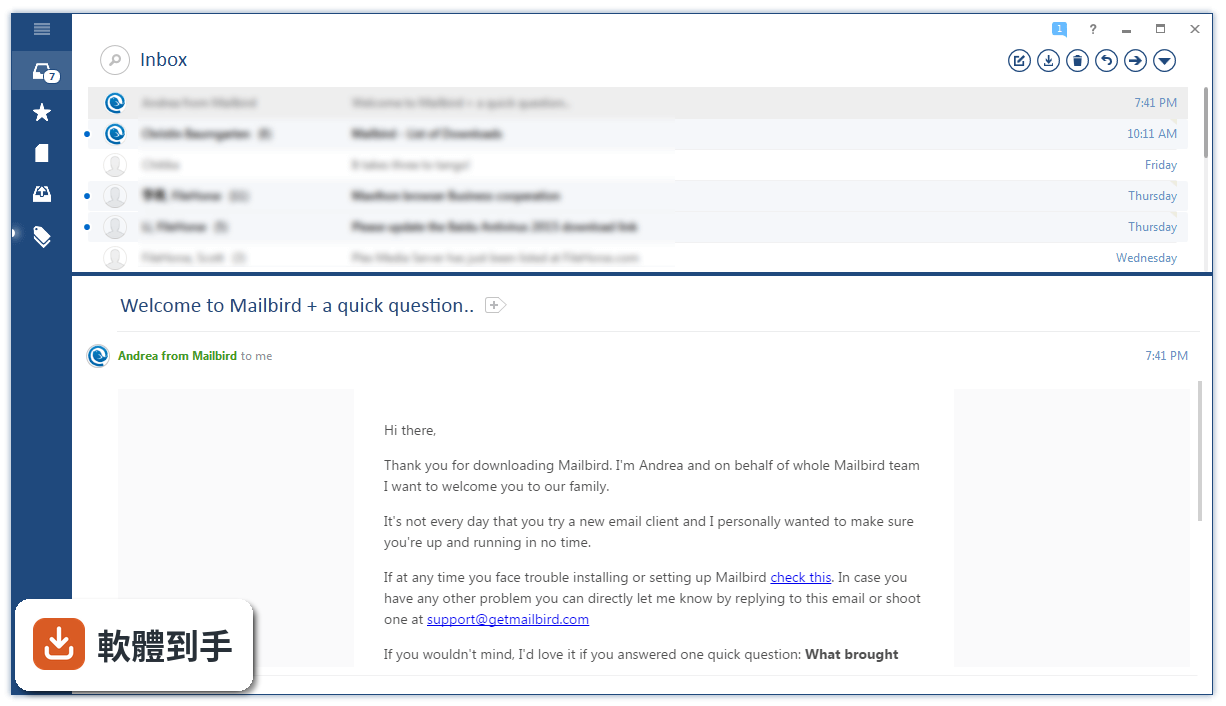
01Mailbird 到底能做什麼?跟直接用網頁信箱差在哪?
它是一套裝在 Windows 上的郵件軟體,把 Gmail、Outlook、Yahoo 這類多個帳號收進同一個收件匣,不用開瀏覽器分頁就能看信、回信。差別在於它把搜尋附件、延後處理信件、鍵盤快速鍵這些動作都整合在同一個畫面裡,減少切換視窗的次數。介面是英文的,第一次開啟時照著步驟輸入帳號密碼就能開始用。
02它可以同時管理幾個郵件帳號?會不會很難設定?
官方說明沒有限制帳號數量,重點是它主打「統一收件匣」,讓你把多個帳號集中在一處管理。設定方式不算複雜:第一次開啟會引導你按「Add Account」,從清單選你的郵件服務商(Gmail、Outlook、Yahoo 等),輸入帳號密碼就連上了。之後要再加其他帳號,也是走同樣的流程。
03除了收信,它還能跟哪些工具整合?
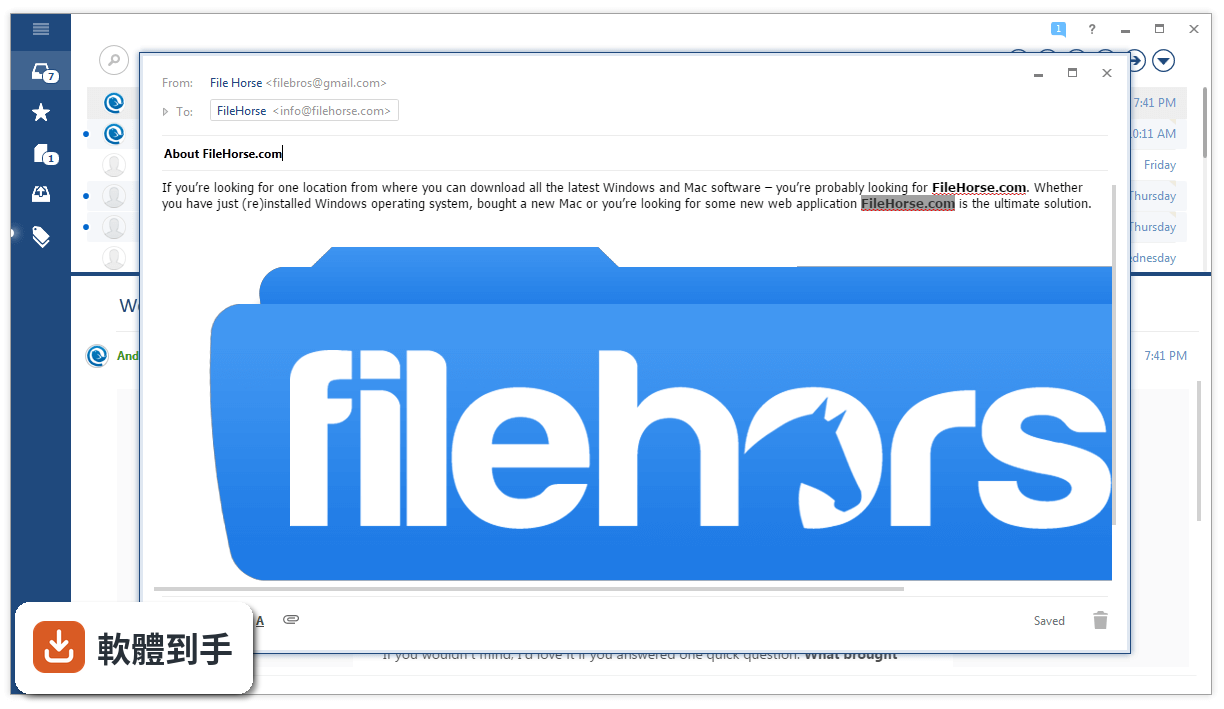
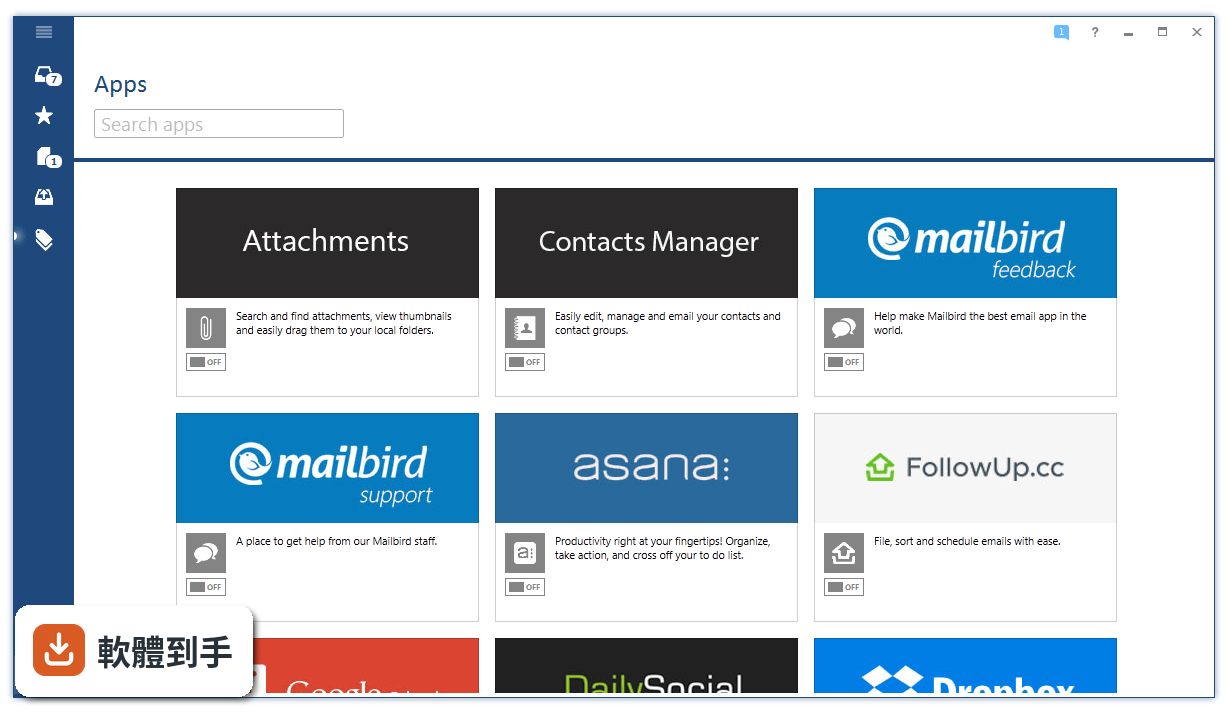
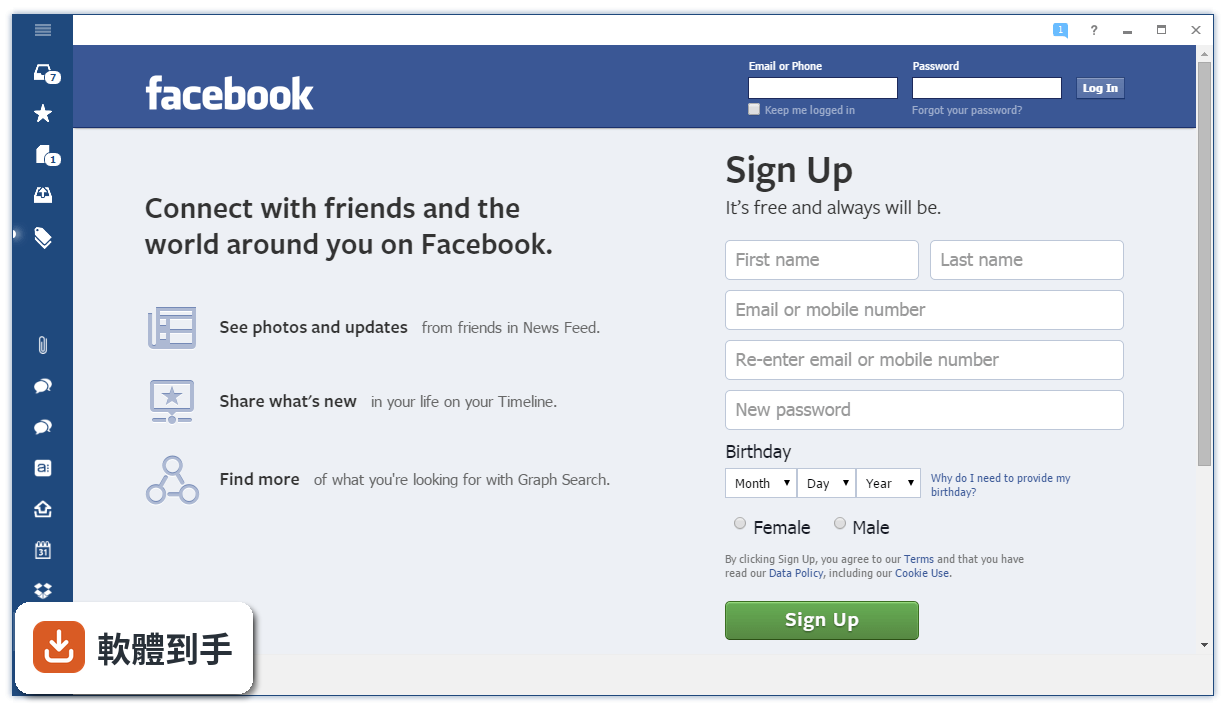
它內建了一些應用整合,像是 Google Calendar 可以排行程、看多個行事曆,WhatsApp 讓你在郵件軟體裡同時傳訊息,還有 Facebook、Twitter、Dropbox、Asana、Todoist 等。做法是把這些應用放進 Mailbird 的側邊欄,不用另外開視窗。另外它支援把郵件直接拖進 Moo.do 的每日待辦清單,把信件和任務綁在一起。
04信件很多的時候,它有沒有辦法幫我快速找到東西?
有。它提供附件搜尋功能,可以找出很久以前的附件;也有 Speed Reader 功能,用加速閱讀的方式快速掃過信件;鍵盤快速鍵支援封存、回覆、轉寄這些常用動作。如果你習慣用快速鍵操作,可以省下不少滑鼠點選的時間。信件太多時,也可以用 Snooze 功能把暫時不處理的信延後,讓收件匣保持乾淨。
05它的介面可以調整嗎?我不想每天對著一個醜醜的視窗工作。
可以。它提供多種免費顏色主題讓你換,也有深色和淺色模式可以切換,另外還有幾種不同的版面配置可以選。官方說法是介面走簡潔路線,把信件整理得比較有條理。如果你在意視覺上的清爽感,這些設定可以讓你把畫面調成自己順眼的樣子。
06我只有 Windows 電腦,這套軟體支援我的系統嗎?
它只支援 Windows,涵蓋 Windows 7、8、10、11。如果你用的是 Mac 或 Linux,這套軟體沒有對應版本,需要找其他方案。安裝方式是從官方網站下載安裝檔,照著畫面指示下一步就好,不需要額外設定環境。
07我英文不太好,介面只有英文會不會很難上手?
官方資料說它目前支援 17 種語言,但你的資料裡介面語系標示為 English,所以實際使用上可能還是以英文為主。如果你對英文介面不熟悉,建議先到官網確認目前是否提供繁體中文,再決定要不要安裝。基本操作像新增帳號、回信、搜尋這些流程,英文難度不算高,但進階設定就要花點時間適應。
08它有沒有離線存取的功能?我在沒有網路的地方也想看信。
有。官方說明提到它提供無縫的離線存取,讓你在任何地方都能管理郵件。也就是說,信件會先下載到電腦裡,沒有網路時還是可以開啟來看、整理分類,等連上網路後再同步寄出。如果你常搭車、搭飛機,這個功能可以讓你在離線狀態下繼續處理信件。
09我擔心郵件軟體會偷看我的信,它的隱私保護做得怎樣?
官方說明強調它不會掃描郵件內容,也不會把你的資料存在伺服器上,信件內容只留在你的裝置裡。這一點對在意隱私的人來說是加分項。不過,它整合了 Facebook、WhatsApp 這些第三方服務,使用這些功能時,那些服務本身有各自的隱私政策,這部分需要你自己評估。
10這套軟體要錢嗎?免費版會不會缺東缺西?
它的授權型式是 Freeware,也就是免費軟體,可以直接下載使用。官方說明沒有提到付費方案或功能限制,但也沒有說明免費版和付費版有沒有差異。如果你打算長期使用,建議到官網確認目前的授權條款,看有沒有功能上的限制,以免用到一半才發現某些功能要另外付費。
11它的更新頻率如何?會不會裝了一兩年就沒人維護了?
根據版本紀錄,它從 2015 年開始持續更新,最近一年內還有釋出新版本,近兩年也有更新動作,看起來是持續在維護的軟體。不過,更新頻率不算特別高,一年大約一兩次。如果你很在意軟體是否持續獲得新功能或安全性修正,可以接受這個節奏的話,它還算是一套有在經營的軟體。
12我朋友推薦我用 eM Client,跟這套比起來怎麼選?
你的資料裡列出了 eM Client、Hiri、Inky、Nylas Mail、FossaMail 這幾套功能相近的軟體,其中 eM Client 的評分人數是 78 人,Mailbird 是 302 人,在樣本數上 Mailbird 的評分參考價值較高。不過,eM Client 和 Mailbird 的介面語言、功能細節各有不同,建議你兩套都裝來試看看,實際用幾天再決定哪一套比較順手。功能比較表這類資訊,官網或軟體評測網站會有更詳細的說明。
下載與官方連結
MailbirdSetup.exe · 連結指向軟體原廠
版本紀錄
- 2026-10-28 Mailbird 4.37.0 299 MB
- 2026-08-31 Mailbird 3.0.63.0 259 MB
- 2026-05-15 Mailbird 3.0.61.0 259 MB
再看 5 筆
- 2023-10-28 Mailbird 2.9.92.0
- 2023-06-13 Mailbird 2.9.80.0
- 2023-05-23 Mailbird 2.9.79.0
- 2023-04-05 Mailbird 2.9.74.0
- 2021-06-08 Mailbird 2.9.34.0
這一版改了什麼
What's new in this version:
Mailbird 2.4.30.0
- Fixed issue with some Logitech mouse devices
Mailbird 2.4.29.0
- Mailbird now runs native 64 bit on supported systems
- Allow sending MAPI modeless and where there's no recipients a modal window will open
- Removed selecting search result when switching account
- Fixed Outlook issue where messages sent with attachments would incorrectly show twice in the sent folder - despite correctly only sending once
- Fixed an issue with insert link and insert picture buttons in quick reply
- Fixed crash when scrolling horizontally
- Fixed issue with Gmail messages being sent to oneself showing up as read
- Fixed issue applying silent updates due to read-only files
- Fixed issue undoing failed silent updates
- Fixed issue with drag and drop attachment from recent files in explorer
- Fixed issue when updating inline attachment
- Fixed issue with signature
- Fixed issue with apps sorting
Mailbird 2.4.25.0
- Fixed issue with Mailbird freezing when closing a compose window under some circumstances
Mailbird 2.4.24.0
- Fixed issue starting Mailbird
Mailbird 2.4.23.0
- Compose window redesigned
- Added autocomplete tagging of contacts when composing
- Added automatic update functionality, enabled by default
- Added ability to re-order apps in left menu
- Mute ads including video, audio and YouTube embedded video
- Implemented navigation using up & down key in recipient textboxes
- Fixed issue where uninstalling would start Mailbird in Windows 8 and 8.1
- Fixed find panel always being visible when displaying ads
- Fixed issue where marking a lot of messages read/unread could cause message sending to be delayed while the server was being updated
- Fixed avatar not loaded issue in invite sidebar
- Fixed not supported emoticon in email
- Fixed issue with attachments not being removed correctly when moving between compose windows if the draft is unsaved
Mailbird 2.4.14.0
- Added ESET service
- Added tips related to contact manager
- Implemented quick preview for rtf files
- Implemented change so it doesn't restart to load account after entering license key
- Fixed search result not selected when searching
- Fixed issue with slow startup under Windows 10
- Fixed some errors importing from Outlook pst files due to invalid email addresses
- Fixed issue with lower priority toast notifications dismissing higher priority ones
- Fixed an error when undoing a deletion
- Fixed issue when enabling all disabled accounts
- Fixed crash when opening some contacts
- Fixed issue when not displaying inline attachments as standard attachments
- Fixed welcome message not showing issue
- Fixed error when switching identities in compose window
- Fixed issue with the inbox sometimes not visibly showing as selected in the left menu on startup
- Fixed issue with apps sometimes showing an error when selected after enabling or disabling other apps
- Apps: Added Google Keep
Mailbird 2.4.10.0
- Added new services tab in Add-ons page
- Fixed issue with authentication failed notifications showing if the Internet connection is down briefly, e.g. right after the computer wakes from sleep - when using Google OAuth 2.0
- Fixed issue with messages from bizbi.pro showing unreadable characters
- Fixed rare issue with contact images not being removed properly when removing them from the Contacts app
- Fixed issue with contact images not updating if changing them multiple times in quick succession through the Contacts app
- Fixed issue with contact manager avatar not being shown for mail contacts
- Fixed clicked behavior issue in browse contacts window
- Fixed issue with the proper error not being logged when failing to authorize OAuth access
- Fixed remove button not working due to previous changes in contact item in recipient fields
- Fixed freeze issue in autocomplete textbox and also improved the drag and drop functionality
- Fixed issue with OAuth error handling
Mailbird 2.4.7.0
- Improved conversation grouping when replying to or forwarding a message via the Android Gmail or Email app for a non-Google account
- Fixed issue with the proper error not being logged when failing to authorize OAuth access
- Fixed crash occurring when opting to create a new conversation after changing the subject of a draft that contains attachments
- Fixed random crash that could occur in the Contacts app
- Fixed issue where trying to compose a message will crash, when Mailbird is limiting the number of accounts loaded in the Lite version under certain circumstances
- Fixed crash occurring when opting to create a new conversation after changing the subject of a draft that contains attachments
- Fixed crash when writing to a contact group with more than 100 contacts via compose auto complete
- Fixed issue with Contacts app not loading when clicking the 'Open Contacts' button in the release notification
- Fixed potential issue with locally disappearing QQ Mail messages when the server is acting up
- Fixed issue with compose auto-complete not returning contacts and crashes when searching in the Contacts app under some circumstances
- Fixed issue where user created contacts would not appear in compose auto-complete immediately after creating them
- Fixed possible issue with Yandex not showing all Bcc recipients for sent email when showing emails sent outside of Mailbird
- Fixed BT Internet issue where sometimes only the first recipient in TO or CC would appear in Mailbird
- Fixed error executing Contact Manager
- Fixed focus issue when adding extra name fields
- Fixed appbar size issue
- Fixed linkedin lookup issue
- Apps: Added Kin Calendar App
Mailbird 2.4.3.0
- Fixed issue with Google contact sync not working for some accounts
- Google contact sync will now correctly use any configured proxy
- Contact accounts will now sync in the order they appear in the Contacts app
- Fixed issue with QQ IMAP not working
- Fixed issue causing Mailbird to sometimes forget which sidebar app was selected last, on startup
Mailbird 2.4.2.0
- Fixed random crash that could occur in the Contacts app
- Fixed issue where trying to compose a message will crash, when Mailbird is limiting the number of accounts loaded in the Lite version under certain circumstances
- Fixed crash occurring when opting to create a new conversation after changing the subject of a draft that contains attachments
- Fixed crash when writing to a contact group with more than 100 contacts via compose auto complete
- Fixed issue with Contacts app not loading when clicking the 'Open Contacts' button in the release notification
Mailbird 2.4.1.0
- Fixed crash occurring when opting to create a new conversation after changing the subject of a draft that contains attachments
Mailbird 2.3.43.0
- Fixed uninstall issue when installing in custom location
Mailbird 2.3.42.0
- Improved speed at startup
- Fixed import issue handling in Outlook express and Windows Live Mail
- Fixed issue when the state is not updating in referral
Mailbird 2.3.36.0
- Fixed crash when changing 'Group messages into conversations' under some circumstances
Mailbird 2.3.35.0
- Added function to share referral to social media
- Changing subject from a reply or forward message allows user to create a new thread from it
- Fixed issue with subject when forwarding message
- Fixed crash when entering empty string in picture url in insert picture dialog
- Fixed crash when right clicking an image in the compose window
- Fixed crash when switching sidebar app
Mailbird 2.3.32.0
- Added F1 keyboard shortcut to show support window
- Added support for showing inline UUE attachments in messages if using IMAP
- Improved conversation grouping to group messages from Nextdoor and other similar websites correctly
- Improved Facebook avatar search detection
- Improved drag and drop email function
- Fixed remove conversations from search results when deleted from another folder
- Fixed issue with conversations and messages showing embedded/inline attachments as regular attachments for a few seconds before the message body is downloaded
- Fixed issue where the SMTP details of a primary identity could be invisible, preventing sending from that identity
- Fixed issue where new message button is visible when there are more than 1 selected messages
- Fixed issue when sometimes the referral is crashing
- Fixed issue with the inline data remaining visible in the body if using POP3
- Apps: Fixed issue in Chrome app when fails to navigate to home from a non bookmarked website
Mailbird 2.3.30.0
- Added F1 keyboard shortcut to show support window
- Added support for showing inline UUE attachments in messages if using IMAP
- Improved conversation grouping to group messages from Nextdoor and other similar websites correctly
- Improved Facebook avatar search detection
- Improved drag and drop email function
- Fixed remove conversations from search results when deleted from another folder
- Fixed issue with conversations and messages showing embedded/inline attachments as regular attachments for a few seconds before the message body is downloaded
- Fixed issue where the SMTP details of a primary identity could be invisible, preventing sending from that identity
- Fixed issue where new message button is visible when there are more than 1 selected messages
- Fixed issue when sometimes the referral is crashing
- Fixed issue with the inline data remaining visible in the body if using POP3
- Apps: Fixed issue in Chrome app when fails to navigate to home from a non bookmarked website
Mailbird 2.3.27.0
- Added new referral design
- Added option to download update automatically
- Added ability to add multiple contacts when not found in referral
- Improved general stability
- Updated folder mapping to properly select the iCloud 'Sent Messages' folder, over a possible 'Sent Items' folder created by Outlook
- Fixed issue that prevent dragging main window
- Fixed scroll get reset when doing inline reply
- Fixed highlight issue in some buttons in options window
- Fixed issue where each draft save would cause a new version to be uploaded to the server, instead of overwriting the existing one, for Charter.net users
- Fixed issue with duplicate accounts being able to be imported into Mailbird due to different email case, subsequently causing crashing on startup
- Fixed issue where Houston error window would open behind the main window
- Fixed random startup crash
- Fixed issue with previewing email
- Fixed issue with printing
- Fixed rare issue with Yahoo where folders sometimes wouldn't update - sometimes causing Mailbird to incorrectly report authentication failed
- Apps: Added navigation bar and bookmarks in Chrome app
Mailbird 2.3.24.0
- Fixed random startup crash
Mailbird 2.3.23.0
- Fixed issue with previewing email
- Fixed issue with printing
- Fixed issue where Turkish language is missing
Mailbird 2.3.22.0
- Added new app store design
- Added link to retrieve license key in Options window
- Improved recipient auto complete to be more intelligent in including ones identities
- Now switching auto spellcheck and language does not need a restart
- Fixed rare issue with Yahoo where folders sometimes wouldn't update - sometimes causing Mailbird to incorrectly report authentication failed
- Fixed zoom issue on tips browser
- Fixed windows buttons issue when maximized
- Fixed issue with Reply-To address being given an incorrect name when sending
- Fixed bug when selecting non-image file for custom cover
- Fixed few issues related to text wrapping in email viewer and composer
- Fixed issue with migration to delete messages with unknown senders
- Fixed Courier IMAP unknown sender issue
- Fixed issue with stackoverflow when trying to parse link
- Fixed incorrect resize on high dpi
- Fixed zoom level issue with different dpi
- Fixed an error setting incorrectly the default zoom for new users