
這是歷史版本頁面 — 看 ManyCam 最新版本
視訊會議背景太亂想遮掉?ManyCam 能幫你換什麼
 ManyCam 6.2.0
資料更新 2017-12-08
閱讀約 6 分鐘
開場第一段:你正準備參加一場重要的線上會議,鏡頭一開,背後的房間亂得不像話,或是家人走來走去、光線忽明忽暗。你當下只想把背景換掉,讓畫面看起來專業一點,但手邊沒有綠幕,也不確定視訊軟體有沒有內建虛擬背景功能。就算有,效果也常常只限於模糊或幾張預設圖片,想放自己的圖片、影片,甚至想同時開兩個鏡頭切換,根本做不到。
開場第二段:一般人遇到這種狀況,最直接的想法是去買一塊綠幕,或是想辦法把房間整理乾淨。但綠幕要架設、要打光,整理房間也不是每次都能馬上做到。更麻煩的是,如果你同時要開兩個不同的視訊軟體,例如一邊用 Zoom 開會、一邊用 Skype 跟同事討論,一般視訊軟體只能讓其中一個使用鏡頭。這類工具的切入點,是把自己變成一個「虛擬攝影機」:先接管你的鏡頭畫面,加上你要的背景、特效、文字,再把處理好的畫面輸出給任何一個視訊軟體使用。這樣一來,換背景、加字幕、切換畫面,全部在這一層完成,不用去動每個視訊軟體的設定。
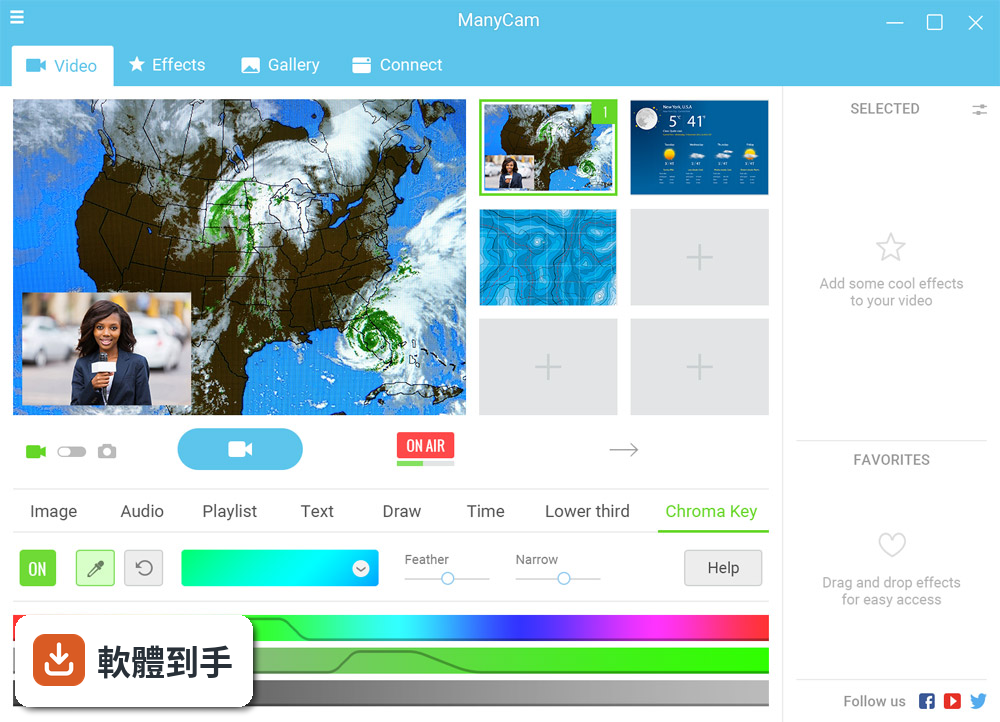
01ManyCam 可以讓我換掉視訊背景嗎?要怎麼做?
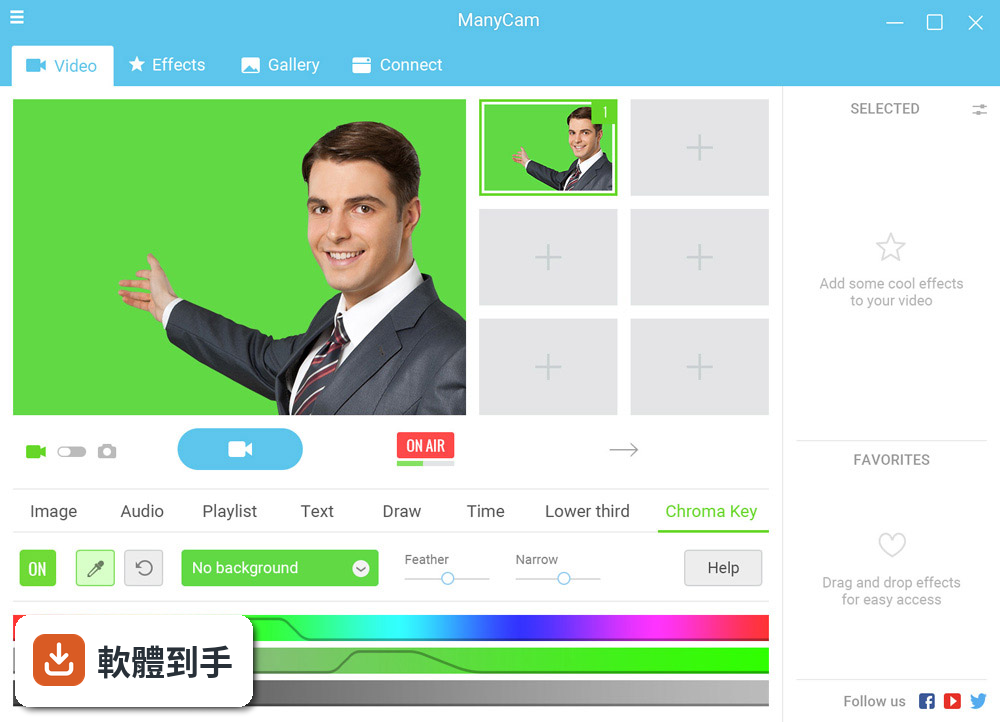
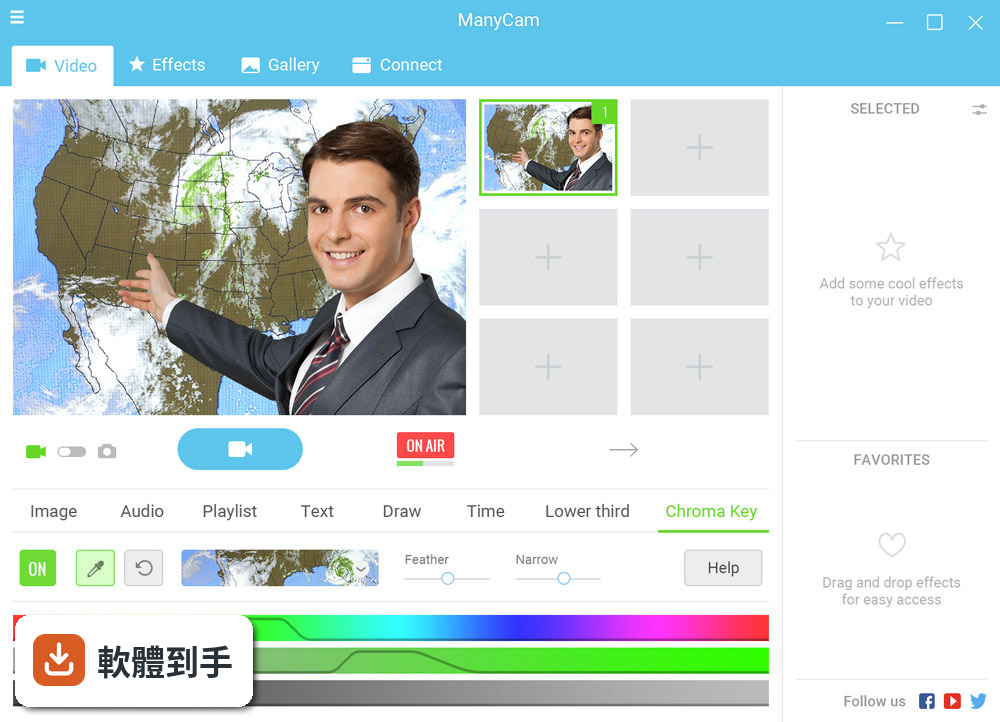
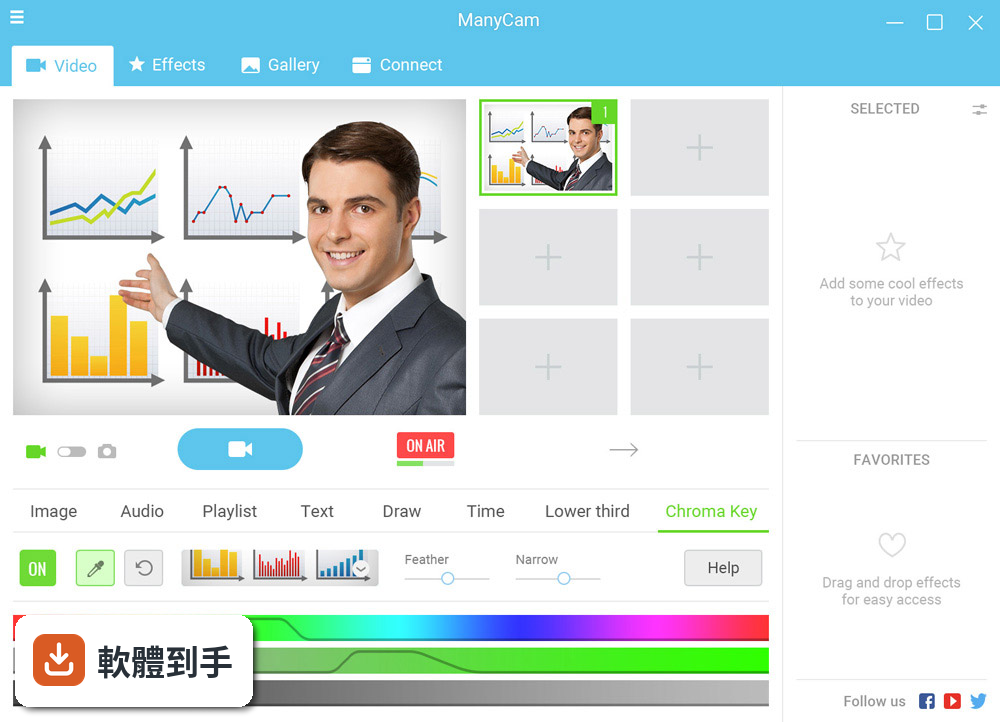
可以。它提供虛擬背景功能,不需要綠幕,直接選一張圖片或一段影片當背景,也可以把背景模糊化。做法是在來源視窗中選擇你的攝影機,然後開啟虛擬背景設定,挑選你要的圖片或影片來源。它也有綠幕功能,如果你真的有綠幕,可以指定要移除的顏色,換成任何你想要的背景。
02我同時要開 Zoom 和 Skype,這套軟體能讓兩個軟體都用同一個鏡頭嗎?
可以。它會把自己註冊成一個虛擬攝影機,你只要在 Zoom 和 Skype 的設定裡都選 ManyCam 作為鏡頭來源,兩個軟體就能同時看到處理過的畫面。它也能同時把畫面輸出到多個平台,例如一邊直播到 YouTube、一邊用視訊軟體開會,不需要額外硬體。
03直播的時候想切換畫面,例如從鏡頭切到電腦畫面,這套軟體做得到嗎?
做得到。它支援多個影片來源,包括攝影機、預錄影片、圖片、電腦螢幕、網頁等,最多可以設定多個來源,然後在直播或視訊通話中隨時切換。切換時可以選擇直接切換或加上轉場效果,例如淡入淡出,讓畫面轉換不會太突兀。
04我想在畫面上加自己的名字或標題,這套軟體有辦法嗎?
有。它提供標題功能,可以在畫面上疊加文字,例如你的名字、職稱、公司名稱或網址。文字內容可以隨時修改,也有不同的圖形樣式可以選。另外還有「下三分之一」文字圖層,通常放在畫面下方,適合放姓名或標題,讓畫面看起來更專業。
05除了換背景和加文字,它還能做什麼?
它還有畫中畫功能,可以在主畫面之上疊加其他視窗,例如把另一個鏡頭畫面或電腦畫面縮小放在角落。也支援螢幕錄製,可以把桌面操作錄下來存成檔案,或直接當作直播來源。另外有臉部辨識特效,可以加上面具或搞怪濾鏡,讓視訊畫面更有趣。
06我是老師,想用這套軟體上線上課,適合嗎?
適合。它可以把電腦螢幕當作影片來源,上課時直接切換到簡報或教材畫面,也可以同時顯示老師的鏡頭畫面在角落。虛擬背景功能可以讓老師在家上課時,背景看起來像教室或乾淨的空間。它也能加入標題,顯示課程名稱或老師姓名,對線上教學來說是實用的工具。
07我只是偶爾開會想換個背景,這套軟體會不會太複雜?
如果你只需要換背景,它的基本操作不算複雜:安裝後在視訊軟體中選它當鏡頭,然後在 ManyCam 裡選一張背景圖片就行。但它的介面是英文的,而且功能很多,初次使用需要花一點時間熟悉選單和來源設定。如果只是偶爾用,可以只學虛擬背景和來源切換這兩個功能,其他可以暫時忽略。
08這套軟體是免費的嗎?有沒有什麼限制?
它採用 Demo 授權,可以免費下載使用,但官方說明中沒有明確列出免費版和付費版的差異。免費使用時,畫面上可能會出現浮水印或限制部分功能,實際情況需要安裝後自行確認。如果你需要完整功能,例如同時使用多個來源或去除浮水印,可能要考慮付費方案,建議到官方網站查詢最新價格和功能比較。
09我的電腦是 Windows 7,可以用嗎?
可以。它支援 Windows 7、Windows 8、Windows 10 和 Windows 11,包含 32 位元和 64 位元版本。不過要注意,Windows 7 已經停止支援,部分新版本軟體可能無法在舊系統上正常運作。如果你用的是 Windows 7,建議先下載試用,確認功能正常再決定是否長期使用。
10這套軟體只有英文介面,我看不懂英文,還適合用嗎?
它的介面確實只有英文,沒有中文選項。如果你不熟悉英文,操作上會比較吃力,尤其是設定虛擬背景、新增來源、調整圖層這些功能,都需要看懂選單文字。如果你完全無法閱讀英文,可能要考慮其他有中文介面的替代軟體,或請懂英文的人協助設定一次,之後就只用固定幾個功能。
11我聽說有 CamStudio 和 WebcamMax,這套軟體跟它們比起來有什麼不同?
這三套軟體定位不太一樣。CamStudio 主要偏螢幕錄製,功能較單純;WebcamMax 和 ManyCam 比較接近,都是虛擬攝影機加特效。ManyCam 的評分人數和 WebcamMax 一樣都是 525 人,分數都是 8 分,表示使用者的滿意度相近。如果你需要的是多平台同時直播、網頁來源、專案匯出這些進階功能,ManyCam 有提供;但如果你只需要簡單的螢幕錄製,CamStudio 可能就夠用了。
12這套軟體多久更新一次?會不會很久沒更新?
根據版本紀錄,它收錄了 38 個版本,最早在 2017 年,最近一次更新在 2026 年,近 12 個月更新 1 次,近 24 個月也是 1 次。也就是說,它大約一年更新一次,更新頻率不算高,但也不算完全停滯。如果你在意新功能或相容性,可以留意官方網站是否有新版釋出,或參考其他使用者的評價再決定。
下載與官方連結
ManyCamStandaloneSetup.exe · 連結指向軟體原廠
版本紀錄
- 2026-09-11 ManyCam 9.3.1.8 125 MB
- 2026-07-09 ManyCam 9.3.0.11 125 MB
- 2022-12-31 ManyCam 8.1.2.3
再看 5 筆
- 2022-09-22 ManyCam 8.1.0.5
- 2022-09-21 ManyCam 8.1.0.3
- 2021-12-14 ManyCam 7.9.0.52
- 2021-09-15 ManyCam 7.8.8.1
- 2021-09-09 ManyCam 7.8.7.61
這一版改了什麼
What's new in this version:
ManyCam 6.2.0
- Improved GPU-based Hardware Acceleration (experimental feature)
- Improved multimedia processing time (upgraded to SIMD)
- Improved FPS and smoothness for YouTube and movie sources
- Improved Game Capture compatibility
- Added AMD H.264 Hardware Encoder support
- Added new Playlist features and interface changes
- Implemented new video preset management approach
- Bug fixes and stability improvements
ManyCam 6.1.1
- Removed obsolete effects from the default Effects library
ManyCam 6.1.0
- Added ability to pause/resume video recording
- Added hardware encoder support for video recording. (Intel QSV & NVIDIA NVENC)
- Improved settings for predefined social media streaming (Facebook – added stream title, description, and privacy settings, and ability to select group, event, or page as streaming destination. YouTube – added stream title and privacy settings)
- Fixed artifacts when RTMP streaming using the software encoder
- Revamped the RTMP and connect tab
- Added new Halloween Face Masks
- Updated translations for all supported languages
- Bug fixes and stability improvements
ManyCam 6.0.2
- Added Hotkeys feature
- Added 12 additional video presets for ManyCam Enterprise Subscription
- Added Pause/Resume option for RTMP & driver streams
- Scroll speed increased throughout ManyCam
- Resolved issue that caused ManyCam to sometimes be removed after reboot
- Resolved issue where audio settings were not saved
- Resolved several crashes
- Bug fixes and stability improvements
ManyCam 6.0.1
- Brand new and even more flexible UI design with customizable widgets
- New Favorites panel for your favorite features
- Free HD resolution
- New realistic Face Masks
- GPU-based optimizations (experimental feature)
- RTMP streaming with extended support for hardware encoders (Intel Quick Sync Video, Nvidia NVENC)
- Improved performance (new enhanced JPEG decoder, optimized RTMP streaming pipeline)
- Advanced audio management (customizable audio sources for video presets and Picture-in-Picture layers)
- Various bug fixes & stability improvements
ManyCam 5.8.0
- Added subscriptions
- Added social login
- Various bug fixes and improvements
ManyCam 5.7.2
- Added new Easter effects and borders
ManyCam 5.7.1
- Fixed media files issue
ManyCam 5.7.0
- Resolution issues when using ManyCam with external applications resolved
- Improved settings storage
- Fixed Periscope issues
- Moved to WebEngine for Web Views
ManyCam 5.6.1
- Added unicode support in installation/users paths
- Various bug fixes, stability & security improvements
ManyCam 5.6.0
- Added in app account registration
- Extended support for video capture cards
- New Face Mask effects
- Various bug fixes, stability & security improvements
ManyCam 5.5.2
- Mobile source UI improvement
- Various bug fixes and improvements
ManyCam 5.5.0
- Change log not available for this version
ManyCam 5.4.1
- Translations added
- RTMP Authorization fixed
ManyCam 5.4.0
- Major RTMP streaming improvements (authorization, RTMPS, RTMPE and RTMPT)
- New UI to make streaming even easier
- Direct live streaming to Facebook
- ManyCam Mobile [ BETA ] support
- Play/Pause for local media file and YouTube sources. Click on the video source to play and pause
- HTML notification fix
- Standard users can now enjoy 1 custom watermark and rename their virtual camera
- Various bug fixes and improvements
ManyCam 5.3.2
- Fixed a driver signature issue for new Windows 10 installations (version 1607)
ManyCam 5.3.1
- Fixed a driver compatibility issue with Windows 10 Anniversary
ManyCam 5.3.0
- Major IP Camera improvements.
- Added MJPEG support for webcams with HD or Full HD resolutions to improve FPS.
- Various bug fixes, stability & performance improvements.
ManyCam 5.2.0
- New Custom Watermarks feature (for Studio and Enterprise only)
- New Custom Lower Third feature
- Various bug fixes, stability & performance improvements
ManyCam 5.1.0
- Bug fixes and stability improvements including:
Game capture feature bugs resolved
Issues with consistency of H264 camera usage resolved
- Automated software update process introduced
- Added in-app flexible notification system
- Website login and password now linked to software login
ManyCam 5.0.5
- Fixed bug with Object effects created by users (wrong scale)
- Fixed bug with IP cameras when using network proxy settings
- Fixed bug with IP cameras authorization
- Fixed bug with playlist scheduler
- Added ability to drag zoomed picture (in picture in picture mode)
- Various bug fixes, stability and performance improvements
ManyCam 5.0.4.2
- H.264 bug fix for ManyCam Studio.
ManyCam 5.0.3.15
- New and more flexible UI design with support for HiDPI displays.
- New Chroma Key feature(Studio and Enterprise only).
- New Motion Detection feature (Studio and Enterprise only).
- Windows 10 support.
- More accessible options with Standard, Studio, and Enterprise editions.
- Use up to 12 video sources (Studio and Enterprise only).
- Improved Draw tab (history, transparency).
- New Noise Suppression feature.
- New Save Effects Presets feature.
- Removable watermark (Standard, Studio, Enterprise only).
- Added Custom duration for each item in playlist.
- Various bug fixes, stability & performance improvements.
ManyCam 4.1.2.3
- Improvements under “Connect” tab
- Various bug fixes and stability improvements
ManyCam 4.1.1.4
- New "Connect" tab that provides quick access to compatible streaming sites and applications
- Stability improvements
ManyCam 4.1.0.11
- Custom audio and video bitrates for the Recording feature.
- New Window Selector feature. (Pro & Enterprise only)
- New Custom Area feature (movable canvas). (Pro & Enterprise only)
- Desktop Zoom feature. (Pro & Enterprise only)
- Create and save a list of RTMP servers that you often use for broadcasting. (Pro & Enterprise only)
- Broadcast to multiple RTMP servers simultaneously (Enterprise only).
- Added H264 support for IP cameras (Enterprise only).
- Stability improvements.
ManyCam 4.0.110
- New Timer and Stopwatch features.
- Audio playlist improvements.
- Removing the ManyCam Watermark is now a Free feature.
- Stability improvements.
ManyCam 4.0.109
- New RTMP feature that allows you to broadcast directly on Twitch, Ustream and YouTube live events
- Added 60 fps support
- Fixed a bug some users were having while switching movies in the playlist
- Fixed a bug some users were having with audio clicks
- Fixed the System Sound microphone for some audio cards
ManyCam 4.0.97
- Stability improvements.
ManyCam 4.0.94
- New Mobile Video Source allows you to stream video and audio directly from your Android device.
- New YouTube Video Source allows you to stream and broadcast videos found on YouTube.
- New YouTube Social Uploader feature allows you to upload your recorded videos to YouTube from ManyCam.
- Various bug fixes and improvements as requested by users.
- Removing the ManyCam Watermark is a Pro feature only.
ManyCam 4.0.78
- Support for Windows 8.1 Metro apps
ManyCam 4.0.77
- Stability improvements.
ManyCam 4.0.70
- New Game video source allows capturing and recording of your gameplay
- New Lower Third feature
- Custom Video Source feature allows you to give a new name to the ManyCam Virtual Webcam video source
- Added new scrolling options for Text Over Video feature
- Added Random transition effect
- Fixed a problem where the message “Try closing other programs that might be using your webcam.” appeared for some cameras
- Added support for more camera vendors
- Various bug fixes and improvements as requested by users
ManyCam 4.0.63
- Stability improvements.
ManyCam 4.0.52
- Fixed a problem where “Run on startup” option did not work correctly.
- Added the ability to set up custom delays between items in playlist.
- Added the ability to set up different scrolling speeds for the text over video feature.
- Due to repeated requests from ManyCammers, we have brought back the “Show cursor” and “Camera properties” features.
- Performance improvements as requested by our users along with other bug fixes.
ManyCam 3.1.64
- New Thanksgiving effects added to installer.
- Minor bug fixes.