
這是歷史版本頁面 — 看 Microsoft Windows SDK 最新版本
Windows SDK 到底在做什麼,開發 Windows 程式一定要裝嗎
 Microsoft Windows SDK 8.59.29750.0 (Windows 8)
資料更新 2015-01-27
閱讀約 6 分鐘
寫一支 Windows 桌面程式,最常碰到的狀況是:程式碼寫好了,編譯卻一直報錯,說找不到某個標頭檔或函式庫。你明明照著教學把 Visual Studio 裝好了,專案也建出來了,但就是卡在那些「windows.h」「user32.lib」之類的檔案上,不知道它們從哪裡來、該去哪裡找。更別提想呼叫某個系統 API 時,連文件都翻不到,只能上論壇問人。
一般人會以為裝了 Visual Studio 就萬事俱備,但其實 Visual Studio 只是編輯器和編譯器的集合,真正讓你的程式碼能呼叫 Windows 系統功能的那一層——標頭檔、函式庫、API 定義、偵錯工具——是另外一套東西。這類開發工具包的切入點,就是補齊這中間的缺口:它把微軟公開的系統介面、編譯所需的檔案、以及偵錯和效能分析的工具,全部打包在一起,讓開發者不必自己四處蒐集這些底層元件。
01Windows SDK 是拿來做什麼的?
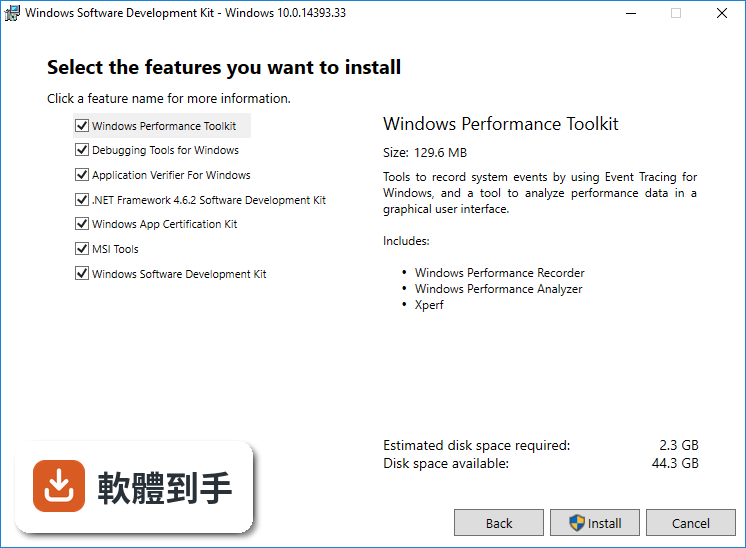
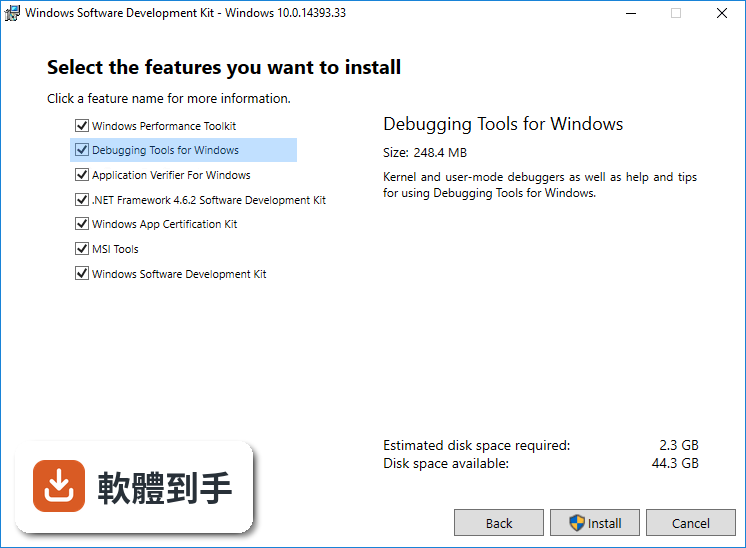
它是微軟提供的開發工具包,內含編譯器、連結器、標頭檔、函式庫、程式碼範例和說明文件,用來建立能在 Windows 上執行的應用程式。支援 Win32/COM 原生程式和 .NET Framework 受控程式,也包含 WinDbg 偵錯工具、Windows Performance Analyzer 和 Windows App Certification Kit 等輔助工具。
02它裡面到底裝了哪些東西?
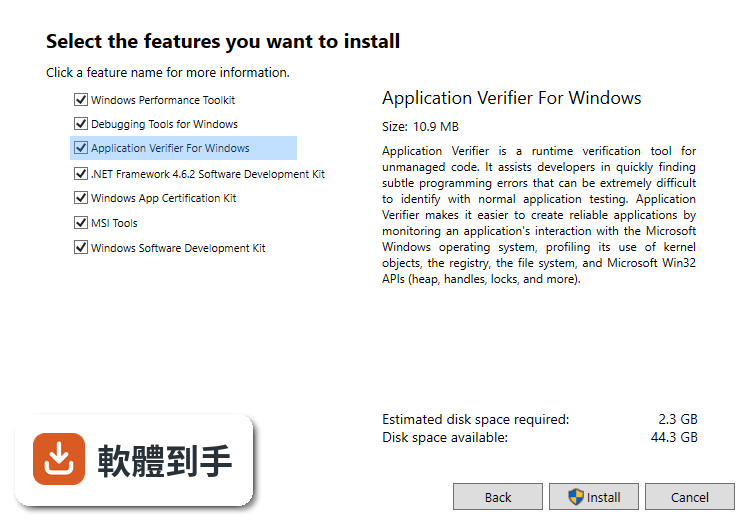
主要分幾類:開發工具(編譯器、連結器)、Windows API 和函式庫、偵錯工具(WinDbg)、說明文件、程式碼範例和範本、Windows Performance Analyzer 效能分析工具、Windows App Certification Kit 認證工具,以及 Windows Driver Kit(WDK)用於驅動程式開發。
03支援哪些 Windows 版本?
官方說明指出支援 Windows 7、Windows 8、Windows 10、Windows 11 以及 Windows Server 版本。不過要注意,不同版本的 SDK 可能對應不同的 Windows 版本,安裝時可以選擇要安裝的元件,較舊的 Windows 版本可能需要下載對應的 SDK 版本。
04安裝前需要先裝 Visual Studio 嗎?
官方 FAQ 提到,安裝 SDK 可能需要先安裝對應版本的 Visual Studio 才能順利整合。SDK 本身沒有圖形介面,必須搭配 IDE 使用,Visual Studio 是最常見的選擇,Visual Studio Code 也可以,但整合上可能需要額外設定。
05可以用 C# 或 Visual Basic 寫嗎?
可以。官方說明指出,雖然 Windows 開發的主要語言是 C++,但搭配適當的函式庫和工具,也能使用 C# 和 Visual Basic。SDK 支援 .NET Framework 受控程式模型,所以用 C# 開發 Windows 應用程式是可行的。
06初學者適合自己裝來學嗎?
官方資料提到它對初學者可能較複雜,需要熟悉 C++ 和 Windows 架構。如果你剛開始學 Windows 程式開發,建議先透過 Visual Studio 的專案範本和內建工具入門,等需要用到特定 API 或偵錯工具時,再考慮單獨安裝 SDK。
07它和 Windows Driver Kit(WDK)有什麼不同?
官方 FAQ 明確說明:SDK 專注於一般應用程式開發,WDK 則是針對裝置驅動程式開發。如果你要寫驅動程式,需要另外安裝 WDK;如果只是開發一般應用程式,SDK 就夠了。
08我已經裝了 Visual Studio,還需要另外裝它嗎?
Visual Studio 通常會自帶一部分 Windows SDK,但版本可能不是最新的。如果你需要用到較新的 API、工具或函式庫,或者要開發 UWP 應用程式,就可能需要另外安裝最新版的 SDK。可以先檢查 Visual Studio 的元件管理,看已安裝的 SDK 版本是否滿足需求。
09只寫 .NET 應用程式的人需要它嗎?
如果你只用 .NET Framework 或 .NET Core 開發,Visual Studio 通常已經包含所需的開發套件,不一定需要單獨安裝 Windows SDK。但如果你要呼叫 Win32 API 或使用 COM 元件,還是需要 SDK 提供的標頭檔和函式庫。
10這套軟體值得下載嗎?評分人數好像不多?
目前評分 7.8/10,但只有 34 人評分,樣本數偏少,參考價值有限。它是微軟官方免費提供的工具,如果你需要開發 Windows 應用程式,下載安裝是合理的選擇;但如果只是偶爾寫個小工具,可以先試試 Visual Studio 內建的 SDK 是否夠用。
11它有沒有圖形介面可以用?
沒有。官方說明明確指出,SDK 本身沒有 GUI,它是一組開發工具和資源,必須在 Visual Studio 或其他 IDE 中使用。安裝後,你是在 IDE 的專案設定中指定 SDK 版本,而不是直接開啟一個 SDK 的應用程式。
12用其他語言(像是 Python)開發 Windows 程式需要它嗎?
官方資料主要針對 C++、C# 和 Visual Basic,沒有提到 Python。如果你用 Python 開發 Windows 應用程式,通常不需要安裝 Windows SDK,Python 的套件和工具鏈已經涵蓋大部分需求。除非你要呼叫特定的 Windows API,才需要考慮透過 ctypes 等方式,但這不一定需要完整安裝 SDK。
下載與官方連結
前往官方網站 下載 Microsoft Windows SDK
sdksetup.exe · 991.23 KB · 連結指向軟體原廠
版本紀錄
- 2026-10-01 Microsoft Windows SDK 10.0.28000.2957 (Windows 11) 1.3 MB
- 2026-08-22 Microsoft Windows SDK 10.0.28000.2705 (Windows 11) 1.3 MB
- 2026-07-23 Microsoft Windows SDK 10.0.28000.2526 (Windows 11) 1.3 MB
再看 5 筆
- 2022-06-14 Microsoft Windows SDK 10.0.22621.1 (Windows 11)
- 2017-09-19 Microsoft Windows SDK 10.1.15063.468 (Windows 10)
- 2015-01-30 Microsoft Windows SDK 8.100.26936.0 (Windows 8.1) 1024 KB
- 2015-01-27 Microsoft Windows SDK 8.59.29750.0 (Windows 8) 991.23 KB
- 2015-01-13 Microsoft Windows SDK 10.0.40715.0 (Windows 7) 503.81 KB
這一版改了什麼
What's new in this version:
WINDOWS ACK 2.2:
- As of November 28, 2012, either Windows ACK 2.2 or the previous version (9200) is required when submitting desktop apps for Windows certification. Windows ACK 2.2 is also required for app submissions to the Windows Store as of December 11, 2012. Windows ACK 2.2 includes bug fixes as well as three new tests
- Optimized binding references (when using bindings, WinJS.Binding.optimizeBindingReferences should be set to TRUE in the app’s JavaScript to optimize the memory usage)
- Branding validation (apps should not use the default icons generated by Visual Studio or included in the SDK samples)
- Private code signing (remove any private code signing keys, such as .pfx files, from the package).
Windows Store apps:
- The Windows SDK provides all the headers, libraries, Windows Metadata files, and tools to build the new Windows Store apps introduced with Windows 8.
NET Framework 4.5 SDK:
- The Windows SDK includes the reference assemblies, tools, headers, and libraries needed to build applications that target the .NET Framework 4.5.
Integrated DirectX SDK:
- The DirectX SDK is now part of the Windows SDK. Many of the tools and components that originally shipped in the DirectX SDK now ship as part of the Windows SDK to support building great DirectX applications for Windows using only a single SDK. Directions for using the DirectX SDK with the new Windows SDK through Visual Studio 2012 can be found here, if you need to continue to use the DirectX SDK for access to legacy components.
Decreased size:
- At roughly 300 MB, this version of the SDK is about half the size of the Windows SDK for Windows 7 and the .NET Framework 4. Therefore, the newer version installs faster and has a smaller system footprint.
UPDATED OR REMOVED FEATURES:
Command-line build environment:
- The Windows SDK no longer ships with a complete command-line build environment. The Windows SDK now requires a compiler and build environment to be installed separately. By removing the command-line build environment, the Windows SDK no longer ships the following components: Windows SDK Platform Toolset, Visual C++ Compilers and C Runtime (CRT), and Windows SDK Configuration Tool.
Microsoft Help Viewer:
- The Microsoft Help Viewer no longer ships as part of the Windows SDK.
NET framework tools and reference assemblies:
- The Windows SDK for Windows 8 includes support for the .NET Framework 4.5 development tools and reference assemblies. Tools and reference assemblies for previous versions of the .NET Framework aren't included in this version of the Windows SDK. You can continue to download and install the Microsoft Windows SDK for Windows 7 and .NET Framework 4 to acquire tools and reference assemblies for previous versions of the .NET Framework.
IntelliSense:
- The XML documentation comments for the .NET Framework reference assemblies no longer ship as part of the Windows SDK.
Samples:
- All Windows samples have been moved to the Windows Dev Center. The Windows Dev Center provides access to hundreds of demonstrative samples which are filterable by technology, programming language, and development platform. Samples are available for Windows Store apps and Desktop apps. Additional samples are available on the MSDN Code Gallery.
Tools:
- Many obsolete or deprecated tools have been removed from the Windows SDK. The following tools have been removed: Apatch.exe, Bind.exe, Checkv4.exe, Consume.exe, DeviceSimulatorForWindowsSideShow.msi, Err.exe, FDBrowser.exe, FXCopSetup.exe, Guidgen.exe, Make-Shell.exe, MDbg.exe, Mpatch.exe, MSIZap.exe, PTConform.exe, ReBase.exe, sddlgen.exe, setenv.cmd, SetReg.exe, SoapSuds.exe, Sporder.exe, TcpAnalyzer.exe, TSPDesigner.exe, UTL2IDL.exe, ValidateSD.exe, VirtualLightSensor.exe, WinDiff.exe, WpfPerf.exe.