
這是歷史版本頁面 — 看 Password Vault Manager Enterprise 最新版本
團隊密碼老是記不住、管不齊?Password Vault Manager 能幫什麼忙
 Password Vault Manager Enterprise 9.5.0.0
資料更新 2018-03-22
閱讀約 6 分鐘
公司裡每個成員都有自己的系統帳號、Wi-Fi 密碼、伺服器登入憑證,這些資訊散落在每個人的筆記本、Excel 表格,甚至貼在螢幕邊緣的便利貼上。當有人離職、密碼到期,或是需要緊急存取某個共用帳號時,你才發現根本不知道最新版本在哪裡,只能一個一個問人,運氣不好還問不到。你真正需要的,是讓這些密碼有一個集中的存放位置,而且只有該看到的人看得到。
一般人最直接的想法是開一份共用 Excel 表,放在公司網路磁碟上。但這種做法很快就會失控:檔案被鎖住、版本衝突、沒有權限控管,更別提誰改過密碼完全沒有紀錄。這類工具切入的點,就是把「密碼存放」變成一套有規則的流程——用一個主密碼解鎖整個保險庫,裡面可以分群組、設權限、看存取紀錄,甚至幫你產生夠亂的新密碼。它不是什麼神奇的東西,就是把你原本用 Excel 和便利貼在做的事,變成一個有結構、有稽核的系統。
01Password Vault Manager 到底能拿來做什麼?
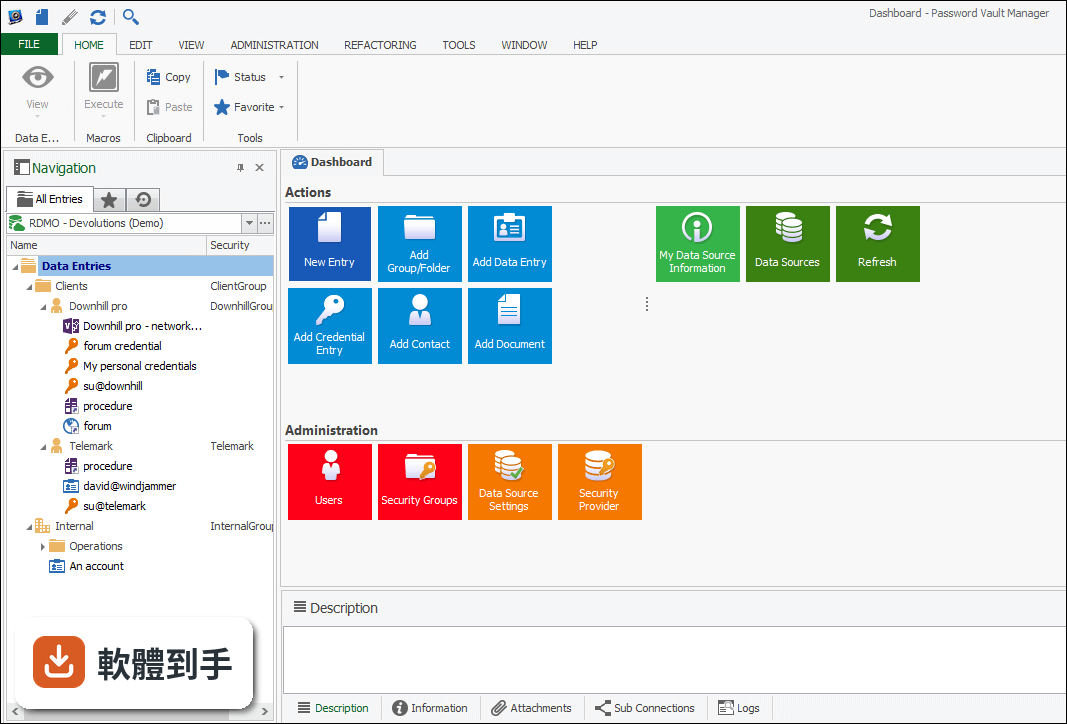
它把公司裡的密碼和憑證集中收進一個加密保險庫,用一組主密碼就能管理。你可以把銀行帳號、信用卡資訊、軟體授權金鑰、Email 帳號等分門別類存進群組和資料夾,也能把文件當成附件或安全記事存放。另外可以產生隨機強密碼、找出團隊裡哪些密碼太弱,並追蹤每一次的存取和修改紀錄。
02這套軟體可以多人一起用嗎?權限怎麼分?
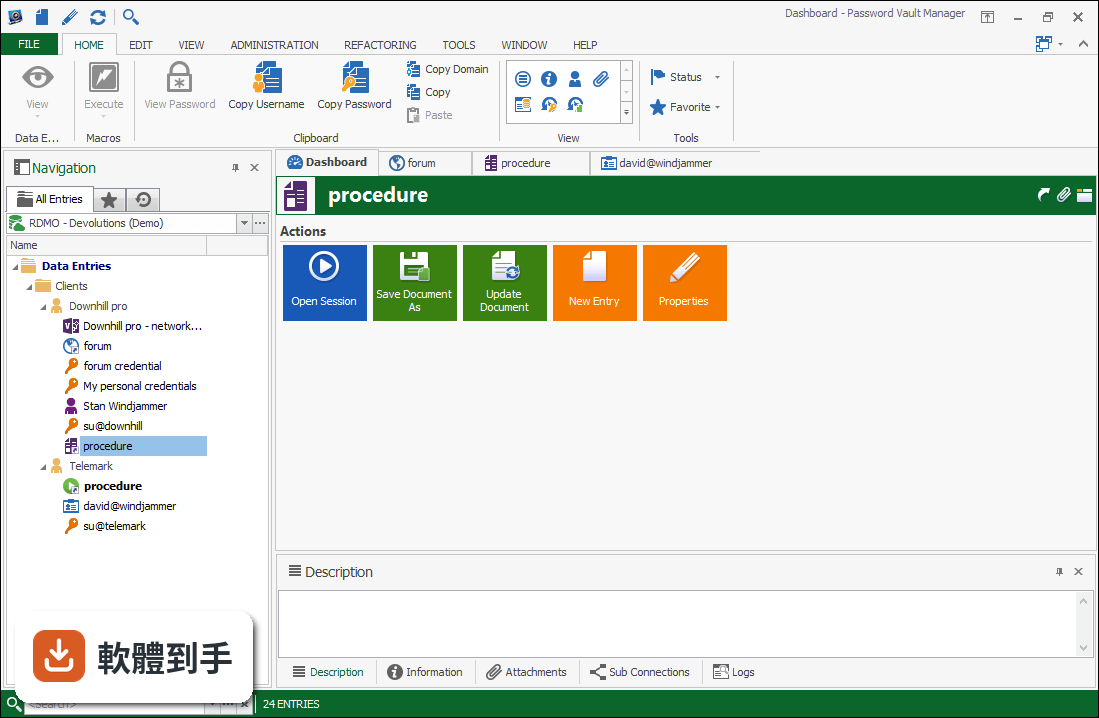
可以,這是它主要的用途之一。管理員可以把密碼集中放在同一個保險庫,然後讓不同成員存取需要的項目。每個使用者能看哪些資料、能不能修改,都由管理者設定權限。它也會記錄誰看了什麼、改了什麼,方便管理階層事後稽核。對於需要共用帳號的團隊,這比把密碼貼在群組聊天裡安全得多。
03我們公司現在用 KeePass 和 LastPass,換過來會不會很麻煩?
它支援從 KeePass、1Password、LastPass、SplashID、Password Safe 等多種常見工具匯入既有密碼和憑證,所以轉移的門檻不算太高。匯入之後再重新分群組、設權限就行。不過實際匯入的完整度,建議先拿一小批資料測試看看,確認格式和欄位有沒有跑掉。
04它能不能幫我們產生不容易被破解的密碼?
可以,軟體內建隨機密碼產生器,能依照你的規則生成強度夠高的新密碼。同時它也會掃描現有密碼,標出哪些太弱、需要更換。這樣做的好處是,團隊成員不需要自己絞盡腦汁想密碼,直接用產生的結果,降低被猜中的風險。
05除了存密碼,它還能拿來放其他東西嗎?
可以。除了密碼欄位,它支援把文件當成附件存放,也能寫安全記事。比如伺服器的設定檔、合約掃描檔、軟體授權書,這些不適合隨便放在共用資料夾的東西,都可以收進保險庫裡。每一筆資料的變更和存取也都有紀錄,方便追蹤。
06我們只是五個人的小公司,用這套會不會太複雜?
官方宣稱介面設計得直覺、容易部署,在企業環境中不需要太多訓練就能上手。但要注意,它的定位是團隊方案,功能包含權限管理、存取紀錄、集中維護,這些對小團隊來說可能超過實際需求。如果你的團隊只有幾個人,而且密碼數量不多,免費或更輕量的密碼管理工具也許就夠了。
07我們公司沒有專職 IT,這套軟體好維護嗎?
它需要安裝在 Windows 系統上,而且要求 .NET Framework 環境。官方說法是不需要大量訓練就能使用,但「不需要訓練」指的是日常操作,不代表你不用處理安裝和更新。如果公司裡沒人熟悉這類系統,遇到安裝問題或權限設定卡關時,可能還是得找外部協助。
08這套軟體有 Mac 版嗎?我們團隊有人用 Mac。
官方資料顯示有提供 Mac 版本可以下載,但這份資訊僅止於「有這個版本存在」。實際功能是否與 Windows 版完全一致、介面是否相同、授權怎麼算,這些細節官方說明裡沒有提到,需要自行到官網確認。如果你的團隊是 Mac 和 Windows 混用,建議先確認兩邊的相容性再決定。
09它目前還有在持續更新嗎?
根據收錄的版本紀錄,這套軟體最後一次更新是在 2018 年,之後就沒有再釋出新版本。換句話說,它已經有好幾年沒有維護了。這對安全軟體來說是比較需要擔心的問題——密碼管理工具如果沒有持續修補漏洞,長期使用會有風險。如果你在意這點,可能需要考慮其他更新更頻繁的產品。
10它的試用版有什麼限制?
官方說明寫得很清楚:這是 30 天試用版。也就是說,你可以在期限內完整測試所有功能,但時間一到就必須購買授權才能繼續用。另外它需要 .NET Framework 環境才能運作,安裝前要先確認系統有沒有裝好。試用期間建議把團隊實際會用到的流程都跑一遍,確認符合需求再決定。
11我看它的評分好像不高,這是怎麼回事?
目前收錄的評分是 4.52/10,而且只有 40 個人評分,樣本數不算多。相比之下,像是 LastPass、Password Boss 這些功能相近的軟體,評分人數都超過 120 人。評分低加上樣本少,代表使用者的滿意度可能不太理想,但也不能完全代表軟體本身的好壞。建議自己下載試用,實際操作看看比較準。
12這套軟體適合我們公司嗎?我們大概有二十個人。
如果你的需求是「把團隊密碼集中管理、設定不同人的存取權限、留下稽核紀錄」,那它的功能確實符合。但要注意兩點:第一,它已經多年沒有更新,安全軟體停止維護是很大的顧慮;第二,市場上有 LastPass 等更多人使用、更新更頻繁的替代方案。建議先評估你對「持續維護」這件事有多在意,再決定要不要投入。
下載與官方連結
Setup.PasswordVaultManager.9.5.0.0.exe · 124 MB
版本紀錄
- 2018-10-24 Password Vault Manager Enterprise 10.0.0.0 134 MB
- 2018-07-17 Password Vault Manager Enterprise 9.6.0.0 130 MB
- 2018-04-12 Password Vault Manager Enterprise 9.5.3.0 124 MB
再看 5 筆
- 2018-04-06 Password Vault Manager Enterprise 9.5.2.0 124 MB
- 2018-03-22 Password Vault Manager Enterprise 9.5.0.0 124 MB
- 2017-11-13 Password Vault Manager Enterprise 9.0.1.0
- 2017-11-04 Password Vault Manager Enterprise 9.0.0.0 120 MB
- 2017-08-03 Password Vault Manager Enterprise 8.6.0.0 103 MB
這一版改了什麼
What's new in this version:
New Features:
- Added private vault search in Web (login) entry type
Improvements:
- Added "Download and install now" option for the update dialog
- Added "ping online method" and "auto refresh interval" to the "my datasource information" window and the diagnostic report
- Added a button to generate a Report from the entry logs
- Added a context menu to hide the data entry dashboard tab pages
- Added a rebuild indexes in Pack Data Source to optimize the database indexes
- Added an option (Font size) to increase the navigation tree font
- Added an option in the data source settings to merge the credential in the tree view
- Added an option to Expand all folders on filter
- Added an option to reduce the navigation tree font size
- Added an option to treat the space in the filter as AND or as OR
- Added an option to view the logs in all repository
- Added call buttons to the other phones in the contact frame, which opens skype with that number
- Added ForceDefaultConfigurationLoading policy
- Added in the MRU the newly added or edited entry
- Added logs for attachment add/edit/delete/updatedocument
- Added repositories to schema dump
- Added search property in the data source settings
- Added support for callto:tel: which is the call syntax for lync.exe
- Added support for Group shortcut or protocol handler (select the group in the tree)
- Added the Database user in My Account Settings
- Added the repository name in the tree view root if it's not the default
- Added the User Activity report in the user administration dialog
- Added time based usage in batch edit
- Changed documentation to show local time in history and changed the default grid sort order
- Changed the Batch Edit to only be visible if more than one entry is selected
- Deprecated the property detail view panel
- Ffixed possible issue where wrong custom image was applied on save
- Hide auto update options in File>Options when the DisableAutoUpdate policy is active
- Improved security group advanced search to be easier to use for the user
- Improved the Cleanup Activity logs to support All repositories and Administration Logs
- Improved the Documentation UI
- Improved the tabbed view selected document title
- Improved the update dialog with an option to install on close
- Keep the backstage view opened on cancel in the option dialog
- Merged the Analyze and datase diagnostic in the Diagnostic dialog
- Moved Change Current User Password from Administration to File
- Remember the full screen mode in the Last saved start up window style
- Removed the allow AllowTreeViewcolumnSorting option
- Renamed View Usage Logs for Activity Logs
- Reorganized the Data Source Settings to split what is related to the application vs the database
- Root is no longer editable in offline mode
- Shared templates are now available in all repositories
Fixes:
- Fixed a possible issue with the forbidden password access
- Fixed a possible issue with the local password template
- Fixed a possible issue with the system message
- Fixed a refresh issue with the description dock panel in auto hide mode
- Fixed a refresh issue with the tag manager
- Fixed a resize column issue with the Disable tree view horizontal scroll bar
- Fixed a UI issue with the group combo and the shortcuts
- Fixed an issue with the Add entry and the Import permission
- Fixed an issue with the Clear Password History
- Fixed an issue with the collapse on clear filter
- Fixed an issue with the Data Source Setting history and SQL Server
- Fixed an issue with the Enter key pressed and the navigation pane undocked
- Fixed an issue with the report visibility
- Fixed an issue with the save opened state in navigation tree view
- Fixed an issue with the Skype button in view mode
- Fixed an issue with the Sticky password import
- Fixed an issue with the tabbed form and close with the X
- Fixed an quick toolbar unwanted reset bug
- Fixed issue sending macros to the native terminal when undocked
- Fixed issue with batch edit (change credentials) where the switch from two credential repository entries didn't work
- Fixed Login (Account) entry not doing it's Password template "Required" check
- Fixed possible issue with empty tree when offline mode with non-admin user
- Fixed save issue with the move permission in user info
- Fixed the Tile Vertical and Tile Horizontal
- Include the group content in the dashboard when it's filtered
- Small fixes for the Check out report