
這是歷史版本頁面 — 看 Spark 最新版本
公司內部想自架聊天伺服器,Spark 這套 XMPP 用戶端能做什麼
 Spark 2.9.0
資料更新 2020-08-17
閱讀約 7 分鐘
你公司或組織內部想找一套即時通訊工具,但不想把對話紀錄放在別人的伺服器上,於是決定自己架一套聊天系統。伺服器裝好了,卻發現還缺一個「讓大家打開就能打字傳檔」的用戶端程式。你試過用瀏覽器開網頁版,但同事抱怨切換視窗很麻煩、通知不明顯,檔案拖半天傳不出去。你需要的是一個裝在 Windows 電腦上、能直接連上自家伺服器的聊天軟體,但市面上主流通訊軟體幾乎都是封閉系統,不讓你自架。
一般人遇到這個狀況,第一個念頭是「那就用免費的通訊軟體啊」。但免費的通訊軟體背後是別人的伺服器,對話內容、檔案傳輸都經過第三方,對某些組織來說這正是不能接受的。另一條路是找開放協定的軟體,但這類工具通常介面老舊、設定繁雜,裝完之後沒人想用。這類工具的切入點其實很單純:它不提供雲端服務,而是讓你自己決定伺服器在哪裡、資料留在哪裡,用戶端只負責把訊息和檔案送到你指定的伺服器上。至於好不好裝、介面順不順手,就是選型時要逐一確認的事。
01Spark 是什麼?跟一般聊天軟體有什麼不同?
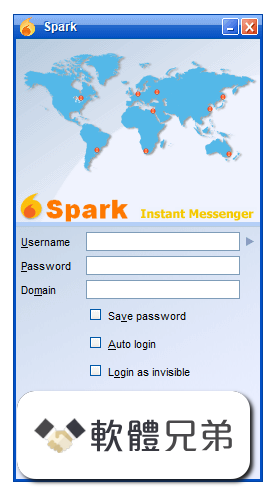
Spark 是一套以 XMPP 協定運作的即時通訊用戶端,主要設計給 Windows 電腦使用,定位在企業與組織內部溝通。它不像 LINE 或 Messenger 那樣連到官方伺服器,而是需要你自行指定一台 XMPP 伺服器(例如 Ignite Realtime 的 Openfire)來登入。換句話說,它本身不提供聊天服務,而是扮演「連到自架伺服器的視窗介面」這個角色。
02它能傳檔案嗎?傳大檔會不會卡?
可以傳檔案,官方說明提到可以直接在聊天視窗中拖曳檔案進行傳輸,不需要另外開網頁或透過第三方服務。至於大檔案的傳輸效率,官方資料沒有提供具體的效能數字,實際速度會受到你自架伺服器的頻寬、硬體和網路環境影響。如果同事之間經常需要傳大型設計稿或影片,建議先在小範圍測試再全面部署。
03它有沒有群組聊天?可以開好幾個聊天室嗎?
有,群組聊天和會議室是它的主要功能之一。你可以建立群組聊天或加入既有的會議室,而且支援把聊天室加入書籤,下次開啟可以直接進入。對話視窗也採用分頁設計,同時和多個同事聊天時,每個對話會以分頁呈現,不需要開一堆視窗佔據工作列。
04離線時別人傳訊息給我,我上線後看得到嗎?
可以。官方說明指出,離線訊息會先儲存在伺服器上,等你重新連線後再送達。不過這項功能依賴伺服器端的設定,如果你用的是 Openfire,需要確認伺服器管理後台有啟用離線訊息儲存。如果伺服器沒開這個功能,離線期間的訊息就可能遺失。
05它能不能加密?對話紀錄會不會被別人看到?
它支援加密,但官方說明特別提到需要安裝對應的外掛(plugins)才能啟用,不是預設就開啟的。對話紀錄方面,它有聊天紀錄保存功能,可以回頭查詢過往的討論內容,但這些紀錄儲存在哪裡、誰能存取,取決於你伺服器的設定。如果組織有較高的保密需求,需要另外規劃加密外掛和伺服器存取權限。
06我們公司想自架聊天系統,這套軟體夠用嗎?
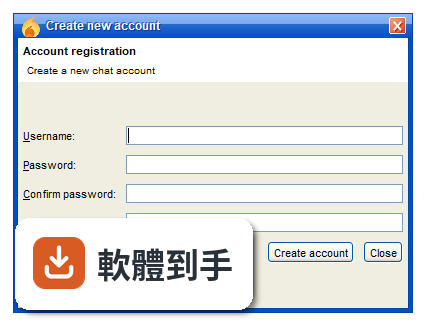
如果你的需求是「內部文字溝通、群組討論、檔案傳輸、離線訊息」,而且你願意花時間管理一台 XMPP 伺服器,那它在功能上是足夠的。它本身就是為了企業和組織設計的,安裝流程只需要填入使用者名稱、密碼和伺服器位址。但要注意,它預設不支援語音和視訊通話,這點要列入評估。
07個人使用者適合用嗎?還是只給公司用?
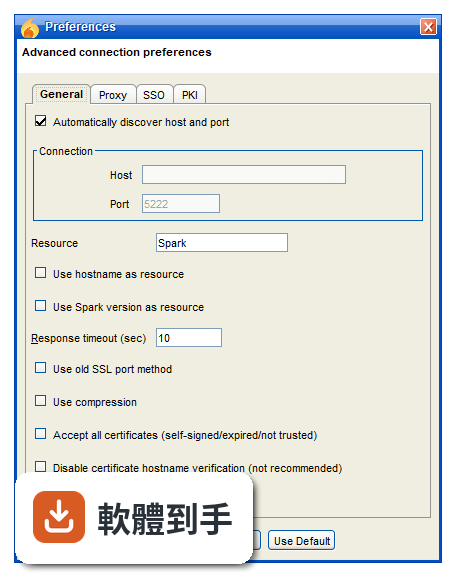
官方說明雖然主打企業和組織,但也提到個人使用者可以把它當作主流通訊軟體的替代方案。不過實際使用上,你必須自己找一台 XMPP 伺服器來連,不像一般通訊軟體下載安裝就能用。如果你只是個人想跟朋友聊天,而且朋友也願意配合設定伺服器,那可以試試;如果朋友只想打開 App 就開始聊,這套軟體對他們來說門檻偏高。
08介面只有英文,不會英文的人能用嗎?
介面語系只有英文,官方資料沒有提到內建其他語言。如果使用者不熟悉英文,操作上會遇到一些障礙,尤其是設定選單的項目不少,包括群組聊天、媒體、隱私、登入、檔案傳輸、外觀、通知等。不過日常的聊天、傳檔、開聊天室這些基本操作,按鈕位置和圖示還算直覺,可以靠一段時間的摸索習慣。
09它跟 Pidgin 比起來,哪個比較多人用?
以評分人數來看,Pidgin 有 43 人評分,Spark 有 51 人評分,兩者的樣本數都不算多,但 Spark 略多一點。Pidgin 的定位是「支援多種協定的整合型聊天軟體」,Spark 則專注在 XMPP 協定並針對企業需求設計。如果你只需要連自家 XMPP 伺服器,Spark 的群組聊天和檔案傳輸功能是內建的;Pidgin 則需要額外設定才能達到類似體驗。
10它能跟 LINE 或 Messenger 的人互通嗎?
不行。Spark 使用的是 XMPP 協定,只能連到同樣支援 XMPP 的伺服器和使用者。LINE、Messenger、WhatsApp 這些主流通訊軟體都是封閉系統,不開放外部協定連入。如果你需要跟公司外部的人溝通,還是得另外用對方習慣的通訊軟體,Spark 比較適合組織內部或合作夥伴之間都使用 XMPP 伺服器的情境。
11它支援手機嗎?我想在外面用手機回訊息。
官方說明指出,Spark 本身是桌面版軟體,沒有手機版。但如果你連的是 Openfire 伺服器,可以另外在手機上安裝支援 XMPP 協定的行動版用戶端,連到同一台伺服器就能收發訊息。也就是說,手機端的體驗取決於你選用的其他 XMPP App,而不是 Spark 本身。
12這套軟體還有在更新嗎?會不會裝了之後沒人維護?
根據收錄的版本紀錄,它的最近一次更新是在 2023 年 4 月,之後近 24 個月都沒有新版本釋出。以一款即時通訊軟體來說,更新停滯意味著新的安全性漏洞或系統相容性問題可能不會被修補。如果你打算長期使用,需要評估自己是否有能力維護伺服器和用戶端,或者考慮其他更新較頻繁的 XMPP 用戶端。
下載與官方連結
spark_2_9_0.exe · 51.8 MB · 連結指向軟體原廠
版本紀錄
- 2023-04-01 Spark 3.0.2
- 2022-12-13 Spark 3.0.1
- 2022-11-14 Spark 3.0.0
再看 5 筆
- 2020-11-15 Spark 2.9.4 51.8 MB
- 2020-10-24 Spark 2.9.3 51.8 MB
- 2020-08-31 Spark 2.9.2 51.8 MB
- 2020-08-26 Spark 2.9.1 51.8 MB
- 2020-08-17 Spark 2.9.0 51.8 MB
這一版改了什麼
What's new in this version:
Bug:
- Add Contact dialog requires at least 5 letters to find a contact
- History viewer adds spaces between messages when changing a view
- Shouldn't show a toast popup for a last message in history when joining a room
- Messages in MUC history are out of order
- PrivacyManager throws an exception
- Privacy plugin doesn't work
- View client version menu option doesn't show information
- Some vCard fields are empty when checking contact's profile
- Reversi and tic tac toe plugins failed to build
- Search doesn't work with AD integration
- Plugins not being extracted completely
- Errors are not (always) shown in one-on-one chat.
- Throws an exception when using custom emoticons set
- Contact list tooltip causes temporary freeze
- Not able to move or copy contacts when Rename contact is disabled
- Should allow profile changes when Avatar tab is disabled
- Process Data Forms with Bool fields that have no value.
- Fix logic error in UserSearchResult
- Shouldn't check for voice status
- Spark does not parse Java version string correctly.
- ROAR plugin should not depend on com.sun package
- Contact list does not show users that are not in a group
New Features:
- Add a GUI for managing TLSSSL certificates
- Add option to disable invisible login and status via default.properties
- Add support for XEP-0198 Stream Management
- Make reconnection delay between attempts configurable
- Add option to disable Start a chat via Client Control
- Replace DummyTrustManager with complex trust manager
- Add a popup for accepting certificate from a connection
- Add an option to force IBB for file transfers
- Add support for Message Styling
- Add Http File Upload plugin
- Add initial documentation
- Hostname and Version as resource available in Client Control plugin
Task:
- Update bundled JRE with the latest version
- Remove & from Plugins menu translations
- Replace JxBrowser with anything else
Improvement:
- Stretch and move Find dialog
- Preferences, broadcast, profile windows should be saving their sizes and positions
- Spark should show a time stamp for every MUC message/activity
- Update JTattoo to the latest version
- ROAR should show MUC popups when window is not in focus
- Migrate Spark build from Ant to Maven
- Update Smack to 4.3 branch
- Add an option to disable Invisible presence
- Fix output of nicknames in Broadcast History
- Should resize large photo when applying as an avatar
- Spark history search should show context
- Spark history window should wrap text
- Spark should remove/overwrite old versions of libs during update
- Shouldn't show a toast popup for your own message in MUC
- Room password dialog should mask/hide the actual password
- Highlight searched keyword in the history search
- Various improvements to avatar management
- Transcript Window should be recomposable
- Replace (some) emojis with emoticons
- Remove green username colors from chat room
- Implement separate History settings in Client Control
- Improve rooms browser, dialogs and error messages
- Add an EditorConfig file
- Improve startup by disabling CPU-hungry themes
- Use a key-based lookup to find an emoticon
- Lazy load vcard data
- Non-UI processing should not occur on Event Queue dispatch thread
- Use unarchived emoticons packages in version control
- Security settings should go in dedicated tab
- Add visual hint for "not encrypted" connections
- Updated Lithuanian translation
- More descriptive error messages when login fails.
- Update Polish translation
- Update LittleLuck skin to 2.0.1
- Add support for TLS Mutual Authentication
- Remove PKI tab
- Add French spelling dictionary
- Rename 5223 port description
- Add (requires restart) to single click in system tray option
- Update Ukranian translation
- Don't require i18n source files to be encoded
- Improve on version detection
- Updated Brazilian Portguese translation
- Fix legacy links to community.igniterealtime.org
- Client Control: Save Password & Auto Login option should also hide in Preferences
- Schedule loadContactList() outside of sharedGroupLoader
- Replace deprecated Smack APIs
- Transfer Guard settings should be in Spark profile
- Add working with Spark source in VS Code guide
- Fix French translation
- Allow translations to be found when running from IDE
- ROAR setting changes should not require a restart
- ROAR should not offer 'system notification' if unsupported by OS
- Plugins should be runnable from IDE
- Update Bouncy Castle library to 1.66
- Guard against CVE-2020-10683 (dom4j reading external entities)