
這是歷史版本頁面 — 看 SpyShelter Firewall 最新版本
預設拒絕的免費防火牆,Comodo Firewall 擋得住未知程式嗎
 SpyShelter Firewall 10.9.6
資料更新 2017-12-06
閱讀約 7 分鐘
你剛重灌完電腦,或者幫家人整理一台老筆電,系統裝好了、網路通了,接下來就是那個老問題:到底要不要裝防火牆?Windows 內建的不是有嗎?可是你心裡清楚,那些來路不明的隨身碟、從論壇抓的破解軟體、郵件附件的巨集檔,內建防火牆根本不會攔。你真正怕的不是「有人從外面連進來」,而是「自己手滑把怪東西放進來」,然後整台電腦開始卡、開始跳廣告、開始偷偷上傳東西。
一般人遇到這種狀況,直覺是裝一套免費防毒軟體,裝完就覺得安心了。但免費防毒多半只做「掃描比對」,看到沒見過的檔案,先放行再說,等病毒庫更新了才發現中獎。另一種做法是去翻防火牆設定,但傳統防火牆的規則密密麻麻,什麼連接埠、通訊協定、出入站原則,一般人根本看不懂,最後不是全開就是全關。這類工具的切入點其實是「預設拒絕」——不是先放行再判斷,而是先擋下來,讓你知道有個東西想執行,你點頭它才動。這個邏輯,才是防火牆真正該做的事。
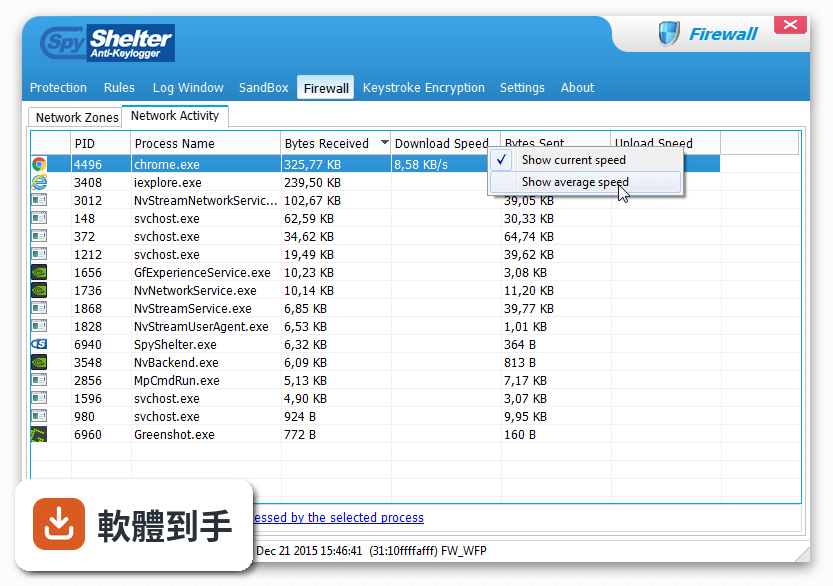
01Comodo Firewall 跟 Windows 內建防火牆差在哪?
Windows 內建防火牆主要管網路進出,對「本機程式想執行」這件事幾乎不過問。Comodo Firewall 的核心是預設拒絕,任何沒被信任的程式要執行,它會先攔住,比對內建的白名單(超過 1500 萬個已知安全檔案),不在名單上就丟到虛擬環境裡跑給你看。換句話說,它管的是「什麼東西能在你電腦上動」,不只是「什麼東西能連網路」。
02它怎麼判斷一個檔案是不是安全的?
檔案要執行時,它先查白名單,名單上有就放行。沒有的話,檔案會被送到雲端掃描,同時在本地端的沙盒(虛擬環境)裡執行,觀察行為。如果雲端掃描和行為分析都通過,才讓它在真實系統裡跑。這個流程的意思是,你不必自己判斷檔案安不安全,它用隔離的方式幫你先試跑一輪。
03這套軟體對不懂電腦的人會不會太難?
官方說法是預設設定下,未知檔案會自動送去雲端掃描,不會一直跳視窗問你,號稱連初學者都能用。但要注意,介面是英文的,而且進階設定(自訂規則、入侵偵測、沙盒選項)的選項很多,對沒碰過防火牆的人來說,光看懂介面就要花一段時間。如果你連「允許」「封鎖」的英文都覺得吃力,使用門檻會比你想的高。
04它會不會一直彈通知打斷我做事?
官方承認預設設定會產生頻繁的彈出視窗,這是它被抱怨最多的點之一。不過這些通知可以自訂,例如把常用的軟體加入信任清單,之後就不會再問。問題是,你要先知道去哪邊設定,而且每次遇到新軟體安裝,它還是會跳出來問。如果你討厭被打斷,這套軟體需要你花時間調校,不是裝完就安靜的那種。
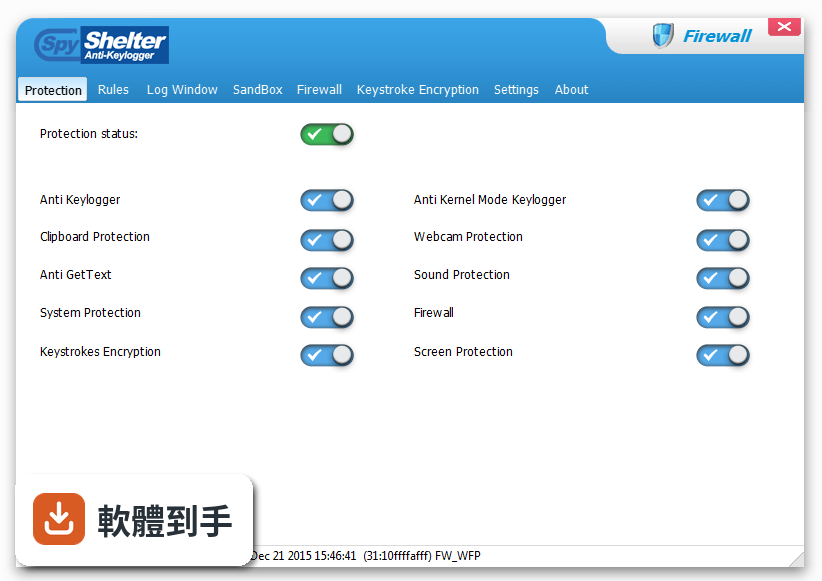
05它除了防火牆,還有什麼功能?
它包含入侵偵測、沙盒執行可疑程式、自訂安全規則,以及 Defense+ 技術,會監控可能有危害的程式行為。另外,最新版本加入了雲端掃描和行為分析,針對零日攻擊(還沒有人回報過的新型惡意程式)有防護作用。這些功能加起來,比較像一套「以防火牆為核心的入門安全套件」,而不是單純的網路過濾器。
06這套軟體適合什麼樣的人用?
適合願意花時間理解「預設拒絕」概念、而且不排斥英文介面的人。如果你會自己安裝軟體、偶爾從非官方管道抓東西,又不想每次都要上 VirusTotal 手動查檔案,它的沙盒和雲端掃描可以幫你多一層把關。另外,它完全免費,對預算有限、又想比內建防火牆多一層防護的人來說,是成本最低的選擇。
07電腦很舊、記憶體不多,裝它會不會跑不動?
官方資料有提到,這套軟體在啟用進階功能(尤其是沙盒)時會比較吃資源,舊電腦或低階機器可能感受到效能下降。它的評分人數只有 277 人,分數 7.02,不算特別熱門,最佳化程度有待確認。如果你的電腦本來就跑得喘,建議先確認硬體規格再裝,或者考慮更輕量的防火牆方案。
08它跟 Comodo Internet Security 有什麼關係?
官方資料顯示,Comodo Internet Security 是功能相近的軟體,評分人數 288 人,比這套多一點點。兩者都來自同一家開發商,但這套是獨立的防火牆產品,Internet Security 則是整合防毒、防火牆、沙盒的整套安全軟體。如果你只需要防火牆,可以單獨裝這套;如果你還想要防毒,可能要去看 Internet Security 那套。
09什麼樣的情況不該選它?
三種情況不適合:第一,你只想要「裝了就不用管」的軟體,它需要你回應彈窗和設定規則;第二,你完全看不懂英文介面,又不打算查字典,操作錯誤反而可能把防護關掉;第三,你的電腦是 Windows 11,因為官方支援只寫到 Windows 10,新系統能不能正常運作沒有保證。另外,如果你只是要擋外部連線,內建防火牆就夠了,不需要裝它。
10它跟其他免費防火牆比,有什麼明顯的弱點?
從資料來看,它的介面被使用者抱怨不夠直覺,而且彈窗頻率高、偶爾會誤判合法軟體為可疑行為(也就是誤報),這些都會打斷正常工作。另外,它的更新頻率偏低——收錄的 29 個版本中,近 24 個月只更新 1 次,代表開發動能可能不強。如果你在意軟體是否持續維護,這點要列入考慮。
11這套軟體有中文介面嗎?
官方資料顯示介面語系是 English,沒有提到中文。如果你需要中文介面,這套軟體不符合需求。不過,防火牆的設定項目其實不多,常用的就是允許、封鎖、信任清單,配合翻譯工具或線上教學,還是有辦法操作,只是門檻確實比中文軟體高。
12它跟 Comodo Cleaning Essentials 或 Comodo Cloud Scanner 比,該選哪個?
這三個是不同用途的工具。Cleaning Essentials 是掃描清除工具,Cloud Scanner 是雲端掃描器,而這套是即時防護的防火牆。如果你要的是「裝在電腦裡持續擋威脅」,選這套;如果你只是偶爾覺得電腦怪怪的、想掃一遍,另外兩個更輕量。它們的評分人數都在 280 人上下,使用者的信賴程度差不多,沒有哪個特別突出。
下載與官方連結
fwsetup.exe · 連結指向軟體原廠
版本紀錄
- 2025-11-20 Comodo Firewall 12.2.2.8012 5.4 MB
- 2019-04-26 SpyShelter Firewall 11.6 11.1 MB
- 2019-03-18 SpyShelter Firewall 11.5 11.1 MB
再看 5 筆
- 2019-03-06 Comodo Firewall 11.0.0.6802 5.4 MB
- 2019-02-19 SpyShelter Firewall 11.4 11 MB
- 2018-11-26 SpyShelter Firewall 11.3 10.9 MB
- 2018-10-10 SpyShelter Firewall 11.2 10.9 MB
- 2018-06-07 SpyShelter Firewall 11.1 10.9 MB
這一版改了什麼
What's new in this version:
SpyShelter Firewall 10.9.6
- Automatic saving columns order implemented
- Uninstaller improvements
SpyShelter Firewall 10.9.5
- Added Windows 10 Fall Creators Update compatibility
- Notification Balloons updates and fixes
- Other corrections
SpyShelter Firewall 10.9.4
- Certificate updates
- Minor fixes
SpyShelter Firewall 10.9.3
- Change log not available for this version
SpyShelter Firewall 10.9.2
- Security issue fixed
- Minor updates
SpyShelter Firewall 10.9.1
- Added support for Windows 10 Creators Update
- Added import/export feature for "User defined protected files"
- Added import/export feature for "User defined protected registry keys"
- Used defined protected reg keys improvements with expression patterns
- Squashed small GUI and general bugs
SpyShelter Firewall 10.9
– Added “All except below” for IP and Ports options to Firewall Zones and Rules
– Added searching for IP collisions with new Network Zones
– Improved Sound record protection under Windows 8/10
– Changed logic of autoallowing registry entries in “Ask User” mode
– Exec Rules: Now it’s possible to input path to avoid Wow6432 issues
– Changed behaviour of tooltips showing to avoid multiple alerts
– Fixed freeze issues common with launching Task Manager on alert
– Improved compatibility with gaming platform clients
– Few small internal fixes
SpyShelter Firewall 10.8.9
- Fixed issue in export/import "no-hash" rules
- Minor fixes
SpyShelter Firewall 10.8.8
- Fixed bug in App Exec common with creating more than one ignore hash rule
- Translations updates
SpyShelter Firewall 10.8.7
- Added new feature to define custom protected registry keys
- Extended internal registry protection feature
- Solved freeze with some critical registry keys protection
- Improved system protection on 64 bit systems
- Added Hyper-V compatibility on Windows 10 AU Pro
- Application execution rules improvements
- Small improvements in GUI
- Other minor fixes
SpyShelter Firewall 10.8.6
- GUI: Added option to disable lists skinning
- Language updates
- General small improvements
SpyShelter Firewall 10.8.5
- Added full support for new installations of Windows Anniversary Update
- Improved Keystroke Encryption for Windows 10 Anniversary Update East-Asian languages versions
- Implemented own virus scan result window + added option to rescan
- Added SHA256 and MD5 hash support for custom scanner configuration
- Minor fixes
SpyShelter Firewall 10.8.4
- Improved compatibility of Keystroke Encryption on Windows 10 Anniversary Update
- Fixed GUI issues with disappearing translations
- Repaired problem with displaying translations for some dialogs
SpyShelter Firewall 10.8.3
- Firewall driver status improvement on Windows 10 Anniversary update
- Language updates
SpyShelter Firewall 10.8.2
- Added support for Windows 10 Anniversary Update
- Added (new) Online Virus Scan feature
- Added new feature: External custom file scanners
- Decrease false alerts on Windows 10
- Improved performance of Rules Editing dialog on some systems
- Fixed encrypted keys issue in Mail app(Windows 10)
- Fixed security issue with protected GUI
- Few minor improvements
SpyShelter Firewall 10.8.1
- Added new licensing system
- Further installer improvements
SpyShelter Firewall 10.8.0
- Fixed updater and autoupdater bug with program malfunction after install
- Fixed an issue related to installer and displaying program version number
SpyShelter Firewall 10.7.9
- Fixed rare issue with unpredictable OS behaviour while loading SpyShelter drivers
SpyShelter Firewall 10.7.8
- Added cleaning rules feature for parent/child processes at App Exec control
- Added option to improve compatibility with remote control tools
- Keystroke Encryption driver compatibility improved
- Fixed BSOD in KE driver on 32 bit systems
SpyShelter Firewall 10.7.7
- Removed online virus scanning feature
SpyShelter Firewall 10.7.6
- Fixed a critical issue with Windows XP 64 bit support
- Fixed an issue with loading 32 bit applications under 64 bit Windows Vista/SP2
SpyShelter Firewall 10.7.5
- Fixed Keystroke encryption driver load on Windows 10 32 bit
- Added compatibility support for custom build of VirtualBox
- French language update
SpyShelter Firewall 10.7.4
- Added support for Windows 10 Redstone Insider build 14295
- Fixed hooks settings for Windows 10 Redstone Insider build 14291
- Language updates
SpyShelter Firewall 10.7.3
- Improved compatibility with VirtualBox under Windows 8.x and 10
- Added new option to show notifications for encrypted keys
- Added support for Windows 10 Redstone Insider build 14291
- Improved "Run as restricted" feature
- GUI fixes
SpyShelter Firewall 10.7.2
- It’s possible now to specify 64bit path while adding components
- Added support for Windows 10 Insider build 14279
- Fixed problem with shell context menu and “Run as Restricted” feature on Windows 8.x/10
SpyShelter Firewall 10.7.1
- Added support for Windows 10 Insider build 14271
- Fixed issue with PID display in Alert Window
- Small fixes
SpyShelter Firewall 10.7
- Added custom global network zones feature for Firewall feature of SpyShelter Firewall
- Firewall rules are now allowed to use masks
- Small cosmetic improvements