
這是歷史版本頁面 — 看 TeamViewer Host 最新版本
電腦放家裡想隨時連回,TeamViewer Host 能做什麼
 TeamViewer Host 13.0.6447
資料更新 2017-12-19
閱讀約 7 分鐘
你人不在電腦前,卻需要連回那台機器。可能是下班回家才發現檔案忘在公司電腦裡,也可能是伺服器放在機房、人不在現場卻得處理問題。當下你只想趕快連上去把事辦完,但對方的電腦沒人坐在前面,沒人幫你按「接受」按鈕,連線就卡在那裡。你需要的不是一個要人配合的遠端工具,而是一台裝好之後、隨時等著你連進去的電腦。
一般遠端連線軟體,多半要兩邊都有人操作,至少被控端要有人點一下同意。但很多使用場景就是「沒有人在那一端」,於是這類工具就出現了「無人值守」的設計:先在電腦上裝好一個常駐程式,設定好帳號和密碼,之後你從任何地方用用戶端連進去,它就直接放行。這篇文章要談的,就是這類工具中常見的一個選擇,以及它在什麼情況下合用、什麼情況下不該選。
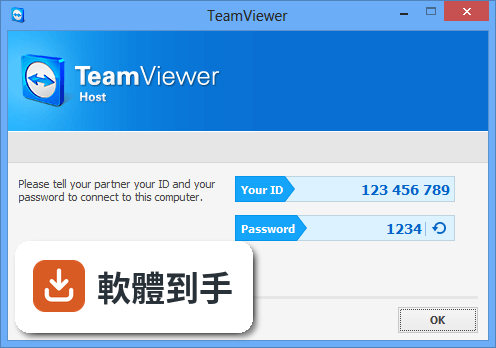
01TeamViewer Host 跟一般 TeamViewer 有什麼不同?
TeamViewer Host 是專門設計給「被控端」安裝的版本。一般 TeamViewer 可以互連,但 Host 裝在某一台電腦上之後,那台電腦就變成隨時可被連入的對象。它沒有一般版的聊天、檔案傳輸等互動功能,核心就是提供 24 小時待命的遠端連線入口。如果你只需要「從別處連回這台電腦」,裝 Host 就夠了,不需要裝完整版。
02這套軟體裝好之後,我要怎麼從別台電腦連回來?
安裝時會要求你建立或登入 TeamViewer 帳號,並設定這台電腦的存取密碼。之後你在另一台電腦開啟 TeamViewer 用戶端,登入同一個帳號,就會看到這台 Host 裝置在清單裡,點選後輸入密碼就能連線。官方也提供網頁入口,可以從瀏覽器登入帳號後連線。第一次設定好,之後就不用再動被控端。
03它可以同時連線很多台電腦嗎?
官方說明提到,TeamViewer Host 可以安裝在「不限數量」的電腦和裝置上,只要是授權使用者,就能存取所有已安裝的裝置。也就是說,你可以在公司電腦、家裡電腦、伺服器上都裝 Host,之後從同一個帳號底下看到全部裝置,選一台連進去。實際連線數量是否有限制,官方文件沒有明說,需要自行確認。
04免費版跟付費版功能差在哪?
官方資料列出的缺點之一是「免費版功能有限」,但具體哪些功能被限制,說明中沒有細列。可以確定的是,商業用途需要付費授權,個人使用才有免費空間。如果你是要拿來做公司內部維護或客戶支援,就要留意授權問題。建議安裝前先到官方網站確認目前免費版的權限範圍,避免用到一半被鎖功能。
05我電腦是 Windows 7,可以裝嗎?
軟體資訊頁面列出的支援系統包含 Windows 7 到 Windows 11,但官方功能說明中的系統需求只寫了 Windows 10、11 和 Windows Server 2016 以上。這兩個資訊有出入,可能是舊版本支援 Windows 7,新版本已經不保證。如果你還在用 Windows 7,安裝前最好先確認目前最新版是否支援,或找舊版安裝檔。
06這套軟體適合什麼樣的人用?
適合「有一台電腦固定放在某處、需要從外面連回去」的人。例如:把桌機放在辦公室、下班後想連回去找檔案;在家裡放一台電腦當媒體中心或下載機,出門在外想管理它;或是要維護一台放在機房的伺服器。它的設計就是讓那台電腦 24 小時待命,你隨時連進去操作,不需要有人在現場。
07我只是偶爾請朋友幫我看一下電腦,適合用這個嗎?
這種情況不太適合。如果你只是偶爾需要遠端協助,對方人在電腦前,用一般 TeamViewer 或 QuickSupport 就好——對方打開程式、把 ID 和密碼給你,你連進去,用完就結束。Host 是裝在固定機器上、長期待命的方案,設定完之後那台電腦就一直開放連線入口,對偶爾才用一次的人來說,管理成本和安全性考量都比較多。
08我連進去之後,可以同時看到對方電腦的多個螢幕嗎?
官方功能說明中有提到「多螢幕功能」(Multi-monitor functionality)是優點之一,表示連線後可以切換或同時檢視被控端的多個顯示器。如果你要連的電腦接了雙螢幕或三螢幕,這套軟體有支援。但實際操作方式(例如怎麼切換螢幕、是否支援不同解析度)官方說明沒有細講,需要安裝後自己摸索。
09我電腦比較舊,跑得動嗎?
官方建議的硬體需求是 2 GHz 雙核心處理器以上、至少 2 GB 記憶體(建議 4 GB)、200 MB 可用硬碟空間。如果你的電腦低於這個規格,安裝後可能會卡頓。另外官方缺點也提到「在舊電腦上資源占用較高」,所以老機器要裝之前先評估一下規格,不然連線時對方電腦本身就會很吃力。
10這套軟體跟 TightVNC 比起來,哪個比較多人用?
以評分人數來看,TeamViewer 系列(包含 Host、QuickSupport、QuickJoin)都有 27 到 570 人評分,TightVNC 只有 31 人評分,LogMeIn Pro 更只有 7 人。評分人數多不代表一定比較好,但至少表示 TeamViewer 的使用者基數較大、討論資源較多。TightVNC 是開放原始碼的 VNC 方案,走的是不同技術路線,如果你偏好開源軟體,可以另外研究。
11這套軟體只有英文介面,我看不懂英文可以嗎?
軟體介面語系是 English,沒有中文。安裝過程和設定畫面都是英文,如果你對英文介面不熟悉,操作上會比較吃力。不過 TeamViewer 的介面設計算直覺,常用的功能就那幾個。真的看不懂,可以找線上教學影片對照操作。但如果你完全無法接受英文介面,這套軟體就不太適合。
12我裝了之後,會不會很容易被別人連進來?
官方說明提到連線有加密保護,安全性是官方列出的優點之一。但實際安全程度取決於你怎麼設定:密碼強度、是否開啟兩步驟驗證、帳號權限設定,這些都會影響風險。官方建議要設定安全設定和權限、定期更新軟體。如果你對遠端連線的安全性有疑慮,安裝後應該先花時間把安全選項逐一確認過,不要用預設值就放著不管。
下載與官方連結
TeamViewer_Host_Setup.exe · 連結指向軟體原廠
版本紀錄
- 2026-10-28 TeamViewer Host 15.83.3 37.6 MB
- 2026-09-29 TeamViewer Host 15.82.6 37.6 MB
- 2026-08-25 TeamViewer Host 15.81.5 37.1 MB
再看 3 筆
- 2026-08-14 TeamViewer Host 15.80.6 37.1 MB
- 2020-01-29 TeamViewer Host 15.2.2756 19 MB
- 2017-12-19 TeamViewer Host 13.0.6447
這一版改了什麼
What's new in this version:
TeamViewer Host 13.0.6447
- Change log not available for this version
TeamViewer Host 13.0.5640
- Change log not available for this version
TeamViewer Host 13.0.5058
- Change log not available for this version
TeamViewer Host 12.0.88438
- Change log not available for this version
TeamViewer Host 12.0.83369
- Change log not available for this version
TeamViewer Host 12.0.82216
- Change log not available for this version
TeamViewer Host 12.0.81460
- Change log not available for this version
TeamViewer Host 12.0.80984
- Change log not available for this version
TeamViewer Host 12.0.78716
- Fixed: Connection issues to Windows 10 Creators Update
- Fixed: In some cases, when connecting to the login screen of devices running the Windows 10 Creators Update (version 1703), a TeamViewer session could not be established. This has been fixed and you can connect to the device even if no user is logged in on the device
TeamViewer Host 12.0.78313
Bug fixes:
- TeamViewer now supports Connected Standby and Windows 10 Modern Standby
- The name of a Custom Module executable file can now freely be changed yet still the Custom Module dynamically applies the customization defined in the Management Console
- Start the TeamViewer Host app which is in the new "Eco mode" on an Android remote device
- Fixed a bug that displayed session tabs incorrectly in full screen mode
- Fixed a bug that prevented session tabs from being closed using the primary mouse key when using a left-handed
- Fixed a Bug where during a remote control session the windows key was sent.
- Fixed a bug where scaling within a remote control session influenced the visual appearance of the toolbar.
- Fixed a bug where a crash occurred if installation mode was 'Run only' and simplified user interface was activated.
- Fixed a bug where it was not possible to maximize the Computer & Contact-List.
- Solved some other issues which caused crashes
- Minor improvements and fixes
TeamViewer Host 12.0.77242
- Fixed a bug that caused Custom Modules to lose their customization after remotely updating TeamViewer
- Fixed a bug that caused the unattended access setup wizard to be displayed after remotely updating TeamViewer
- Fixed a bug that loading the chat room list stopped after some time
- Fixed a bug where the TeamViewer window jumped into focus and interfered with KeePass.
- Solved some other issues which caused crashes
- Minor improvements and fixes
TeamViewer Host 12.0.75813
- Now the last used window size and tab is automatically used when opening the main window using the new user interface
- Now there is a connection indicator added to the Computers & Contacts list using the new user interface
- Now there is a link from the simplified user interface to the connection reports in the Management Console
- Now the navigation in the new user interface is resizable
- Fixed a bug that caused TeamViewer to crash after setting the video source in the properties to "No Video"
- Fixed a bug that caused the session recording to freeze if the session was minimized
- Fixed a bug where the title in the title bar during a session did not display the configured name correctly
- Fixed a bug where TeamViewer 12.0.72365 crashed if the remote side closed the connection during a recorded session
- Fixed a crash on the remote side that occurred in some special cases when closing the connection
- Fixed a bug where the password could already be entered while the server connection was still established so that the password had to be entered again
- Fixed a bug that caused the wallpaper to be displayed after fast user switch was performed even if the "Hide wallpaper" option was activated
- Fixed a bug that caused a black remote control screen when performing fast user switch on a Windows Server 2016 machine
- Fixed a bug where sometimes a crash occurred when the feedback button was clicked using the new user interface
- Fixed a bug where no notification was displayed for incoming chat messages using the new user interface
- Fixed a bug where the password was not displayed correctly using the new user interface
- Fixed a bug where the player to view recorded sessions did not work properly
- Fixed a bug where the microphone was activated when the client started a Voice over IP call
- Fixed a bug where the microphone was activated when clicking the communication tab in the toolbar
- Fixed a bug where the TeamViewer Panel of the remote computer was lost after a paused recorded session was resumed
- Fixed a bug where the audio icon was missing within the TeamViewer Panel
- Fixed a bug within the Computers & Contacts list where collapsing the "nearby" group led to clearance of the list
- Fixed a bug where clicking on chat or service case notifications did not work
- Fixed a bug where the displayed icon for service cases inside the Notification Center was not correct
- Fixed a bug that caused a black remote control screen when setting the quality to grayscale
- Solved some other issues which caused crashes
- Minor improvements and fixes
TeamViewer Host 12.0.72365
- Fixed a bug where a black screen occurred when connecting to Windows Server, Windows 7 or Windows 10
- Fixed a bug that prevented the file transfer from being able to leverage full transfer speeds
- Fixed a bug where the reconnect information message box did not open after restarting the remote machine manually
- Fixed a bug where it was not possible to reconnect when restarting the remote machine during a "session code"-based session to a custom QuickSupport module
- Fixed a bug where it was not possible to assign a device to an account via the in session dashboard
- Fixed a bug where it was not possible to chat with a single participant during a meeting
- Improved scrolling behaviour in Computer & Contacts list using the new user interface
- Fixed a bug where the session code was still editable after it was closed in the new user interface
- Solved some other issues which caused crashes
- Minor improvements and fixes
TeamViewer Host 12.0.71503
- Fixed a bug that sometimes caused the connection to freeze during a file transfer
- Fixed a bug where the installation on a Windows Server 2008 R2 was not possible
- Fixed a bug where it was not possible to remotely install a custom Host when being connected to a QuickSupport
- Minor improvements and fixes
TeamViewer Host 11.0.66695
- Fixed a bug that caused TeamViewer to freeze when opening the context menu in the Computer & Contacts list
TeamViewer Host 11.0.66595
- Change log not available for this version
TeamViewer Host 11.0.65452
- Change log not available for this version