
這是歷史版本頁面 — 看 Tresorit 最新版本
加密雲端同步老是怕被看?Tresorit 怎麼保護檔案
 Tresorit 3.1.1301.726
資料更新 2017-12-23
閱讀約 6 分鐘
你手上有一批檔案,可能是合約、客戶資料或公司內部文件,想放到雲端方便自己從不同電腦存取,但又擔心檔案在傳輸或儲存過程中被人攔截、被雲端服務商偷看。你試過把檔案壓縮加密再上傳,但每次要改其中一個檔案就得整個重來,而且同事或客戶要跟你協作時,對方根本不知道怎麼處理你給的加密壓縮檔,最後還是回到用一般雲端硬碟傳,心裡始終不踏實。
一般雲端硬碟的加密機制,伺服器端有金鑰,服務商或政府調閱時其實看得到內容。傳統做法是自己先加密再上傳,但這對日常同步和多人協作來說太麻煩,金鑰管理也是另一個頭痛問題。這類工具的切入點是:在檔案離開你的裝置之前就完成加密,而且加密金鑰只有你持有,伺服器端只存放密文。這樣一來,同步、分享、協作都照常運作,但服務商本身也無法窺探內容。
01Tresorit 跟一般雲端硬碟差在哪裡?
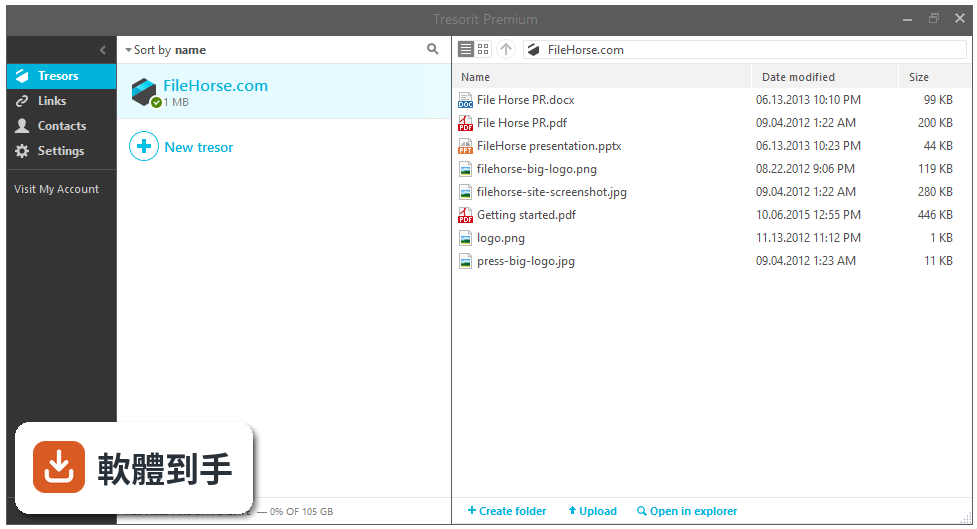
一般雲端硬碟的加密金鑰由服務商管理,服務商理論上可以存取你的檔案。Tresorit 採用端到端加密,檔案在裝置上就先加密再上傳,且採用零知識政策,服務商沒有你的加密金鑰,也無法解密內容。這代表就算伺服器被入侵或政府調閱,對方拿到的也只是無法解讀的密文。
02這套軟體可以做到哪些事情?
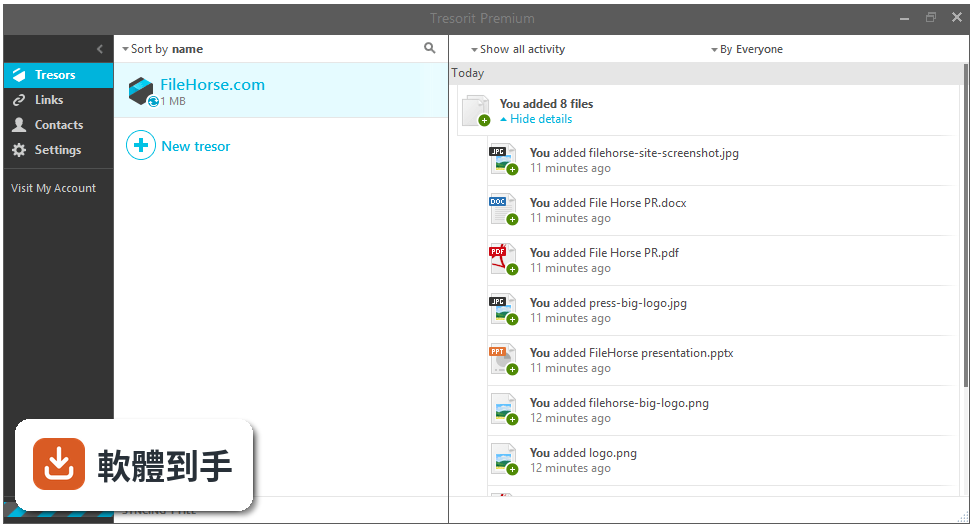
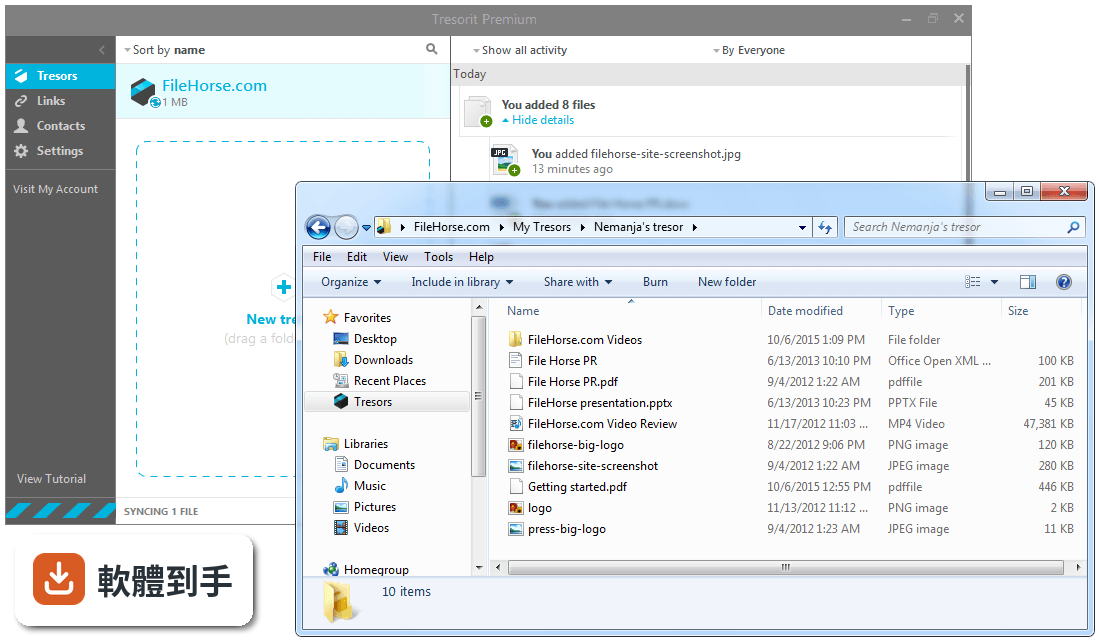
主要功能是加密雲端儲存、同步和分享。你建立一個 Tresor 資料夾,把檔案丟進去就會自動加密並同步到其他裝置。分享檔案時可以設定密碼保護、連結到期日,也能設定精細的存取權限。另外提供版本歷史功能,可以還原先前版本的檔案。支援 Windows、macOS、Linux、iOS、Android 和網頁介面,離線時也能讀取已下載的檔案。
03它怎麼處理多人協作?同事沒有這套軟體能跟我一起用嗎?
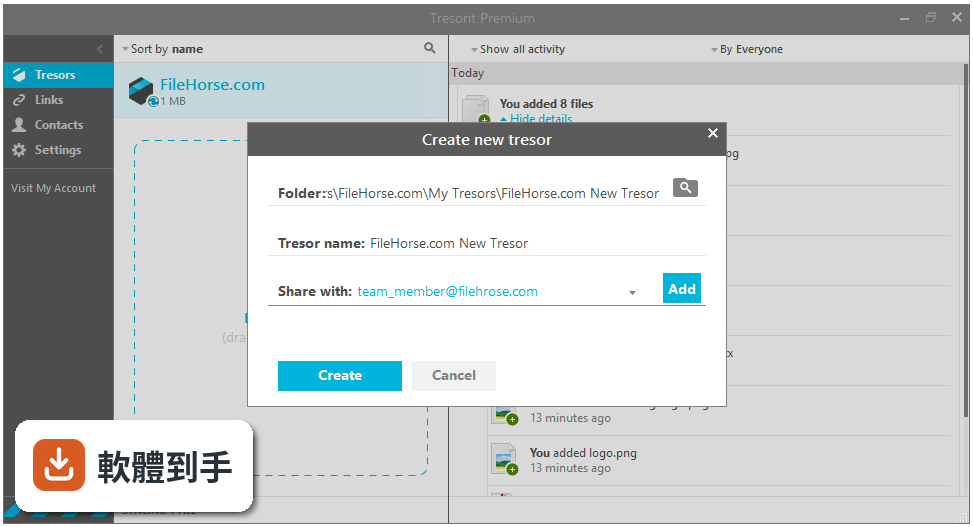
協作對象需要建立 Tresorit 帳號並安裝軟體,才能存取你分享的加密資料夾。你可以透過邀請功能加入成員,並為每個人設定不同的權限層級,例如唯讀或可編輯。對方端到端的加解密過程是自動的,不需要手動處理金鑰。如果只是要傳單一檔案給沒有帳號的人,可以產生加密分享連結,對方用瀏覽器開啟即可。
04密碼忘記了怎麼辦?
因為零知識政策的關係,Tresorit 本身沒有你的加密金鑰,所以無法幫你找回密碼。但註冊時可以設定恢復方法,透過恢復機制重設密碼。如果完全沒有設定恢復方法又忘記密碼,加密的檔案將無法解開,這點在使用前就要先想清楚,並妥善保存恢復資訊。
05這套軟體有提供免費試用嗎?
官方說明提到可以免費試用所有方案 14 天,試用期間沒有限制。試用期結束後需要付費訂閱才能繼續使用。另外要注意,這套軟體是付費服務,沒有永久免費方案,定價細節需要到官方網站確認。
06什麼樣的人適合用這套軟體?
適合需要處理敏感資料的個人或企業,例如律師、會計師、醫療相關行業,或任何需要符合 GDPR、HIPAA、ISO 27001 等法規要求的組織。如果你平常傳遞的檔案內容涉及商業機密或個資,且無法承擔外洩風險,這套軟體提供的加密和權限控管會是考慮選項。另外,需要與外部合作夥伴安全交換檔案的人,也可以評估它的分享功能。
07我只是一般使用者,想備份照片和個人文件,適合嗎?
如果你的檔案沒有高度機密性,一般雲端硬碟可能就夠用,而且通常有免費容量。Tresorit 的價值在於隱私保護和法規合規,但這是需要付費的服務,且介面只有英文。對一般使用者來說,操作門檻和費用成本可能高於實際需求。建議先確認自己是否真的有「不能讓任何人看到內容」的需求,再決定是否值得付費。
08這套軟體在台灣使用會有什麼限制嗎?
介面語言只有英文,沒有繁體中文,對不熟悉英文介面的使用者來說需要適應。另外,官方開發商位於瑞士和匈牙利,伺服器也在海外,傳輸速度可能比國內雲端服務慢,實際體驗需要自行測試。法規方面,如果你所在的行業有特殊的資料落地要求,需要自行確認是否符合規範。
09它的更新頻率如何?還有人在維護嗎?
根據收錄的版本紀錄,這套軟體最早在 2017 年就有版本,最近一年內有 2 次更新,最近兩年內也是 2 次,顯示開發團隊仍有在維護,但更新頻率不算頻繁。如果你很在意軟體是否持續獲得新功能或安全性修補,可以參考這個更新節奏來評估。另外,使用者評分人數只有 24 人,樣本數不多,參考價值有限。
10我已經有 Dropbox 或 Google Drive 了,還需要這套軟體嗎?
如果你目前使用的雲端硬碟已經滿足需求,且檔案內容不涉及高度機密,其實不需要額外付費購買。Tresorit 的定位是「安全優先」的雲端儲存,犧牲了一些便利性換取隱私保護。如果你的工作性質需要與他人共享敏感檔案,且對方也願意配合使用,可以考慮將它作為一般雲端硬碟之外的補充工具,專門存放機密檔案。
11這套軟體跟 pCloud Drive 或 Boxcryptor 比起來有什麼不同?
資料中沒有提供 Tresorit 與這些軟體的詳細比較數據,無法直接對比優劣。可以確認的是,Tresorit 主打端到端加密和零知識政策,而 pCloud Drive 和 Boxcryptor 的加密方式、金鑰管理機制各有不同。建議根據自己的使用情境,分別下載試用,實際測試加密流程、同步速度和分享功能,再決定哪一套符合需求。
下載與官方連結
Tresorit.exe · 連結指向軟體原廠
版本紀錄
- 2026-09-10 Tresorit 3.5.5659.4860 117 MB
- 2026-09-06 Tresorit 3.5.5651.4850 117 MB
- 2026-07-30 Tresorit 3.5.5610.4840 141 MB
再看 5 筆
- 2023-12-03 Tresorit 3.5.4603.4010
- 2023-11-25 Tresorit 3.5.4588.4010
- 2023-10-05 Tresorit 3.5.4522.3910
- 2023-08-31 Tresorit 3.5.4483.3850
- 2023-06-02 Tresorit 3.5.4372.3680
這一版改了什麼
What's new in this version:
Tresorit 3.1.1301.726
- Change log not available for this version
Tresorit 3.1.1291.721
- There was change in the new systray icon: it went from white to blue, as we hope the new blue one will look more native on your desktop.
- When you instal Tresorit to a new windows device, the start menu entry will always be created. We agree: it's much easier to find Tresorit this way.
- We always want to make sure your files are uploaded and Tresorit notices when there are new elements to upload. After this fix we are still checking updates regularly, but not as (way too) often as we did before. It saves energy and memory for you and a bit a of a server consumption for us.
- Before this fix deleted tresors sometimes showed up in Tresorit Drive. We said no more confusion: when you delete a tresor, it will disappear from Tresorit Drive as well.
Tresorit 3.1.1281.707
- Change log not available for this version
Tresorit 3.1.1278.707
- We've updated our Installer
- New identity elements will greet you as early as you open up the registration, sign in and/or 2-step verification screens
- Updates include Icon changes in the tresor list details bar etc.
- Several bugfixes and improvements
Tresorit 3.0.1190.696
- Change log not available for this version
Tresorit 3.0.1182.677
- Bugfixes include the fix of the activity wall issue that caused heavy server load and the fix of the download issue that happened during the sync in case the last key version went missing
Tresorit 3.0.1180.672
- Change log not available for this version
Tresorit 3.0.1172.667
- Bugfixes include the fix of the activity wall issue that caused heavy server load and the fix of the download issue that happened during the sync in case the last key version went missing
Tresorit 3.0.1164.660
- The Tresorit installer got a bit smarter: we've changes the naming convention and user credentials will be pre-filled. We will still support the old installer format.
- We've also added bug fixes and small improvements, for example we've improved the path resolution for moved and renamed files and the file searcher got better
Tresorit 3.0.1160.652
- All Tresor1 tresor support is removed, so Tresorit will only recognise tresors with the new backend structure
- We are introducing a custom icon for the Tresorit's installer
- The Outlook add-in got a look and feel update
- To improve the navigation we've implemented right-click menus for all empty areas
- Updated PPDF viewer to 3.1.11
- Changes in Tresorit Drive include changes in office file management: the Drive will not upload temp Office files anymore
- Bugfixes include the fix of the Tresorit Drive move-copy-rename bug
Tresorit 3.0.1151.638
- Change log not available for this version
Tresorit 3.0.1131.630
- A patch release which includes important fixes
Tresorit 3.0.1116.620
- Change log not available for this version
Tresorit 3.0.1104.607
- Change log not available for this version
Tresorit 3.0.1097.601
- Events on the Recents tab that apply to the same file will appear in groups to for better visibility and readability of actions
- New tresor design update
- We've improved the background logic of uploading via the Cloud Browser wich should deliver a more reliable experience
- Improvements of general in-app and cloud browser text search
- Improvements in pop-up windows managements, as an option to remove them were added
Bug fixes include:
- fixes of many of the known Tresorit Drive issues
- improvements of the sharing flows and decreasing the number of open issues related to sharing via links
Tresorit 3.0.1076.587
- Tresorit for Windows release includes an important update which will help to decrease CPU and memory usage by migrating user's account info to a new scheme.
- We are releasing a version where users can upload multiple files or folders (similarly to how data is managed in the file browser) and the app also handles conflicts
- We are introducing smarter confirmation notifications. Don't worry, they won't block the application, just quickly confirm whether your last action was successful or not.
- Link creation and management from Outlook got a design update
- You can filer content by 'Recents' in synced tresors
- Many bugfixes, and improvement in the on-boarding flow
Tresorit 3.0.1067.571
- Change log not available for this version
Tresorit 3.0.1054.571
- Introducing a new sharing process: From now on you can create a link for any tresor/folder/file and share content via these. Besides adding a new option we've also improved the overall sharing experience, by making the list of tresor members more transparent and adding support to new email providers
- Improvements in the Recents tab include a new filter option: you can select a file action (delete, edit etc.) and get the list of latest activity by that
- Tresorit for Windows will display the last sync time for network tresors
- Fixe include onboarding process fixes (coachmarks, startup) and the glitch in account deletion was fixed, so the deletion process is available again via Windows desktop apps
Tresorit 3.0.1041.565
- Crash fixes in Tresorit Drive
Tresorit 3.0.1000.545
- Change log not available for this version
Tresorit 3.0.995.545
- Change log not available for this version
Tresorit 3.0.989.534
- Filtering is available on the Recents tab
- improvements on the Sync status display
- Many bug fixes around login, registration and verification
Tresorit 3.0.977.527
- Change log not available for this version
Tresorit 2.1.933.512
- Change log not available for this version
Tresorit 2.1.918.507
- Change log not available for this version
Tresorit 2.1.908.499
- Change log not available for this version
Tresorit 2.1.860.486
- Change log not available for this version
Tresorit 2.1.853.486
- Change log not available for this version
Tresorit 2.1.824.469
- Change log not available for this version
Tresorit 2.1.805.462
- Change log not available for this version
Tresorit 2.1.795.457
- Change log not available for this version
Tresorit 2.1.756.446
- Change log not available for this version
Tresorit 2.1.726.442
- Change log not available for this version
Tresorit 2.1.718.440
- Change log not available for this version
Tresorit 2.1.700.431
- Change log not available for this version
Tresorit 2.1.672.422
- Change log not available for this version
Tresorit 2.1.651.411
- Change log not available for this version
Tresorit 2.1.627.403
- Change log not available for this version
Tresorit 2.1.617.401
- Change log not available for this version
Tresorit 2.1.607.397
- Change log not available for this version
Tresorit 2.1.580.382
- Selective sync
- Various bugfixes and improvements