
Windows Media Player 現在還能做什麼
 Windows Media Player 12.0
資料更新 2025-10-20
閱讀約 5 分鐘
打開電腦想聽音樂或看影片,卻發現原本內建的播放器不見了,或是跳出錯誤訊息說格式不支援。你只是想好好播放一個檔案,卻得先搞懂該下載哪套軟體、會不會夾帶廣告、介面又該怎麼設定,原本簡單的事變得一點都不簡單。
很多人習慣直接開瀏覽器看線上影片,但遇到離線檔案、整張專輯要管理、或是想把CD轉成數位檔案時,瀏覽器就派不上用場。這類媒體播放器的切入點,是讓你在本機上有一個統一的入口,負責播放、整理、燒錄和同步,不需要為了不同檔案格式安裝好幾套軟體。
01Windows Media Player 到底能做哪些事?
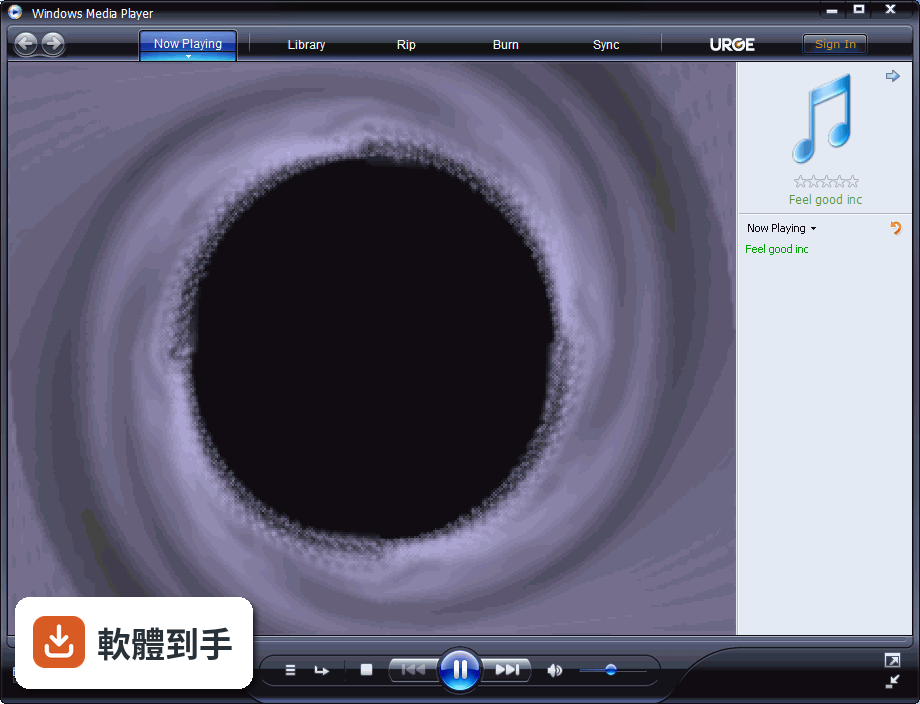
它能播放電腦裡的音樂和影片檔案,也能整理媒體庫,把分散在各資料夾的檔案集中瀏覽。另外支援從CD擷取音軌轉成數位檔案、燒錄音樂CD,以及把媒體檔案同步到可攜式裝置。這些都是官方列出的基本功能,操作介面設計得比較簡單,不需要花時間學習。
02這套軟體支援哪些 Windows 系統?
官方資料顯示支援 Windows 7、Windows 8 和 Windows 10,包含 64 位元版本。要注意的是,Windows 10 之後的新系統沒有內建,微軟官方說明也提到它不支援最新版 Windows,而是被其他應用程式取代。如果你用的是 Windows 11,這套軟體可能無法直接安裝使用。
03介面只有英文,會不會很難操作?
官方列出的介面語系只有 English,沒有中文介面。不過播放器的操作邏輯不算複雜,主要按鈕如播放、暫停、停止、音量調整都是通用圖示,播放清單的建立也是拖曳就能完成。如果你對英文介面不熟悉,初期可能需要花一點時間摸索選單位置。
04它能播放哪些檔案格式?
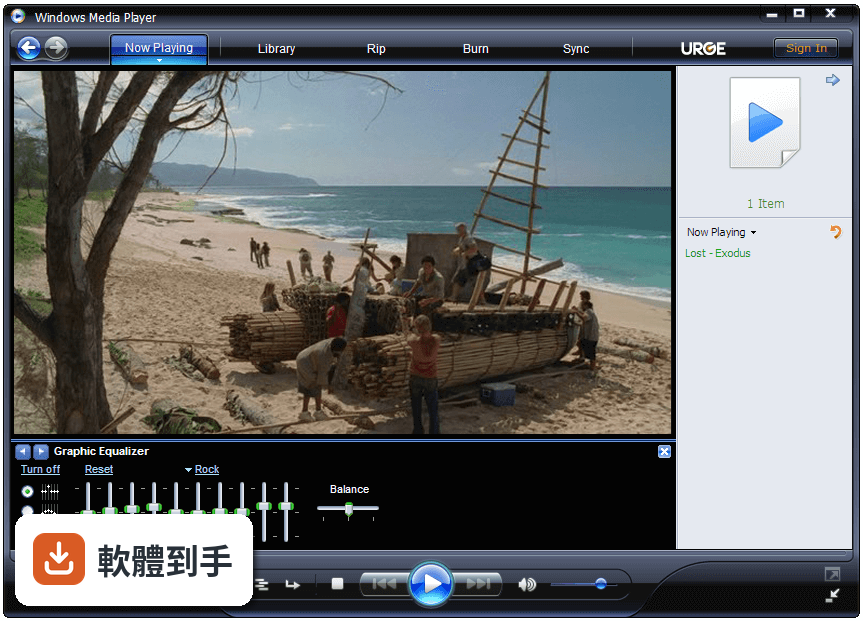
官方說明提到支援多種音訊和視訊格式,但沒有列出完整的格式清單。實際能播哪些檔案,會跟系統安裝的解碼器有關。常見的 MP3、MP4、WMV 這類微軟生態系常見格式通常沒問題,但某些較冷門的格式可能無法播放,這點需要自行測試確認。
05可以整理音樂和影片的媒體庫嗎?
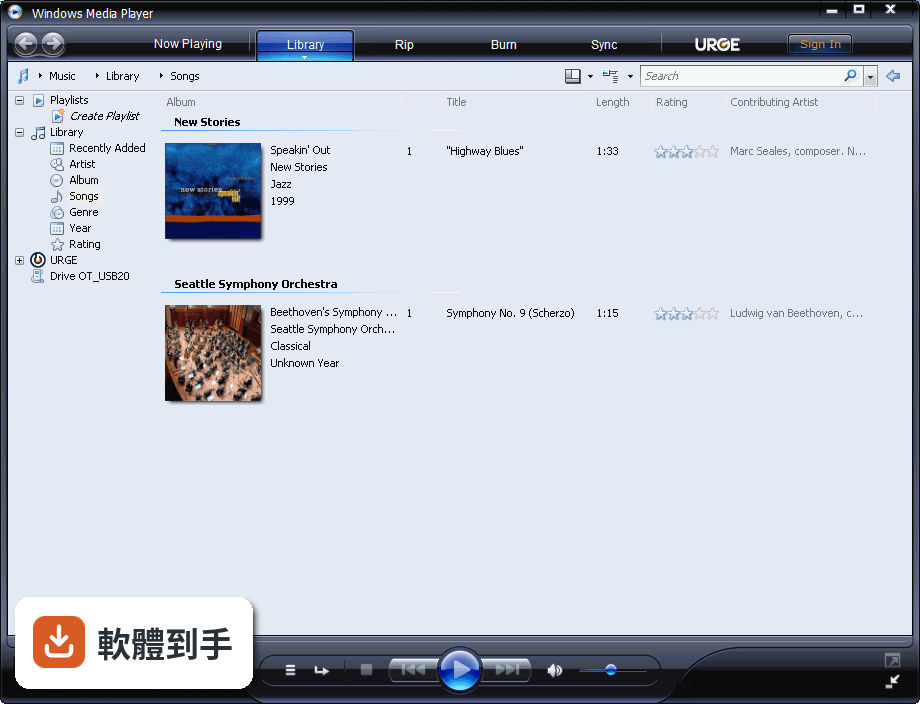
可以。官方功能說明提到,它能瀏覽、播放、整理音樂,也能建立和管理播放清單。影片部分同樣支援瀏覽、管理和檢視本機影片收藏。如果你手邊的媒體檔案數量多,用它集中管理會比在檔案總管裡一個一個資料夾翻找方便。
06什麼樣的人適合用這套軟體?
適合只需要基本播放功能、不想安裝第三方軟體的人。特別是電腦裡已經有大量音樂或影片檔案,想要一個簡單的介面來播放和整理,又不希望軟體夾帶廣告或額外功能的人。它預載在舊版 Windows 系統中,對硬體需求也不高,老電腦跑起來不會太吃力。
07Windows 10 使用者還可以用它嗎?
可以,但需要另外安裝。官方說明指出,Windows 10 沒有預載這套軟體,要從微軟網站下載 Windows Media Feature Pack 才能加回來。如果你原本是從 Windows 7 或 8.1 升級到 Windows 10,它會包含在系統中。但升級後如果被移除,就得手動重新安裝。
08這套軟體和微軟其他產品有整合嗎?
官方說明提到它與 Windows Media Center 有整合,能提供多媒體體驗。不過要注意,Windows Media Center 本身也不是所有 Windows 版本都有,而且微軟對舊產品的支援會隨時間調整。如果你很依賴這類整合功能,建議先確認自己系統版本的支援狀況。
09什麼情況不該選這套軟體?
如果你需要線上串流音樂或影片服務,這套軟體幫不上忙,官方說明明確指出它缺乏線上媒體串流功能。另外,如果你需要跨平台使用,例如在手機或 Mac 上繼續播放同一份媒體庫,它也不支援。需要這些功能的話,要考慮其他方案。
10它有 DVD 播放功能嗎?
官方說明特別提到,Windows 10 和 Windows 8.1 不包含 DVD 播放功能。如果你還有很多實體 DVD 光碟要看,這套軟體在這些系統上無法直接勝任。需要另外安裝 DVD 解碼器或使用其他播放軟體,這點在選擇前要先想清楚。
11這套軟體和 Foobar2000、MediaMonkey 比起來如何?
從評分人數來看,jetAudio 有 433 人評分,Foobar2000 有 139 人,MediaMonkey 有 114 人,Windows Media Player 則有 178 人評分。評分人數多寡可以反映使用者的普及程度,但功能取向不同。Foobar2000 以高度自訂性聞名,MediaMonkey 擅長大型媒體庫管理,而 Windows Media Player 走的是簡單路線,功能相對基本。
12它還值得繼續用嗎?
如果你只需要一個免費、簡單、沒有廣告的播放器,而且電腦系統還在支援範圍內,它仍然堪用。但要注意,微軟已經停止對 Windows 10 的免費軟體更新和安全性修正,官方也建議升級到 Windows 11,而這套軟體又不支援新系統。長期來看,它的可用性會逐漸受限,建議評估其他播放器作為備案。
下載與官方連結
前往官方網站 下載 Windows Media Player
連結指向軟體原廠
版本紀錄
- 2025-10-20 Windows Media Player 12.0
- 2010-06-23 Windows Media Player 11.0.5721
- 2006-10-30 Windows Media Player 11 24.56 MB
再看 1 筆
- 2005-05-08 Windows Media Player 10.0.3802 12.16 MB
這一版改了什麼
- Replaces Groove Music: Your existing music library and playlists are seamlessly transferred, alongside an array of new features.
- Full Video Support: The player now allows you to browse, manage, and watch your local video collection. Videos in your PC's Video library will automatically appear, and you can also customize where to search for additional videos through app settings.
- Enhanced Playback View: Enjoy album art and artist imagery, which are displayed in both full-screen and mini-player modes.
- Accessibility Improvements: The player is optimized for keyboard shortcuts, access keys, and other assistive technologies.
- Drag-and-Drop Support: You can easily drag files into the app to play them instantly or add them to your Play queue.
- Automatic Codec Installation: If a file requires an additional codec from the Microsoft Store, it will assist with its installation.
- Playback Speed Control: Adjust the speed of both audio and video files according to your preference.
- 9-Band Equalizer: Fine-tune your music and video audio with a customizable 9-band equalizer.
- Customization Options: Personalize the app by selecting your preferred theme and accent color settings.
Alternatives
VLC Media Player - A versatile open-source media player that supports nearly all audio and video formats without extra codecs.
KMPlayer - A feature-rich player with wide format support, customizable interface, and advanced playback controls.
PotPlayer - A lightweight yet powerful player known for high-quality video playback, filters, and smooth performance.
GOM Player - A user-friendly media player with built-in codec support, subtitle search, and 360° video playback.
PROS
- Simple and user-friendly interface
- Wide format compatibility
- Customizable skins and visualizations
- Built-in CD ripping and burning
- Low resource usage
- Limited codec support for rare formats
- No built-in support for streaming services
- Outdated design compared to competitors
- Lacks advanced media management features
- Few updates and development stagnation
Download Windows Media Player Latest Version Why is this app published on FileHorse? (More info)