
這是歷史版本頁面 — 看 ZD Soft Screen Recorder 最新版本
輕量螢幕錄影工具 ZD Soft Screen Recorder 能解決什麼
 ZD Soft Screen Recorder 11.1.11.0
資料更新 2018-07-03
閱讀約 6 分鐘
你正準備錄一段操作畫面給同事看,或想把遊戲精彩片段存下來,於是打開 Windows 內建的錄影功能,卻發現它只能錄全螢幕、不能同時收麥克風聲音,錄出來的檔案又大又模糊。你只是想快速錄個幾分鐘的畫面,不想為了這件事去研究複雜的設定,更不想裝一套佔資源的怪獸級軟體,但偏偏找不到一個「剛好夠用」的工具。
一般人遇到這種狀況,第一個念頭是找免費軟體,但免費的往往浮水印很大、錄影時間被限制,或者介面全是簡體中文、綁了一堆你不想要的東西。另一條路是開 OBS 這類專業工具,功能很強,但初次設定的門檻就讓人心累。這類螢幕錄影工具的切入點,其實是讓你在「不想花時間研究」和「不想錄出爛品質」之間取得平衡——安裝快、操作直覺、錄出來的東西堪用就好。
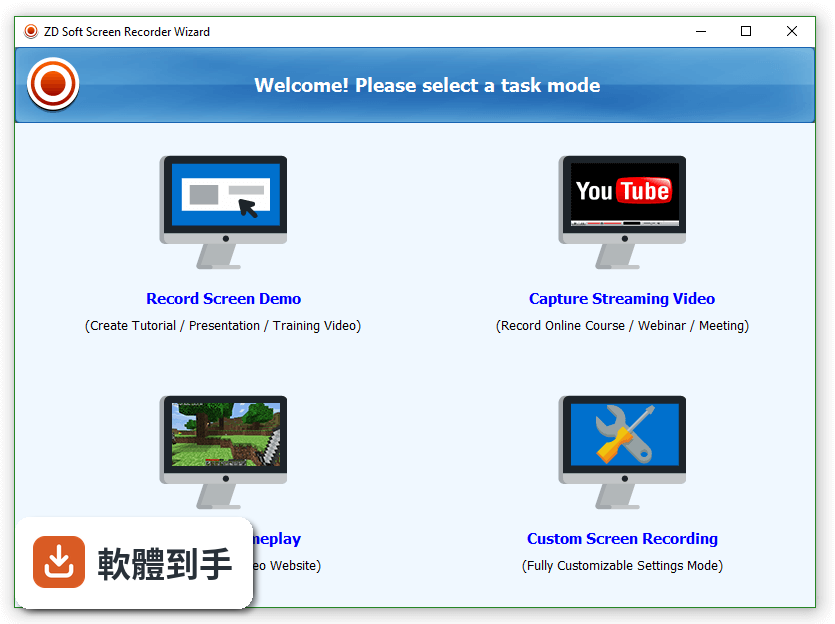
01ZD Soft Screen Recorder 到底能錄什麼?
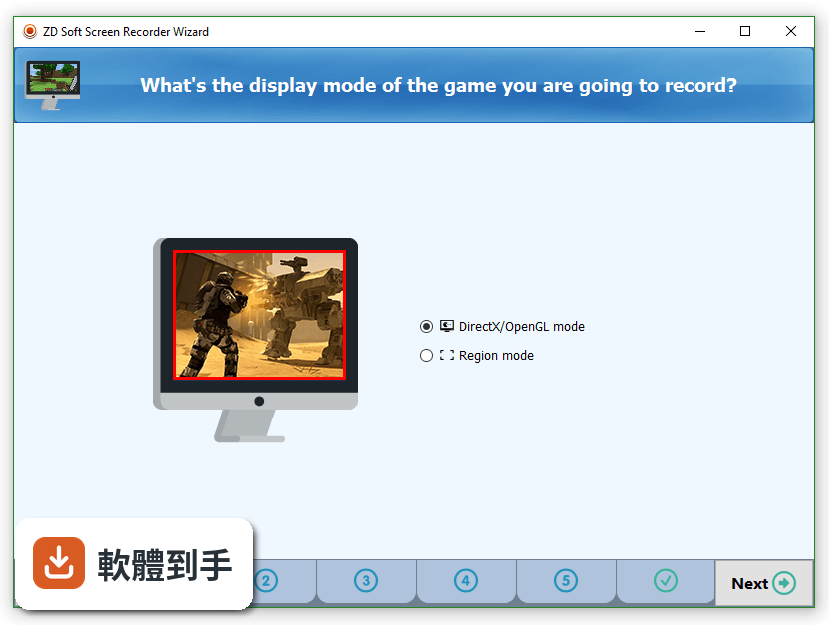
它能錄整個螢幕,也能只框選某個區域來錄,所以你要錄全螢幕簡報或只錄某個視窗都可以。除了畫面,它同時收系統聲音和麥克風,例如錄教學影片時一邊講解一邊錄電腦播放的聲音。另外它支援視訊鏡頭畫面疊加在螢幕畫面上,適合需要露臉解說的場合。遊戲錄影也有特別最佳化,支援 DirectX 和 OpenGL 的遊戲畫面。
02錄到一半想暫停、想畫重點,它做得到嗎?
可以。錄影進行中會有一個浮動工具列,你可以隨時暫停、繼續,不用中斷錄影。它也有註解工具,能在錄製當下直接在畫面上畫框、畫箭頭、標示重點,這些標記會跟著錄進影片裡。如果你不想用滑鼠去點工具列,也可以自訂快捷鍵,設定自己習慣的按鍵組合來控制開始、暫停和停止錄影。
03錄出來的影片畫質如何?檔案會不會很大?
官方說明指出它支援高解析度錄影,包括 4K,前提是你的硬體跑得動。畫質和檔案大小之間的平衡,取決於你錄影時的設定,例如解析度、幀率、編碼方式,這些在輸出設定裡可以調整。它標榜對系統影響小,錄影時不會讓電腦明顯變慢,但實際效能還是會因電腦規格而異。如果你錄的是 4K 遊戲畫面,檔案大小自然不會小到哪裡去。
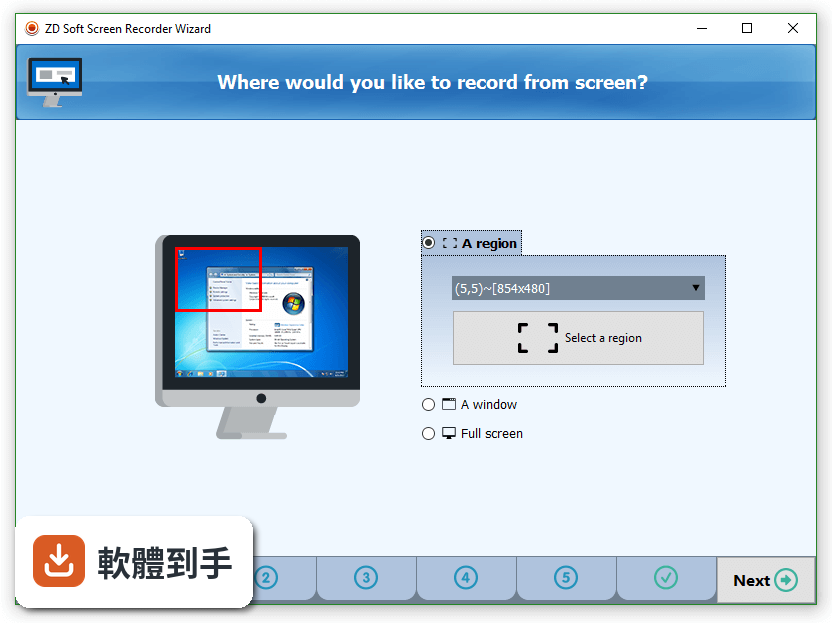
04它可以直接直播到 YouTube 或 Twitch 嗎?
可以。它內建直播功能,能直接將螢幕畫面廣播到 YouTube、Twitch、Facebook 這些平台,不需要另外接第三方直播軟體。設定直播時,你一樣可以選擇要錄全螢幕還是特定區域,也能同時開麥克風和視訊鏡頭。如果你本來就有在直播,這功能可以省掉同時開兩套軟體的麻煩。
05可以設定時間讓它自動開始錄影嗎?
可以,它有排程錄影功能。你可以指定某個時間點讓它自動開始錄,例如你人不在電腦前,但想錄下某個特定時段的線上研討會或比賽轉播,就可以先設定好時間,時間到了它會自己開始錄。這功能對需要定時錄製固定節目的使用者來說很實用,不用人守在電腦前手動按錄影。
06這套軟體適合什麼樣的人用?
適合需要「快速錄好一支影片」的人,例如要錄操作步驟給同事看、錄線上課程內容、錄遊戲精華片段,或錄軟體功能示範。它的介面設計比較簡單,主要功能都放在明顯的位置,不需要花時間摸索。如果你只是偶爾錄個畫面,不想為了錄影去學一套複雜工具,它會是負擔比較小的選擇。安裝檔不到 10 MB,安裝過程也很快。
07我是初學者,第一次用會不會不知道從哪裡開始?
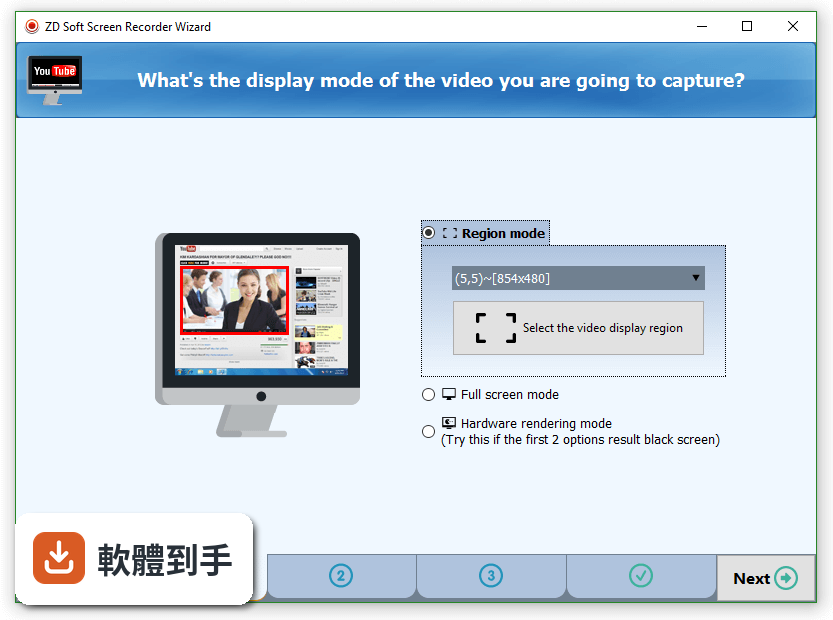
安裝完第一次啟動時,它會顯示一個快速開始指南,帶你認識基本操作。使用流程也很直線:啟動軟體、選錄影模式(全螢幕、區域或遊戲)、選音訊來源、按錄影鍵,就開始了。錄完按停止,影片會存到預設的輸出資料夾。整個流程不需要碰進階設定也能完成錄影,進階選項是留給有需要的人去調整的。
08它的試用版有什麼限制?
試用版錄出來的影片會加上浮水印,要移除浮水印就得付費購買授權。官方說明提到試用期限是 30 天,但沒有明確說明試用版有沒有錄影時間長度限制,這點需要自己安裝確認。如果你只是偶爾錄一次,浮水印可能還能接受;但如果要錄正式使用的影片,浮水印會是個問題,購買前要先想清楚。
09我該拿它跟 Bandicam 或 OBS 比嗎?哪個比較好?
這套軟體在評分人數上比 Bandicam 少很多(58 人對 228 人),表示實際使用者的樣本數較少,參考價值有限。OBS 是免費開源軟體,功能更強大但學習曲線較陡;Bandicam 在遊戲錄影的壓縮效率上評價不錯。ZD Soft Screen Recorder 的優勢是輕量、操作簡單,劣勢是內建編輯功能很少,錄完之後要另外用剪輯軟體處理。如果你需要大量剪輯功能,它不適合。
10它的介面是英文的,我看不懂英文能用嗎?
它的介面語系只有英文,沒有中文。不過它的操作流程很直覺,主要按鈕就那幾個,錄影、停止、設定,位置都很固定,不太需要閱讀大量文字。如果你完全無法接受英文介面,或需要中文介面才能安心操作,那這套軟體可能不適合你,可以考慮其他有中文介面的錄影工具。建議先下載試用版實際操作看看,確認自己能不能接受。
11這套軟體還有人在維護嗎?會不會裝了之後沒更新?
根據收錄的版本紀錄,它最早在 2017 年就有版本,最近一次更新在 2025 年 11 月,近 24 個月內更新過 1 次,屬於持續有在維護的軟體,不是放著不管的專案。不過更新頻率不算高,一年大約一次左右。如果你很在意軟體是否頻繁更新、加入新功能,它的更新節奏可能不如一些更活躍的錄影工具。
12我電腦是 Windows 7,能裝嗎?
可以,它支援 Windows 7、8、10、11。系統需求方面,官方建議至少雙核心處理器、2 GB 記憶體(建議 4 GB 以上)、100 MB 安裝空間、支援 DirectX 9 的顯示卡。如果你的電腦是比較舊的機型,只要符合這些基本需求就能跑,但錄高解析度或遊戲畫面時,效能還是取決於你的硬體等級。
下載與官方連結
前往官方網站 下載 ZD Soft Screen Recorder
ScnRec.msi · 7.6 MB · 連結指向軟體原廠
版本紀錄
- 2025-11-15 ZD Soft Screen Recorder 12.0.9 15.5 MB
- 2024-02-22 ZD Soft Screen Recorder 11.7.2
- 2023-06-03 ZD Soft Screen Recorder 11.6.4
再看 5 筆
- 2023-04-12 ZD Soft Screen Recorder 11.6.2
- 2022-10-31 ZD Soft Screen Recorder 11.6.0
- 2022-10-10 ZD Soft Screen Recorder 11.5.6
- 2022-10-02 Soundop 1.8.15.2
- 2022-10-02 ZD Soft Screen Recorder 11.5.5
這一版改了什麼
What's new in this version:
ZD Soft Screen Recorder 11.1.11.0
- Fixed a bug that the webcam image freezes after the webcam device is unplugged
ZD Soft Screen Recorder 11.1.10.0
- Fixed a bug that the last few video frames of an MP4 recording might be missing sometimes
- Fixed a bug that the video cutting feature might not work on some locale language systems
ZD Soft Screen Recorder 11.1.9.0
- No black screen in full webcam view mode if no webcam is active
- Fixed a bug that might slow down the startup of the program
ZD Soft Screen Recorder 11.1.8.0
- Fixed a bug that the “Auto Run on Windows Start” option cannot be enabled in previous version
- Fixed a bug that the program settings changes cannot be saved when system shuts down or restarts
ZD Soft Screen Recorder 11.1.7.0
- Enhanced screenshot feature supports logo and cursor
- Added an option “Stealth Mode” to the “Advanced Options” sub-menu
- Not prompting user the “TTS Narration Script” feature at startup any more
- Fixed a bug that recording might not be saved properly when system shuts down or restart
ZD Soft Screen Recorder 11.1.6.0
- Fixed a bug that recording might crash on some Windows 10 systems with 4K screens
ZD Soft Screen Recorder 11.1.5.0
- Fixed a bug that recording might crash after waking from system hibernate
ZD Soft Screen Recorder 11.1.4.0
- Added a link to the SDK homepage in the registration reminder screen*
ZD Soft Screen Recorder 11.1.3.0
- Added a ‘Key frame interval’ option to the ‘Video’ group to provide the ability to adjust the video GOP
- Made the bitrate-based quality mode output constant bitrate (CBR) stream
ZD Soft Screen Recorder 11.1.2.0
- Fixed a bug that the video logo erasing feature doesn’t enable you to select the logo box
- Improved the license validation procedure to make the SDK license validation more reliable
- Added the support to H.264 compatible webcam devices
ZD Soft Screen Recorder 11.1.1.0
- Improved the audio recording capability for some audio drivers don’t fully support system audio engine format
- Fixed a bug that the webcam preview button cannot be re-activated if a webcam fails to preview
ZD Soft Screen Recorder 11.1.0.0
- Added the TTS (Text To Speech) narration script feature to make it much easier to create how-to videos
- Fixed a bug that the program might crash when opening recordings folder or hiding region frame
- Improved the audio capture synchronization performance, less chance to produce glitches
ZD Soft Screen Recorder 11.0.10.0
- Fixed a bug that an access violation error might occur when program exits in certain circumstances
ZD Soft Screen Recorder 11.0.9.0
- Added the undo & redo ability to the markup drawing feature
- Added an option to freeze canvas when drawing markups
- Added an option to pause recording when drawing markups
- Added a browse folder button in the Review & Edit Recordings dialog
- Some other minor bug fixes and improvements
ZD Soft Screen Recorder 11.0.8.0
- Added a dialog to select a proper recording mode at the beginning of program
- Added more common options into the context menu of the settings button
- Made the settings context menu pop up by both left-click and right-click
- Added 2 more balloon tooltips to guide users to get started quickly
- Set the ‘Quick Screenshot Mode’ the default screenshot mode
ZD Soft Screen Recorder 11.0.7.0
- Made video joining capable of joining images and videos together
- Made video joining capable of changing output format, resolution and fps
- Made video joining capable of creating high quality GIF animations
- Added an About button to the Review & Edit Recordings dialog
ZD Soft Screen Recorder 11.0.6.0
- Fixed a bug that the check update feature cannot install update on Windows 10 systems
ZD Soft Screen Recorder 11.0.5.0
- Improved the video joining feature to make it capable of joining videos in different resolutions
- Improved compatibility with some old graphics cards that don't fully support DX11
- Added a Z-Speed option for adjusting the zooming transition speed
- Added a Settings button to the Review & Edit Recordings dialog
- Made the 'Original cursor size' option not enabled by default
ZD Soft Screen Recorder 11.0.4.0
- Added the dynamic capture region feature that enables the capture region follows the mouse cursor
- Made the capture frame not stay topmost when there is a fullscreen game active
- Made the registration reminder pop up when program exits instead of popping up when recording starts
ZD Soft Screen Recorder 11.0.3.0
- Set the recording starting countdown box not display by default
- Fixed a bug that license validation on recording start might fail even if the license is valid
ZD Soft Screen Recorder 11.0.2.0
- Bigger recording control panel with rearranged buttons
- New easier way to select a capture region or window
- Added context options for buttons on control panel
- Added on-screen markup drawing tools
- Added simple video post-editing features
- Simplified the general settings panel
- Some other improvements and bug fixes
ZD Soft Screen Recorder 10.5.0
- Added Vietnamese language translation
- Added mouse cursor track effect
- Improved the MP4 and FLV file formats compatibility
- Made the 'Variable frame rate' option unchecked by default again
- Changed the installer format from MSI to EXE
- Some other improvements and bug fixes
ZD Soft Screen Recorder 11.0.1
- Added a hotkey to turn webcam ON / OFF
- Added a hotkey to switch between webcam overlay and full view mode
- Fixed a bug that the system tray balloon tip doesn't show up sometimes
- Fixed a bug that recorded video files might be unplayable because of wrong file extension associations
ZD Soft Screen Recorder 11.0.0
- Re-built the program with classic Windows application UI style
- All-in-one settings dialog for efficient recording configuration
- Support recording from custom sound sources other than the default ones
- Easier way to select a screen capture region
- Built-in view for screen capture previewing
- Built-in player for recorded videos playback
- Built-in view for recorded videos management
- Added features for cutting and joining videos
- Added a feature for grabbing an image from video
- Added a feature for erasing the logo in video
- Added a visual effect of the mouse cursor track
- Changed the installer format from MSI to EXE
- Some other improvements and bug fixes
ZD Soft Screen Recorder 10.4.6
- Added Italian language translation
- New mouse cursor click sound effect
- Improved the API hooking compatibility
- Improved the MP4 video format to support very long duration recording up to 100 hours
- Fixed a bug that the local broadcasting firewall notice still pops up when the option is disabled
ZD Soft Screen Recorder 10.4.5
- Emergency bugfix that recent changes on MP4 video format make it incompatible with some versions of Windows Media Player
- Improved program stability of long duration recording for longer than 48 hours
ZD Soft Screen Recorder 10.4.4
- Fixed a bug that microphone could not be recorded properly on some computers
- Made the MP4 video format support long duration recording better
- Updated the traditional Chinese language translation
ZD Soft Screen Recorder 10.4.3
- Emergency bugfix that program crashes when no microphone device is present
- Updated the Arabic language translation and flag icon
ZD Soft Screen Recorder 10.4.2
- Added Arabic language translation
- Improved audio/video synchronization performance for slow computer systems
- Not overriding the '--preset' parameter that user added in the x264 configuration dialog
- Fixed a bug that might cause memory leak when recording and streaming at the same time
- Fixed a bug that an error message might popup even if a recording is done successfully
- Fixed a bug that video looks fuzzy when capture region width or height is odd
ZD Soft Screen Recorder 10.4.1
- Added Korean language translation
- Fixed a bug that the capture frame bar does not show up sometimes
- Fixed a bug that program may crash if recording starts with a countdown box
- Fixed a bug that program might hang on some DX10 incompatible systems
ZD Soft Screen Recorder 10.4.0
- Made the program components registration-free (less system dependencies)
- Fixed a bug that some components might not be unloaded properly when stopping/exiting
- Fixed a bug that the recorded FLVs might be gray screen under some x264 quality settings
- Fixed a bug that the 'Variable frame rate' option might not actually work when it should
- Made 'Variable frame rate' checked by default again in the 'Video' tab
- Not overriding the '--keyint' parameter that user added in the x264 configuration dialog
- Displaying more detailed error message when an error occurs
- Updated the Portuguese and Farsi language pack