
這是歷史版本頁面 — 看 Actual Transparent Window 最新版本
視窗疊太多切來切去好煩?Actual Transparent Window 讓視窗變透明
 Actual Transparent Window 8.11.2
資料更新 2017-09-29
閱讀約 5 分鐘
寫報告時開著 Word,旁邊瀏覽器要查資料,兩個視窗切換來切換去,沒幾分鐘就覺得煩。尤其螢幕不夠大,並排又嫌太窄,最小化再還原的動作重複幾十次,時間都耗在視窗管理上。你需要的不是再開一個視窗,而是讓暫時用不到的視窗「退到後面」——不是縮小,而是變透明,讓視線直接穿透它,看到底下的內容。
一般人習慣的做法是拼命切換視窗、調整排列位置,但這些動作本質上都是「把視窗移開」再「把視窗叫回來」,步驟多、中斷思路。這類工具的切入點是改變視窗本身的顯示狀態:把不用的視窗調成半透明,讓它留在原位但不擋視線,需要時再點一下恢復不透明。這樣一來,視窗不用移動,工作區也不用重新排列,眼睛直接看過去就好。
01Actual Transparent Window 到底能幹嘛?就是讓視窗變透明而已嗎?
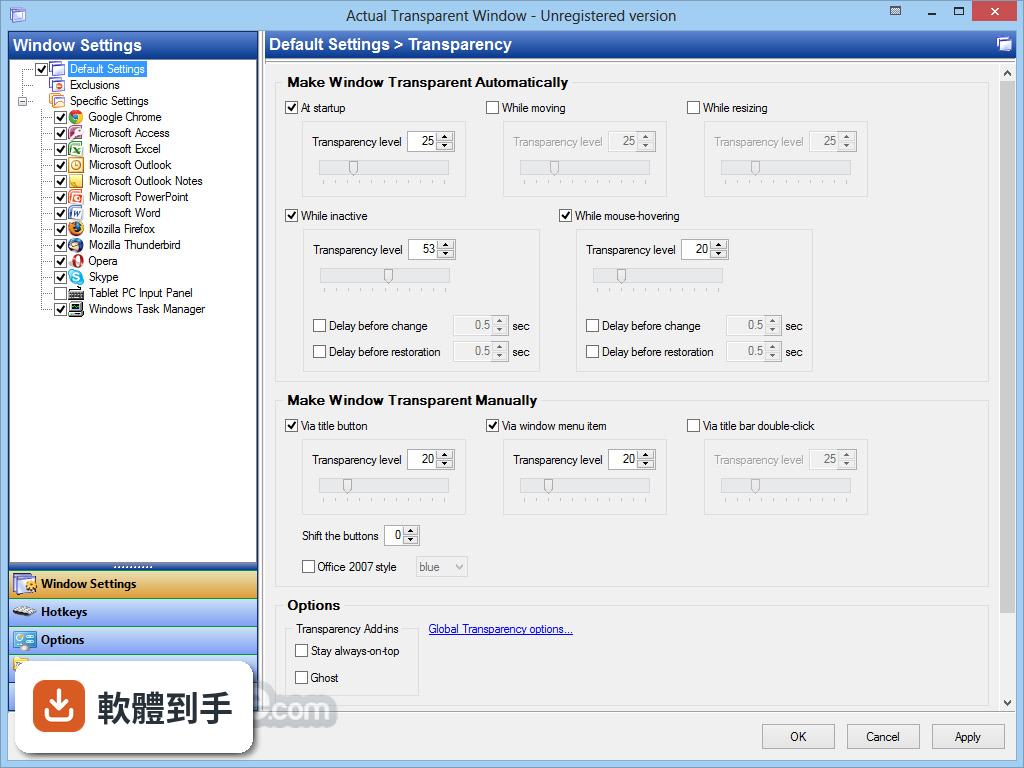
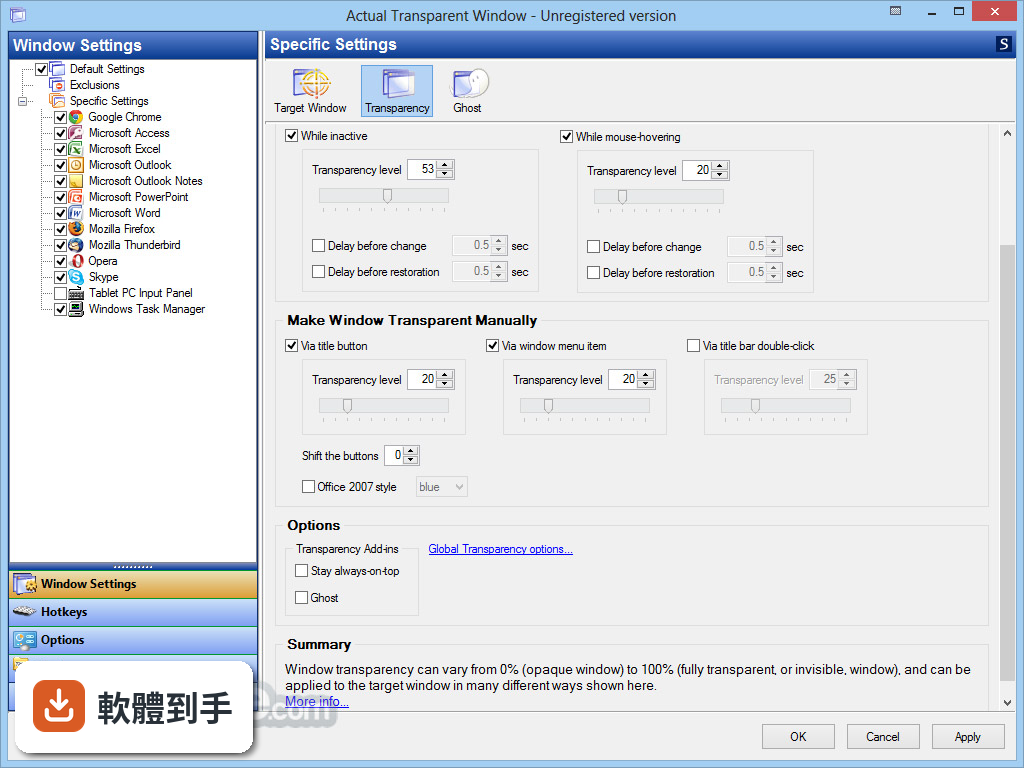
核心功能是讓任何視窗調整透明度,從 0%(完全不透明)到 100%(全透明)都可以設定,而且每個視窗可以單獨記住自己的透明度。除此之外,它還有非活動視窗透明、滑鼠穿透、拖曳時自動透明、雙擊標題列切換透明等功能,不是只有單純變透明而已。
02能不能只讓沒在用的視窗變透明,正在用的保持不透明?
可以。它有一個「非活動視窗透明」的功能,設定之後,只要視窗沒有被選取,就會自動變成半透明;當你點它一下、讓它變成使用中的視窗,就會恢復成完全不透明。這個功能對即時通訊軟體特別實用,掛在背景時不會擋住主要工作畫面。
03視窗變透明之後,滑鼠點下去會點到下面的視窗嗎?
一般情況下,透明視窗還是會擋住滑鼠點擊。但它有 Ghost Mode(幽靈模式),開啟之後,滑鼠的點擊和移動都會直接穿透透明視窗,點到底下的視窗。如果你需要一邊看著上層視窗的內容、一邊操作下層視窗,這個模式就是關鍵。
04拖動視窗的時候能不能自動變透明,放好就恢復?
可以。它有一項功能是「拖曳或調整大小時才套用透明效果」,也就是說,視窗靜止時維持原本的不透明狀態,只有當你拖著它移動或拉動邊框調整大小時,才會變成半透明。這樣一來,拖視窗的時候不會完全遮住底下的內容,放好之後又恢復正常。
05怎麼快速切換透明和不透明?有沒有快捷鍵?
有幾種方式。可以按 Win+T 快速切換透明與不透明,也可以直接雙擊視窗的標題列來切換。另外,它可以在視窗上加入一個「Make Transparent」按鈕,點一下就能開啟透明設定,不用進選單慢慢調。
06我寫報告要一邊看網頁一邊打字,這種場景適合用嗎?
官方說明裡舉的例子就是這個情境:在 Word 打字時,需要參考瀏覽器裡的資料,按一下 Win+T 讓瀏覽器視窗變透明,就能直接看到後面的內容。如果你常常需要同時參考兩個視窗的內容,又不想一直切換,這個軟體的做法確實能減少切換次數。
07有人說半透明視窗對眼睛比較好,是真的嗎?
官方說明提到,使用半透明視窗可以減少對眼睛的負面影響。不過這是官方說法,沒有提供具體的研究數據或醫學依據。實際感受因人而異,有些人覺得半透明反而讓畫面更雜亂,建議先試用看看自己能不能適應。
08這軟體是免費的嗎?試用版有什麼限制?
它是 Trial 授權,提供 7 天試用。官方說明中有提到試用版功能有限,但沒有具體列出哪些功能被限制。如果你只是偶爾需要讓視窗變透明,可以先用試用版試試看;如果要長期使用,就需要購買授權。
09介面是中文的嗎?我英文不好能用嗎?
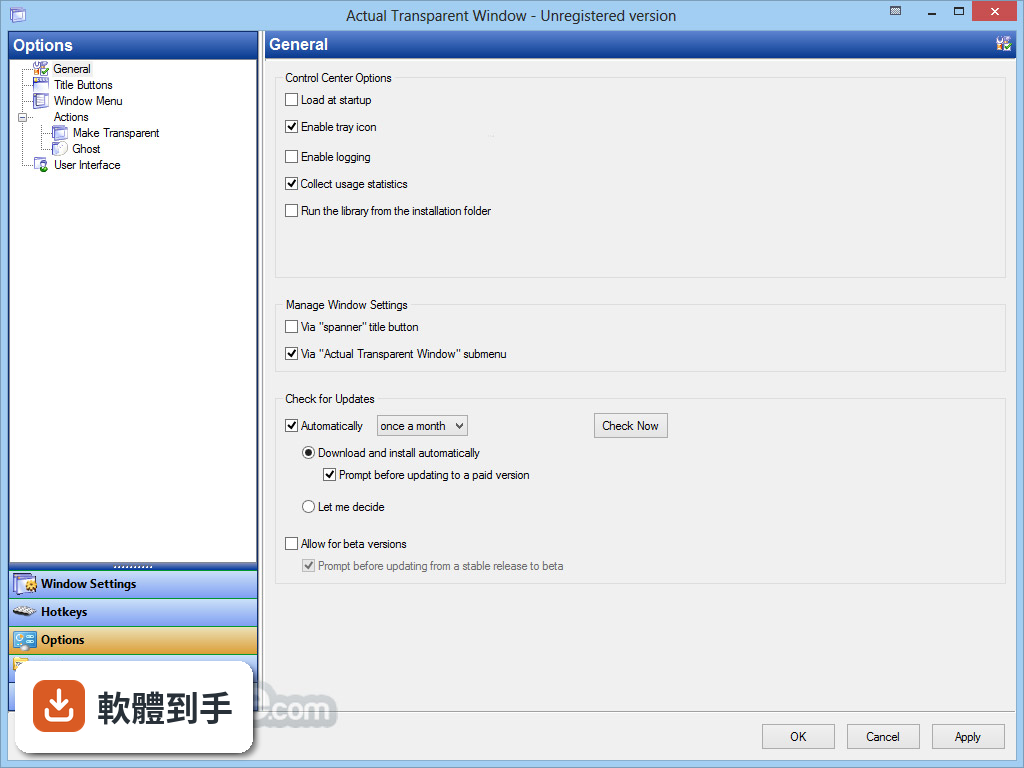
介面語系是英文。不過官方說明提到它支援多種語言,包括繁體中文和簡體中文,但這是指軟體本身有提供多語言選項,還是僅限官方文件翻譯,需要自行下載確認。如果英文介面會造成困擾,建議先裝試用版看看實際情況。
10我電腦比較舊,裝這個會不會拖慢速度?
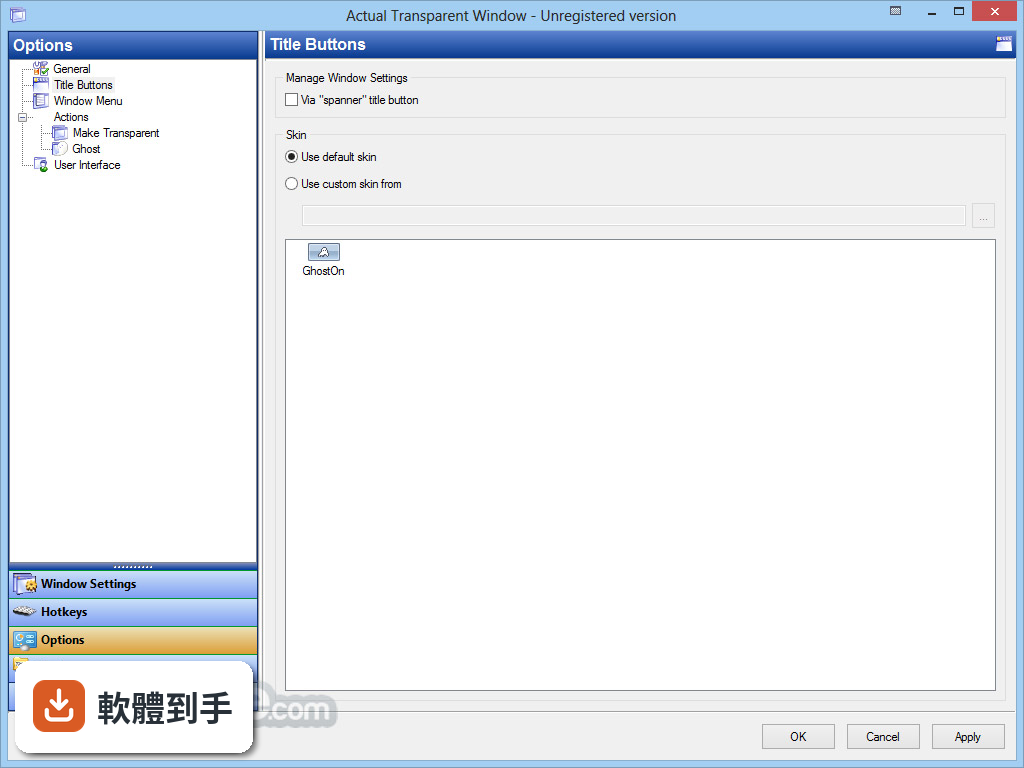
官方說明中列出的缺點包含「潛在的效能影響」和「與某些應用程式的相容性問題」。它需要在背景常駐,並對每個視窗的顯示狀態進行處理,理論上會占用一些系統資源。舊電腦或配備較低的機器,建議先裝試用版實際跑看看,確認不會影響日常操作再決定。
11有沒有其他類似的軟體可以比較?
功能相近的軟體有 WindowFX,兩者的使用者評分人數都不多(Actual Transparent Window 有 57 人評分,WindowFX 有 58 人),分數也接近。不過 WindowFX 的功能範圍不同,建議先釐清你需要的到底是「視窗透明」這單一功能,還是更全面的視窗管理工具,再來選擇。
12這軟體更新頻繁嗎?會不會裝了之後沒人維護?
根據版本紀錄,它收錄了 24 個版本,最近一次更新在近期,過去 12 個月內有 1 次更新,過去 24 個月也是 1 次。也就是說,它仍然有在維護,但更新頻率不算高。如果你在意的是長期支援,這點可以納入考量。
下載與官方連結
前往官方網站 下載 Actual Transparent Window
atwsetup.exe · 連結指向軟體原廠
版本紀錄
- 2026-07-03 Actual Transparent Window 8.15.4 8.5 MB
- 2023-06-27 Actual Transparent Window 8.15.0
- 2022-06-23 Actual Window Manager 8.14.7
再看 5 筆
- 2022-06-23 Actual Transparent Window 8.14.7
- 2021-11-23 Actual Multiple Monitors 8.14.6
- 2021-11-23 Actual Window Manager 8.14.6
- 2021-11-23 Actual Transparent Window 8.14.6
- 2021-02-13 Actual Transparent Window 8.14.5
這一版改了什麼
What's new in this version:
Actual Transparent Window 8.11.2
- Windows 10 Creators Update: Metro (UWP) apps crashed at startup if Actual Transparent Window was running
Windows 10 Creators Update: Extra title buttons now have correct glyph/background colors in Metro (UWP) apps with custom-colored title bars (Edge, People, Store, Maps, Settings, Connect, Xbox, Alarms & Clock, Calculator, Paint 3D):
- While being mouse-hovered/pressed
- In the Compact View popup toolbar
- Title Buttons: In Metro (UWP) apps, popup toolbar popped up again instead of closing after a second click on the Compact View title button
- Title Buttons: Metro (UWP) apps crashed after invoking twice the semi-transparency slider (right click on a Make Transparent additional title button)
Actual Transparent Window 8.11.1
- Title Buttons: Auto-detection of free space for extra title buttons is improved in the latest versions of Google Chrome
- Windows 10: Some apps (like Visual Studio 2012 installer and components, or iTunes Helper) crashed when Actual Transparent Window was running
- Windows 10: Windows Magnifier got hung when its Lens mode was active and Actual Transparent Window was running
- Title Buttons: System window menu flickered constantly in apps where auto-detection of free space for extra title buttons enabled (Google Chrome, Mozilla Firefox, Windows Explorer, Microsoft Office apps)
Actual Transparent Window 8.11
- Windows 10: Now you can create specific window settings for Metro (UWP) apps (e.g. Settings, Edge, Skype, Store, Xbox, Calculator, etc.)
- The factory exclusion rule "All unnamed windows" is added to skip all windows with an empty caption
- Windows 10: Actual Transparent Window prevented the background spellchecking in Microsoft Word 2016
- Configuration: Captions on the Tools panels got cut in high DPI resolutions
- Configuration: Exclusion detail panel did not refresh after adding a new exclusion in the list
Actual Transparent Window 8.10.2
- Title Buttons: Extra buttons overlapped the standard ones in the Start Screen window of Office 2016 apps (Word, Excel, PowerPoint) since the recent update
- UltraEdit main window consumed CPU a lot with Actual Transparent Window running
- Configuration: In Windows 7+, web links always opened in Internet Explorer, not default web browser
Title Buttons: Numerous Windows 10 compatibility fixes:
- incorrect Compact View background color fixed
- incorrect glyph color fixed with the enabled auto-selection of the main UI color
- incorrect glyph color fixed in UWP apps in the recent builds of Windows 10 Insider Preview
Actual Transparent Window 8.10.1
- Localizaton: Arabic language is added (translation made by Thamer Mousa)
- Windows 10: Title buttons now look correct in the Office 2013/2016 apps when their "File" tab gets active
- Configuration: Test Regexp dialog displayed an error if it was opened on a monitor with high DPI resolution
- Updating: If the "New version is available" balloon notification was shown, right click on the Actual Transparent Window notification area icon started the installation instead of displaying icon's context menu
Actual Transparent Window 8.10
- Windows 10: Extra title buttons now look correct on windows with colored title bars (Messaging, Phone, Photos, Windows Mail) and in the Dark visual theme
- Windows x64: Stability is greatly improved (there should be no more high CPU usage or app crashes at Actual Transparent Window startup)
- Configuration: Test Regexp and Select Window From List dialogs now look and work correct in high DPI resolutions
- There was possible (of low probability, though) security breach when running Actual Transparent Window library from the %Temp% folder
- Extra title buttons covered standard title buttons in the Microsoft Office 2016 apps
- Windows 10: Extra title buttons covered tabs in Google Chrome windows
- Windows got completely opaque upon activation instead of restoring their initially set transparency level when both the "Make transparent - At startup" and "Make transparent - While inactive" options were enabled
- Configuration: Check box and radio button captions got cut in high DPI resolutions
Actual Transparent Window 8.9
- The CFL command line switch is expanded with the ability to specify an arbitrary folder where the configuration files should be - stored: ActualTransparentWindowCenter.exe CFL ""
- Overall stability is improved.
- Evaluation dialog has been restyled.
- Proper scaling in high DPI resolutions has been finally implemented for program dialogs (About, Register, Check for Updates, - etc.).
- Auto-detection of free space for extra title buttons worked incorrectly in high DPI resolutions for Windows Explorer and - Microsoft Office windows.
- Some features stopped working in Skype windows after saving the Actual Transparent Window configuration.
- Windows 7+: Specific window settings with certain Window Caption criterion specified did not apply to Microsoft Management - Console windows (Event Viewer, Task Scheduler, Disk Manager, etc.).
- Intuit QuickBooks windows hung for a while after right clicking the extra title buttons.
Actual Transparent Window 8.8.2
- Configuration: Navigation pages now display a tooltip with the full caption text over their header if the caption text does not fit the header visible area
- Configuration: With large interface font size (either set manually in the User Interface settings or generated automatically because of a high screen DPI resolution), navigation page captions did not fit the headers
Actual Transparent Window 8.8.1
- Windows 10: False-positive SmartScreen warning about setup file corruption is finally remedied.