
這是歷史版本頁面 — 看 CorelDRAW Graphics Suite 最新版本
想畫向量圖但介面只有英文?CorelDRAW 怎麼用
 CorelDRAW Graphics Suite 2017
資料更新 2017-04-12
閱讀約 6 分鐘
你最近想幫工作室做一張新的 LOGO,或把產品目錄重新排版,但打開電腦才發現,手邊沒有一套能一次搞定向量繪圖、頁面編排和照片修圖的軟體。你試著用免費的線上工具,畫到一半就卡在圖層和節點的操作上;想直接學專業軟體,又怕介面太複雜、安裝太麻煩。你需要的是一套能從草稿畫到完稿、從點陣圖轉向量、還能輸出印刷檔的工具。
一般人遇到這種需求,第一個念頭是找免費軟體或線上編輯器,但免費方案通常功能分散:這套能畫向量、那套能排版,照片修圖又要另外開一套,檔案格式互相轉換時還會跑掉顏色和字型。專業繪圖軟體的切入點,是把這些工作收在同一套工具裡,讓你在同一個專案中完成插圖、版面、修圖和輸出,不用在好幾個軟體之間來回切換。
01CorelDRAW 能拿來做什麼?
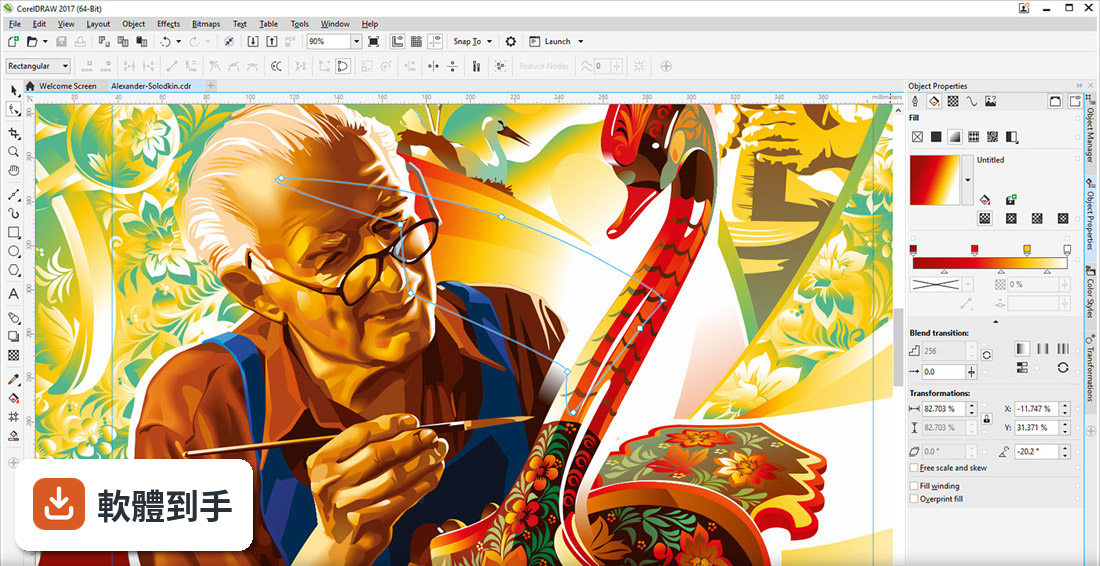
它是一套整合向量繪圖、頁面編排、照片編輯和字型管理的軟體。你可以用它畫 LOGO、製作名片和宣傳單、編排多頁手冊,也能用內建的 PHOTO-PAINT 修照片、調整顏色,甚至把點陣圖轉成向量。官方資料提到,它還包含 200 個設計範本、7000 個剪貼畫和 1000 張高解析度照片,適合從零開始做各類平面設計。
02它能不能開 Adobe Illustrator 的檔案?
可以。官方說明指出,CorelDRAW 支援開啟 AI 格式的檔案,也能匯出成 AI、PDF、PSD、EPS、SVG、CDR 等多種格式。如果你常收到設計師用 Illustrator 做的原始檔,這套軟體可以讀取並繼續編輯。不過,複雜的漸層、效果或外掛特效在轉換時可能會有細微差異,建議開啟後先檢查圖層和效果是否完整。
03照片編輯功能到什麼程度?
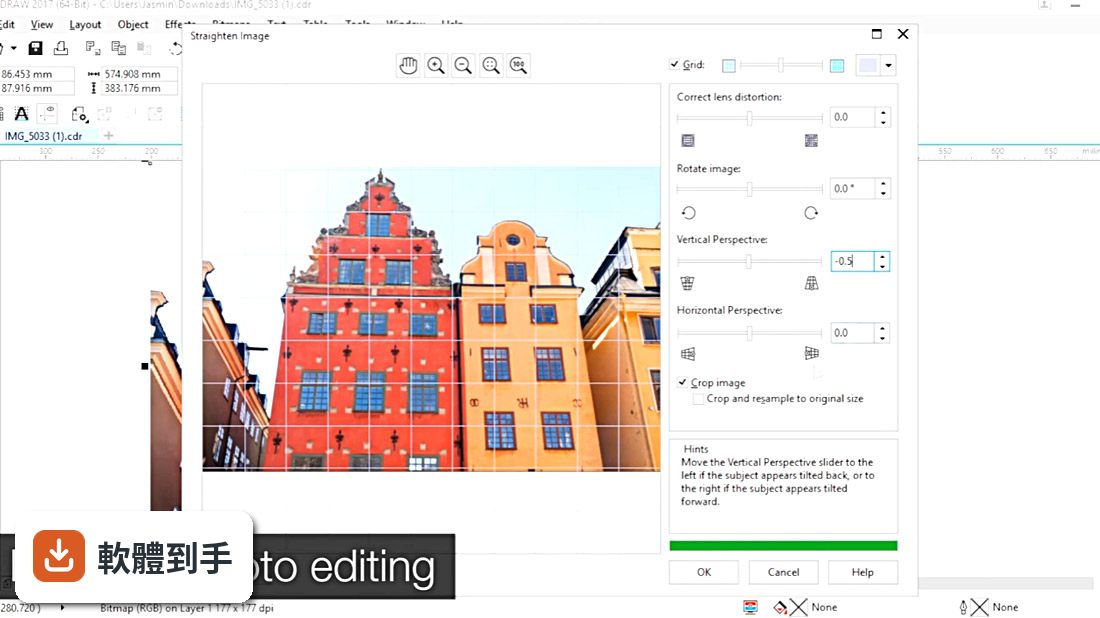
它內建 Corel PHOTO-PAINT,可以做 RAW 檔編輯、色彩調整、去背、修圖和 HDR 影像合成。官方資料提到,它還有 AI 輔助功能,例如影像放大、自動去背和照片增強。如果你只是要調亮度、裁切、加濾鏡,這套夠用;但如果是重度攝影修圖,PHOTO-PAINT 的功能深度仍不及 Photoshop 或 Lightroom。
04有沒有協作功能?
有。它提供 CorelDRAW.app,這是一個瀏覽器版的編輯工具,可以讓團隊在線上即時協作、留言、編輯和分享檔案。你可以在電腦版做好設計後,把檔案丟到雲端,請同事用瀏覽器開啟並加註意見。不過,瀏覽器版的功能比桌面版精簡,複雜的向量編輯還是建議回到桌面版操作。
05支援哪些檔案格式?
官方列出的格式包括 CDR、PDF、AI、PSD、JPG、PNG、EPS、SVG 等。這表示你可以把設計稿匯出成印刷廠需要的 PDF 或 EPS,也能輸出成網頁用的 SVG 或 PNG。要注意的是,CDR 是 CorelDRAW 的專屬格式,如果對方沒有安裝這套軟體,就無法直接開啟,匯出前記得先確認對方需要的格式。
06初學者適合用嗎?
官方資料提到,這套軟體同時面向第一次使用的使用者、專業設計師和小型企業主,介面有自訂工作區、應用程式內提示和教學工具。它的學習曲線比免費軟體陡,但比 Illustrator 平緩一些。如果你完全沒用過向量軟體,建議先花一兩天熟悉節點和路徑工具,再開始做正式專案。官方也提供 15 天免費試用,可以先試試看再決定。
07跟其他向量軟體比起來,它適合什麼樣的人?
它適合需要同時處理向量繪圖、排版和照片修圖的人,尤其是做名片、海報、手冊這類印刷品的小型設計案。官方資料提到,它的工作區可以自訂成類似 Adobe Illustrator 的配置,方便從 Illustrator 跳槽過來的人快速上手。如果你只需要單純的向量繪圖,Inkscape 或 Vectr 可能更輕量;但如果你要的是整套設計流程,這套會比較完整。
08介面只有英文,不會英文的人適合嗎?
這套軟體的介面語系只有 English,沒有繁體中文。如果你不熟悉英文介面,操作時會需要花時間查工具名稱和選單功能。官方教學和說明文件也是英文為主,對英文閱讀有障礙的人來說,學習成本會明顯提高。如果你完全無法接受英文介面,可能要考慮其他有中文介面的向量繪圖軟體。
09它更新頻率低,會不會有問題?
根據收錄的版本紀錄,這套軟體近 24 個月只更新了 1 次,更新頻率不算高。這表示新功能推出的速度較慢,但對於已經穩定的功能來說,影響不大。如果你需要用到最新的色彩標準或作業系統新功能,可能要等比較久。另外,它需要穩定的網路連線才能安裝和更新,安裝時也會佔用約 2.5GB 的硬碟空間。
10有更多人用的替代品嗎?
有。在收錄的比較名單中,Canvas X 有 1628 人評分,比 CorelDRAW 的 561 人多出不少。如果你在意的是社群規模和資源豐富度,Canvas X 可能是更主流的選擇。不過,評分人數多不代表功能一定比較好,建議先確認 Canvas X 是否支援你需要的檔案格式和工作流程,再決定要選哪一套。
11不想訂閱的人適合嗎?
官方資料顯示,這套軟體採用訂閱制,每月費用約 22.92 歐元,沒有提到買斷方案。如果你不想每個月付費,這套軟體可能不適合你。可以考慮改用免費的 Inkscape 或 Vectr,雖然功能沒有那麼完整,但至少不用負擔持續性的費用。訂閱制的好處是能持續獲得新版本和雲端功能,但長期下來總花費會比買斷制高。
下載與官方連結
前往官方網站 下載 CorelDRAW Graphics Suite
CorelDRAWGraphicsSuite2017Installer_RW.exe · 連結指向軟體原廠
版本紀錄
- 2026-03-04 CorelDRAW Graphics Suite 2026
- 2023-07-13 CorelDRAW Graphics Suite 2023
- 2022-12-16 CorelDRAW Graphics Suite 2022
再看 4 筆
- 2021-03-09 CorelDRAW Graphics Suite 2021
- 2020-06-09 CorelDRAW Graphics Suite 2020
- 2019-05-01 CorelDRAW Graphics Suite 2019
- 2017-04-12 CorelDRAW Graphics Suite 2017
這一版改了什麼
What's new in this version:
CorelDRAW Graphics Suite 2017 19.0.0.328
LiveSketch tool:
- Sketch and design on the fly! LiveSketch is a revolutionary new tool based on the latest developments in Artificial Intelligence and Machine Learning. Free form sketching converts into precise vector curves on a touch-enabled device.
Enhanced vector previews, nodes, and handles:
- Edit objects and effects more efficiently using enhanced previews, nodes, and handles that don't get lost in the background colors of your design
Prominent interactive sliders:
- Easily work with object fills, transparencies, blends, extrusions, drop shadows and contours thanks to more prominent interactive sliders
Custom node shapes:
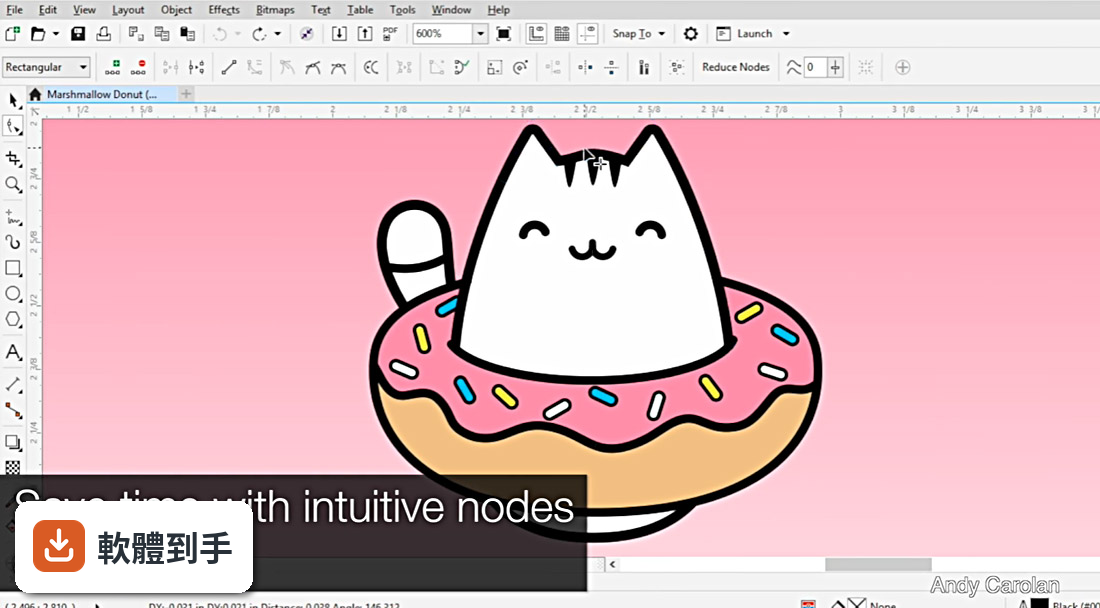
- CorelDRAW 2017 simplifies shaping curves and objects by assigning each node type a unique shape, making it easy to identify smooth, cusp, and symmetrical nodes. You can also choose the node shapes that best suit your workflow.
Touch-friendly user interface:
- Tablet Mode support makes it easy to create quick adjustments using touch or a stylus. The new Touch workspace maximizes the size of your drawing window by displaying only the tools and commands used most often, plus you can pan and zoom with a single gesture.
Powerful stylus enhancements:
- Enjoy a more natural drawing experience and achieve more expressive results with the native support for Microsoft Surface, and advanced stylus support. A redesigned UI gives instant access to relevant controls and the ability to quickly choose which stylus properties to leverage. CorelDRAW Graphics Suite 2017 has been enhanced so you can take advantage of pressure, bearing, tilt, and rotation of your stylus to control a variety of tools and effects
Import legacy workspaces:
- CorelDRAW Graphics Suite 2017 lets you seamlessly import CorelDRAW and Corel PHOTO-PAINT workspaces that were created in versions X6, X7, and X8. You have the flexibility of importing some workspace elements and excluding others. You also have the option of adding them to your current workspace or creating a totally new UI configuration. And choosing which workspace elements to import or export is faster than ever
Microsoft Surface Dial support:
- CorelDRAW Graphics Suite 2017 offers native Microsoft Surface Dial support on Windows 10. Use the CorelDRAW and Corel PHOTO-PAINT applications in the suite, to experience one of the most unique ways to create and interact with technology.
CorelDRAW Graphics Suite X8 18.0.0.450
- PRO tools for design, layout and photo editing
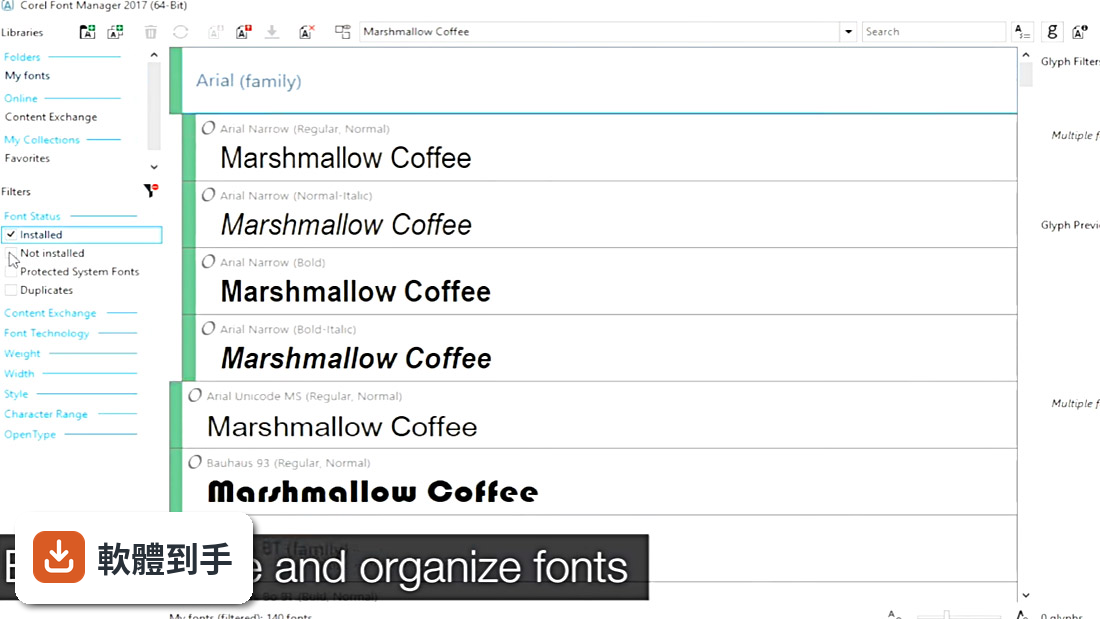
- NEW Font Management
- NEW Windows 10 and 4K display support
- FLEXIBLE purchasing options