
這是歷史版本頁面 — 看 Guitar Pro 最新版本
吉他手想找譜編輯軟體,Guitar Pro 能解決什麼
 Guitar Pro 7.0.7 Build 909
資料更新 2017-12-28
閱讀約 6 分鐘
你手上有一把吉他,想練的歌網路上找得到譜,但那些譜不是圖片就是 PDF,想改個調、把某段重複的地方刪掉、或是只聽某一軌的伴奏,完全動不了。你甚至想自己把喜歡的歌編成譜,但打開文書軟體一個字一個字打,根本畫不出六線譜。你真正需要的,是一個能讓你看譜、改譜、聽譜,甚至印出來拿去練團的工具。
一般人遇到這種狀況,最直覺的做法是去抓別人已經做好的圖片譜,或是在 YouTube 上找教學影片慢慢對。但圖片譜不能調整速度、不能單獨關掉某一軌、更不能把譜轉成其他格式。就算找到可以編輯的譜,格式也常常不相容,開了變亂碼。這類工具的切入點,是把你從「只能看譜」變成「能編輯、能播放、能練習」——譜不只是圖片,而是可以拆開、重組、放慢、循環播放的檔案。
01Guitar Pro 到底能拿來做什麼?
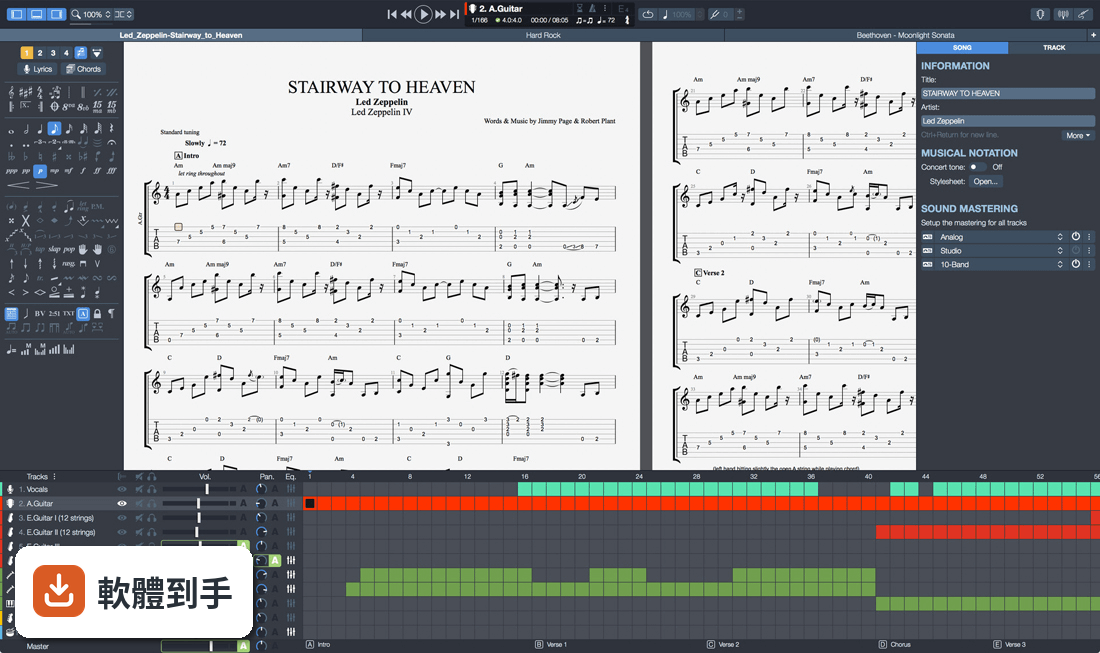
它是一套專門編輯吉他六線譜和五線譜的軟體,主要用途是寫譜、讀譜、播放譜。你可以用滑鼠、鍵盤數字鍵或外接 MIDI 鍵盤輸入音符,編輯完之後播放聽效果,也可以把譜轉成 PDF、PNG、MIDI、WAV 等格式輸出。它內建上百種樂器音色和效果器模擬,播放時聽起來接近真實樂團。
02我完全不會看五線譜,只會看吉他譜,這套軟體對我有用嗎?
有用。它同時顯示六線譜和五線譜,你可以只盯著六線譜看。播放時有虛擬指板會顯示手指按的位置,也有和弦字典和音階字典可以查。內建調音器、節拍器、循環播放功能,可以放慢速度反覆練同一段。官方說明強調「即使不會讀譜也能用」,這正是它的設計方向。
03它能不能讓我匯入網路上抓下來的譜?
可以。它支援開啟 .gp3、.gp4、.gp5、.gpx 等 Guitar Pro 自家格式,也能匯入 MIDI 和 MusicXML。網路上流傳的吉他譜很多是這些格式,下載後直接開啟就能編輯和播放。如果你手上的譜是圖片或 PDF,就無法直接匯入,需要自己重新打譜。
04我想把譜轉成 PDF 印出來,或轉成音檔傳給朋友,做得到嗎?
做得到。它可以匯出成 PDF、PNG 圖片、WAV 音檔、MIDI 檔,也可以直接列印。官方說明提到可以透過電子郵件寄送譜、存到硬碟,或搭配手機和平板上的 App 閱讀。轉成音檔後,朋友不用裝軟體也能聽。
05它除了吉他,能編輯其他樂器的譜嗎?
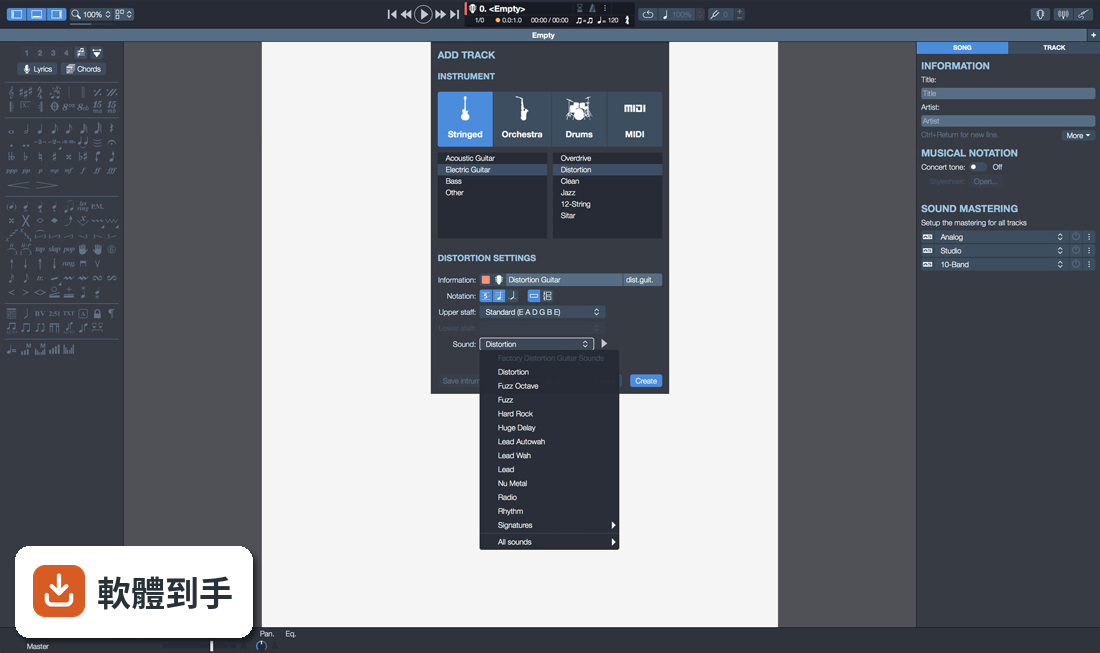
可以。它支援 4 到 8 弦的樂器,包括吉他、貝斯、斑鳩琴、烏克麗麗,也支援鼓、鋼琴、管樂、打擊樂等。你可以開多個音軌,分別設定不同樂器,組成一個完整的樂團編制。官方說明提到可以為單一或多種樂器製作樂譜。
06這套軟體適合什麼程度的人用?
官方說明寫的是「從初學者到進階樂手」都適用。初學者可以用它來放慢速度、循環播放、查和弦,當作練習工具;進階使用者可以用它寫完整的編曲、調整音色、混音。如果你只是偶爾看譜,不一定需要它;但如果你有在練團、編曲、或教學,它的編輯和播放功能會比較實用。
07我是吉他老師,這套軟體對教學有幫助嗎?
官方說明有提到教學用途。你可以在譜上插入錄音,把要講解的段落錄進去,學生打開譜就能聽到你的示範。也可以把某一軌獨奏或靜音,讓學生跟著其他伴奏練習。輸出成 PDF 或音檔發給學生也很方便。不過它沒有內建視訊功能,如果需要錄影教學,還是得搭配其他軟體。
08我已經在用 MuseScore 了,還需要換成這套嗎?
MuseScore 是免費的製譜軟體,功能偏通用樂譜編輯;Guitar Pro 的強項在吉他譜的編輯和播放體驗,例如虛擬指板、吉他效果器模擬、循環練習工具。如果你主要寫吉他譜、需要逼真的吉他音色,Guitar Pro 會更貼近需求。但如果你只是偶爾打譜,MuseScore 免費且夠用,不一定需要換。
09這套軟體是免費的嗎?
不是。它的授權型式是 Trial,也就是試用版。官方說明提到「新版本對 Guitar Pro 7 和 8 的使用者免費」,但這是指舊版用戶升級的優惠,不是對所有人免費。試用版通常有功能限制或使用期限,實際的試用天數和限制,需要到官方網站確認。
10它只有英文介面,我看不懂英文會不會很難用?
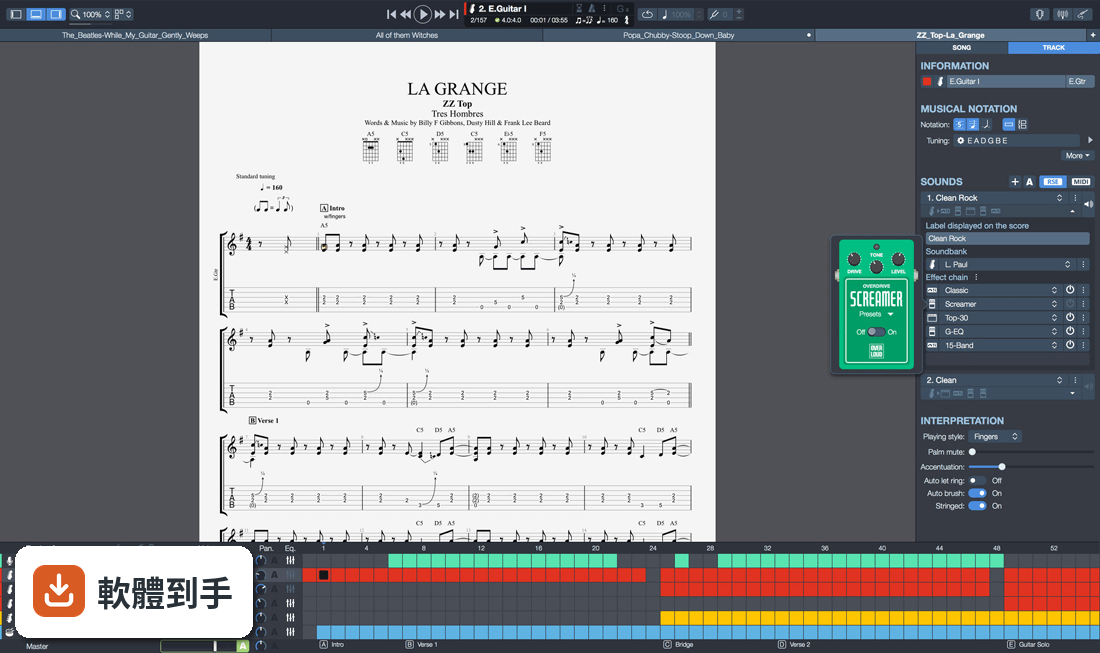
介面語系確實只有英文。如果你完全不懂英文,操作上會有一些門檻,尤其是選單和設定項目。不過它的介面以圖示為主,常用的播放、編輯按鈕不難認。網路上也有中文教學文章和影片可以參考。如果你連英文選單都無法接受,可能要考慮其他有中文介面的製譜軟體。
11這套軟體在 Windows 11 上跑得動嗎?
官方列出的支援系統包含 Windows 7、8、10、11,所以 Windows 11 在支援範圍內。它也有 64 位元版本。不過官方沒有提供 macOS 或 Linux 版本,如果你用的是 Mac,就無法安裝,需要找其他替代方案。
12我聽說這套軟體很久沒更新了,還值得用嗎?
根據版本紀錄,它收錄了 21 個版本,最早在 2014 年,最近一次更新在 2026 年,近 12 個月內有更新過一次,所以它並不是停止維護的軟體。不過更新頻率不算高,如果你很在意新功能推出的速度,可以再觀察。另外它的使用者評分是 7.8 分,樣本數 78 人,參考價值有限。
下載與官方連結
guitar-pro-7-setup.exe · 連結指向軟體原廠
版本紀錄
- 2026-04-03 Guitar Pro 8.1.5 Build 31 988 MB
- 2023-10-30 Guitar Pro 8.1.1 Build 17
- 2022-11-19 Guitar Pro 8.0.2 Build 24
再看 5 筆
- 2022-10-12 Guitar Pro 8.0.2 Build 14
- 2022-08-02 Guitar Pro 8.0.1 Build 28
- 2022-05-13 Guitar Pro 8.0.0 Build 18
- 2022-05-03 Guitar Pro 8.0.0 Build 14
- 2021-12-07 Guitar Pro 7.6.0 Build 2089
這一版改了什麼
What's new in this version:
Guitar Pro 7.0.7 Build 909
- The Italian translation is now available
- The Swedish translation is now available
- Add of the shortcut CTRL + F9 to activate the relative speed
- Add of the timpani in the track wizard
- Management of the mono sound cards on windows
- Improvement of the .gp5 export
- Improvement of the performances regarding step by step MIDI capture
- Improvement of the score display
- Synchronization with a Bluetooth speaker
- The right-click on the virtual instrument now creates the note and go to the next beat
- Save of the “display diagram” option between two sessions
- The default trombone is now in F clef and not transposing
- The sound is back in the scales window
- Fix of the extended barres
- Fix a loop problem with repetitions
- Fix of the ref and ASCII import
- Fix of the transposition tool which removed dead notes
- Fix of the design mode when using dual screen
- Various fixes on the chord library and chord creation windows
- Various fixes on the fretboard (including short drone string)
- Various display fixes
- Various sound fixes
- Various crashes fixes
Guitar Pro 7.0.6 Build 810
Improving automatic backup and data recovery:
- If your Guitar Pro 7 ever shuts down unexpectedly before you had the chance to save the file(s) you were working on, you can now recover your work by simply restarting Guitar Pro 7. The program will ask you if you wish to re-open the file(s) that were active before the shutdown
- When you start the program, you’ll see a blue caption appear warning you that “Guitar Pro did not close correctly during the last session”. To recover your files, click on Restore the last backup files
New keyboard shortcuts:
Guitar Pro 7 gets ever user-friendlier, as we’ve added 7 keyboard shortcuts for Windows and Mac. Guitar Pro 6 users will be glad to see F5 and F6 shortcuts back, for easier access to score and track properties:
- F2 Show/Hide edition palette
- F3 Switch between displaying only one of the piece’s tracks, and displaying all tracks (1 instrument only, or all instruments)
- F5 Show/Hide the Song inspector, to define the score’s properties
- F6 Show/Hide the Track inspector, to define the track’s properties
- F8 Show/Hide global view
- F9 Enable/Disable looped playing
- F10 Show/Hide automation editor
The program now adapts to lower screen resolutions:
- Guitar Pro 7’s windows Preferences, Stylesheet, and Chord library will now fit whatever size your screen is in, and can be resized by you for easier use on lower screen resolutions.
Specific display of the root note on the virtual instrument view:
- The root, or tonic, is the note on which a chord or a scale is founded. It is now highlighted in a blue square on the virtual fretboard when the Scale option is on.
Printing better-looking music scores:
- The thickness of score lines has been reduced for printing and for .PDF and .PNG exporting.
Other improvements and fixes:
- The “Solo” and “Mute” options are taken in account when audio exporting
- Performances are enhanced, notably for MIDI playing
- MusicXML importing and exporting have been improved
- The interface and score’s design have been enhanced
- We have clarified issues regarding Copy / Paste
- We have fixed wrong bend rendering when MIDI playing
- We have brought various fixes regarding ties
- We have fixed the Transposition and the Arrange Bar tools
- We have brought various fixes regarding shortcut
- We have made various corrections regarding translations
- We have made various fixes regarding crashing, notably in relation to Undo and the use of Bluetooth speakers
Guitar Pro 7.0.5 Build 699
- The Japanese translation is now available
- The page format is now saved in the stylesheet
- More securities have been added to avoid file corruption
- Whammy bars can be exported in .gpx
- Fixed: special characters import, including Korean characters and German umlaut
- Fixed: fingering errors during transposition
- Fixed: audio export sometimes not creating the file
- Changes in tempo unit are now recognized
- Corrections have been made for files without an effect chain
- Resolved: countdown not working when speed trainer is activated
- Synchronisation of the score and global view during selection is now allowed
- Fixed: HiDPI scaling issues on Windows 10
- Various fixes on the tie option, including drum tracks and unwanted display of naturals
- Various crashes fixes, including on startup and shut down on some machines
- Various fixes in the chords window
- Various shortcut fixes
- Various translation fixes
- Various display fixes
Guitar Pro 7.0.4 Build 659
- Change log not available for this version
Guitar Pro 7.0.3 Build 608
New translations: German, Spanish, Russian, and simplified Chinese:
- To change the language in which your Guitar Pro 7 is set, open the program’s Preferences and switch to the chosen language in the Interface section
The “Left-Handed” option appears in the virtual instrument:
- Jimi Hendrix, Paul McCartney, Elizabeth Cotten, Kurt Cobain… All of those guitar players are left-handed. If such is your case, you may now activate the “left-handed” option and view the Guitar Pro 7 guitar or bass fretboard from your point of view.
Import and export your own effect chains:
- You can now export whatever settings you used for the effect chains you created in Guitar Pro 6, from GP6 to 7.
Updating Guitar Pro 7 on Windows used to not be possible (for versions prior to 7.0.3):
- The problem is solved in this new version. If you were concerned by it we invite you to install the update manually
- To that effect, you will need to retrieve the Updater via the Windows file explorer. In your file explorer, type in %TEMP% as file path. This will lead you to the Updater in your temp folder. Double-click on the file to manually launch the updating process
Keyboard shortcuts improved:
- Shortcuts can help you be more productive as you use Guitar Pro. This new update solves whatever problems shortcuts might have posed in the Windows as well as in the macOS versions.
- This version 7 does not let you customize your shortcuts. A list of all of the keyboard shortcuts existing for Guitar Pro will soon be available.
Other fixes:
- Added: “Indicate the bass of the chord for inversions” option in the chord window
- Added: tuning “Drop D, down 1/2 step”
- Improved: concert and transposition tones management
- Improved: copy / paste tools
- Saving of the enharmonic
- Allows for sound change on a selection
- Allows adding a chord onto a selection
- Optional export of the metronome and count down for the audio export
- Corrected: LCD display when a note duration is modified
- Corrected: fingering windows
- Various corrections of the Palm Mute
- Corrected: alternate repetitions
- Added: effect-pedal tooltips
- Corrected: dynamics on drums import
- Corrected: artificial harmonics
- Corrected: tuning imports
- Corrected: repeat bar line on time signature other than 4/4
- Corrected: option “Hide tempo automations”
- Corrected: EQ presets application
- Corrected: shortcuts
- Corrected: play on tuning and chords windows
- Corrected: note which was muted on play
- Corrected: design mode
- Corrected: Windows file associations
- Various display fixes
- Various printing fixes
- Various crashes fixes
Guitar Pro 7.0.2 Build 535
Improvements and bug fixes:
- Added option to restore the last backup files. You can recover your work if Guitar Pro crashes
- Display fingering option in the chords window is now applied properly
- Copy paste is allowed from a multi voice track to a mono voice track
- Resolved an issue with rests that could cut the sound of other staves
- Update of the rests when the standard notation is removed
- Apply transposition on copy paste
- Use the default sound device on Windows
- Improvement of the PDF export (background layer deletion)
- Improvement on the drum edition
- Sound update for double similes
- Corrected a bug with transport buttons (play, go to previous bar, go to first bar…)
- Fixes a bug with scales display on the fretboard
- Fixes a bug when selecting the pages to print
- Improved the panoramic in MIDI
- Various audio fixes and improvements
- Various fixes on the audio export
- Various score notations improvements
- Various shortcut fixes
- Various fixes in the stylesheet
- Various fixes on tunings
- Various crashes fixes
- Other performance enhancements and minor bug fixes
Translation added:
- Russian is now available in Guitar Pro 7. Translations in other languages will be provided with the next free software updates
Guitar Pro 7.0.1 Build 475
New interface:
- The interface gets more modern still, and more user-friendly. A toolbar contains the main functionalities of the software and an inspector simplifies choosing the song and tracks settings
Performance and ease of use:
- Software startup and file loading have been enhanced. Scrolling and zooming are now both smoother. The install/update process is also improved
High resolution:
- The software is compatible with high resolution screens (Retina and HD) and touch screens
Quality of the score's design:
- The score-display engine has been entirely rewritten for even more realistic, professional sheet music
New musical notation elements:
- Notation now includes golpe, pick scrape, and dead slap. The writing of bends in standard notation has been enhanced, and we have improved the management of conflicts between the various elements of the score
Tablature for all tracks:
- In addition to fretted instruments like guitars, standard notation gets automatically transposed into tablature — this on all tracks, including piano, voice or drums
Connect your guitar to Guitar Pro:
- Plug your guitar into an external sound card connected to Guitar Pro and apply to it the effects exactly as they have been modeled for any track in a given file
Polyphonic tuner:
- Simply brush down the six strings together to check their tuning in a single stroke
New instrument banks:
- Many sounds have been added, including the dobro, flamenco, manouche, and 7-string nylon guitars, the electric sitar, fretless bass, jazz double bass, accordions, mellotron, harmonicas, bagpipe, new synthesizers, and drum machines
Stereo sounds:
- You can choose between mono and stereo for all acoustic instruments, as well as add automatic spacialization to drumkits
Simplified audio adjustments:
- Choose and modify your sound from over 1000 presets combining a soundbank and an effects chain
Mixing MIDI/RSE:
- Guitar Pro 7 makes it possible, within any given single file, to mix tracks that use MIDI tones with others that use RSE tones
Virtual fretboard and keyboard:
- The virtual-instrument (guitar, bass, banjo, and piano) windows are resizable
Lock your files:
- You may lock your file to prevent any accidental modification. You may also add a password to it, to keep it from being opened or edited
New audio-export formats:
- MP3, FLAC and Ogg formats are available when exporting RSE (Realistic Sound Engine) tracks. It is also possible to export all tracks separately in a single operation
MIDI and MusicXML formats:
- Imports and exports in MIDI and MusicXML formats have been improved for better compatibility between Guitar Pro and other musical software programs