
這是歷史版本頁面 — 看 Guitar Pro 最新版本
吉他手想找譜編輯軟體,Guitar Pro 能解決什麼
 Guitar Pro 8.0.0 Build 14
資料更新 2022-05-03
閱讀約 6 分鐘
你手上有一把吉他,想練的歌網路上找得到譜,但那些譜不是圖片就是 PDF,想改個調、把某段重複的地方刪掉、或是只聽某一軌的伴奏,完全動不了。你甚至想自己把喜歡的歌編成譜,但打開文書軟體一個字一個字打,根本畫不出六線譜。你真正需要的,是一個能讓你看譜、改譜、聽譜,甚至印出來拿去練團的工具。
一般人遇到這種狀況,最直覺的做法是去抓別人已經做好的圖片譜,或是在 YouTube 上找教學影片慢慢對。但圖片譜不能調整速度、不能單獨關掉某一軌、更不能把譜轉成其他格式。就算找到可以編輯的譜,格式也常常不相容,開了變亂碼。這類工具的切入點,是把你從「只能看譜」變成「能編輯、能播放、能練習」——譜不只是圖片,而是可以拆開、重組、放慢、循環播放的檔案。
01Guitar Pro 到底能拿來做什麼?
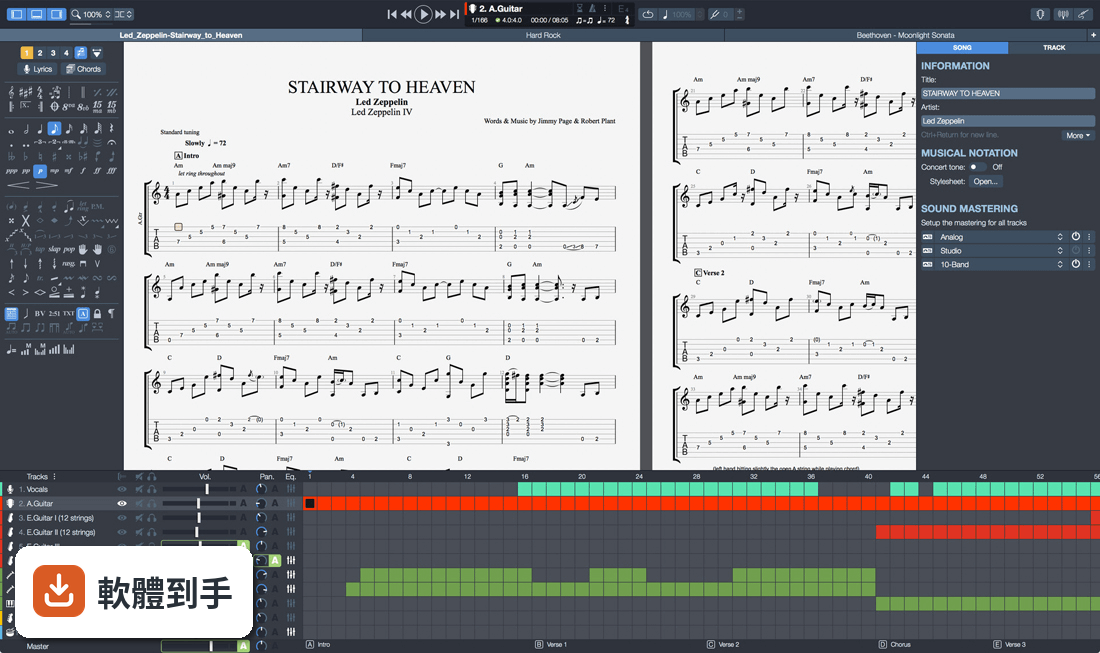
它是一套專門編輯吉他六線譜和五線譜的軟體,主要用途是寫譜、讀譜、播放譜。你可以用滑鼠、鍵盤數字鍵或外接 MIDI 鍵盤輸入音符,編輯完之後播放聽效果,也可以把譜轉成 PDF、PNG、MIDI、WAV 等格式輸出。它內建上百種樂器音色和效果器模擬,播放時聽起來接近真實樂團。
02我完全不會看五線譜,只會看吉他譜,這套軟體對我有用嗎?
有用。它同時顯示六線譜和五線譜,你可以只盯著六線譜看。播放時有虛擬指板會顯示手指按的位置,也有和弦字典和音階字典可以查。內建調音器、節拍器、循環播放功能,可以放慢速度反覆練同一段。官方說明強調「即使不會讀譜也能用」,這正是它的設計方向。
03它能不能讓我匯入網路上抓下來的譜?
可以。它支援開啟 .gp3、.gp4、.gp5、.gpx 等 Guitar Pro 自家格式,也能匯入 MIDI 和 MusicXML。網路上流傳的吉他譜很多是這些格式,下載後直接開啟就能編輯和播放。如果你手上的譜是圖片或 PDF,就無法直接匯入,需要自己重新打譜。
04我想把譜轉成 PDF 印出來,或轉成音檔傳給朋友,做得到嗎?
做得到。它可以匯出成 PDF、PNG 圖片、WAV 音檔、MIDI 檔,也可以直接列印。官方說明提到可以透過電子郵件寄送譜、存到硬碟,或搭配手機和平板上的 App 閱讀。轉成音檔後,朋友不用裝軟體也能聽。
05它除了吉他,能編輯其他樂器的譜嗎?
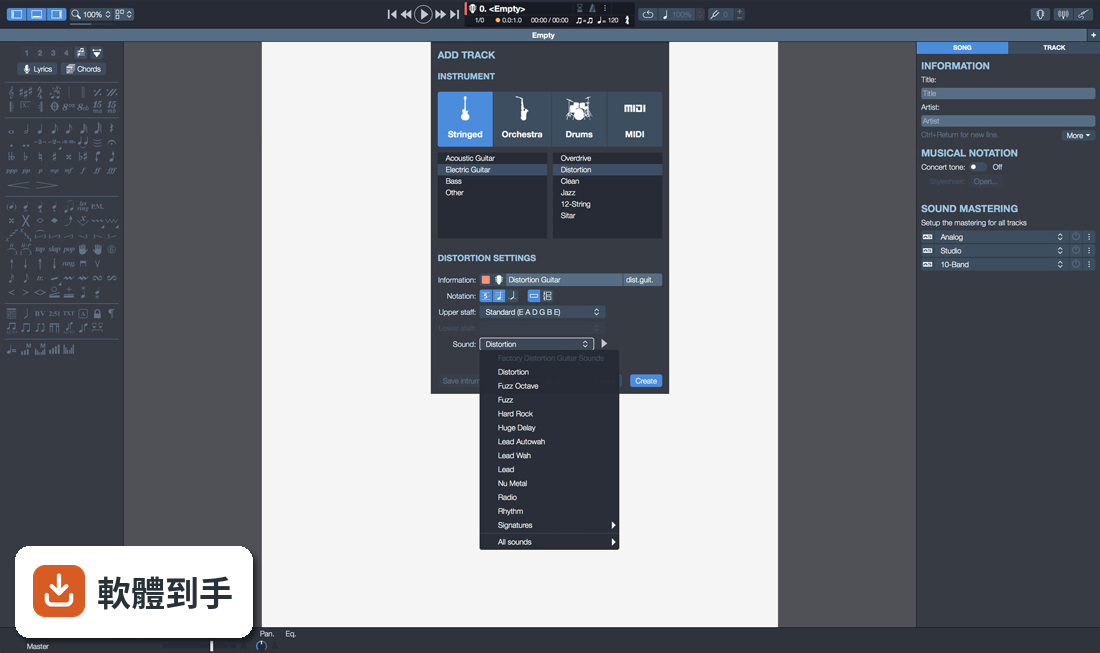
可以。它支援 4 到 8 弦的樂器,包括吉他、貝斯、斑鳩琴、烏克麗麗,也支援鼓、鋼琴、管樂、打擊樂等。你可以開多個音軌,分別設定不同樂器,組成一個完整的樂團編制。官方說明提到可以為單一或多種樂器製作樂譜。
06這套軟體適合什麼程度的人用?
官方說明寫的是「從初學者到進階樂手」都適用。初學者可以用它來放慢速度、循環播放、查和弦,當作練習工具;進階使用者可以用它寫完整的編曲、調整音色、混音。如果你只是偶爾看譜,不一定需要它;但如果你有在練團、編曲、或教學,它的編輯和播放功能會比較實用。
07我是吉他老師,這套軟體對教學有幫助嗎?
官方說明有提到教學用途。你可以在譜上插入錄音,把要講解的段落錄進去,學生打開譜就能聽到你的示範。也可以把某一軌獨奏或靜音,讓學生跟著其他伴奏練習。輸出成 PDF 或音檔發給學生也很方便。不過它沒有內建視訊功能,如果需要錄影教學,還是得搭配其他軟體。
08我已經在用 MuseScore 了,還需要換成這套嗎?
MuseScore 是免費的製譜軟體,功能偏通用樂譜編輯;Guitar Pro 的強項在吉他譜的編輯和播放體驗,例如虛擬指板、吉他效果器模擬、循環練習工具。如果你主要寫吉他譜、需要逼真的吉他音色,Guitar Pro 會更貼近需求。但如果你只是偶爾打譜,MuseScore 免費且夠用,不一定需要換。
09這套軟體是免費的嗎?
不是。它的授權型式是 Trial,也就是試用版。官方說明提到「新版本對 Guitar Pro 7 和 8 的使用者免費」,但這是指舊版用戶升級的優惠,不是對所有人免費。試用版通常有功能限制或使用期限,實際的試用天數和限制,需要到官方網站確認。
10它只有英文介面,我看不懂英文會不會很難用?
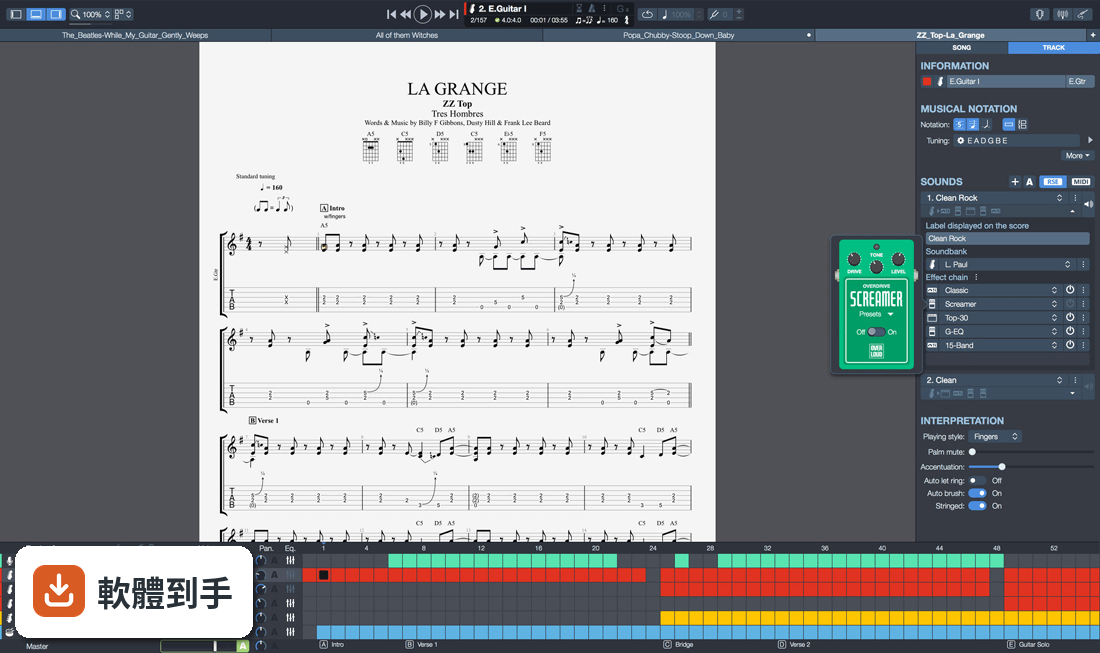
介面語系確實只有英文。如果你完全不懂英文,操作上會有一些門檻,尤其是選單和設定項目。不過它的介面以圖示為主,常用的播放、編輯按鈕不難認。網路上也有中文教學文章和影片可以參考。如果你連英文選單都無法接受,可能要考慮其他有中文介面的製譜軟體。
11這套軟體在 Windows 11 上跑得動嗎?
官方列出的支援系統包含 Windows 7、8、10、11,所以 Windows 11 在支援範圍內。它也有 64 位元版本。不過官方沒有提供 macOS 或 Linux 版本,如果你用的是 Mac,就無法安裝,需要找其他替代方案。
12我聽說這套軟體很久沒更新了,還值得用嗎?
根據版本紀錄,它收錄了 21 個版本,最早在 2014 年,最近一次更新在 2026 年,近 12 個月內有更新過一次,所以它並不是停止維護的軟體。不過更新頻率不算高,如果你很在意新功能推出的速度,可以再觀察。另外它的使用者評分是 7.8 分,樣本數 78 人,參考價值有限。
下載與官方連結
guitar-pro-8-setup.exe · 連結指向軟體原廠
版本紀錄
- 2026-04-03 Guitar Pro 8.1.5 Build 31 988 MB
- 2023-10-30 Guitar Pro 8.1.1 Build 17
- 2022-11-19 Guitar Pro 8.0.2 Build 24
再看 5 筆
- 2022-10-12 Guitar Pro 8.0.2 Build 14
- 2022-08-02 Guitar Pro 8.0.1 Build 28
- 2022-05-13 Guitar Pro 8.0.0 Build 18
- 2022-05-03 Guitar Pro 8.0.0 Build 14
- 2021-12-07 Guitar Pro 7.6.0 Build 2089
這一版改了什麼
What's new in this version:
Add an audio file to your scores:
Enjoy practicing:
- Play along your score with an audio file such as a song or a backing track
- Relative tempo and detune mode are also compatible with the audio track
Edit easily:
- Synchronize your audio file with your score to transcribe songs easily
Share your knowledge:
- Insert an audio file containing a recording of your teaching instructions for your music students or your band members
Improve your playing with new practice tools:
Focus/Unfocus track:
- Quickly amplify or attenuate the selected track to create a volume contrast with the other tracks
Work on your rhythm with the visual metronome:
- Play with the new visual metronome and countdown displayed over the LCD screen
Fix the tempo:
- Ignore tempo changes and automations in the score to easily learn new songs and riffs
Change the relative speed:
- Press +/- keys to speed up or slow down the relative speed or fixed tempo of your song during the playback
Lock the sound of the line-in:
- You can now lock your preset using the line-in to keep the same sound while changing tracks or even when you close a file
Craft your sound with the virtual effect chain:
Adjust the sound precisely:
- Customize the duration, the offset and the relative velocity of each note of your score
Mix the drum set:
- Adjust the sound of the drum set and percussion tracks by setting the volume and pan of each element
- Pre-listen to the soundbanks while playing your tabs
- Mouse over the sound presets to get an audio preview while your score is playing
Customize your tabs easily:
New design options:
- Move and adjust the placement of each beat
- Align the bars easily with the automatic guideline
New Stylesheet options:
- Set the spacing of the chords diagram in the score header, the systems, the staff and the scale diagrams
- Customize the font of the music symbols
- Edit the font and text of numerous score indications like: palm muting, slap, pop, rasgueado, pick scrape and more
Enjoy new notation options:
Scale diagrams:
- Edit and insert scale diagrams in your scores for guitars from 3 to 10 strings and up to 24 frets
- Customize the diagrams by changing the shape, color and text of the dots representing the notes, and change the orientation of the diagram on your scores
Nested tuplets:
- You can now create tuplets inside tuplets to create complex rhythmic patterns
Piano fingering:
- Edit piano fingering and indicate sustain piano pedal
Edit faster with the command palette:
Increase your productivity:
- The command palette is like shortcuts on steroids
- Get quick and direct access to Guitar Pro's notation options to edit your scores and boost your productivity massively
Dozens of commands available:
- Select and easily add chords and directions to your score with the "Expression Text" tool
- Quickly go through Guitar Pro main features in the "Action List" and use them to edit your scores
Discover new mySongBook options:
Filters:
- Apply 3 filters on the mySongBook song list to sort out the scores by genres, instruments/levels and types
Audio tracks:
- Learn songs with our enhanced tab library
- Enjoy audio tracks directly in your mySongBook tabs to learn easily and play along with your files
And many more improvements:
Optimized interface:
- The contrast and colors of the interface have been adjusted to offer you a better reading confort
Apple Silicon optimization:
- Guitar Pro 8 benefits from an improved efficiency on Mac with Apple Silicon
Customize your exports:
- Choose the resolution of your PDF and PNG
- Export your scores in PNG with transparent backgrounds
Enjoy quality soundbanks:
- The accuracy and dynamics of the soundbanks have been corrected and improved
Chords transposition:
- Chords are now transposed with their names and fingerings
Organize your files:
- To find the files you are working on more easily, pin them in the recent section of the homepage
- Edit quarter tones on tremolo bar
- Show slash notation for drums and standard music notation
- Show cautionary accidentals
- Use decimal tempo
- Diatonic transposition
- Overall improved performance