
這是歷史版本頁面 — 看 OpenDrive 最新版本
OpenDrive 雲端備份同步,現在還值得用嗎
 OpenDrive 1.7.11.10
資料更新 2021-08-10
閱讀約 7 分鐘
你手上好幾份工作檔案散在不同電腦,想找一套能自動備份又能同步的雲端硬碟,把文件統一收好。你試過幾個主流雲端服務,免費空間不是太小,就是同步規則很死,不然就是上傳速度慢到讓人放棄。你開始找比較小眾的選擇,希望功能上能一次滿足備份、同步、加密,又不想被綁在特定生態系裡。
一般人遇到這種狀況,直覺是挑免費空間最大的那家,或是選跟作業系統綁最緊的雲端硬碟。但免費方案通常有單檔大小限制、流量限制,同步資料夾的規則也不夠彈性;而綁系統的服務,換裝置或跨平台時又容易卡關。這類雲端備份同步工具的切入點,是讓你在本機指定資料夾,由軟體在背景把檔案送上雲端,同時支援多台電腦同步、排程備份、檔案版本管理,把「備份」和「同步」兩件事放在同一個介面裡處理。
01OpenDrive 到底能拿來做什麼?
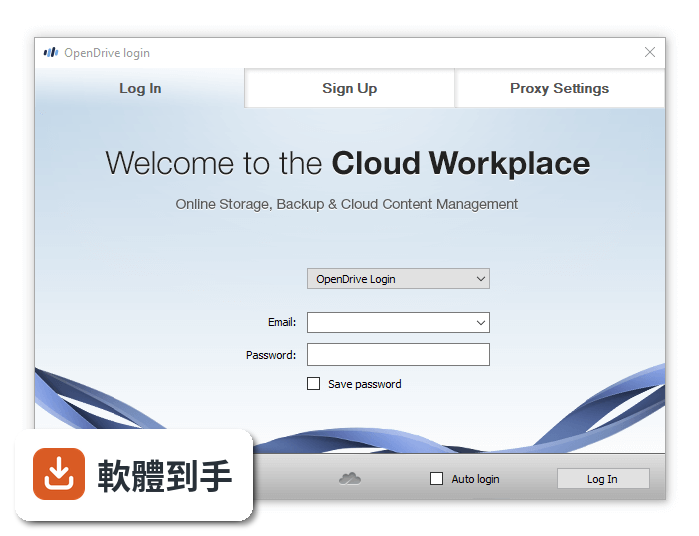
它是一套雲端儲存服務的 Windows 桌面用戶端,安裝後可以指定本機資料夾同步到雲端,也能設定自動備份。免費帳號有 5GB 空間,可以上傳、下載、預覽檔案,建立資料夾,還能在網頁介面用線上辦公室軟體編輯文件。另外支援檔案分享連結、帳號使用者管理、AES-256 加密資料夾,以及音樂影片播放。簡單講,就是把檔案丟上雲端,然後在電腦、手機、網頁之間存取同一批檔案。
02它能自動備份嗎?還是只能手動同步?
兩者都支援。你可以針對特定資料夾設定連續備份,也可以設定排程備份,時間到了自動把檔案送上雲端,完成後寄 email 通知。同步功能則是把選定的檔案和資料夾在多台電腦之間保持一致,其中一台改了,其他裝置會跟著更新。備份和同步可以分開設定,不是只能二選一。
03免費版夠用嗎?有哪些限制?
免費版給 5GB 線上空間,單檔上限 100MB,每天流量 1GB,最多 5 則筆記、10 個任務、1 個帳號使用者。如果你只是要備份文件、照片這類小檔案,5GB 勉強夠用;但單檔 100MB 的限制很卡,影片或大型壓縮檔傳不上去。流量 1GB 一天,大量上傳時很快就會用完。免費版沒有自動同步和備份功能,那些要付費方案才有。
04它的加密功能是怎麼運作的?
它提供「零知識加密」資料夾,用自訂金鑰做 AES-256 加密。意思是檔案在上傳前先用你設定的金鑰加密,雲端伺服器端看不到內容,只有知道金鑰的人能解密。但要注意,這個加密是針對特定資料夾,不是整個雲端硬碟都預設加密。金鑰要自己保管,忘記了檔案就救不回來。另外,官方資料沒有提到兩步驟驗證,帳號安全上要多留意。
05可以多人共用或管理權限嗎?
可以。付費方案可以建立多個帳號使用者,並管理他們對特定資料夾的存取權限。每個檔案或資料夾可以設定公開、隱藏、私人三種權限,也能產生分享連結給任何人。免費版只有 1 個帳號使用者,要多人協作就得升級到 Personal Unlimited 或更高的方案,那些方案最多支援 4 個帳號使用者。
06什麼樣的人適合用這套軟體?
適合需要「備份加同步」在同一套工具裡完成的人,尤其是檔案分散在多台 Windows 電腦、想統一管理的人。它支援排程備份、檔案版本管理、加密資料夾,對重視檔案歷史版本或隱私的人來說是加分項。另外,它的網頁介面有線上文件編輯器,不裝軟體也能開檔案來看,對偶爾需要在外存取文件的人算方便。
07它跟 OneDrive、MEGA 那些比起來,差在哪?
以評分人數來看,OneDrive 有 130 人評分、MEGA 有 340 人評分,OpenDrive 只有 26 人評分,能參考的樣本少很多。功能上,OpenDrive 的賣點是備份排程、加密資料夾、帳號使用者管理,這些在免費方案裡都拿不到;而 OneDrive 跟 Windows 整合深、MEGA 免費空間大且有端對端加密。OpenDrive 的定位比較像是「備份工具加雲端空間」,不是純雲端硬碟,適合需要排程備份的人,但免費方案限制多,要完整功能就得付費。
08評分只有 6.8,是不是代表它問題很多?
6.8 分是 26 個人評出來的,樣本數很少,參考價值有限。官方資料有提到一些已知問題:偶爾同步延遲、上傳速度偏慢、分享功能控制選項少、沒有兩步驟驗證。這些是實際存在的限制,如果你很在意上傳速度或帳號安全,就要把這些列入考量。不過評分低也可能只是因為用的人少,不代表它完全不能用,建議自己裝來試試看免費方案再判斷。
09介面只有英文,會不會很難上手?
介面確實只有英文,沒有中文語系。但它的操作邏輯跟傳統檔案總管很像,左邊是 My Files、Shared Files、Notes、Tasks、Trash 這些分類,主區域顯示檔案和資料夾,支援拖曳上傳、右鍵選單、內建文件預覽。如果你對英文介面不排斥,基本操作不太需要看說明;但如果你習慣中文介面,或要教不太熟英文的人使用,這套就會比較吃力。
10它很久才更新一次,是不是沒在維護了?
從版本紀錄來看,近 24 個月只更新了 1 次,更新頻率確實偏低。不過最近一次更新有加入 HTTP3 支援、修正 SSL 連線問題、改善 Windows 11 穩定性,代表開發團隊還是有在動,只是步調慢。如果你需要的是頻繁更新、快速修 bug 的軟體,這套可能不適合;但如果你只是要穩穩地同步備份,更新慢不一定代表不能用,只是要自己承擔風險。
11有更好的替代方案嗎?為什麼不直接選那些?
官方列出的替代方案有 Google Drive、OneDrive、pCloud、MEGA,這些都是更主流的選擇,評分人數也更多。OneDrive 跟 Windows 整合最好、MEGA 免費空間大且有加密、pCloud 有客戶端加密。OpenDrive 的優勢是備份排程和帳號管理在同一個平台,但這些功能在免費版都拿不到,付費後才有完整體驗。如果你預算有限、只需要基本雲端儲存,主流服務的免費方案可能更實際;如果你需要排程備份加加密,可以比較 OpenDrive 付費方案和 pCloud、MEGA 的付費方案再決定。
下載與官方連結
setup.exe · 連結指向軟體原廠
版本紀錄
- 2026-04-09 OpenDrive 1.7.33.3 18.7 MB
- 2023-10-13 OpenDrive 1.7.29.0
- 2023-02-25 OpenDrive 1.7.26.4
再看 5 筆
- 2022-12-23 OpenDrive 1.7.22.2
- 2022-12-10 OpenDrive 1.7.21.1
- 2022-10-13 OpenDrive 1.7.20.4
- 2022-07-09 OpenDrive 1.7.19.1
- 2022-05-18 OpenDrive 1.7.18.3
這一版改了什麼
What's new in this version:
OpenDrive 1.7.11.10
- Add ability to differentiate file and folders when setting include and exclude filters
- Add ability to backup sub-trees of a folder without backing up files from that folder
- Improved file timeout calculations based on file size
- Improved auto-handling of errors during backup and sync tasks so they are more reliable
OpenDrive 1.7.10.2
Fixed:
- issue of logs becoming too large when downloading many large files
- issue of files being copied from OpenDrive to a local folder not replacing the local item
OpenDrive 1.7.9.11
- Added option for Sync tasks to exclude junctions, hardlinks and sym links
- Improved handling of copy/move of folders inside OpenDrive
- Improved multi-window drag and drop to work better with Secure folders
- Changing max simultaneous operations no longer stops the task
- Fixed issues with embedded uninstall function
- Added measures to ensure smoother installation
- Added additional logging
- Other minor bugs fixes and stability improvements
OpenDrive 1.7.8.5
- Signatures are signed in only SHA256 so support for Windows Vista ended
- Improved handling of saves to prevent saving empty files in rare conditions
- Fixed issue with deleting multiple files affecting Windows 2008 only
- Fixed issue preventing files in the cloud from being attached to email messages
OpenDrive 1.7.7.1
- Improved handling of file names using special characters
- Improved handling of file names using accented characters
- Fixed issue when occasionally a file that hasn’t changed would be reuploaded during sync/backup
OpenDrive 1.7.6.6
- Improved upload progress bar to be more accurate showing caching vs uploads
- Improved response time when browsing folders
- Added option for Forgot Password
- Added data of the last start to log file
- Updated wording shown when an open file is skipped during backup/Sync
- Fixed issue with the last location not being remembered
- Fixed issue causing errors in specific instances
OpenDrive 1.7.5.5
- Added option for tasks that are stopped to allow jobs in process to complete
- Simplified controls to allow screen readers to better read options
- Fixed issue with Backups running past cut off hours
- Fixed issue with task date showing incorrect year on specific occasions
- Fixed issue with new file Properties not always showing details
- Fixed issue with sending report if file is too large
- Fixed issue with opening file in OpenDrive directly from Excel’s File menu
OpenDrive 1.7.4.58
- Added more log details if a Sync/Backup task is stopped
- Fixed issue with Keep Alive which speeds upload times
- Fixed issue of not all files may mirror properly in one-way sync
OpenDrive 1.7.4.56
- Improved logging so log file does not grow too large
Fixed:
- issue where app could freeze if IP v6 was used
- issue of not all files may mirror properly in one-way sync
- issue of file downloading indefinitely if it is damaged or incomplete
- issue of installer not properly closing/restarting Explorer.exe
- issue of installer opening several File Explorer windows after install
OpenDrive 1.7.4.49
- Added support for 2-Factor Authentication when it is released shortly
- Changed function for Tray app to run during uninstall
- Changed Task Wizard so that it does not lock the Explorer Window
- Fixed issue with some deleted folders being automatically restored
- Fixed issue with Auto-Login not working after reboot
- Fixed issue with sometimes getting an error when accessing a shared folder
- Fixed issue with Windows App Update not launching in all cases
OpenDrive 1.7.4.41
- Added ability to set full folder permissions by right clicking on folder and select Properties
- Added ability see how long a file was uploaded/downloaded in a sync/backup task
- Added option to open OpenDrive App after installation completes and prompt new users to set up a new backup/sync
- Fixed issue where two instances of Opendrive can be started
- Fixed issue with “include” filter in a task ignoring root folder
- Improved stability in specific rare conditions
OpenDrive 1.7.4.35
- Added ability to hide OpenDrive root folder to prevent Read-Only Win users from accessing files being backed up by Admin
- Added ability to set the End Time for backups using the Sync Service tool
- Fixed temporary links for increased lifetime for playlists of Stream All Music/Video
- Fixed issue with Reverse Backup logging
- Improved error handling and stability
OpenDrive 1.7.4.31
- Added ability to choose program if default handler is not available
- Fixed random crashing related to media files
- Fixed issue related to WinAmp being used as default media player
OpenDrive 1.7.4.28
- Added ability to give custom names to tasks in Sync Service
- Added compatibility with Windows Vista
- Added option to allow users to choose how to open media files
- Fixed issue of task stopping if error log could not be written to
- Fixed issue of being unable to save Office files directly to cloud storage
OpenDrive 1.7.4.23
- Fixed issue of error during installation in rare cases
- Fixed issue of Explorer.exe using too much memory
- Fixed issue file filter not working in Sync Service
- Fixed issue of false network error that appeared in rare cases
- Improved Stability
OpenDrive 1.7.4.15
- Fixed issue of AAC music files not being backed up
- Fixed issue of Paint being used to open images even if another default app is set
- Fixed issue of an error when a new user tries to register in certain circumstances
- Fixed issue of the ‘Sync Service’ not being able to use disk root in the source field in Windows Server
OpenDrive 1.7.4.12
- Fixed issue of some office files not saving properly
- Fixed issue of application window not closing when an upload is canceled
- Fixed issue of application crash when trying to access folders without logging in
- Fixed issue with overwriting tasks causing app to close
OpenDrive 1.7.4.9
- Fixed issue of incompatibility after upgrading to Windows version 1903
- Fixed issue of copy & paste not working consistently
- Fixed issue where application key when pressed in a folder would not given the option box for actions
- Fixed resources not being released after closing Properties window issue
OpenDrive 1.7.4.7
- Fixed issue of some users getting encryption key required message
- Fixed issue of not being able to assign mass permissions to files and folders at the same time
OpenDrive 1.7.4.6
- Added new task type for constant change tracking for sync.
- Add more information about tasks to log files
- Add ability to reverse backup on an incomplete task
- Add feature to display file links in the Links tab of folder properties
- Add popup to tray icon to show which user is logged in
- Fix issue affecting some users encrypted files being able to be browsed properly
- Fix issue with tasks not always resuming automatically
- Fix issue with task override
- Other minor stability improvements and fixes
OpenDrive 1.7.3.28
- Add auto-retry for any files not uploaded successfully
- Add faster opening for folders containing a large number of items
- Add faster moving of folders within OpenDrive storage
OpenDrive 1.7.3.23
- Add showing Sync and Backup Manager in Windows File Explorer
- Add more options for hidden tasks
- Fix issue for setup not showing “This PC” option when too many icons on desktop
- Fix issue for not getting email notifications under all conditions
- Fix issue of high memory usage in some circumstances
- Optimize shell extension
- Other minor stability improvements and fixes
OpenDrive 1.7.3.18
- Add Option to always run with Admin privileges
- Add option to hide regular tasks in task manager
- Optimize counting of folder contents in properties
- Fix file already exists notifications
- Fix access to settings for sync service
- Fix permission issue under some sync scenarios
- Other minor stability improvements and fixes
OpenDrive 1.7.3.13
- Add Enable Aliases
- Add ability to filter folders in different paths
- Add ‘Move’ task in Windows Service
- Add Email notifications to multiple Email addresses
- Add reseller branding in Windows Programs/Features Info Panel
- Fix permission issue under some sync scenarios
- Other minor stability improvements and fixes
OpenDrive 1.7.3.10
- Fix “trust this computer” option not working for some tasks
- Fix sync unable to save to secured folder
- Other minor fixes
OpenDrive 1.7.3.9
- Fix branding issue for resellers
- Fix MSI error during some installations
- Fix tasks not resuming after pause
- Fix intermittent “Save As” Task failure
- Add option for user to select local temp folder location
- Add multi-page to settings dialog
- Other minor stability improvements and fixes
OpenDrive 1.7.3.8
- Fix preview for files inside secure and shared folders
- Fix folder selection in backup from media device
- Fix tasks not resuming after pause
- Improve speed and reliability of upload tasks
OpenDrive 1.7.3.4
- Further increased speed of uploads
- Fix for app crashing if empty name is given
OpenDrive 1.7.3.3
- Increased speed of uploads
- Fix for users getting DACL: access denied when creating folders
OpenDrive 1.7.3.2
- Fix for users with no shared folder could not upgrade
OpenDrive 1.7.3.1
- Fix issue with uninstall for some users
- Fix issue with Save As Task
- Fix for error when changing max simultaneous operations
- Add ability to add multiple email addresses for SBM notifications
- Add ability to edit name of a task in SBM
- Add ability for one-way mirror
- Add ability to delete shared folder
- Other minor fixes
OpenDrive 1.7.2.6
- Fix for error while changing max operations in a running task
- Fix for invalid file type for files without extensions
- Fix for Trash not being available to Admin users
- Fix for broken access to folders/file editing for some users
- Increase performance while scrolling pages with many files
- Fix for error when downloading versions of executable files
- Other minor fixes
OpenDrive 1.7.1.21
- Fix for Peer Certificate cannot be authenticated with given CA certificate
OpenDrive 1.7.1.13
- Thumbnails optimization
- Sync and backup manager optimization
- Fix for error “Directory with such a name already exists”
- Small bug fixes and improvements
OpenDrive 1.7.1.10
- Small bug fixes and improvements
OpenDrive 1.7.1.6
- Fix for synced files overlay icon
- Microsoft Windows Hardware Compatibility
- Fixed error “One or more post-login actions failed.”
- Improved folder update speed after file moving
- Fixed error “SQLITE_ERROR”
- Other small bug fixes and improvements
OpenDrive 1.7.1.3
- Upload speed improvements
- Hide “Save as” task in Sync and backup manager
- Other small bug fixes and improvements
OpenDrive 1.7.1.1
- New option Move Files added to sync and backup manager
- Fix for moving files within OD folders
- Fix for certificate error
- Fix for Folder with such a name already exists error
- Fix for Crash in OpenDrive_Tray.exe with exception code: C0000005
- Other small bug fixes and improvements