
這是歷史版本頁面 — 看 RecentX 最新版本
RecentX 5.0.12
 RecentX 5.0.12
資料更新 2020-04-24
下載與官方連結
RecentXSetup.exe · 24.2 MB · 連結指向軟體原廠
版本紀錄
- 2023-01-07 RecentX 5.0.25
- 2021-05-27 RecentX 5.0.22
- 2021-03-11 RecentX 5.0.20
再看 5 筆
- 2021-01-18 RecentX 5.0.19
- 2021-01-14 RecentX 5.0.18
- 2020-09-07 RecentX 5.0.17 24.3 MB
- 2020-04-27 RecentX 5.0.13 24.1 MB
- 2020-04-24 RecentX 5.0.12 24.2 MB
這一版改了什麼
What's new in this version:
RecentX 5.0.12
- Another round of drastic search speed improvement. You will be surprised
- Added support for Chromium based Microsoft Edge browser
- Shortcuts to files, folders etc can be created easily by dragging and dropping the item with Ctrl+Alt keys pressed
- Multiple selection of items is more convenient
- RecentX program files are now 64 bit
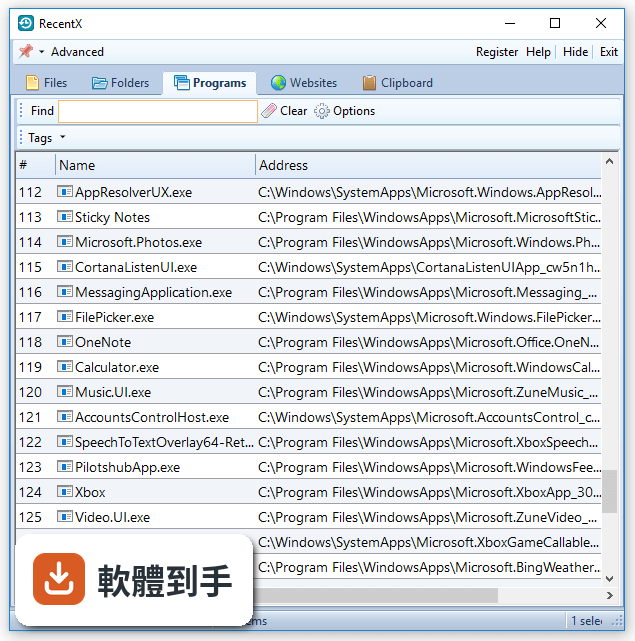
- Address column that was removed in version 5.0.8, has now been added back so that the list can be sorted by address. It is hidden by default
- Renaming an item removed its tags. This is fixed
- Some systems showed 'Out of memory' error under certain conditions. This is fixed
- Now, pressing the Tab key from the find text box directly selects the item in the list
RecentX 5.0.10
- The search results now show all matching items instead of initial 250 items
- The search results are more accurate
- The tags toolbar resizes automatically based the number of tags
- Chrome and Vivaldi browsers now pick the last profile used. Earlier, RecentX used to pick only Default profile
- Using hyphen (-) in keywords caused inaccurate results. This is fixed
- Sometimes renaming a file resulted in duplicate items in the files list. This is fixed
- Renaming a clipboard item did not succeed. This is fixed
- Multiple filters were not being deleted correctly. This is fixed
- Other UI improvements and bug fixes
RecentX 5.0.9
- Item names in list appear in bold text for quick identification
- Websites list items now show the exact browser icon
- Search text box width increased
- For some items, incorrect tags were shown along with the correct ones. This is fixed
RecentX 5.0.8
- The list view is improved. It is less cluttery and with better usability
- Added support for Microsoft Edge history & bookmarks
- Added support for Vivaldi Browser history & bookmarks
- It is possible to copy (or drag and drop) multiple items from clipboard list
- RecentX did not index files from removable drives. This has been fixed
RecentX 5.0.7
- Fixed: It was not possible to resize the last column (Date Accessed)
- Fixed: The first column in RecentX window was too narrow. It did not display 3 digit numbers
- Fixed: RecentX prevented system shutdown after installing latest Windows Fall Creators Update
RecentX 5.0.6
- RecentX did not run successfully when the user name (Windows account) contained non-english alphabets
RecentX 5.0.5
- RecentX now picks up shortcuts from Windows desktop also
- Improved search-as-you-type behavior
- The programs, websites and clipboard lists did not show tags in the Tags column. This has been fixed
- Fixed a crash that occurred when exiting RecentX
RecentX 5.0.4
- After using a tag in clipboard list, the list wasn't sorted based on 'Date Added'. So the most recent item did not appear on top. This has been fixed.
RecentX 5.0.3
- You can now disable clipboard monitoring on specific programs