
這是歷史版本頁面 — 看 SugarSync 最新版本
SugarSync 同步備份還能用嗎?現在裝來做什麼
 SugarSync 3.10.0
資料更新 2018-09-25
閱讀約 5 分鐘
你手上好幾台電腦,辦公室一台、家裡一台,偶爾還有筆電。檔案散在各自硬碟裡,今天在辦公室改的報表,回家想繼續弄,才發現忘了寄給自己。隨身碟帶來帶去,不是忘了帶就是弄丟。你只是想讓檔案自己跟上你,不要每次都在那邊手動搬。
免費雲端硬碟是大多數人的第一個念頭,但它們通常只同步特定資料夾,你原本的檔案放在 D 槽某個深層路徑,為了同步還得搬動整個資料夾結構,想到就懶。SugarSync 這類工具的切入點是「你原本怎麼整理資料夾,它就怎麼同步」,不用改變習慣,右鍵點一下就能把任何資料夾丟進去同步,解決的是「檔案在哪,同步就跟到哪」的問題。
01SugarSync 到底是做什麼用的?
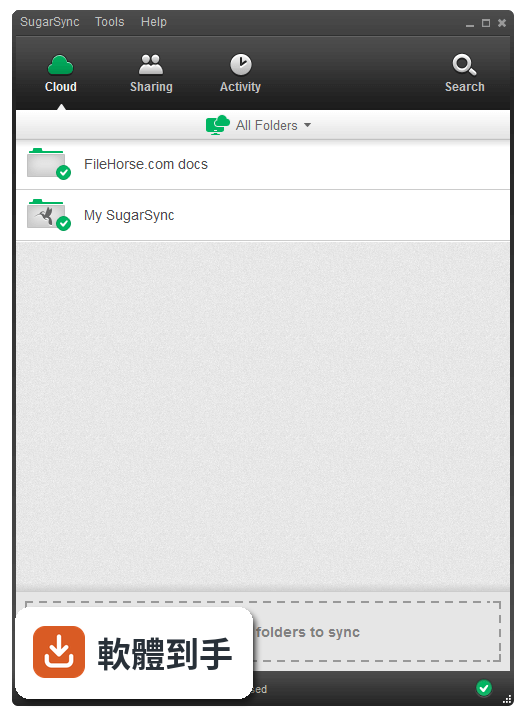
它是雲端備份加同步工具,把電腦上任何資料夾丟進去,檔案就會自動上傳到雲端,並同步到其他有安裝 SugarSync 的裝置。免費方案有 5GB 空間,付費最高到 500GB。音樂、照片、影片、文件都可以同步,不需要把檔案搬進特定資料夾,右鍵就能加入同步清單。
02它跟一般雲端硬碟有什麼不同?我直接用免費雲端硬碟不就好了?
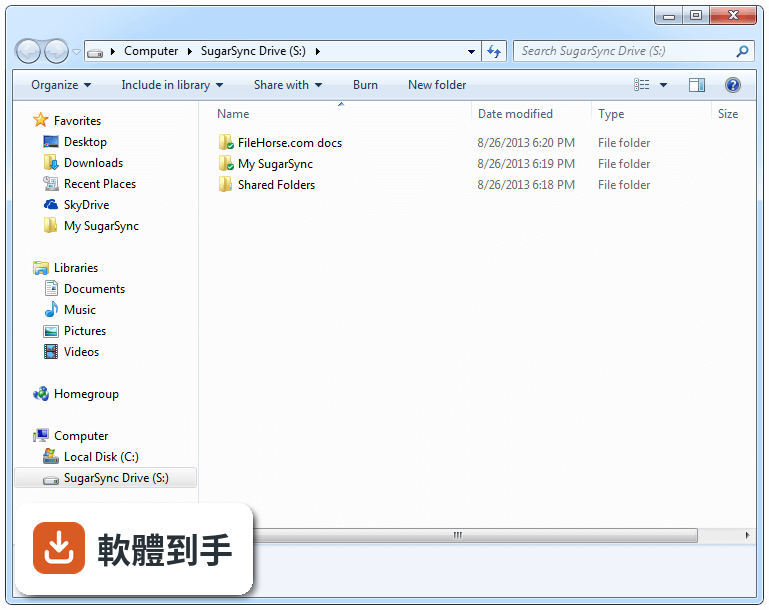
差別在於同步的範圍。一般雲端硬碟通常只同步它自己那個資料夾,你必須把檔案丟進去。SugarSync 可以指定電腦上任一資料夾加入同步,檔案留在原地,照你原本的整理方式運作。如果你習慣把檔案分散在不同磁碟、不同路徑,這套軟體會比較貼近使用習慣。
03這套軟體能不能分享檔案給別人?對方也要裝軟體嗎?
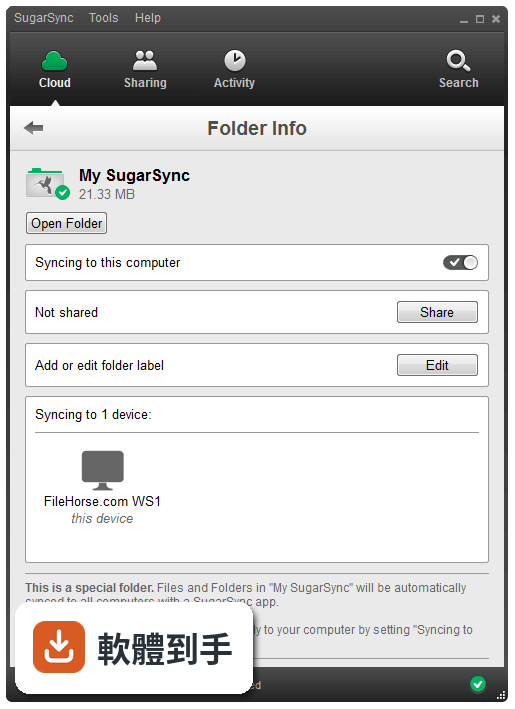
可以分享,而且對方不需要有帳號。你可以產生一個公開連結,任何人點開就能看;也可以指定特定的人存取,並控制對方只能檢視或可以編輯。分享方式包含 Email、即時通訊或社群網路,對臨時要丟檔案給同事或客戶來說算方便。
04手機上能不能存取這些檔案?還是只能電腦用?
有 iOS 和 Android 的專用 App,可以從手機或平板存取、分享、管理雲端上的檔案。你在手機上編輯檔案,改動會即時同步,回到電腦上看到的就是最新版本。也有 BlackBerry、Symbian 和 Windows Mobile 的支援,不過那些平台現在比較少人用了。
05檔案不小心刪掉或改錯,有沒有辦法救回來?
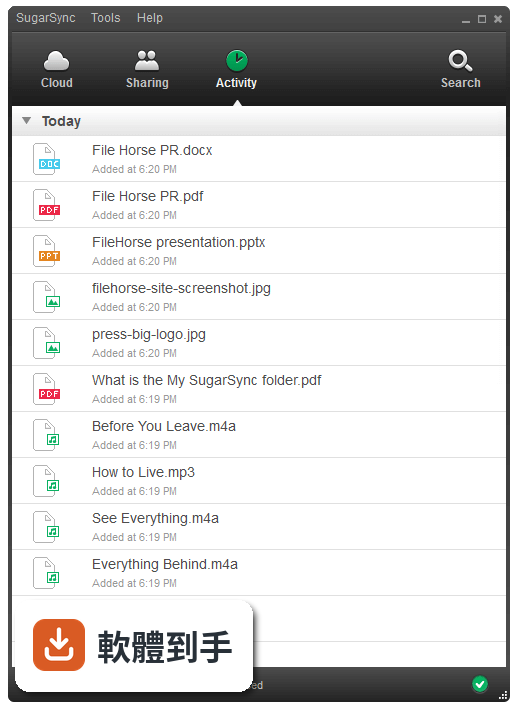
有檔案版本追蹤功能。系統會保留不同版本的紀錄,你可以回到舊版本或還原被刪除的檔案。這對常常改文件改到想反悔的人來說很實用,不用靠外部備份軟體,直接從 SugarSync 裡撈回來就好。
06什麼樣的人適合用這套軟體?
檔案分散在多台電腦、又不想改變資料夾習慣的人最適合。比如你辦公室電腦和家用電腦都裝了,設定好同步資料夾,兩邊就會自動保持一致。另外,需要把檔案分享給客戶或同事、但不希望對方看到你整個資料夾結構的人,它的分享權限控制也夠用。
07免費方案夠用嗎?還是得付費?
免費方案有 5GB 空間,對只同步文件、簡報這類小檔案的人來說可能夠用。但如果你要同步照片、影片或大量檔案,5GB 很快就滿。付費方案最高到 500GB,另外每推薦一個人加入可以多賺 500MB 免費空間。建議先試免費方案,確認同步流程符合需求再考慮付費。
08介面只有英文,會不會很難上手?
介面確實只有英文,沒有中文語系。但操作邏輯不算複雜:安裝後登入帳號,右鍵點資料夾選「Add to SugarSync」就完成設定。主要功能選項不多,英文程度一般的人應該能應付。如果你對英文介面很排斥,這套軟體可能不適合。
09這套軟體是不是很久沒更新了?還有人在維護嗎?
根據版本紀錄,近兩年只更新了一次,更新頻率偏低。雖然官方仍有釋出修正,但開發節奏明顯放緩。如果你在意軟體是否持續獲得新功能或安全性修補,這點需要列入考量。功能目前堪用,但長期維護狀況不明。
10我的電腦是舊版的 Windows,能不能裝?
官方支援 Windows 8、Windows 10 和 Windows 11,如果你是更舊的系統,可能無法安裝。另外它也有 Mac 版和行動裝置 App,跨平台算完整。安裝前建議先確認你的作業系統版本在支援清單內。
11這套軟體評價好像不高,是不是有更好的選擇?
目前使用者評分 6.2 分,樣本數只有 53 人,參考價值有限。功能相近的軟體中,OneDrive 有 130 人評分,樣本數較多,而且對 Windows 使用者來說整合度較高。如果你只是要基本同步備份,可以比較 OneDrive 或 FreeFileSync 再決定,不必急著選 SugarSync。
12這套軟體安全嗎?放機密檔案會不會有風險?
官方說明提到傳輸和儲存過程有加密,也有銀行等級的安全措施。另外提供遠端清除功能,如果裝置遺失或被偷,可以遠端抹除同步裝置上的資料,保護敏感資訊。不過實際安全性還是要自己評估,建議重要檔案額外做本地備份,不要只依賴單一雲端服務。
下載與官方連結
SugarSyncSetup.exe · 13.5 MB · 連結指向軟體原廠
版本紀錄
- 2025-12-02 SugarSync 4.1.3.2 15.4 MB
- 2020-07-10 SugarSync 4.0.1.2 15.4 MB
- 2020-05-27 SurfShark 2.6.4 16.4 MB
再看 5 筆
- 2020-05-27 SugarSync 4.0.0.6 15.4 MB
- 2019-10-28 SugarSync 3.11.2 14 MB
- 2019-07-19 SugarSync 3.11.1 14 MB
- 2019-04-23 SugarSync 3.11.0 13.7 MB
- 2019-03-06 SugarSync 3.10.4 13.5 MB
這一版改了什麼
What's new in this version:
SugarSync 3.10.0
- Network Attached Storage sync (NAS) for SugarSync Business accounts
- Concurrent uploads and downloads
- Business accounts will be able to up/download up to 5 files at once
- Individual accounts will be able to up/download up to 3 files at once
- New analytics platform
- Bug fixes to multiple Protected Folders screens (text and layout issues)
- Fixed MacOS crash issues on installation
- Fixed top crashes in 3.9.8
- Fixed SugarSync not launching minimized
- Updated name of CrashUploader to SugarSyncCrashUploader
- Updated behaviour of high priority items in file transfer to work with concurrent transfers
SugarSync 3.9.8
- Fixed a scenario that would delete files
- Fixed another memory leak
- Fixed a high CPU situation
- Fixed multiple crashes
- Cleaned up unnecessary entries in log files
SugarSync 3.9.6
- GDPR flows for marketing opt ins added during account creation
- Show when caps lock is on when creating or entering password
- Orphan files can be managed in the Deleted Items tab
- Cleaned up Windows installation files
- Fixed an issue preventing total size of Deleted Items not showing for some users
SugarSync 3.9.5
- TLS 1.2 support
- MacOS is now built as a 64bit app
- Fixed sorting in Protected Folders
- Fixed unaligned text in various languages
- Fixed multiple crashes that have been submitted by users
- Fixed 2 memory leaks that were causing excessive memory consumption
SugarSync 3.9.2
- Fixed a connection issue preventing Windows computers from connecting to the SugarSync servers
SugarSync 3.9.1
- Added Protected Folders
- New font and color tweaks to left navigation column
- Icon added next to storage meter to show which email address you're signed in with
- UI tweaks in Gallery view
- Fixed translation issues for French users
- Fixed autostart not autostarting
- Fixed a memory leak issue
- Fixed multiple crash issues that have been submitted by users
- Fixed multiple misc bugs
SugarSync 3.9.0
- Added Protected Folders
- New font and color tweaks to left navigation column
- Icon added next to storage meter to show which email address you're signed in with
- UI tweaks in Gallery view
- Fixed autostart not autostarting
- Fixed a memory leak issue
- Fixed multiple crash issues that have been submitted by users
- Fixed multiple misc bugs
SugarSync 3.8.5
- Added support for command-line option to prompt proxy dialog box append "-showProxy=true" to command line arguments
- Added support for custom folder icons on MacOS
- Fixed shared folder recipient unsyncing folder after app restart
- Fixed multiple crash issues that have been submitted by users
- Fixed multiple memory leaks that were causing excessive memory consumption
- Fixed multiple misc bugs
SugarSync 3.8.4
- Fixed issue that was causing duplicating files in 3.8.3
- Fixed issue that was changing the case names of files and folders to all UPPERCASE
SugarSync 3.8.3
- External Drive support for SugarSync Business accounts
- USB flash drives, External drives, SD cards, etc all supported
- Updated QT engine
- Whole new crash reporting tool created to track/categorize crashes this will allow us to fix crashes much faster than having to reproduce them in house
- More tweaks to Icon Overlays to get them to display and be in sync with the Desktop App
- Fixed Gallery thumbnails not loading
- In-App notifications for when a new folder is shared with you
- Fixed Public links in Apple Mail bug on MacOS
- Fixed Automatic renaming bugs
- Fixed more crash issues
SugarSync 3.8.2
- Windows 8.1 and up now supports 4K resolutions and High DPI system settings
- Added an email validator when sharing folders
- Added information in empty tabs
- Added bolded results in search on File Transfer screen
- Added new analytical engine
- Fixed an issue with inaccurate versions being reported
- Fixed support links for Japanese users
- Fixed misc UI issues
- Fixed more crash issues
SugarSync 3.8.1
- In-App notifications for Trial expiring soon, Account past due and account over quota
- When downloading files, we now pre select them in Finder/Explorer after downloading is complete
- Reduced CPU usage
- More crashes fixed
- Resolved an issue with copy and pasting multiple files
SugarSync 3.8.0
- Lots of UI cleanup (alignment, menus, tooltips, and colors)
- Lots of crashes fixed
Photo thumbnails - Goodbye ugly generic icon, hello thumbnails! We now show actual thumbnails of each photo that we can:
- ALL JPG photos will show a thumbnail (other file types will be supported later)
- Once enabled users can manually specify the thumbnail size with a slider in the bottom right corner and enter full screen gallery mode
Supported image file types:
- Cloud files - Currently only jpg/jpeg files
- Local files - jpg, png, tiff, bmp and many other image tile types
File versioning - Say goodbye to using the Website for accessing previous versions of your files. Now it is simple and easy to retrieve an old version of a file:
- We have added an icon that shows which files have previous versions
- Clicking on the version icon or selecting versions from the context menu will pop up the versions page
Fixed the priorities in the File Transfer system:
- Previously starring items would not work 100% of the time, this fix should resolve that
SugarSync 3.7.3
- Updated TRUSTe logo
- Updated silent installation parameters