
這是歷史版本頁面 — 看 DocFetcher 最新版本
DocFetcher 1.1.18
 DocFetcher 1.1.18
資料更新 2016-07-25
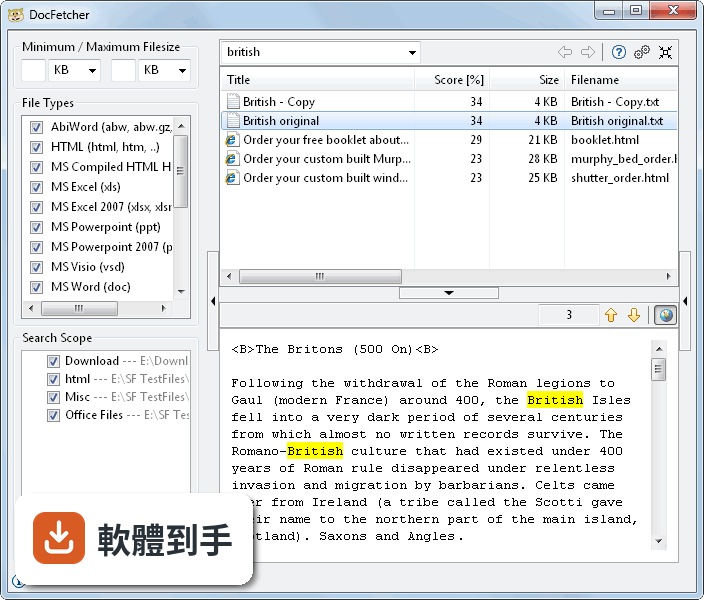
下載與官方連結
docfetcher_1.1.18_win32_setup.exe · 38.36 MB · 連結指向軟體原廠
版本紀錄
- 2021-06-02 DocFetcher 1.1.25
- 2021-05-11 DocFetcher 1.1.24
- 2021-05-08 DocFetcher 1.1.23
再看 5 筆
- 2018-07-31 DocFetcher 1.1.22 68.42 MB
- 2018-06-22 DocFetcher 1.1.21 68.1 MB
- 2018-06-17 DocFetcher 1.1.20 68.05 MB
- 2017-01-11 DocFetcher 1.1.19
- 2016-07-25 DocFetcher 1.1.18 38.36 MB
這一版改了什麼
What's new in this version:
FEATURES:
- Indexes can now be named
- Improved OpenOffice/LibreOffice indexing and text preview
- Partial French translation of website
- Partial Japanese translation of GUI and manual
BUG FIXES:
- IndexOutOfBoundsException crash on some MS Office files.
- Fixed an indexing crash on Linux with GNOME 3 desktop.
- If an index was added while all existing indexes were unchecked, results from the new index weren't shown until the unchecked indexes were reselected or the program was restarted.
- The previous Linux launcher didn't work on some Linux distributions. Because of that, the Linux launcher was split into DocFetcher-GTK2.sh and DocFetcher-GTK3.sh. On some Linux distributions only the first one works, on some others only the second one works, so you may have to try both.
- Customizing the indexes path in the misc/paths.txt file didn't work in the non-portable version of DocFetcher.
- In the previous version, DocFetcher could fill the desktop with hundreds of crash windows. Now the number of simultaneously shown crash windows is limited to 5.
CHANGES:
- Increased the default width of the search field from 200 to 500 pixels. To set a different width, edit the Advanced Settings file.
- The tabs on the indexing dialog now have a different look.
- Reorganized the contents of the Advanced Settings file. (The change won't be visible if you install a new non-portable version over an existing non-portable version.)