
這是歷史版本頁面 — 看 DocFetcher 最新版本
DocFetcher 1.1.23
 DocFetcher 1.1.23
資料更新 2021-05-08
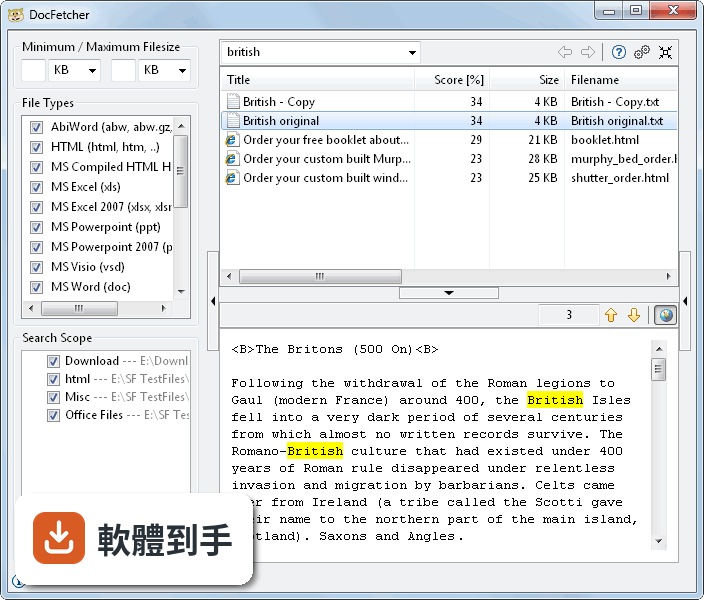
下載與官方連結
docfetcher_1.1.23_win32_setup.exe · 連結指向軟體原廠
版本紀錄
- 2021-06-02 DocFetcher 1.1.25
- 2021-05-11 DocFetcher 1.1.24
- 2021-05-08 DocFetcher 1.1.23
再看 5 筆
- 2018-07-31 DocFetcher 1.1.22 68.42 MB
- 2018-06-22 DocFetcher 1.1.21 68.1 MB
- 2018-06-17 DocFetcher 1.1.20 68.05 MB
- 2017-01-11 DocFetcher 1.1.19
- 2016-07-25 DocFetcher 1.1.18 38.36 MB
這一版改了什麼
What's new in this version:
Features:
- The preview pane now displays line numbers for plain text file formats, such as source code
- Improved MS PowerPoint text extraction: Now notes, comments and master text are extracted
- Improved MS Excel support: Now cell comments are extracted
- MS Office support: Added various file extensions (Word 2007+: dotm; Excel 2007+: xltm; PowerPoint 2007+: ppsm, potx, potm; PowerPoint before 2007: pot; Visio before 2007: vss, vst, vsw)
- Added GUI und manual translations for Chinese Simplified, Turkish and Ukrainian
- Advanced setting "CheckSingleInstance" to suppress the warning message that DocFetcher displays when it detects after launch that another DocFetcher instance is running or was not cleanly terminated
- Advanced setting "ShowPathsDuringIndexing" to display file paths instead of filenames during indexing This is useful for locating files that cause DocFetcher to hang
- Advanced setting "WriteIndexingLog" to write the paths of files being indexed to a log file This helps with identifying problematic files DocFetcher chokes and crashes on during indexing
- Advanced setting "PdfPreviewVisualOrder": If the preview pane shows the words in PDF files in a jumbled order, experimenting with this setting may help
- Advanced setting "OpenLimit" to adjust the maximum number of files that can be opened all at once from the search results
- Any changes you've previously made to the values in the advanced settings file (program-conftxt) will now be preserved when upgrading to this DocFetcher version or a later version In earlier versions, such changes were lost when the upgrade added new entries to the advanced settings file
Fixed:
- The global hotkey (by default Ctrl + F8) is now disabled by default due to known stability issues (eg, bug #1514) You can enable the hotkey at your own risk via the new advanced setting "HotkeyEnabled"
- Upgraded the GUI library SWT for 64-bit systems (SWT 49 ? 419) This fixes a NullPointerException crash on macOS that prevented the program from being started
- Added an extra macOS launch script in portable DocFetcher, as a fallback in case of launch problems
- On macOS, DocFetcher can now be run on the current Java runtimes from Oracle The legacy Java 6 runtime from Apple is not required anymore
- On Java 9 and later, the -Duserhome variable in the various launcher scripts was ignored
- The startup message about launching another DocFetcher instance was opened under all other windows
- On Windows, the taskbar pinning of the program did not work entirely correctly
- Previously, it was possible to add new indexes via the indexing dialog despite index creation being disabled in the advanced settings
- ClassCastException crash during indexing of PDF files
- On Java 10, DocFetcher was unable to read certain EPUB files, displaying a "Use a Path constructor or method instead!" error (bug #1559)
- Fixed an issue with the indexing of old MS Word files
- When writing the tree-indexser file (a vital part of the index files) to disk, the program will now first write to a temporary file instead of overwriting the old file directly This is a safeguard against potential corruption of the tree-indexser file
- Since DocFetcher 1120, the wildcard '?' did not match numbers preceded by a dot anymore, due to changes in the underlying Lucene search engine As a workaround, there's now a "Whitespace" word segmentation option in the preferences to somewhat restore the old behavior (bug #1558)
- On KDE-based Linux distributions such as Kubuntu, double-clicking files in the search results did not open them
- The icon in the top right of the file size filter was always in the state "minimize" after program launch, even if the file size filter is already minimized
- On macOS, the program erroneously showed the Ctrl+C keyboard shortcut instead of ?C in several places, eg, in the context menu of the result pane
Changed:
- New DocFetcher*exe launchers with 12 GB and 16 GB memory limit
- Added documentation in the DocFetcherbat file
- Increased default memory limit from 512 MB to 1 GB
- Upgraded PDFBox library for reading PDF files (PDFBox 209 ? 2013)
- Added default exclusion rules for git and svn folders on the indexing dialog
- DocFetcher no longer considers the file extensions "php", "asp" and "jsp" as HTML file extensions
- Indexing: The keep-discard dialog now takes the "platform dismissal alignment" into account, meaning the order of the dialog's buttons now follows the conventions of the platform
- Slight design change with respect to the borders of the filter controls in the left part of the GUI
- Added a link to the DocFetcher Pro website in the status bar, and an info message about DocFetcher Pro