
這是歷史版本頁面 — 看 NoMachine 最新版本
遠端連回辦公室電腦卡頓?NoMachine 免費版夠用嗎
 NoMachine 6.0.66
資料更新 2017-12-01
閱讀約 7 分鐘
週末人在外面,突然想到有份檔案放在家裡電腦的桌面,或是出差住旅館時,需要連回公司電腦處理一個急件。你打開筆電,想用平常慣用的遠端工具連回去,結果不是跳出商業使用偵測、被強制中斷,就是畫面延遲嚴重,滑鼠點下去老半天才反應。你只是想趕快把事情辦完,卻卡在連線品質和軟體限制之間,動彈不得。
一般人遇到這種狀況,第一個念頭是找一套免費的遠端桌面軟體。但免費方案常常有使用限制,例如連線時間被縮短、功能被鎖住,或是要求雙方都登入帳號才能連。有些工具雖然免費,但畫面更新慢,看影片或操作圖形介面時根本無法忍受。這類工具的切入點,是提供一條不經過中繼伺服器、直接建立連線的通道,同時把畫面壓縮和傳輸效率做到夠好,讓你在一般網路環境下,也能有接近本機操作的流暢感。
01NoMachine 和 TeamViewer、AnyDesk 比起來,優勢在哪裡?
從資料來看,NoMachine 主打的是自家 NX 技術,強調高速且穩定的遠端連線,特別是在多媒體內容的畫面呈現上。它提供免費版本供個人使用,功能完整,不像有些軟體免費版會限制連線時間或功能。不過,TeamViewer 和 AnyDesk 在台灣的使用者基數更大,遇到問題時比較容易找到中文教學或討論,這點是 NoMachine 相對吃虧的地方。
02這套軟體可以傳檔案嗎?還是只能看畫面?
可以。官方功能說明中明確列出「File Transfer and Printing」,也就是支援在本地和遠端電腦之間傳輸檔案,也能使用遠端印表機列印。這表示你不只可以操作遠端桌面,還能直接把需要的檔案拉回自己電腦,不需要另外開 FTP 或雲端硬碟。實際操作時,通常在連線工具列上會有傳輸檔案的按鈕,可以雙向傳送。
03手機可以連回電腦嗎?還是只支援電腦對電腦?
資料顯示,NoMachine 支援 Windows、macOS、Linux、Android 和 iOS,所以手機或平板也能安裝用戶端,連回你的電腦。這代表你出門在外,手上只有手機時,也能緊急連回家裡或辦公室的電腦處理事情。不過手機螢幕較小,操作精細的介面會比較吃力,建議當作緊急備案,不適合長時間當主力工作環境。
04連線安全嗎?會不會被人盜連?
官方說明指出,NoMachine 使用 SSL 加密來保護遠端連線過程中的資料安全。也就是說,連線時傳輸的畫面、鍵盤輸入、檔案內容都會被加密,理論上不會被竊聽。但要注意,遠端連線的安全性也取決於你的密碼強度,以及電腦本身是否有良好的防護。建議設定複雜的登入密碼,並避免在公共電腦上記住密碼。
05免費版和付費版差在哪裡?免費版夠用嗎?
根據資料,NoMachine 提供免費版本,功能完整,供個人使用。付費的企業方案從每年 44.50 美元起跳,額外提供瀏覽器存取和無限連線數等功能。如果你只是要連回自己的電腦,免費版已經涵蓋核心功能。但要注意,免費版的技術支援有限,遇到問題只能靠自己查文件或社群討論,沒有專人協助。
06我的電腦是 Windows 7,還能用嗎?
可以。資料顯示 NoMachine 支援 Windows 7、8、10、11,所以你的 Windows 7 電腦還在支援範圍內。不過,Windows 7 本身已經停止官方支援,系統漏洞不會再更新,使用遠端連線軟體時要特別注意安全性。建議確認 NoMachine 最新版本是否仍支援 Windows 7,因為有些新版本可能會逐漸放棄舊系統。
07連線速度很慢,是軟體的問題還是網路的問題?
遠端連線的速度取決於兩端的網路品質,以及軟體的畫面壓縮效率。NoMachine 主打高速連線,但如果你家的上傳頻寬不足,或公司網路防火牆擋住了連線埠,速度還是會受影響。建議先確認兩端的網路環境,例如用測速工具檢查上傳下載速度,再調整 NoMachine 的畫質設定,降低解析度或關閉桌面特效,通常能明顯改善延遲。
08這套軟體有中文介面嗎?
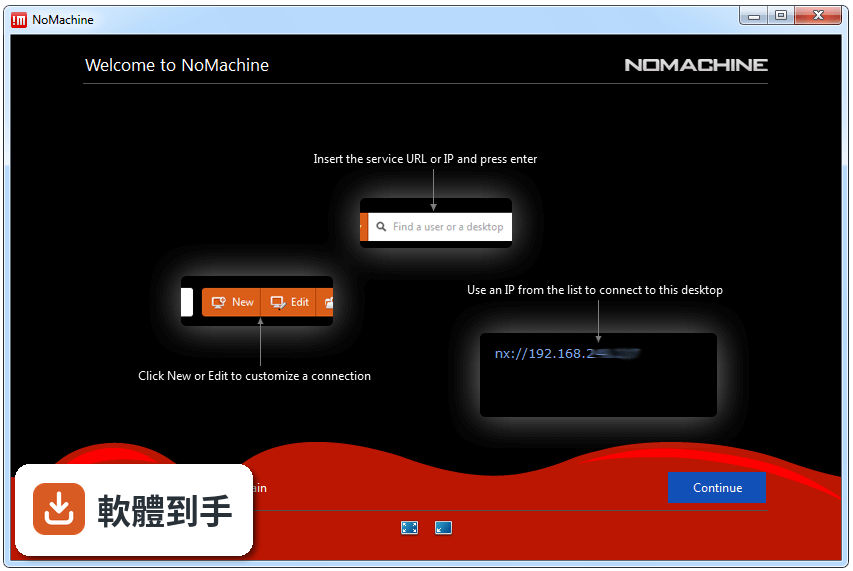
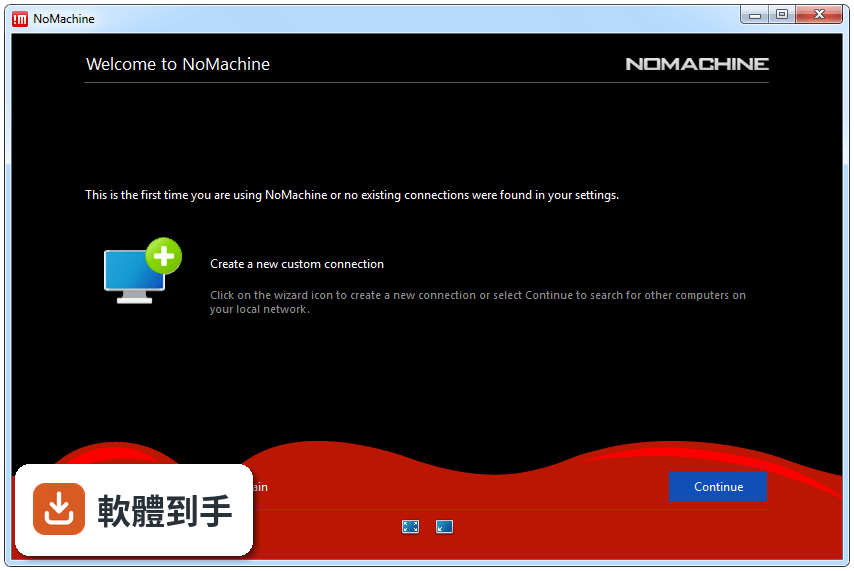
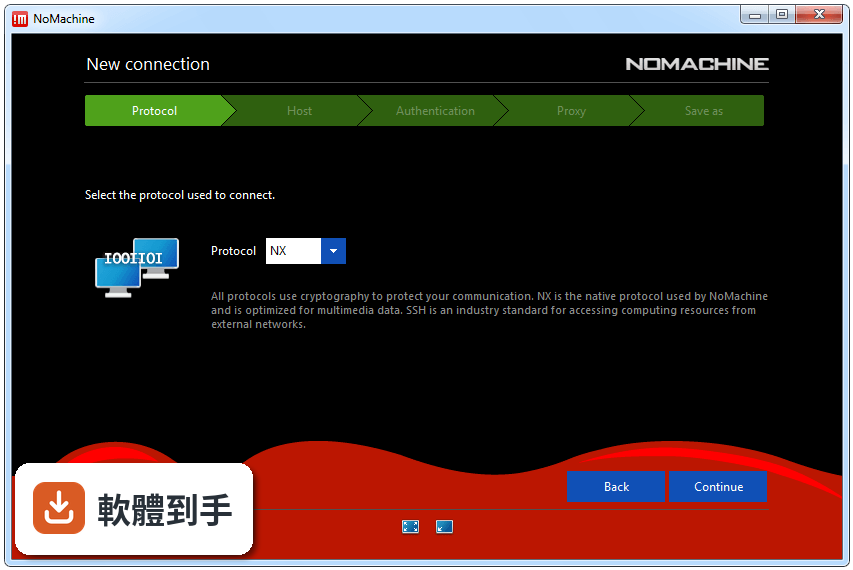
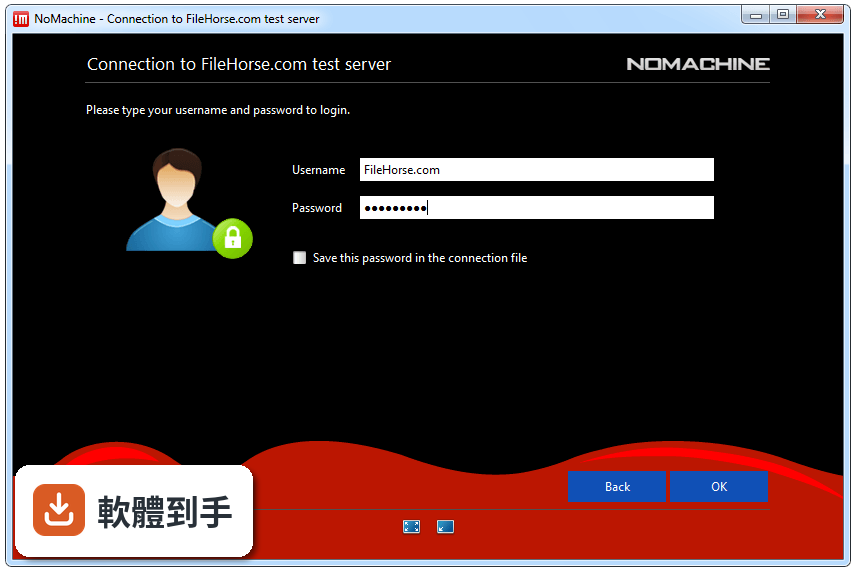
資料顯示,NoMachine 的介面語言是英文,沒有內建繁體中文。對不習慣英文介面的人來說,初始設定可能會有點門檻,但操作邏輯並不複雜,主要就是安裝、啟動、選擇要連線的電腦、輸入帳號密碼。如果你完全無法接受英文介面,可以考慮其他有中文介面的遠端工具,例如 AnyDesk 或 Chrome Remote Desktop。
09我需要在公司防火牆內連回家裡電腦,這套軟體能穿透嗎?
NoMachine 支援區域網路和網際網路連線,理論上可以透過網際網路連回家裡。但公司防火牆如果嚴格限制對外連線,或只允許特定通訊埠,NoMachine 的連線就可能被阻擋。這種情況下,你需要確認公司網路政策,或改用走 HTTPS 埠的遠端工具(例如 Chrome Remote Desktop),比較容易穿透防火牆。
10這套軟體適合完全沒有技術背景的人用嗎?
官方說明提到「初始設定可能對某些使用者來說較複雜」,所以如果你對網路設定、防火牆、IP 位址這些概念不熟悉,可能會卡在安裝後的設定步驟。基本使用流程是安裝、啟動、從清單選電腦、輸入帳密,但如果要設定外部連線或調整進階選項,就需要一些網路知識。建議先在同一個區域網路內測試,成功後再嘗試網際網路連線。
11我已經有 TeamViewer 了,還需要換成 NoMachine 嗎?
這取決於你目前的使用體驗。如果你用 TeamViewer 免費版遇到商業使用偵測、連線被中斷,或覺得畫面延遲明顯,可以試試 NoMachine 作為替代方案。它的免費版本功能完整,沒有時間限制,而且支援多平台。不過,TeamViewer 的使用者基數大,遇到問題時比較容易找到中文資源,這點 NoMachine 就比較弱。建議兩套都裝,依照當下情況選擇使用。
12這套軟體適合拿來幫親戚朋友修電腦嗎?
可以,但要注意授權條款。NoMachine 的免費版本是供「個人使用」,如果你幫朋友修電腦,屬於非商業性質的個人協助,應該在允許範圍內。但如果你是收費提供電腦維修服務,就屬於商業使用,需要購買企業方案。另外,NoMachine 需要先在對方電腦上安裝並設定好帳號密碼,不像有些工具可以透過臨時連線碼快速連入,這點在遠端協助的情境下比較不方便。
下載與官方連結
nomachine_6.0.66_2.exe · 連結指向軟體原廠
版本紀錄
- 2026-10-07 NoMachine 10.2.3 97.2 MB
- 2026-09-06 NoMachine 10.1.7 95.4 MB
- 2026-09-06 NoMachine 10.0.60 96.3 MB
再看 5 筆
- 2026-08-20 NoMachine 10.0.59 96.3 MB
- 2026-07-10 NoMachine 10.0.57 96.5 MB
- 2023-06-28 NoMachine 8.6.1
- 2022-11-08 NoMachine 8.2.3
- 2022-03-22 NoMachine 7.9.2
這一版改了什麼
What's new in this version:
NoMachine 6.0.66
Fixed:
- Users can log-in to the nxserver shell by using a NoMachine token
- Cannot forward USB devices to macOS Sierra
- Cannot open the Font menu in the Attribute Inspector in a physical desktop on macOS 10.13
- Cannot access an Enterprise Desktop if no X session is already running on it
- NoMachine fails to automatically reconnect when server requires two-factor authentication
- NoMachine client suddenly terminates when the connection uses proxy authentication
- Message 'Cannot kill nxhtd' is issued while upgrading Cloud Server to version 6 on Linux
- USB forwarding to Linux sessions works only the first time
- The session freezes after that the user logs-in or logs-out from the system
NoMachine 6.0.62
- Adding a new configuration key for pre-configuring the web GUI appearance
- Applying the 'lossless refinement' in a single pass
- Dropping support for 'NoMachine login' method
- Switching the active role to the server with more connections after a cluster failover
- Adding the 'Subscription version' field to the license files
- Build a scalable multi-tier infrastructure with Cloud Server
- Using one-time password for forwarding connections from a Cloud Server to a target server
- Automatic detection of proxy settings and using them to connect
- Automatic software updates from earlier versions to v. 6.0 will be disabled
- Creating the necessary UI for accessing and administering a NoMachine hierarchical infrastructure of servers
- Adding new commands for federating servers under a Cloud Server
- Accessing and managing a NoMachine multi-level infrastructure of servers via web
- Letting users disable accepting connections to their desktop from the NoMachine Monitor
- Updates to server commands for managing multi-node environments
- Implementing automatic reconnection for connections by the web
- Creating a dedicated PAM module for temporary password authentication with SSH protocol
- Adding a new option to server commands for directing users to a given server federated under a CS
- Providing server tools to configure the users' ability to disable accepting connections to their physical desktop
- Create a unique identifier for the NoMachine failover cluster
- Add an item to the NoMachine menu to close the NoMachine application
- Adding the 'nxserver --getuuid' command to retrieve the server uuid in a NoMachine hierarchical infrastructure
- Adding support for guest users to NoMachine Enterprise Desktop
- Implementing automatic reconnection in the NoMachine client
- Informing users that NoMachine client v. 6 is requested to connect to Cloud Server v. 6
- Removing the host keys while deleting the remote host from the NoMachine infrastructure
- Giving the possibility to start and stop foreign servers
- Improving the procedure to gather web session logs
- Implementing the 'nxserver --serverupdate' command
- Extending the 'nxserver --remove-host-key' to operate also on servers federated under a Cloud Server
- Adding the mod_headers module to the NoMachine web server
- Giving the possibility to administrators to pre-configure NoMachine's web sessions
- Eliminate the customer's packages for update and ship updates in all-in-one packages
- Change status item label to "Show the service status"
- Disabling 3DES-CBC (short block sizes) in the NoMachine web server
- Extending support for web sessions to more NoMachine server products
- Extending the possibility to prevent users from storing their credentials also in case of web sessions
- Preventing users from storing their login credentials when connecting via browser
- Managing sub-level servers from the main Cloud Server
- Updating the NoMachine web server, nxhtd
- Adding a new configuration key to hide the 'Accepting connection' item from the Monitor menu
- Adding support for H.264 codec in web sessions
- Moving settings of cloud.cfg and cloud.inc to the global configuration files, server.cfg and htd.cfg
- Extending the multi-server administration GUI by allowing to manage any servers in the hierarchy
- The restricted access mode to physical desktops in NoMachine v. 6
- Minimizing user's steps to launch web sessions
- Disabling mDNS in the NoMachine monitor if it is disabled in the client GUI panel
- Renaming configuration keys for web sessions
- Extending NoMachine USB support to Raspberry Pi
- Adding support for SOCKS protocol
- BSOD on Windows 10 due to the nxusb driver
- Screen blanking on Mac doesn't work properly when connecting to login window
- Server side logs report "Cannot get user info" messages
- Ghost printers are forwarded in the NoMachine sessions after a system reboot on CentOS 7/RHEL 7
- Audio playback is not smooth when the session is connected to Windows XP
- NoMachine server cannot be started when the Windows LSA service is running in protected mode
- Keyboard does not work properly inside remote Parallels VM
- Ctrl+drag is not working in Xcode
- Error messages related to problems with the creation of 'nx' user account during the installation process don't provide enough detail
- NoMachine client can be installed over a NoMachine full package on Linux
- The 'nxdevice/sessions' directory on Linux is obsolete
- Dialog box requiring authentication pops up while creating a new virtual session
- Misleading error message about missing users.db
- The nxexec process suddenly terminates on Ubuntu 16.04 when the machine is rebooted
- Cannot activate a TSN license for evaluation with the 'nxserver --activate' command
- Mouse input problems appear when playing EverQuest
- Custom scripts triggered on 'UserScriptAfterSessionStart' are executed before the user is effectively connected to the remote desktop
- LSA service crash due to invalid memory access inside nxlsa module
- When installing a server package, set-up tries to put in place XDG files for the standalone client
- Sudden termination of the NoMachine session caused by mDNS
- User gets authorization error using system "Check for Updates" in openSUSE Leap after installing NoMachine
- Ctrl+arrow doesn't work in a NoMachine session on macOS 10.12.6
- Server configuration to forbid the client to store credentials doesn't work as expected
- Memory leak in Render extension optimized code
- NoMachine nxd doesn't start properly on Windows XP when IPv6 protocol is installed
- Microsoft Driver Verifier reports a non-fatal error when verifying nxusbs.sys
- No error is displayed when users set a new password and the system doesn't accept it
- Screen blanking feature doesn't work properly on openSUSE Leap 42.1
- User is successfully authenticated but can't easily access his session when the system authentication is case-insensitive
- Some Gnome 3 themes are misrendered in virtual desktopsTR01N06360 - Problem with USB forwarding of iPhone to Mac OS X
NoMachine 5.3.12
- Change log not available for this version
NoMachine 5.3.10
- NoMachine makes available updated packages to prevent a vulnerability in one of the server utilities which could be exploited by authenticated users to gain access to all local files on Linux and Mac OS X hosts. Furthermore, security fixes for recent flaws discovered in Apache and which affect users of Cloud Server are also included. We strongly recommend all users upgrade their server installations to this release, 5.3.10. Although Enterprise Client is not impacted by these vulnerabilities, we advise users to also update their client installations
NoMachine 5.3.9
The complete list of fixes included in this release are:
- 'No available session on the server' after Creators Update has been installed on Windows 10
- Cannot authenticate with passwords not described in the Windows code page
- Cannot connect to NoMachine on Windows when the lsass process has a high number of handles
- Connection fails when the client is on Windows and hostname contains non-latin characters
- Automatic software updates don't work on Linux ARM64 devices
- The virtual desktop session suddenly terminates on handling a specific invalid application request
- The virtual desktop session suddenly terminates when it's reconnected with a different resolution
- Transparent gray boxes appear around text areas
Additionally, NoMachine 5.2.21 also implements:
- Adding a 'latency' proxy parameter to allow for optimizations on high-latency networks
NoMachine 5.2.21
- Change log not available for this version
NoMachine 5.2.11
- Change log not available for this version
NoMachine 5.1.62
Fixed:
- Alt Gr doesn't work properly in web sessions started from Windows
- Artifacts in KDE virtual desktop on CentOS 7 and RHEL 7
- Cannot add the node to the server when there is a wrong SSH key on the node
- Cannot add the node when the 'strict-host-key-checking' option is used
- Cannot manually select the node when connecting by the web
- Cannot reconnect a virtual desktop on RHEL 6
- Client dialogs are not centered in the session area
- Dialog to disconnect/terminate virtual desktops doesn't show up
- Error 'Agent was not initialized properly' is issued when connecting to Linux and the X server doesn't support TCP connections
- Firefox v. 49.0.1 is not well rendered in a NoMachine virtual desktop in X11 vector graphics mode
- KDE session is not recognized after updating to KDE 5 on Gentoo and Slackware
- Keys are not released when the Ctrl+Alt+Del combination is pressed
- Nodeupdate command resets load balancing parameter
- Non-latin symbols cannot be pasted
- Session processes are continuously restarted causing log files to fill up the disk
- Error 'Cannot create session directory' occurs when Kerberos ticket is not renewable
NoMachine 5.1.54
- Change log not available for this version
NoMachine 5.1.42
- UDP causes the session to hang up and eventually disconnect
- The node.cfg file is incomplete after that the installation is upgraded to v. 5.1.40
NoMachine 5.1.40
The complete list of features implemented in 5.1.40 are:
- Adding support for WebRTC to NoMachine web sessions
- Supporting H.264 encoding for custom applications and virtual desktops in X11 vector graphics mode
- Giving the possibility to use keyboard shortcuts during web sessions
- Automatically switching to load-balancing mode when there are no nodes available for manual selection
- Forwarding Kerberos tickets to nodes even when the user doesn't authenticate with Kerberos to NoMachine
- Renaming the AgentLightweightMode configuration key to AgentX11VectorGraphics
- Updating the 'lightweight' label in the server preferences GUI
- Grouping NoMachine client windows in the Windows taskbar
- Allow to configure the client to hide the main window when starting a floating window session
- Letting users choose to connect to a remote node by load-balancing
- Automatic switch to load-balancing mode for web sessions
- Improving fullscreen on multi-monitors when Windows Managers don't fully support EWMH
This new version also provides fixes for issues affecting previous versions:
- Keyboard does not work properly inside remote Parallels VM
TR02M04931 - Connecting to Windows Vista makes the MS help guide pop-up when the desktop owner has focus on a MS
- Zenkaku-Hankaku key does not work
- Cannot connect to the server on Linux Mint after reboot when the user's folder is encrypted
- Wrong keyboard layout set in web sessions
- Microsoft Help Viewer opens randomly in a NoMachine sessions on Windows 7
- Running 'service nxserver status' does not return the correct code
- Possible crashes of the nxnode processes on Windows 7 with Korean system language
- Virtual desktops are terminated in a multinode environment after a network outage
- Copy&paste from Linux (RHEL 5 and 6) to Windows is unreliable
- Cannot print on a local printer when SELinux is enabled on the remote host
- The disconnect/terminate dialog box doesn't work properly in Fluxbox WM
- Audio is always restored to the initial status when the session is disconnected
- Graphics windows of R software are empty inside a NoMachine session
- Cannot print from the NoMachine session to the local print
- Virtual desktops are marked as failed when users are logged-out from the system
- The Web Companion applet window doesn't close when clicking Exit
- The NoMachine web server doesn't start after the upgrade from version 4.2.25 to 5.1.24
- No images are displayed in Adxv running in a NoMachine virtual desktop
- The client ignores the menu configuration requested by the server
- NoMachine users and groups are not synchronized in a cluster
- Setup doesn't check directory permissions correctly
- Screen blanking doesn't work properly on Debian 8
- Some license types cannot be activated using the 'nxserver -- activate' command
- Cannot connect by HTTP proxy server if the server hostname is unresolvable
- Sessions on the remote are terminated when the master server is shut down
- The node name is only partially visible when 'list view' is selected in Chrome or IE
- NoMachine cannot find the Xvnc server once it has been restarted
- NoMachine server renews Kerberos tickets but not the AFS token
- Runtime error during installation on Windows
- Audio does not work during connection to Windows XP
- Cannot connect by the web to NoMachine Cloud Server on Ubuntu 16.04
- Some keys are ignored if set in a per-user node configuration file
- The "z" letter in a French keyboard is mapped to "w" inside a web session
- 'Last operation failed' is reported when adding a node
- Drag and drop not working in Xcode
- Rules set for a NoMachine group are ignored for Windows Domain accounts
- Settings for the ClipboardBufferLimit configuration key are ignored
- A sudden termination of the virtual desktop occurs with NoMachine server v. 4.6.x or v. 5
- Cannot add a Windows host to the NoMachine multinode environment by using a domain user account
- Cannot start a session when XDM indirect query is chosen
- Horizontal scroll does not work
- Limiting connections to the remote node by using profiles has no effect
- Cannot install NoMachine AVC pack for Windows when the OS is in German
- Password expiry is not always handled and user is prompted with a wrong dialog
- Sudden termination of nxserver.bin process in a cluster environment while monitoring the cluster
- Restricted mode in PhysicalDesktopMode is ignored when the connecting user is the desktop owner
NoMachine 5.1.26
- Change log not available for this version
NoMachine 5.1.24
- Change log not available for this version
NoMachine 5.1.22
- Adding a RSA key pair for the NoMachine login
- Renaming the "SectionSession" directive in the cloud.cfg file
- Implement pressing "Esc" key exists a dialog
- Letting administrators enable RGB stream compression for virtual sessions in lightweight mode
- Making the disconnect/terminate dialog available for virtual desktops not in lightweight mode
- Adding support for password change requests when connecting by NX protocol
- Porting NoMachine Web Companion to Java Web Start
- Allowing trusted users to connect to the desktop without requiring owner's approval
- Lock down the NoMachine menu inside the session and other features
- Connecting the default printer from client side to the remote host automatically
Fixes available are for the following:
- Font size is smaller when connecting by NX Client 3.5.0 to NoMachine server 5.1
- Cannot interact any longer with the remote desktop after sending or receiving a file
- "Error is 22: Invalid argument" is given when connecting using key-based authentication
- Authorization is requested also when the connecting user is the remote desktop owner
- The 'nxserver --disconnect' command doesn't work as expected
- Users cannot reconnect a virtual desktop after a network disconnection
- Session startup is delayed of about 1.4 seconds
- USB drivers cannot be correctly installed on Manjaro Linux
- Artifacts can appear in Firefox and Gimp when running in a MATE desktop
- The NoMachine menu cannot be opened in a web session by using the page peel if Adblock is installed
- Large size Kerberos tickets are not forwarded to the remote nodes
- User's settings are not saved for new connections started from the !M icon in the tray menu
- Spinning wheel runs forever when connecting with SSH and system login and NX Password DB is enabled on the server
- Cannot reconnect default virtual desktops by NX Client 3.5.0
- Cannot connect by SSH when a different server is installed where NoMachine free was previously present
- Authentication with SSH Agent Forwarding does not work on Windows
- Unresponsive mouse and keyboard on the server host when the NoMachine session is disconnected
- Mouse clicks are unresponsive in the NoMachine session when screen blanking is enabled on the remote host
- First login to NoMachine server fails if Kerberos authentication is used
- Installing NoMachine free over NoMachine client on Windows breaks the installation
- A new user cannot connect to NoMachine until someone users logs-off
- Error 'Authentication method not allowed on this server' is issued when connecting by the web
- The remote desktop is automatically resized also when the session is in 'restricted' mode
- Keys are repeated unintentionally
- Keyboard is unresponsive after reconnecting a virtual desktop
- Black screen after desktop logout with NoMachine free version on a headless Linux machine
- Error 'connection method not available' is given when connecting by SSH protocol and NoMachine login
- Connections fail when 'load-average' is chosen as load balancing algorithm and the session limit is reached on the node
NoMachine 5.1.9
From the list of security fixes available in OpenSSL 1.0.1s, the following may affect the NoMachine version 5 packages:
- Fix a double-free in DSA code (CVE-2016-0705)
- Disable SRP fake user seed to address a server memory leak (CVE-2016-0798)
- Fix memory issues in BIO_*printf functions (CVE-2016-0799)
- Fix side channel attack on modular exponentiation (CVE-2016-0702)
- All NoMachine users are advised to update their client and server installations with this latest NoMachine release, 5.1.9, which contains the updated OpenSSL components.
NoMachine 5.1.7
The complete list of features implemented in version 5.1.7 are:
- Supporting a range of displays for connections to the physical desktop
- Adding the possibility to store the private key for the key-based authentication in the client connection file
- Adding tooltips to the quick access display icons in the client GUI
- Implementing a graphical interface for web sessions on Android tablets and iPad
- Making possible to enable a disconnect/terminate dialog for rootless sessions
- Offer the possibility to restore the window geometry when starting the client or connecting to a desktop
- Removing "Browse connections..." and "New connection..." menu items from the NoMachine monitor in the system tray
- Adding tooltips to the NoMachine quick access display icons in the web session
- Improving the authentication request dialog in case of two factors authentication
This latest release also provides the following fixes:
- 'Undefined subroutine' message in server logs when the Monitor cannot create its session directory
- After ID change of nx user NoMachine server does not start
- Cannot authenticate with Kerberos tickets when connecting from Windows to Linux when Active Directory is in use
- Cannot create new virtual desktops when session persistence is disabled
- Cannot disable all lossy encoding algorithms in floating window sessions
- Cannot disable the automatic startup of the server on Ubuntu
- Client asks for username on every new connection to the server
- Damaged areas in a Cadence Virtuoso layout when the session is reconnected
- Kerberos authentication in SSH protocol doesn’t work in SSPI mode
- Keyboard does not work correctly if Caps Lock and Control Left are swapped
- Mouse pointer can have a wrong offset when the user selects a single remote display in the GUI
- nxserver --terminate returns an error
- Possible segfault on machines with many CPU cores
- Pressing ESC terminates the virtual desktop running in a web session on IE 11
- Reconnecting a virtual desktop hangs for minutes
- The "Show the transfer status" item is present in the NoMachine tray menu also when file transfer is disabled
- The image quality is bad when the quality slider is set to max
- The NoMachine session suddenly closes without any message
- The nxnode process suddenly terminates during the shutdown procedure
- The nxwebplayer --update script doesn't work properly
- Tickets are not forwarded to remote nodes in a multinode environment
- The USB module fails to compile on Arch Linux during the installation
- CTRL key combinations are ignored if the session window was previously minimized
- The 'Spread over multiple monitors' option in NX Client 3.5.0 doesn't work after installing Microsoft OS update KB3109094
- Missing column display on session list.
- Crash of nxnode on OSX with centrify
- Alt key is ignored the first time it is pressed
NoMachine 5.0.63
- An information leak vulnerability has been found in OpenSSH client code between 5.4 and 7.1, OpenSSH versions which include experimental support for resuming SSH-connections. Although the matching server code has never been released, the information leak is exploitable in the default configuration of the OpenSSH client, and (depending on the client's version, compiler, and operating system) allows a malicious server to read memory on connecting computers, including private client user keys (CVE-2016-0777 and CVE-2016-0778)
NoMachine 5.0.58
- Change log not available for this version
NoMachine 5.0.53
New:
- Supporting SSL client authentication for connections by NX protocol
- Passing further information about the connecting client to custom scripts at login stage
- Letting users choose to connect to a remote node by load-balancing or manual selection
- Adding the possibility to delete a specific profile rule
- Enabling fingers gestures for web sessions on a mobile device
- Locking down server authentication methods
Bug Fixes:
- Cannot authenticate with smart card and local SSH-authentication agent on Windows
- Visual anomalies appear into window borders of virtual Xfce desktops
- Cannot connect to session with domain user if network has changed
- Garbled icons are shown in the Hierachy menu of a Cliosoft software
- Session recording is not disabled in all cases
- SSH password expiry is not correctly handled for web sessions
- Cannot copy and paste from remote custom session to local system
- Sudden movements of camera view when playing games
- A wrong keyboard layout is set when the web session is reconnected by the client
- The --limit option for the 'nxserver --nodeadd' command doesn't accept values higher than 100
- Cannot connect to a NoMachine server from Windows
- The "Emulate middle mouse button" option doesn't work when the virtual desktop is reconnected
- Users are prompted for a passphrase even when the private key doesn't have it set
- Expired password is not handled correctly when connecting by NoMachine client
NoMachine 5.0.47
- Change log not available for this version
NoMachine 5.0.43
New:
- Offering localized versions of the NoMachine GUI
- Adding the possibility of activating the license from the NoMachine GUI
- Adding and removing nodes in a multi-node environment from the NoMachine (client) GUI
- Supporting the blank screen feature during a remote desktop session
- Supporting Kerberos ticket-based authentication for connections by NX protocol
- Giving the possibility to connect a physical session in NoMachine free version when the local X server can't be found
- Giving the possibility to switch between monitors of the remote server
- Adding the possibility to configure the resolution of the remote desktop
- Implementing an additional lossless encoding pass to overcome the color downsampling
- Offering localized versions of the NoMachine GUI for web sessions
- Giving the possibility to download software updates automatically
- Keeping the aspect ratio when the session window is in a scaling mode
- Let administrators to configure Quality of Service (QoS) flags for prioritizing the NoMachine data traffic
- Adding support for connecting to Unix workstations and servers running unsupported X-Windows based environments
- Emulating mouse right click on Mac OS X
- Updating the NoMachine web server to the last recent version of apache
- Adding support for NVENC hardware H.264 encoder
Bug fixes:
- The physical desktop is not available when the default display manager is SDDM
- A black screen appears for a few seconds when connecting to Windows 10
- Cannot copy all files when disks are connected to Windows
- A wrong password is submitted multiple times when two-factor authentication is in use
- Some keyboard shortcuts are ignored in Mac OS X client
- Cannot select any options in the application menu of a custom session running in a floating window
- Reconnecting a session stucks on "Connecting to virtual desktop"
- The server connection monitor doesn't reconnect to the remote node if connection is lost while the node is stopped
- Cannot start new virtual desktops when there are multiple X servers up and running
- A warning appears in system logs on OS X 10.10 when the client is launched
- When forwarding a USB camera the built-in microphone doesn't work
- The physical desktop is not available when connecting to NoMachine 4.6.12 on CentOS
- Cannot add the user to a group if the user is already in the NoMachine users db
- The 'nxserver --disconnect' command terminates the virtual desktop instead of disconnecting it
- Installation of an RPM server package over a NoMachine Enterprise Client package is not blocked
- Black screen occurs when connecting to Mac OS X after that the machine has been rebooted
- Copy/paste from a virtual desktop to Windows client does not work consistently
- The client does not handle the 'password expired' in case of SSH/system login
- Screen updates are not properly handled when the application is in background
- Authorization for changing NoMachine server settings fails on Windows when the administrative account has an empty password
- Cannot create virtual desktops when NoMachine server is installed on a Kerberos-AFS client
- The client times out when trying to contact the server in a DirectAccess network
NoMachine 4.6.16
- Change log not available for this version
NoMachine 4.6.12
- Change log not available for this version
NoMachine 4.6.3
- A fresh new installation made using a package for update is not blocked
- Upgrading from NX Enterprise Server 3.5.0 to Cloud Server 4.5.0 doesn't preserve users.db
- The first session item in the node resource list is empty
- When VirtualDesktopSharing is disabled, nxserver --history and --list will not show users
- The NumLock key doesn't work correctly in custom sessions running in floating window mode
- A wrong behavior occurs when the automigrate option is disabled in the ConnectPolicy server configuration key
- The nxserver service is started before SSHD on SUSE Linux 11
- Connecting to the virtual desktop fails if the user belongs to many groups
- Description of the --list command is not updated in the server usage
- The 'nxserver --list --client-version' doesn't provide information about the version of the connected clients
- The server doesn't provide the client type in the session list when the session is started on a remote node
- Virtual desktops cannot be reconnected if shadow and physical-desktop session types are removed from the server configuration
- The client asks for fingerprint on every connection if the client hostname is two characters long
- Performance problem when zooming in/out a view in a CAD tool
- Rootless sessions terminate unexpectedly when resizing or reconfiguring windows
- Group memberships are not taken over in virtual desktops on remote nodes
- Running a single application in a custom session makes the local X server crashing
- NoMachine client v. 4.3.x or 4.4.x on Mac OS 10.9 fails to connect to virtual desktop due to wrong file permissions
- Profile rules added on the cluster master don't appear on the cluster slave
- Display quality of a web session 4.5.0 is lower than with previous versions
- Application icon could be missing when starting a custom session in floating window mode
- The web session freezes when the connection limit is exceeded and the session is migrated to a new browser
- Firefox in a custom session is opened in a small window
- Keyboard is no longer working in a web session on Windows after that Explorer is minimized with Alt+Tab
- Copy and paste of patches out of Eclipse running in a custom session does not work
- The web session freezes when the webclient process terminates abnormally
- Cluster add procedure fails when the sudo prompt is not standard
- Cannot set a redirect directive by using the star wildcard to specify a family of IP address
- Cannot connect to the remote desktop when the /etc/hosts file doesn't have 127.0.0.1 set for localhost
- Drawing issues with Synopsys DVE
- Uncorrect value for the nodeSessionRunning variable in the custom load-balancing script
- Black screen is displayed when reconnecting a virtual session that was not disconnected cleanly
- Cannot disable redirection for groups
- Virtual desktops are lost during the disconnect procedure
NoMachine 4.4.12
- Adding the possibility to add remote node without asking to confirm fingerprint
- Adding the possibility to save the selected node to open automatically
- Adding a server configuration key to provide a disconnect/terminate dialog
- Giving the possibility to set profiles rules for system groups
- Running custom-scripts for shadow sessions
- Limiting the possibility to create new custom sessions on the server
- Displaying node labels to let users identify hosts in the list of sessions when multi-node is enabled
- Giving the possibility to use the system logger to manage NoMachine logging on Linux and on Windows
- Using different names to distinguish Enterprise Client, Terminal Server Node and server packages on Linux Fixes:
- Users are prompted with two password requests when PAM authentication is keyboard-interactive
- Cannot use node configuration files set on per-user basis on Windows
- Arrow keys don’t work as expected in virtual desktop sessions
- Server commands to enable or disable users return “ERROR: Cannot connect to: 127.0.0.1:22”
- Some keys are wrongly mapped when the session is connected from Ubuntu 12.04 to NX Server 3.5.0
- The AltGr key doesn’t work reliably in a web session
- Some keys are not mapped correctly when the legacy keyboard setting is used
- Cannot start a session when XDM indirect query is chosen
- The server doesn’t update automatically the version field in the nodes db
- Custom applications are slowly redrawn when being resized
- System dbus runs out of nofiles descriptors when running tens of virtual desktop sessions on the same host
- Using AltGr + Q to type ‘@’ inside a web session from Mac doesn’t work
- Video streaming falls back from H.264 to VP8 during the life of the session
- Cannot terminate a session by using the ‘nxserver –terminate’ command
- The automatic port mapping fails with some router models
- AltGr+0 key combination doesn’t work in web sessions
- Cannot reconnect a virtual desktop after a network failure when the user’s home is NFS mounted
- The server issues a misleading message when the license is expired
- When client version 4 logs out from NX server 3.5 an error is displayed
- Connections fail with error ‘Could not create lock file in /tmp’
- Starting a virtual desktop on OpenSUSE 13.2 issues a dialog, requesting for administrator’s credentials
NoMachine 4.4.6
- Change log not available for this version
NoMachine 4.4.1
- Change log not available for this version
NoMachine 4.3.30
- Change log not available for this version
NoMachine 4.3.24
- Change log not available for this version
NoMachine 4.2.27
- Change log not available for this version